Prizmo Go › Scan Text + OCR

Prizmo Go › Scan Text + OCR


ダウンロード: App Store
ロゴ: Prizmo Go › Scan Text + OCR

Prizmo Go:手軽に瞬時のテキストキャプチャとOCR

手入力をやめて、作業を始めましょう。カメラを向けるだけで、テキストの取得、言語の翻訳、データへの即座な操作が可能です。すべてAppleデバイス間でシームレスに同期されます。

開発元

Creaceed SRL

カテゴリ

Utilities

ダウンロード

410K+

ユーザー評価

3.9/5

評価数

1K+

対応言語

17

指先で魔法を

このインターフェースを利用する 410K+ 人のユーザー.

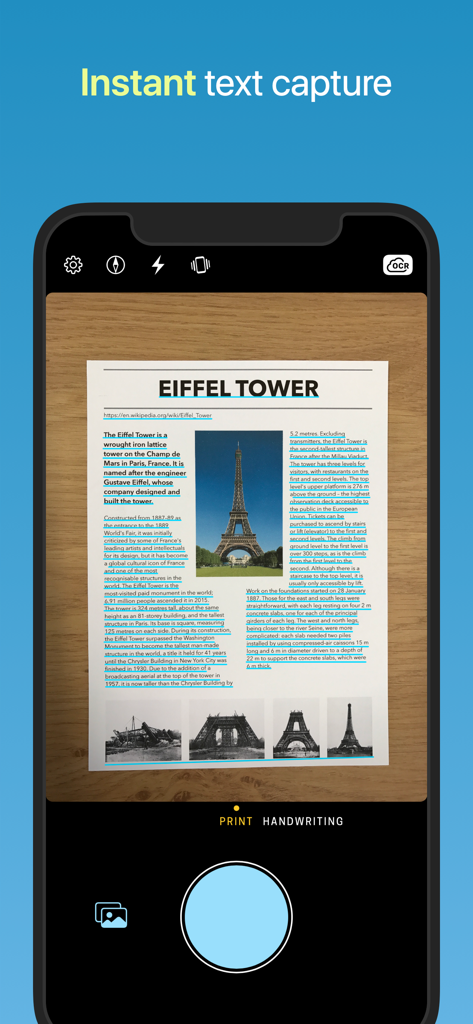
エッフェル塔に関する文書上で、リアルタイムのテキストキャプチャとOCRハイライトを表示しているPrizmo Goモバイルアプリのインターフェース

エッフェル塔に関する文書上で、リアルタイムのテキストキャプチャとOCRハイライトを表示しているPrizmo Goモバイルアプリのインターフェース

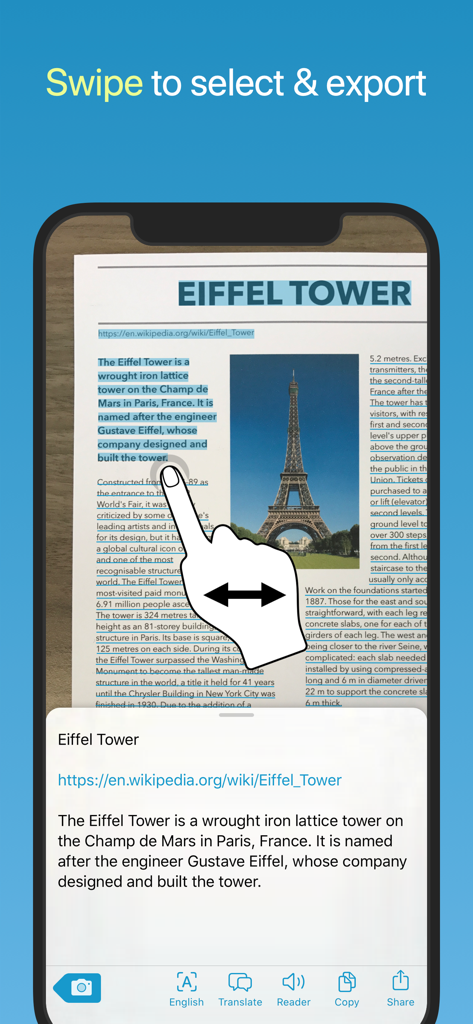
Prizmo Goアプリで、エッフェル塔に関するスキャン文書から認識されたテキストを選択するためにiPhoneの画面をスワイプする手

Prizmo Goアプリで、エッフェル塔に関するスキャン文書から認識されたテキストを選択するためにiPhoneの画面をスワイプする手

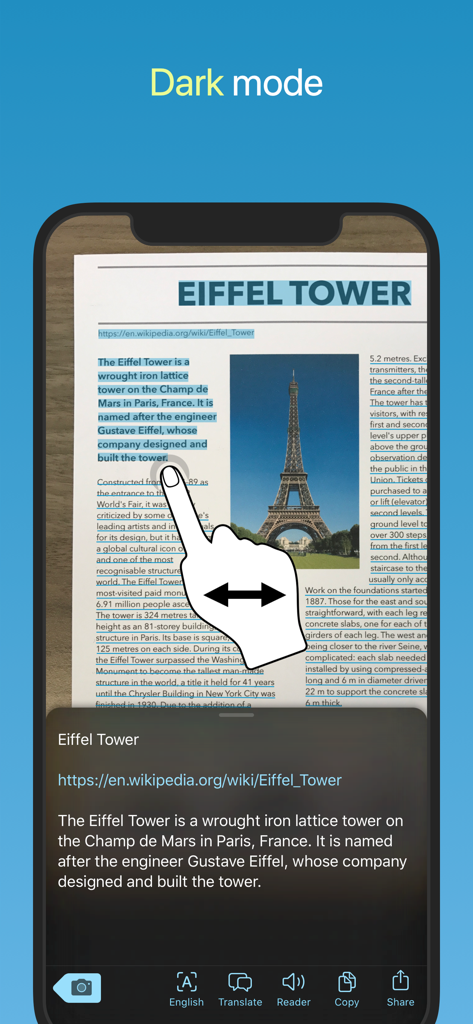
ダークモードでテキストの認識と選択を表示しているPrizmo Goアプリのインターフェース

ダークモードでテキストの認識と選択を表示しているPrizmo Goアプリのインターフェース

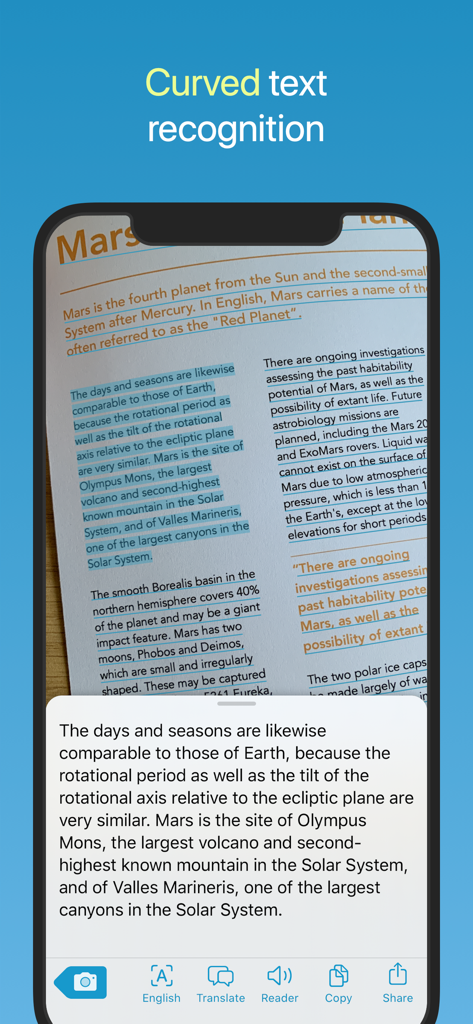
火星に関する本のページで、湾曲したテキストの認識を表示しているPrizmo Goアプリのスクリーンショット

火星に関する本のページで、湾曲したテキストの認識を表示しているPrizmo Goアプリのスクリーンショット

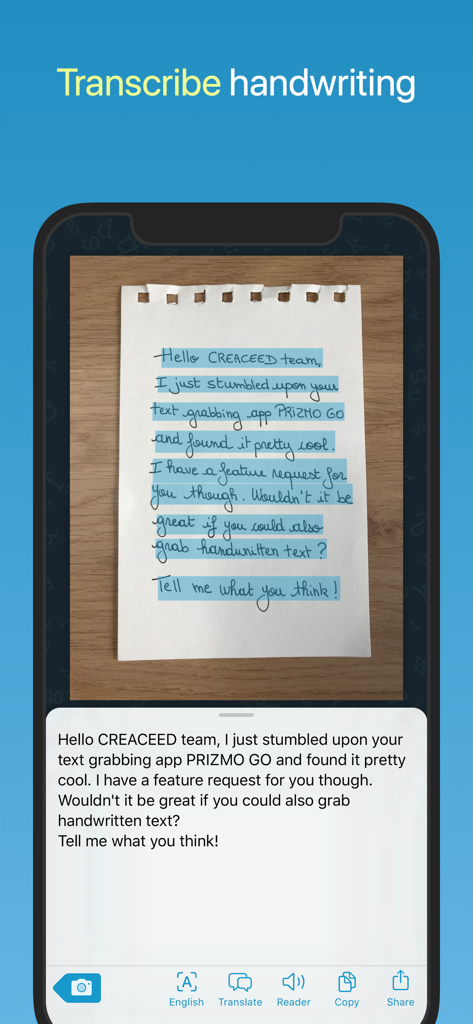
紙のメモからの手書きテキストをデジタルテキストに書き起こしているPrizmo Goアプリを表示するスマートフォンの画面

紙のメモからの手書きテキストをデジタルテキストに書き起こしているPrizmo Goアプリを表示するスマートフォンの画面

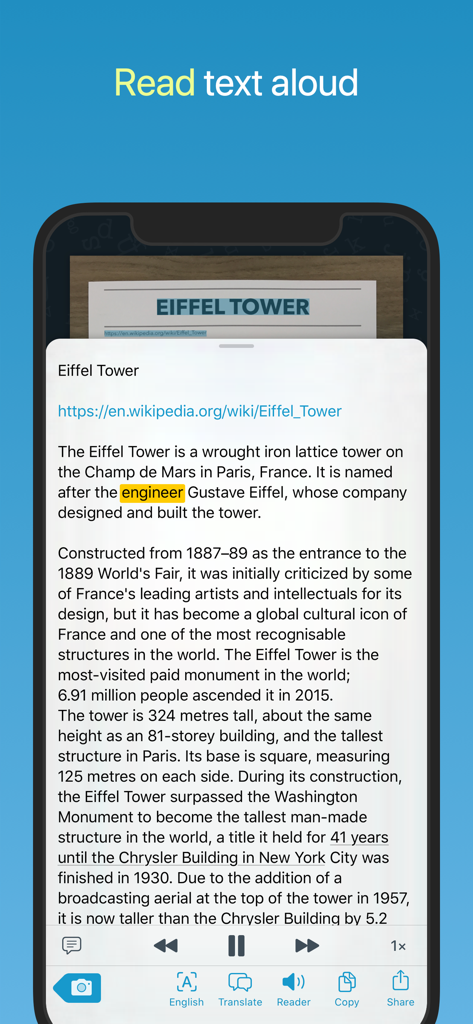
エッフェル塔に関するスキャンされたテキストを読んでいる読み上げ(Text-to-Speech)インターフェースを表示するPrizmo GoアプリのiPhoneスクリーンショット

エッフェル塔に関するスキャンされたテキストを読んでいる読み上げ(Text-to-Speech)インターフェースを表示するPrizmo GoアプリのiPhoneスクリーンショット

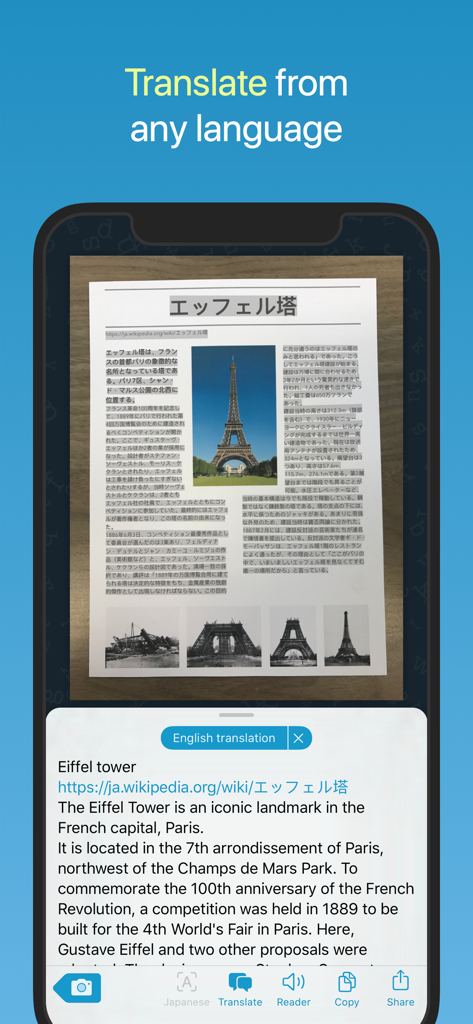
エッフェル塔に関する日本語の印刷文書を英語に翻訳しているPrizmo Goアプリのインターフェース

エッフェル塔に関する日本語の印刷文書を英語に翻訳しているPrizmo Goアプリのインターフェース

印刷物とデジタルの架け橋に

このアプリを際立たせるツール、 410K+ 人のユーザーが選択.

インスタント同期とユニバーサルクリップボード

メモの打ち直しはやめましょう。カメラでテキストをキャプチャし、MacやiPadに瞬時に貼り付けることで、デバイスをまたいだ摩擦のないワークフローを実現します。

🎯

スマートで実行可能なテキスト

ただ読むだけではありません。タップして電話をかけたり、住所をマップで開いたり、画像から直接認識されたウェブサイトにアクセスしたりできます。

👁️

インクルーシブなデザイン

深いVoiceOver統合、視覚障害者向けの音声ガイダンス、高品質な読み上げ(Text-to-Speech)出力を備え、あらゆる人のために構築されています。

アプリについて

について知っておくべきこと Prizmo Go › Scan Text + OCR.

説明

Aim at text. Shoot. It's yours! Prizmo Go lets you quickly grab text with the camera. After text is recognized in a blink of an eye, you can interact with it in many useful ways. Or just send it to other apps. And if you've got a Mac, you can even copy/paste it there. No more retyping. Feels like magic, just at your fingertips. Additionally, Prizmo Go provides rich interactions with the captured text. After shooting, text from the original picture is revealed, and swiping through it allows fast and accurate text selection directly from the image. Selected text can then be read aloud, or you can tap to browse to any printed website address, call phone numbers, trigger Mail app from an email address, or even reveal physical address in Apple Maps and initiate navigation to that place. Prizmo Go comes with enhancements specifically built for VoiceOver, in addition to spoken guidance prior to shooting. That, combined with its text-to-speech capabilities, make it a great companion in case you need help reading printed documents. "Prizmo Go is the perfect example of how an app category can be reinvented with fresh approaches and modern tech." — Federico Viticci (MacStories) "By far this app is hands-down the most culturally inclusive app for individuals with visual deficits AND typical vision." — Bridging Apps "Prizmo Go does a fantastic job of recognizing text, specifically now with new machine learning features where the app better understands the gutter of a physical book." — Josh Ginter (The Sweet Setup) PHOTO CAPTURE - Camera-based text capture for iPhone & iPad - Real-time text highlighting in camera preview - Flash and device orientation detection - Innovative image stabilization TEXT RECOGNITION - Advanced image preprocessing - Orientation detection (machine learning) - Curved text handling - Robust neural network-based on-device OCR (works without internet connection) + Apple OCR - Accurate Cloud OCR (*) option (Internet connection required) - Handwritten text recognition (*) - QR code recognition TEXT INTERACTION - Text selection by swiping through the picture - Copy/paste to other apps or to the Mac (*) - Interaction with detected information: phone numbers, email addresses, physical addresses, websites (*) - Audio (text-to-speech) reader with word highlighting - Translation into many languages (*) ACCESSIBILITY - Full support of VoiceOver and improved workflow for low vision and blind users - Text-to-speech output - Spoken guidance prior to actual shooting - Deep integration with Dynamic Type for improved & customisable text appearance OTHER FEATURES & AUTOMATION - Copy to the Mac with Universal Clipboard - 3D Touch Quick Actions - iPad Multitasking: support for Slide Over/Split View - Supports Action Extension and 'Open In' - URL scheme mechanism (x-callback-url) to trigger Prizmo Go from other apps like Shortcuts, and retrieve recognized text. - Siri Shortcuts - iOS: Dark Mode, Core ML, Apple OCR, Shortcuts Actions, SF Symbols, Voice Control (Accessibility) (*) Requires a purchase, see app for available options. Full list of OCR languages available on https://creaceed.com/prizmogo Volume Purchase (VPP): see Prizmo Go (Volume Ed.) Terms of Use: https://creaceed.com/terms Privacy Policy: https://creaceed.com/privacy Feedback: prizmo@creaceed.com

最新バージョン

4.3.1

サイズ

29.6 MB

リリース日

2017年4月27日

手入力はやめましょう。キャプチャを始めましょう。

iPhoneおよびiPad向けの最もアクセシブルで高速なOCRを使用して、物理的な世界を実行可能なデジタルテキストに変えている41万人以上のパワーユーザーの仲間入りをしましょう。

ダウンロード: App Store

App information, icons, screenshots, and descriptions displayed on this page are sourced from the Apple App Store and are the property of their respective developers. Download estimates and rankings are based on MWM's proprietary models and may not reflect actual figures. This page is provided for informational and analytical purposes only.

Believe this page infringes your intellectual property? File a dispute