Proxygen

Proxygen

ダウンロード: App Store
ロゴ: Proxygen

Proxygen:iOSとMacのためのプロフェッショナルHTTPデバッグ

サーバーグレードのパフォーマンスでAPIテストを効率化しましょう。複雑なWi-Fiプロキシ設定や手動証明書なしで、ネットワークトラフィックを簡単に傍受、変更、分析できます。

開発元

Pasi Salenius

カテゴリ

Developer Tools

ダウンロード

44K+

ユーザー評価

4.4/5

評価数

0

対応言語

1

精密に検査

このインターフェースを利用する 44K+ 人のユーザー.

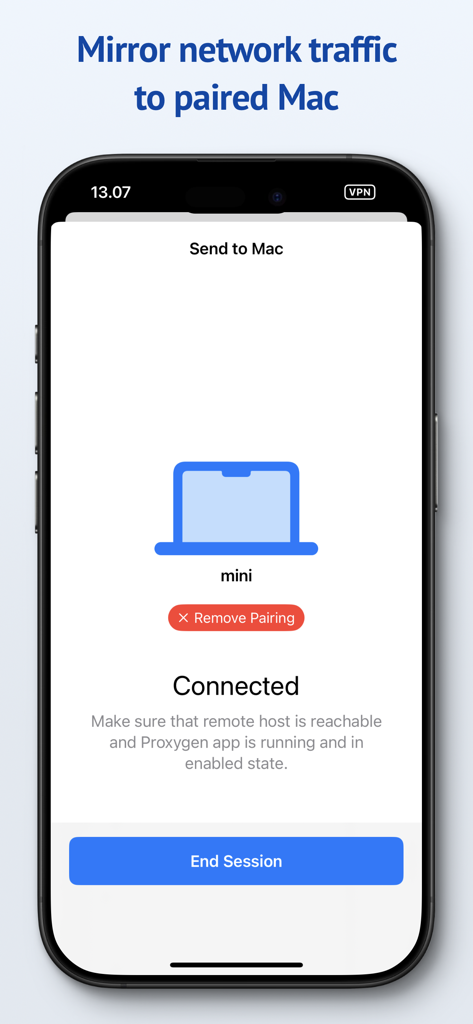
ProxygenアプリのiPhoneインターフェース。ペアリングされたMacにネットワークトラフィックをミラーリングしてデバッグするための接続セッションが表示されています。

ProxygenアプリのiPhoneインターフェース。ペアリングされたMacにネットワークトラフィックをミラーリングしてデバッグするための接続セッションが表示されています。

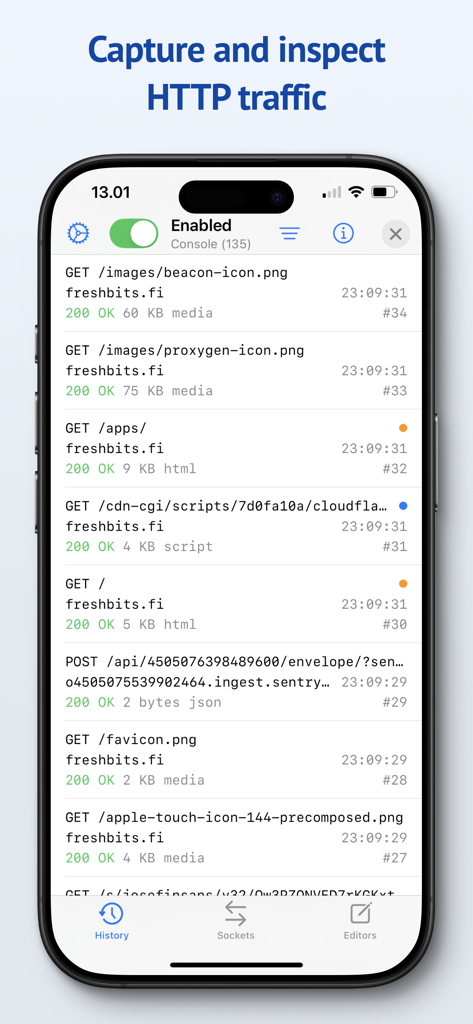
ProxygenアプリのiPhoneインターフェース。キャプチャされたHTTPネットワークリクエストとAPIトラフィックのリストが表示されています。

ProxygenアプリのiPhoneインターフェース。キャプチャされたHTTPネットワークリクエストとAPIトラフィックのリストが表示されています。

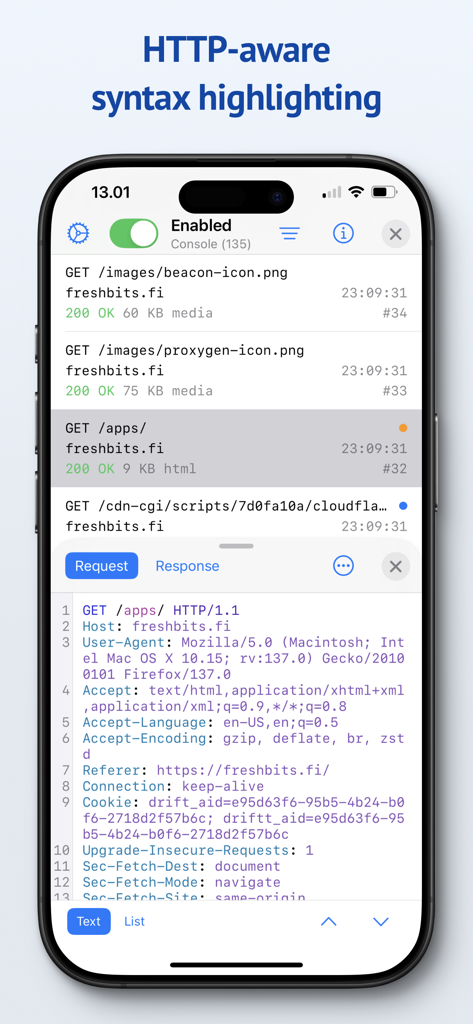
ProxygenアプリのiPhoneインターフェース。シンタックスハイライト付きのHTTPリクエストヘッダーが表示されています。

ProxygenアプリのiPhoneインターフェース。シンタックスハイライト付きのHTTPリクエストヘッダーが表示されています。

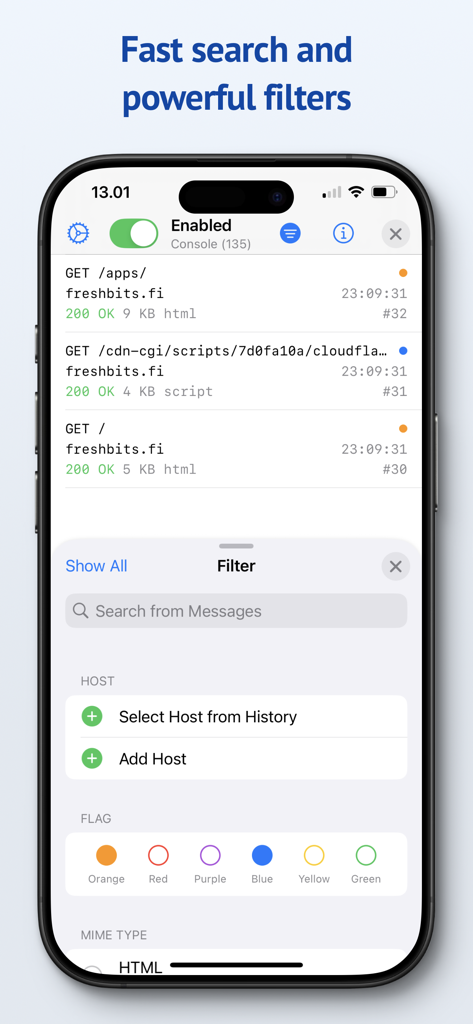
Proxygenアプリのスクリーンショット。ネットワークトラフィックメッセージの検索およびフィルタリングオプションが表示されています。

Proxygenアプリのスクリーンショット。ネットワークトラフィックメッセージの検索およびフィルタリングオプションが表示されています。

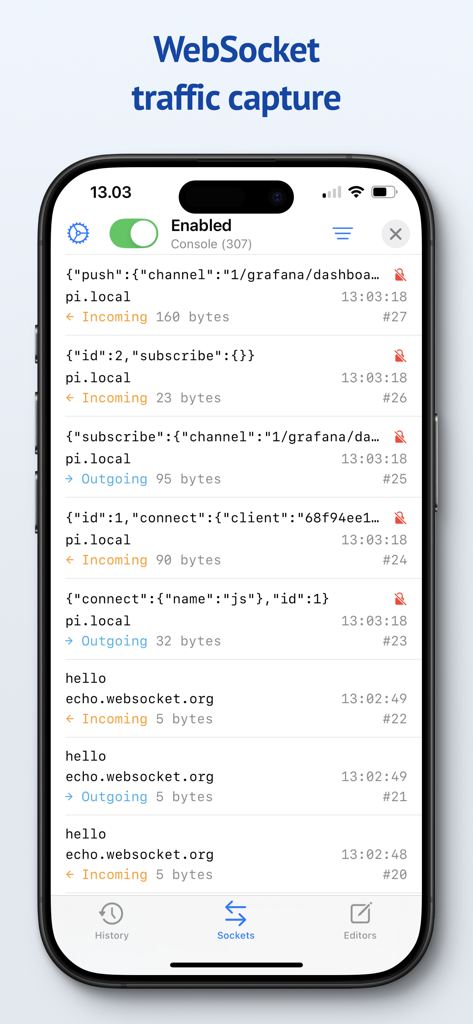
Proxygenモバイルアプリのインターフェース。JSONデータとバイトサイズを含む、キャプチャされた送受信WebSocketメッセージのリストが表示されています。

Proxygenモバイルアプリのインターフェース。JSONデータとバイトサイズを含む、キャプチャされた送受信WebSocketメッセージのリストが表示されています。

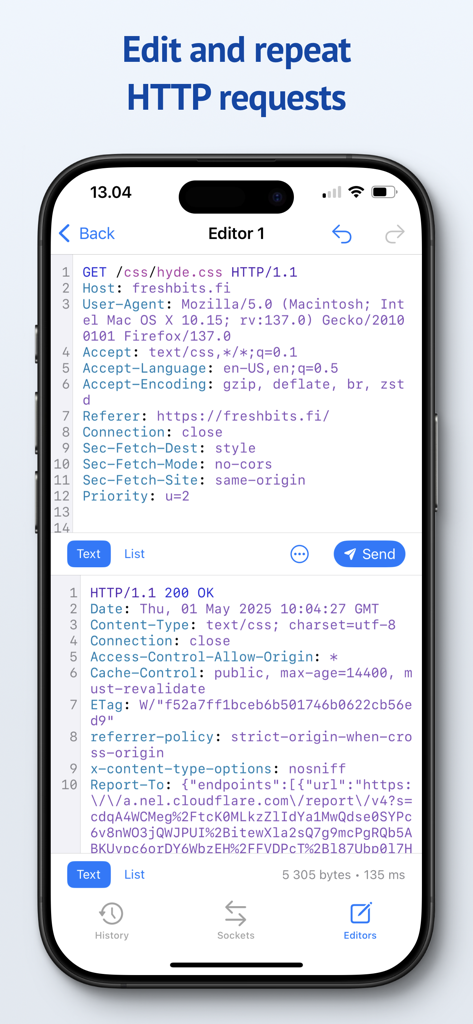
Proxygenモバイルアプリのインターフェース。シンタックスハイライト付きのHTTPリクエストの変更および再送信エディタが表示されています。

Proxygenモバイルアプリのインターフェース。シンタックスハイライト付きのHTTPリクエストの変更および再送信エディタが表示されています。

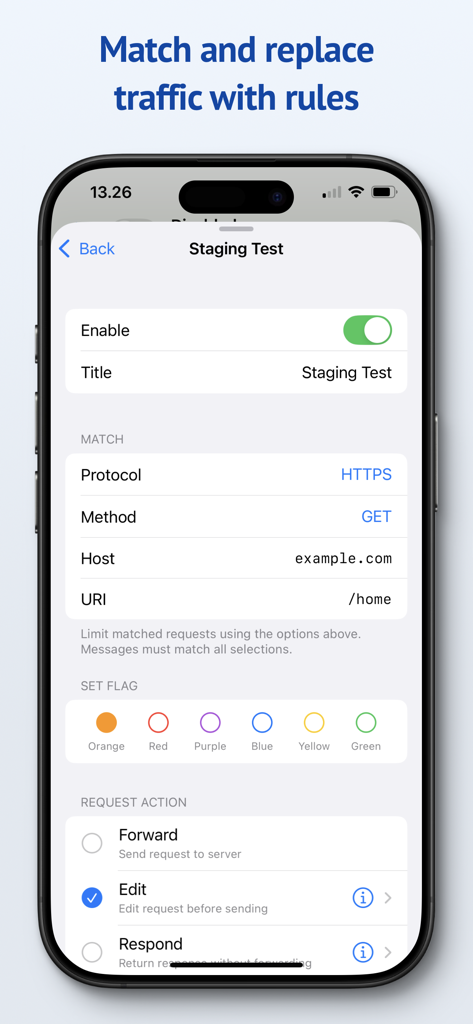
Proxygenモバイルインターフェース。HTTPトラフィックのマッチおよびリプレースルールを設定するための画面です。

Proxygenモバイルインターフェース。HTTPトラフィックのマッチおよびリプレースルールを設定するための画面です。

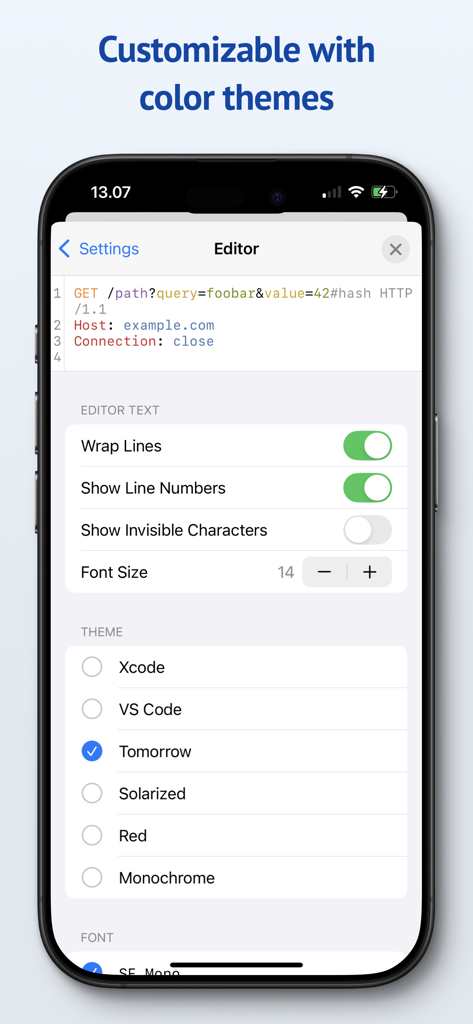
Proxygenアプリの設定画面。XcodeやVS Codeなどのカラーテーマを含む、エディタのカスタマイズオプションが表示されています。

Proxygenアプリの設定画面。XcodeやVS Codeなどのカラーテーマを含む、エディタのカスタマイズオプションが表示されています。

プログレードのツールでより速くデバッグ

このアプリを際立たせるツール、 44K+ 人のユーザーが選択.

💻

シームレスなトラフィックミラーリング

複雑なWi-Fiプロキシ設定に時間を無駄にするのはやめましょう。設定の摩擦なしで、ローカルネットワーク経由でiOSトラフィックをMacに即座にミラーリングします。

🚀

サーバーグレードのパフォーマンス

SwiftNIOによる超高速非同期ネットワーキングを搭載。接続速度の低下を感じることなく、HTTPSトラフィックをリアルタイムで検査できます。

🛠️

ダイナミックマッチ&リプレース

APIレスポンスを完全に制御しましょう。ヘッダーやボディデータをその場で変更するルールを作成し、エッジケースをシミュレートしたり、テストシナリオを自動化したりできます。

アプリについて

について知っておくべきこと Proxygen.

説明

Proxygen is a professional HTTP proxy tool for testing apps and debugging remote API endpoints right on your iPhone, iPad and Mac. And it’s built to delight you while doing it. Features • Send iOS device traffic to remote Mac • Message history with powerful filtering • WebSocket message capture • Syntax highlighting HTTP message editor • Match and replace headers and body data • Store all data in documents SEND TO MAC Easily capture HTTP messages from an iPhone or iPad on your Mac. Traffic is mirrored to the paired Mac over local network even when the iOS app is not active. The Mac app can intercept and edit data of requests and responses before they are forwarded. No more futzing around with Wi-Fi proxy settings and trusted certificates. SYNTAX AWARE EDITOR Edit requests from the message history or create new to any target. All previously sent requests are kept in the project file so you can return to your work later. The editor uses Tree-sitter for fast language parsing and syntax highlighting. It handles decoding of HTTP content automatically, letting you focus on testing the remote API. MATCH AND REPLACE Proxygen can modify requests and responses, on the fly, according to your custom rules. Multiple rules can be combined to create powerful automations that drop traffic to certain destinations, add or remove HTTP headers and respond locally with custom data, bypassing the remote server. SERVER GRADE PERFORMANCE The magic lies in a little custom HTTP proxy that the iOS app runs in a local VPN extension. This proxy was developed using SwiftNIO, a framework for bizarrely fast asynchronous network applications. The proxy can perform TLS Manipulator in the Middle (MitM) to see inside HTTPS connections and apply custom logic to each message. To put it bluntly, you’ve probably never seen a HTTP proxy this fast before. And you likely won’t notice that your web browsing is even proxied at all. PRIVACY Proxygen contains no third party frameworks for crash reporting or analytics. Note that Proxygen is a TLS MitM proxy, which means that it sees HTTPS network traffic in plain text. This data is transferred from the proxy to the Proxygen app and stored as part of the project document. Make sure you handle the documents accordingly, as they may contain sensitive data such as session tokens and login credentials. Privacy policy https://proxygen.app/docs/privacy Terms of Use https://proxygen.app/docs/terms Device Mockup created from https://deviceframes.com/templates/iphone-13

最新バージョン

4.2.0

サイズ

26.7 MB

リリース日

2022年3月19日

摩擦なくデバッグする準備はできましたか?

何千人ものプロの開発者に加わり、APIテストを効率化しましょう。iPhone、iPad、Macでサーバーグレードのパフォーマンスとプライバシーファーストのワークフローを体験してください。

ダウンロード: App Store

App information, icons, screenshots, and descriptions displayed on this page are sourced from the Apple App Store and are the property of their respective developers. Download estimates and rankings are based on MWM's proprietary models and may not reflect actual figures. This page is provided for informational and analytical purposes only.

Believe this page infringes your intellectual property? File a dispute