PTZ Control Panel

PTZ Control Panel

ダウンロード: App Store
ロゴ: PTZ Control Panel

PTZコントロールパネル:最新のワンオペレーションクルー向けプロフェッショナルカメラコントロール

iPadまたはiPhoneをパワフルなコントロールセンターに変えましょう。AVer Pro AVカメラ向けの自動追跡、プリセット、音声コントロールによる動きを簡単に管理できます。複雑なプロダクションクルーなしでインパクトのある結果を求めるプロフェッショナルのために設計されています。

ダウンロード: App Store

開発元

AVer Information Inc.

カテゴリ

Education

ダウンロード

1K+

ユーザー評価

1.0/5

評価数

0

対応言語

2

あらゆるアングルをコントロール

このインターフェースを利用する 1K+ 人のユーザー.

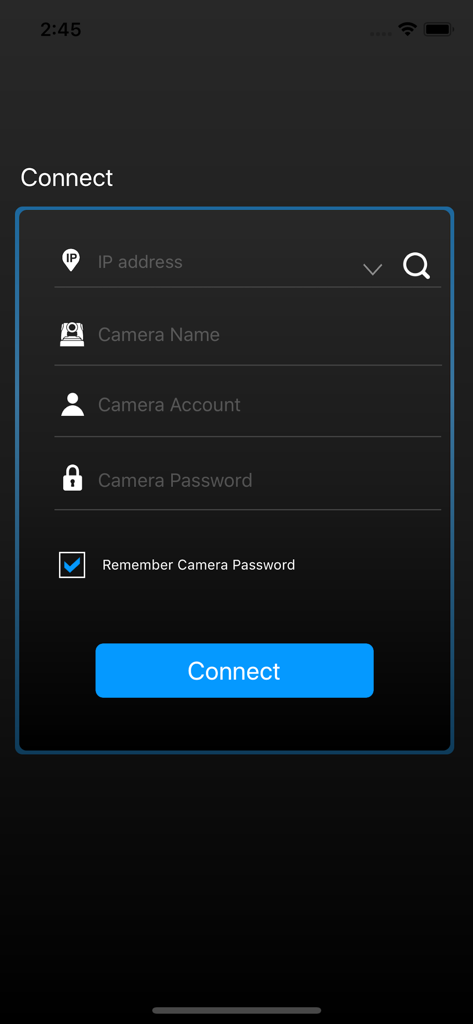
PTZコントロールパネルアプリの接続画面。カメラログインフィールドが表示されています。

PTZコントロールパネルアプリの接続画面。カメラログインフィールドが表示されています。

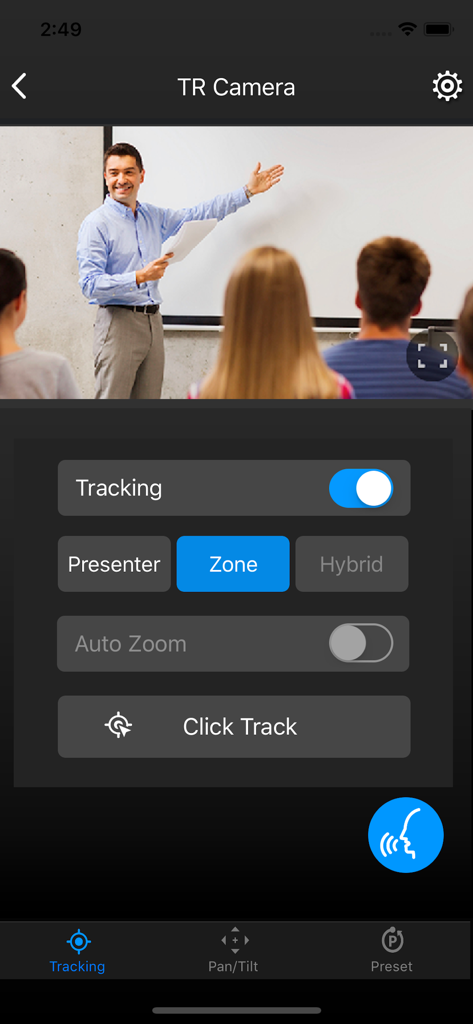
PTZコントロールパネルアプリのインターフェース。自動追跡設定と、教室の教師のライブビデオフィードが表示されています。

PTZコントロールパネルアプリのインターフェース。自動追跡設定と、教室の教師のライブビデオフィードが表示されています。

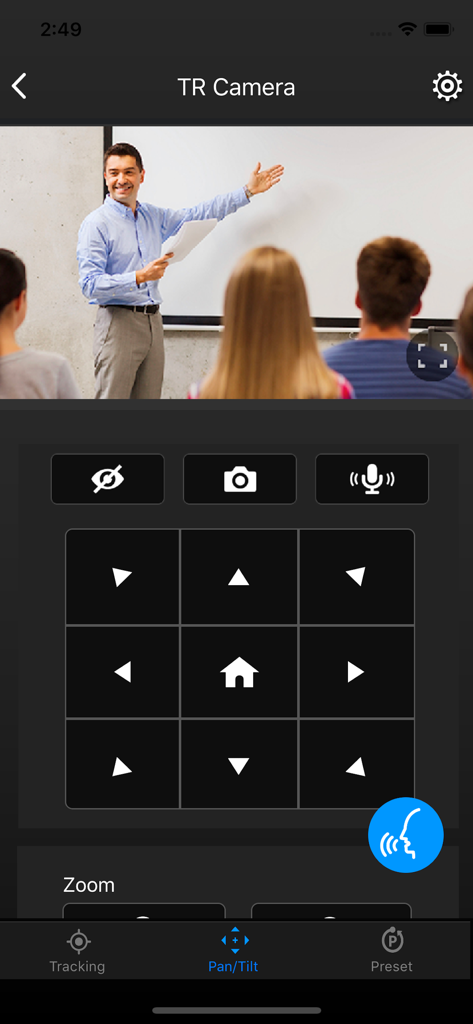
PTZコントロールパネルアプリのインターフェース。教室のカメラのパン&チルト方向コントロールが表示されています。

PTZコントロールパネルアプリのインターフェース。教室のカメラのパン&チルト方向コントロールが表示されています。

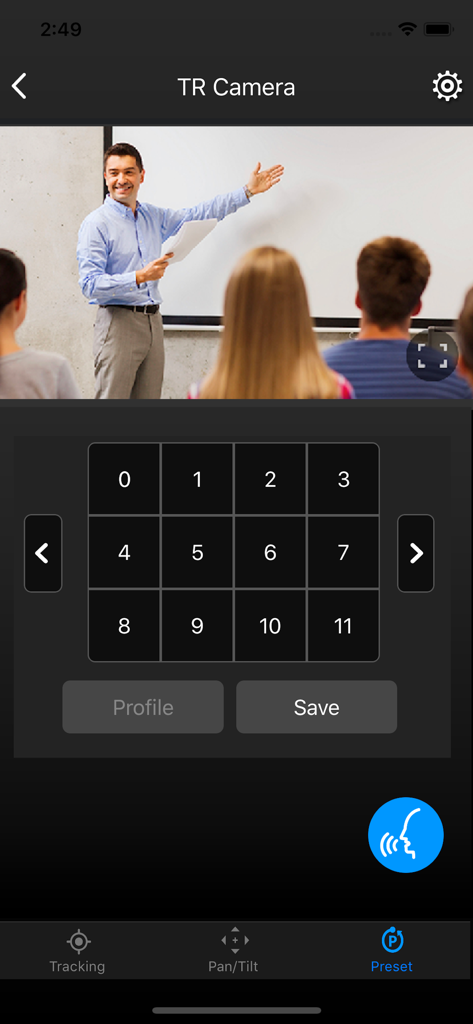
AVer PTZコントロールパネルアプリのインターフェース。教室のライブビデオストリームと、数値によるカメラプリセットコントロールが表示されています。

AVer PTZコントロールパネルアプリのインターフェース。教室のライブビデオストリームと、数値によるカメラプリセットコントロールが表示されています。

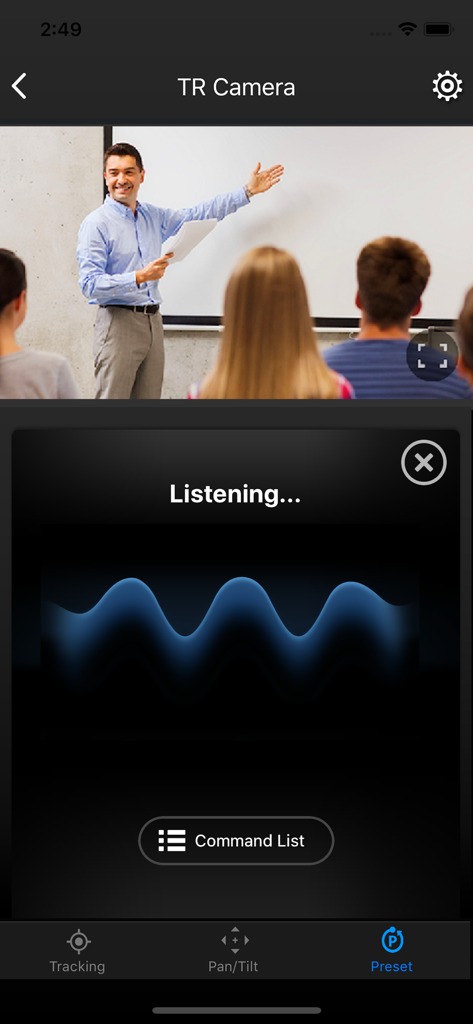
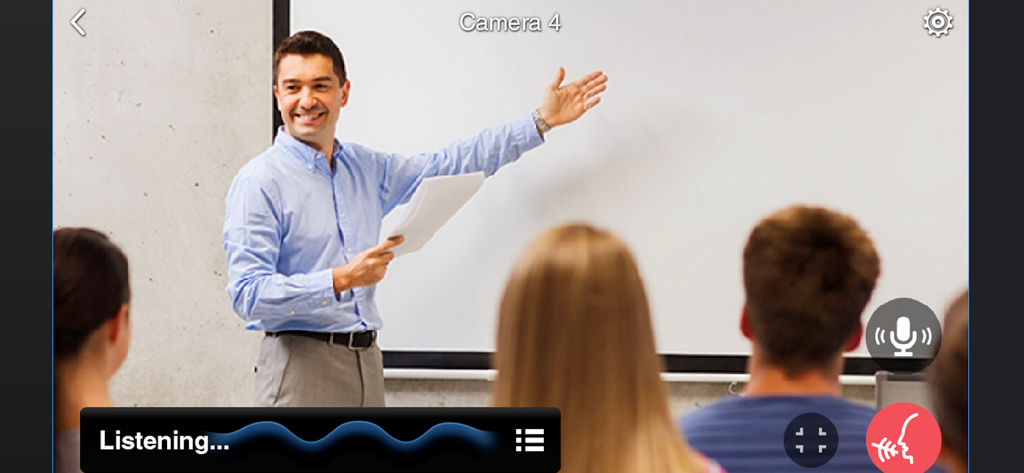
PTZコントロールパネルアプリのインターフェース。教室での講義のライブカメラフィードとともに、音声コマンドリスニング画面が表示されています。

PTZコントロールパネルアプリのインターフェース。教室での講義のライブカメラフィードとともに、音声コマンドリスニング画面が表示されています。

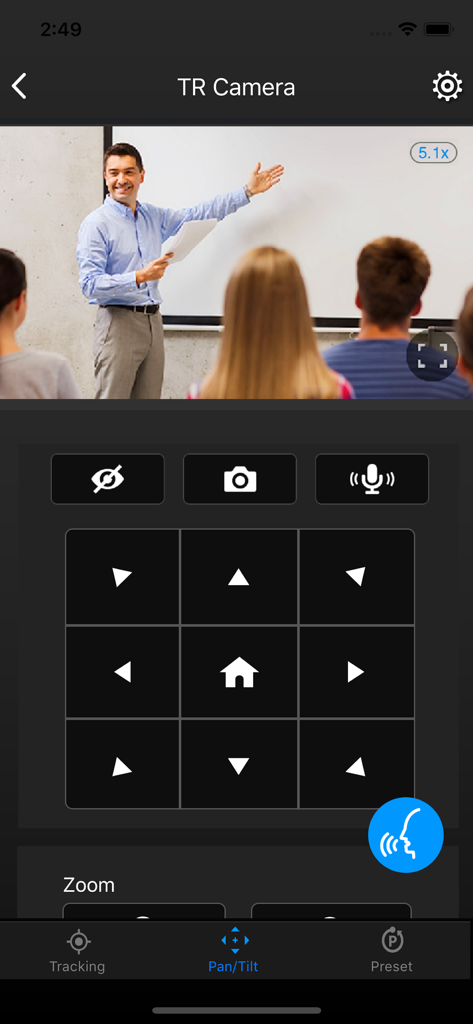
PTZコントロールパネルアプリのインターフェース。教室での講義のライブビデオフィードとともに、方向パン&チルトコントロールが表示されています。

PTZコントロールパネルアプリのインターフェース。教室での講義のライブビデオフィードとともに、方向パン&チルトコントロールが表示されています。

PTZコントロールパネルアプリのインターフェース。カメラのパン&チルトコントロールが表示されています。

PTZコントロールパネルアプリのインターフェース。カメラのパン&チルトコントロールが表示されています。

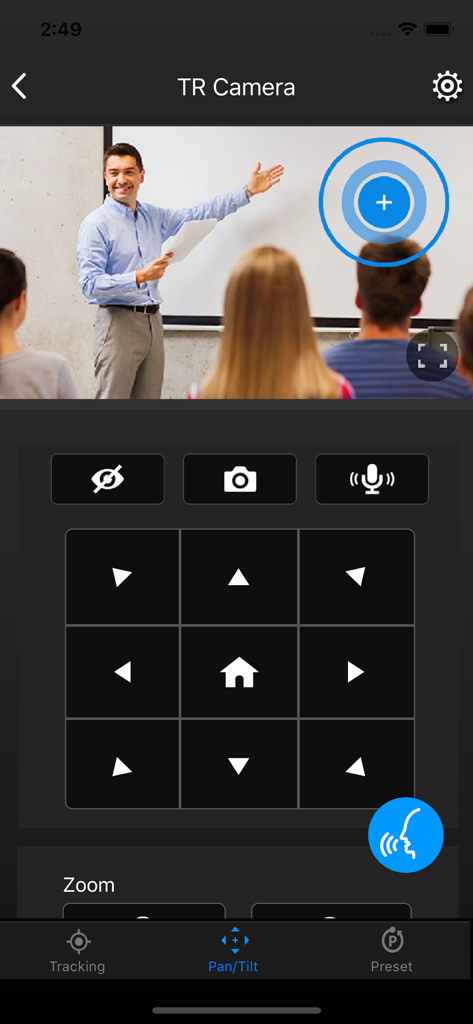
PTZコントロールパネルアプリのインターフェース。教室でのプレゼンテーション中に音声コントロールが有効になっている画面が表示されています。

PTZコントロールパネルアプリのインターフェース。教室でのプレゼンテーション中に音声コントロールが有効になっている画面が表示されています。

クルーなしのプロフェッショナルプロダクション

このアプリを際立たせるツール、 1K+ 人のユーザーが選択.

👤

AI搭載自動追跡

フォーカスを正確な場所に維持します。プレゼンター、ゾーン、ハイブリッドモードを即座に切り替えて、視聴者がアクションを見逃さないようにします。

🗣️

ハンズフリー音声コントロール

画面に触れることなくカメラを調整できます。手がふさがっている講演者や、シームレスなカメラ操作が必要な無菌環境の医療従事者に最適です。

🔘

256の精密プリセット

数秒で複数のアングルを切り替えます。最大256個のプリセットポイントを保存および呼び出し、教室や会議室のあらゆるコーナーをプロフェッショナルグレードの滑らかなトランジションでキャプチャします。

アプリについて

について知っておくべきこと PTZ Control Panel.

説明

AVer PTZ Control Panel puts you in charge of camera controls in an easy user interface within your internal network. It gives you access to live video and audio streams from AVer Pro AV and DL Series cameras on an iPad or iPhone, and it allows you to control the camera’s capture and PTZ functions, even enables voice command which provides hands-free experience. You can also enable or disable tracking features like Presenter, Zone, or Hybrid mode, store and call up to 256 presets. With the AVer PTZ Control Panel, there’s no need for complicated controllers, heavy software applications, or professional AV operators to run your AVer PTZ cameras. Product Features - Instantly find and connect to available AVer Professional Auto Tracking and PTZ Cameras. - Voice control supported, control your AVer cameras handsfree. - Currently supports only one camera connection at a time. PTZ and Tracking Controls - Capture camera images and save them to the device album. - Pan, tilt, and zoom your camera to capture different areas of your room. - Adjust the pan/tilt speed, and switch between autofocus and manual focus. - Enable and disable tracking features, including Presenter/Zone/Hybrid Mode, and Click Track. - Save and call up to 256 preset points. Compatibility - Requires iOS & iPadOS® 9 and later. Compatible with iPad® and iPhone®. Supported Camera Models -USA TR310/TR311/TR311HN/TR313/TR331/TR333 V0.0.0000.21 and later TR530/TR320/TR530+/TR320+ V0.0.1000.47 and later PTZ310/PTZ310N/PTZ330/PTZ330N V0.0.0000.56 and later DL30 V7.0.0010.13 and later TR313V2 V0.1.0000.18 and later TR333V2/TR333NV2/TR313V2/TR313UV2 V0.1.0000.19 and later PTZ310UV2/PTZ310UNV2/PTZ330UV2/ PTZ330UNV2 V0.0.0000.15 and later MD330 series V1.1.1006.0 and later MD120U 1.1.1003.0 and later TR/211/TR315/TR315N/TR335/TR335N 0.0.0000.12 -Non USA PTC310/PTC310U/PTC310H/PTC310N/PTC310UN/PTC310HN V0.0.0000.21 and later PTC330/PTC330N/PTC330U V0.0.0000.21 and later PTC115/PTC500S/PTC115+/PTC500+ V0.0.1000.47 and later PTZ310/PTZ310N/PTZ330/PTZ330N V0.0.0000.56 and later PTZ310UV2/PTZ310UNV2/PTZ330UV2/ PTZ330UNV2 V0.0.0000.15 and later PTC330UV2/PTC330UNV2/PTC330V2/PTC330NV2 V0.1.0000.19 and later. DL30 V7.0.0010.13 and later DL10 V7.0.0031.32 and later MD330 series V1.1.1006.0 and later MD120U 1.1.1003.0 and later TR211/TR315/TR315N/TR335/TR335N 0.0.0000.12 Visit websites below to get assistance or find user manual: - Global Download Center: https://www.aver.com/download-center Technical Support: https://www.aver.com/technical-support - USA Download Center: https://www.averusa.com/pro-av/support/ Technical Support: https://averusa.force.com/support/s/contactsupport - European Headquarters Download Center: https://www.aver.com/download-center Technical Support: https://www.avereurope.com/technical-support

最新バージョン

1.2.1039.0

サイズ

32.7 MB

リリース日

2020年11月23日

シングルタップでプロダクションをマスター

iPadまたはiPhoneをプロ仕様のコントロールセンターに変えましょう。ハンズフリー音声コントロール、自動追跡、インスタントプリセットアクセスでワークフローを合理化します。AVクルーは不要です。

ダウンロード: App Store

App information, icons, screenshots, and descriptions displayed on this page are sourced from the Apple App Store and are the property of their respective developers. Download estimates and rankings are based on MWM's proprietary models and may not reflect actual figures. This page is provided for informational and analytical purposes only.

Believe this page infringes your intellectual property? File a dispute