QR Studio(Pro)

QR Studio(Pro)

ダウンロード: App Store
ロゴ: QR Studio(Pro)

QR Studio(Pro): カスタムブランドQRコードのためのプロフェッショナルデザイナー

完全にカスタマイズ可能なデザインでビジネスをレベルアップします。起業家やクリエイターのために構築された最も強力なQRツールキットで、ロゴを追加し、形状を変更し、履歴を管理します。

ダウンロード: App Store

開発元

Hrishi Suthar

カテゴリ

Utilities

ダウンロード

0

ユーザー評価

1.0/5

評価数

0

対応言語

1

すべてのピクセルにブランディング

このインターフェースを利用する 0 人のユーザー.

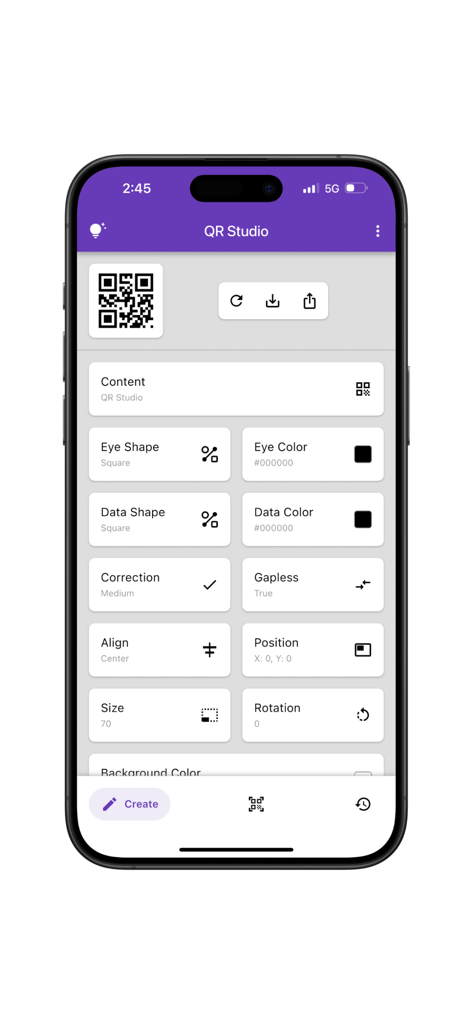
QR Studio Proアプリのモバイルインターフェース。目の形状、データの色、配置設定などのさまざまなQRコードカスタマイズオプションが表示されます。

QR Studio Proアプリのモバイルインターフェース。目の形状、データの色、配置設定などのさまざまなQRコードカスタマイズオプションが表示されます。

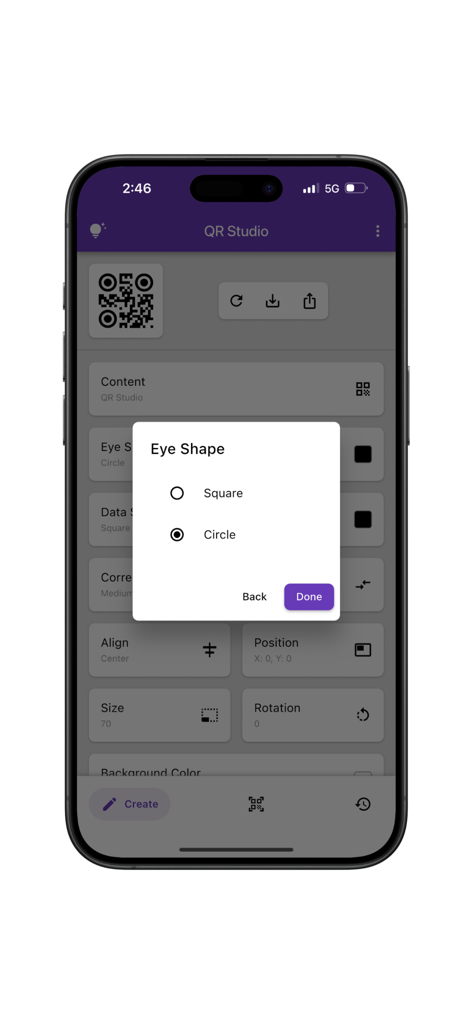
QR Studio Proアプリのインターフェース。QRコードの目の形状カスタマイズオプションが表示されます。

QR Studio Proアプリのインターフェース。QRコードの目の形状カスタマイズオプションが表示されます。

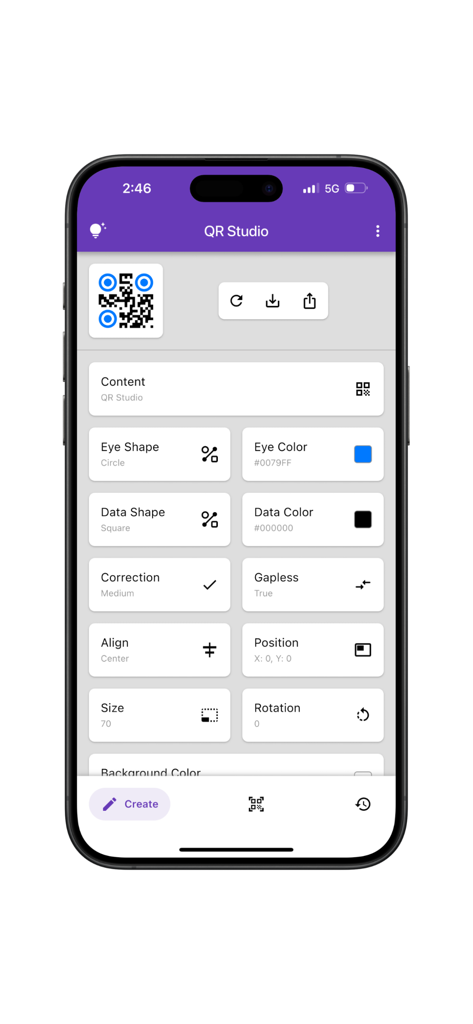
QR Studio Proアプリのモバイルインターフェース。目の形状や色を含む、QRコードの詳細なカスタマイズ設定が表示されます。

QR Studio Proアプリのモバイルインターフェース。目の形状や色を含む、QRコードの詳細なカスタマイズ設定が表示されます。

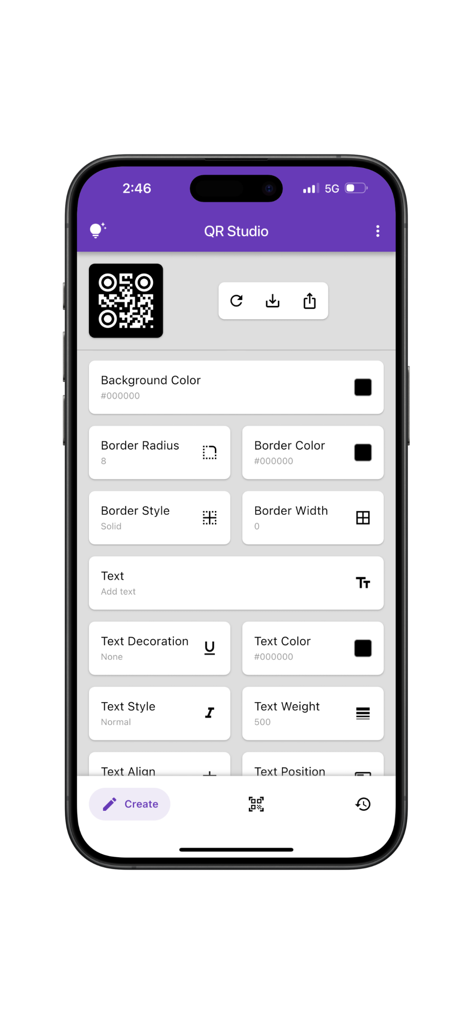
QR Studio Proアプリのモバイル画面。背景色、境界線、テキストスタイリングのオプションを使用してカスタムQRコードをデザインします。

QR Studio Proアプリのモバイル画面。背景色、境界線、テキストスタイリングのオプションを使用してカスタムQRコードをデザインします。

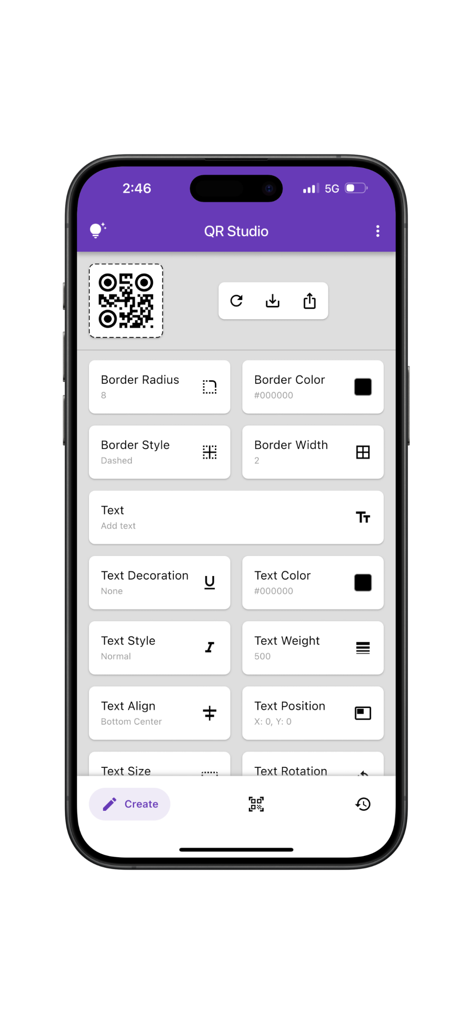
QR Studio Proアプリのインターフェース。QRコードの境界線とテキストスタイルをカスタマイズするためのさまざまなツールが表示されます。

QR Studio Proアプリのインターフェース。QRコードの境界線とテキストスタイルをカスタマイズするためのさまざまなツールが表示されます。

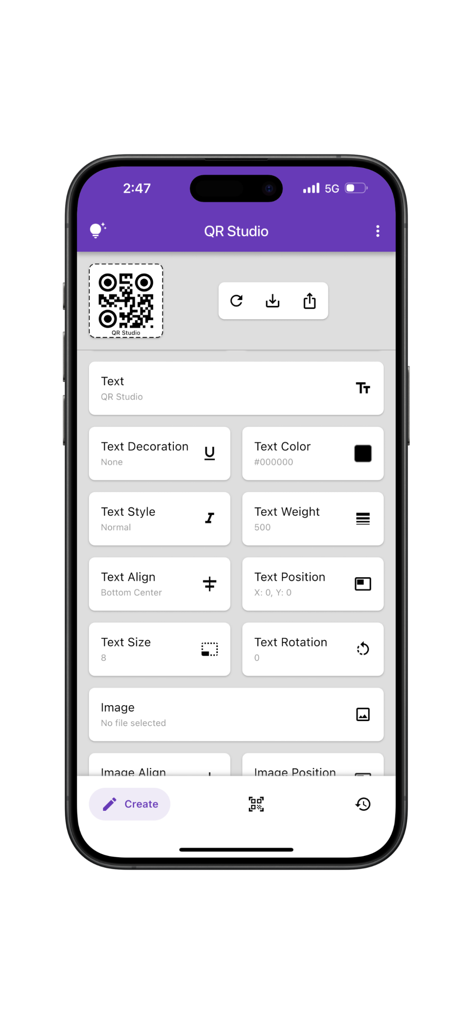
QR Studio Proアプリのインターフェース。色、スタイル、配置を含む、QRコードの高度なテキストカスタマイズオプションが表示されます。

QR Studio Proアプリのインターフェース。色、スタイル、配置を含む、QRコードの高度なテキストカスタマイズオプションが表示されます。

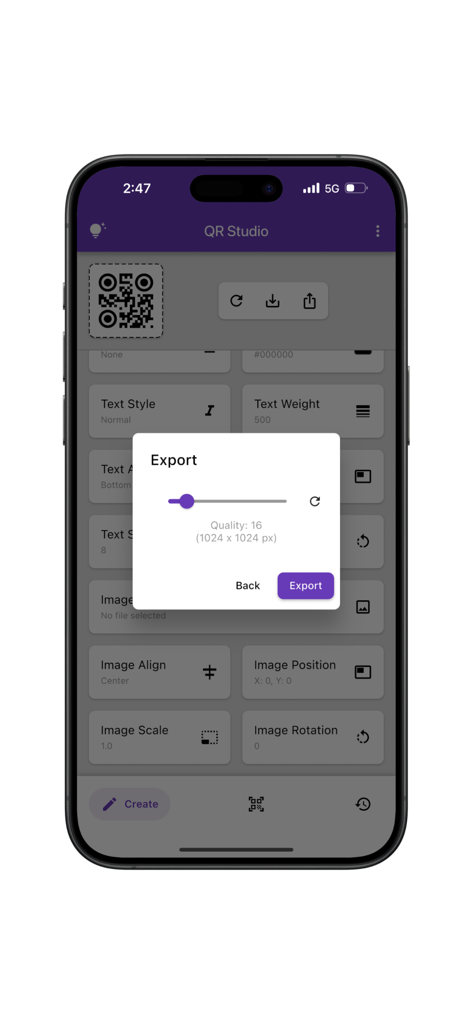
QR Studio Proアプリのエクスポート設定モーダル。カスタムQRコードの高画質画像解像度が表示されます。

QR Studio Proアプリのエクスポート設定モーダル。カスタムQRコードの高画質画像解像度が表示されます。

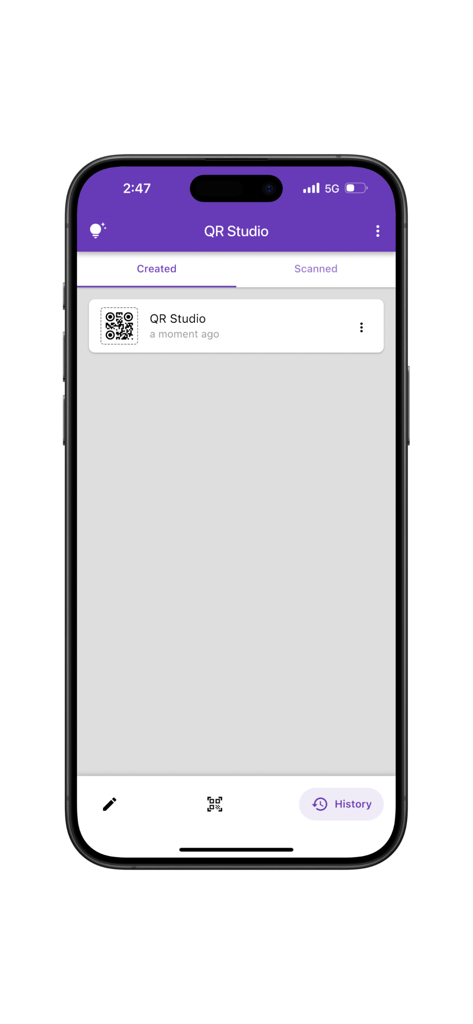
QR Studio Proアプリの履歴画面。作成されたQRコードのリストが表示されます。

QR Studio Proアプリの履歴画面。作成されたQRコードのリストが表示されます。

見事でプロフェッショナルなQRコードを作成

このアプリを際立たせるツール、 0 人のユーザーが選択.

🎨

精密なデザインコントロール

目の形状からカラーパレット、ロゴまで、あらゆるディテールをカスタマイズし、QRコードがブランドと同じくらいプレミアムに見えるようにします。

📐

プログレードの信頼性

精度を必要とするプロフェッショナル向けに構築。すべてのメディアで完璧にスキャンされるコードのために、エラー訂正と構造を調整します。

📂

スマート履歴追跡

デザインを失うことはもうありません。タップ一つで、カスタムコードとスキャンの全ライブラリを整理、再訪、再共有できます。

アプリについて

について知っておくべきこと QR Studio(Pro).

説明

QR Studio is a powerful and easy-to-use app for creating, scanning, and managing custom QR codes. Whether you’re designing for business, branding, or personal use, QR Studio gives you full control over how your QR codes look and function. The app is divided into three main tabs: Create Tab: The Create tab offers a wide range of customization options for generating QR codes. Users can adjust visual elements such as eye shape and color, data shape and color, and choose the desired error correction level. Additional settings include control over QR structure (gapless or standard), position, size, and rotation. The app also supports background customization, including color and border properties like radius, color, style, and width. Text can be added with flexible styling options—covering decoration, color, font style, weight, alignment, position, and rotation. Images can also be incorporated into the QR code, with control over their position, alignment, scale, and rotation, enabling the creation of designs tailored to individual branding or personal preferences. Scan Tab: Quickly scan any QR code using your camera or by selecting an image from your gallery. The scanner is fast, reliable, and compatible with all standard QR formats. History Tab: Access a complete history of all the QR codes you’ve created or scanned. This makes it easy to revisit, reuse, or share previous designs and scans. QR Studio is built for designers, developers, marketers, and everyday users who want complete freedom in how they create and manage QR codes. Developed by Anvaysoft Programmers – Nishita Panchal, Hrishi Suthar Made with love in India

最新バージョン

1.0.1

サイズ

29.4 MB

リリース日

2025年7月3日

QR Studio(Pro)でブランドアイデンティティをレベルアップ

すべてのスキャンをプロフェッショナルなブランド体験に変えましょう。群衆から際立つカスタムQRコードをデザインする何千人もの起業家に参加しましょう。

ダウンロード: App Store

App information, icons, screenshots, and descriptions displayed on this page are sourced from the Apple App Store and are the property of their respective developers. Download estimates and rankings are based on MWM's proprietary models and may not reflect actual figures. This page is provided for informational and analytical purposes only.

Believe this page infringes your intellectual property? File a dispute