Quick Poses: Gesture Drawing

Quick Poses: Gesture Drawing

ダウンロード: App Store
ロゴ: Quick Poses: Gesture Drawing

Quick Poses:ダイナミックなジェスチャー・ドローイングをマスターする

iPadでプロの人物デッサンセッションをシミュレートしましょう。解剖学を磨き、自信を築き、デジタルアーティストのための究極のツールで進捗を追跡します。

ダウンロード: App Store

開発元

Frederic Ruaudel

カテゴリ

Graphics & Design

ダウンロード

73K+

ユーザー評価

4.8/5

評価数

100

対応言語

2

フローをマスターする

このインターフェースを利用する 73K+ 人のユーザー.

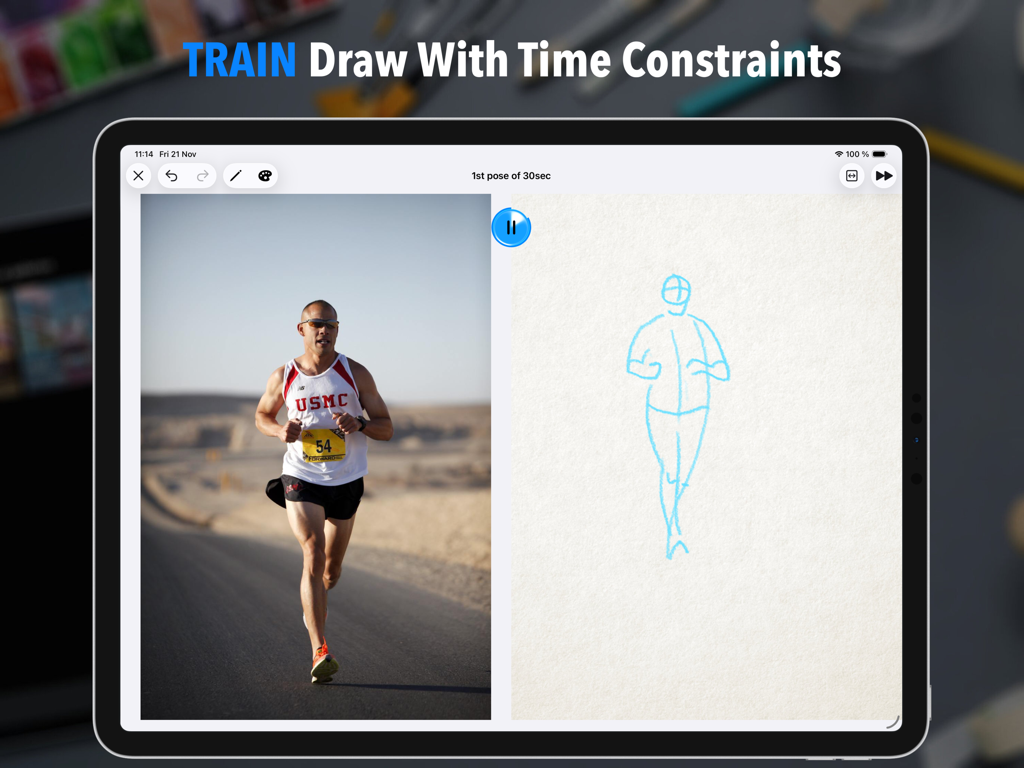
ランナーのリファレンス写真とタイマー付きのクイックジェスチャー描画スケッチを示す、分割画面のiPadインターフェイス。

ランナーのリファレンス写真とタイマー付きのクイックジェスチャー描画スケッチを示す、分割画面のiPadインターフェイス。

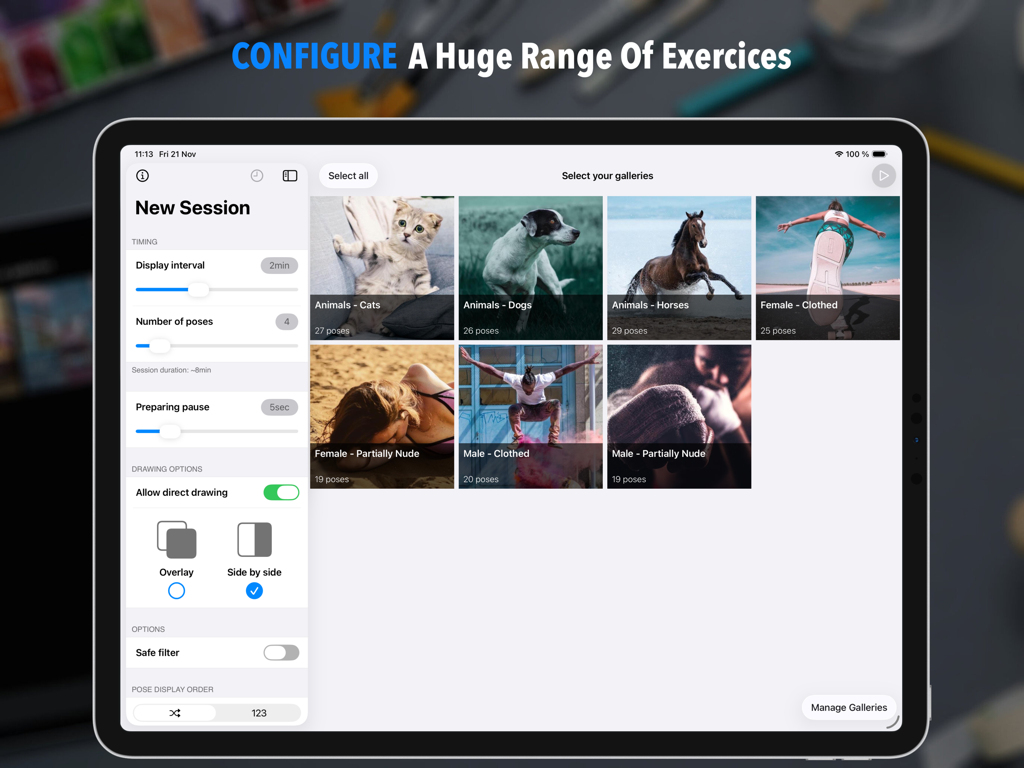
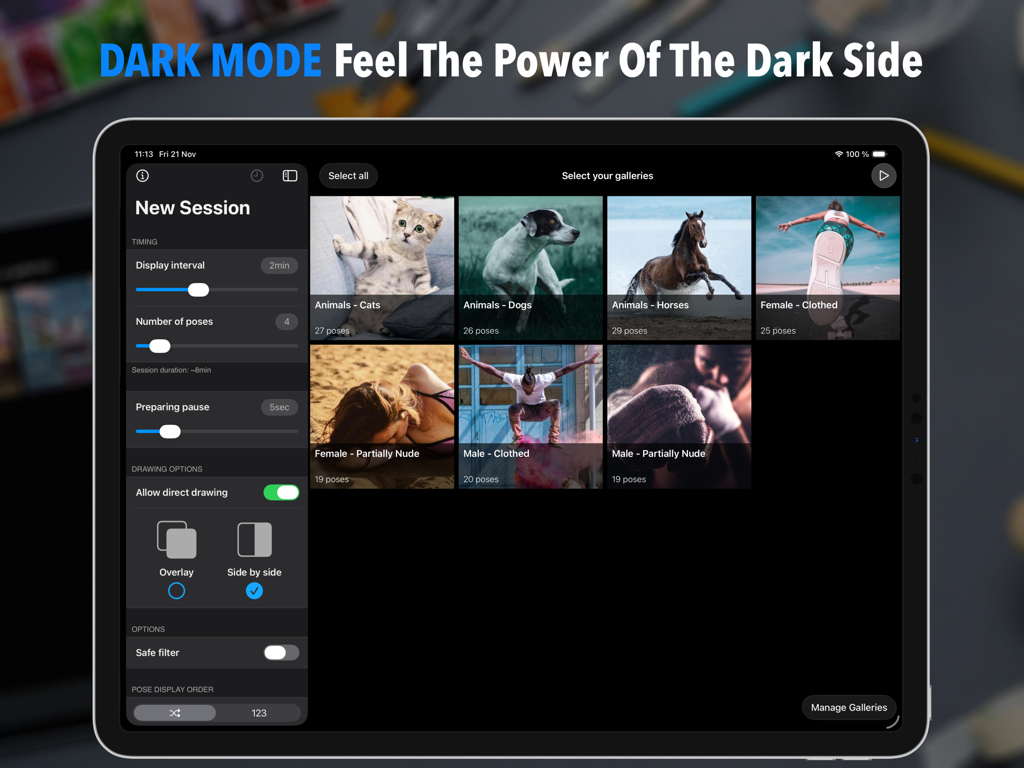
タイミング設定と画像ギャラリーの選択を備えた、Quick Posesアプリでの新しいジェスチャー描画セッションの設定画面を示すiPad画面。

タイミング設定と画像ギャラリーの選択を備えた、Quick Posesアプリでの新しいジェスチャー描画セッションの設定画面を示すiPad画面。

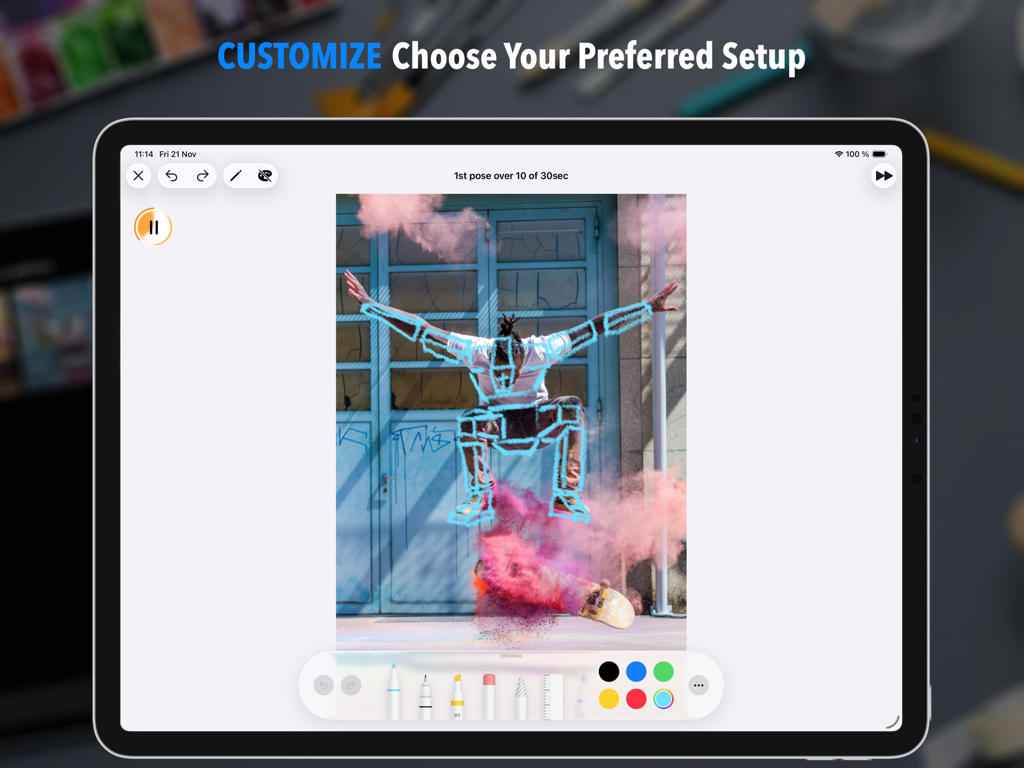
タイマーと描画ツールを備えたスケートボード写真のジェスチャー描画を示す、Quick Poses iPadアプリ。

タイマーと描画ツールを備えたスケートボード写真のジェスチャー描画を示す、Quick Poses iPadアプリ。

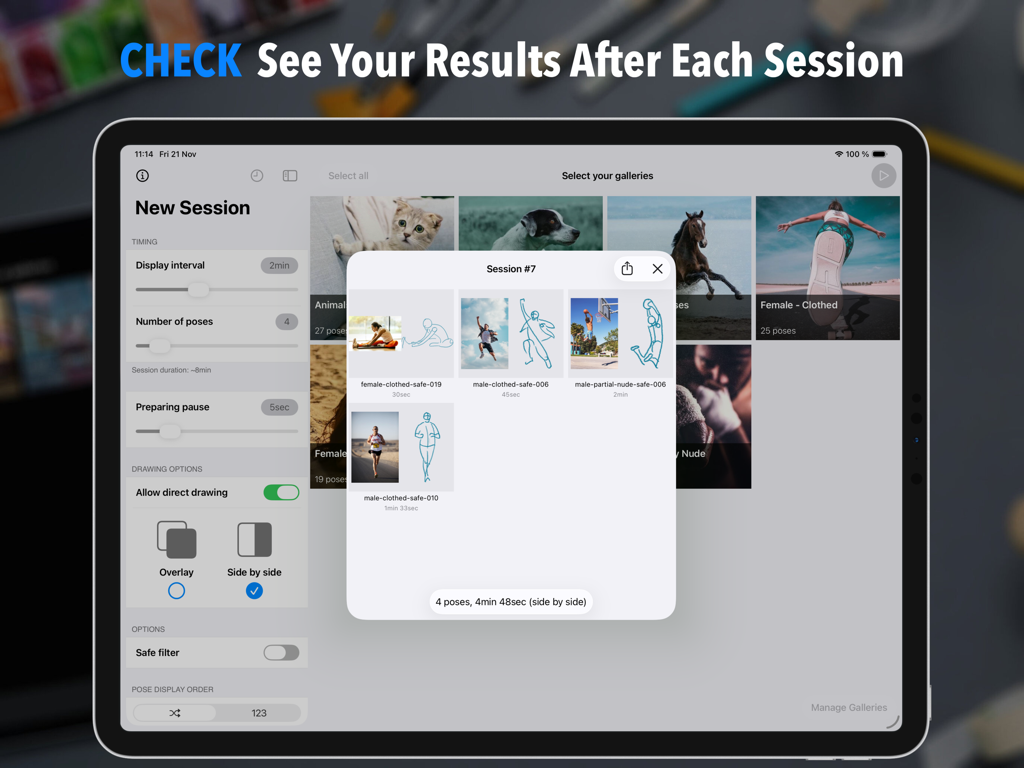
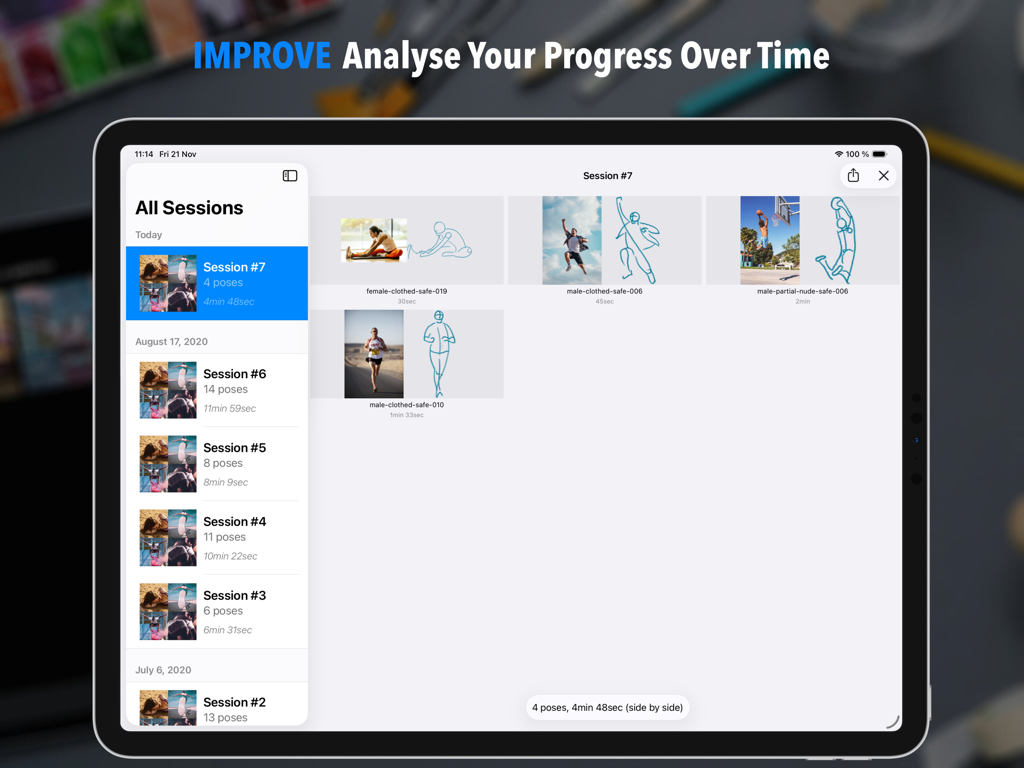
iPad上のユーザーのジェスチャー スケッチのシリーズとそのリファレンス写真が隣に表示されたセッション概要を示すQuick Posesアプリ。

iPad上のユーザーのジェスチャー スケッチのシリーズとそのリファレンス写真が隣に表示されたセッション概要を示すQuick Posesアプリ。

進捗追跡のためのスケッチとリファレンス画像が表示されたQuick Posesアプリのセッション履歴を表示するiPad画面。

進捗追跡のためのスケッチとリファレンス画像が表示されたQuick Posesアプリのセッション履歴を表示するiPad画面。

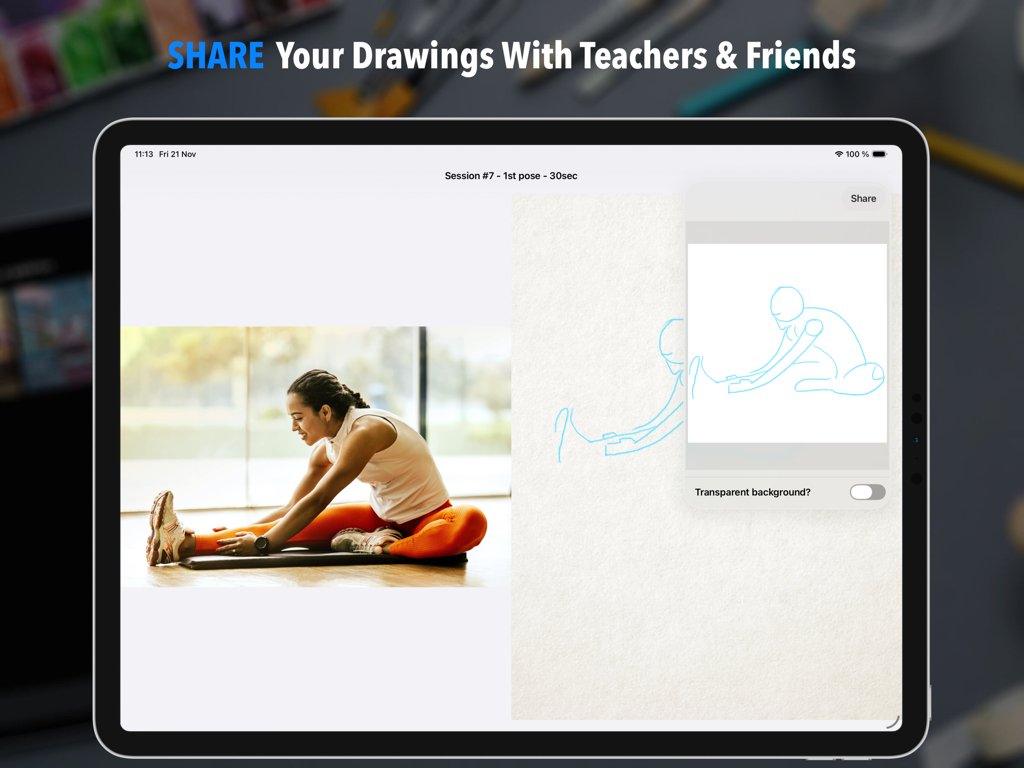
リファレンス写真とジェスチャー スケッチが並んで表示されているQuick Posesアプリの共有インターフェイス。

リファレンス写真とジェスチャー スケッチが並んで表示されているQuick Posesアプリの共有インターフェイス。

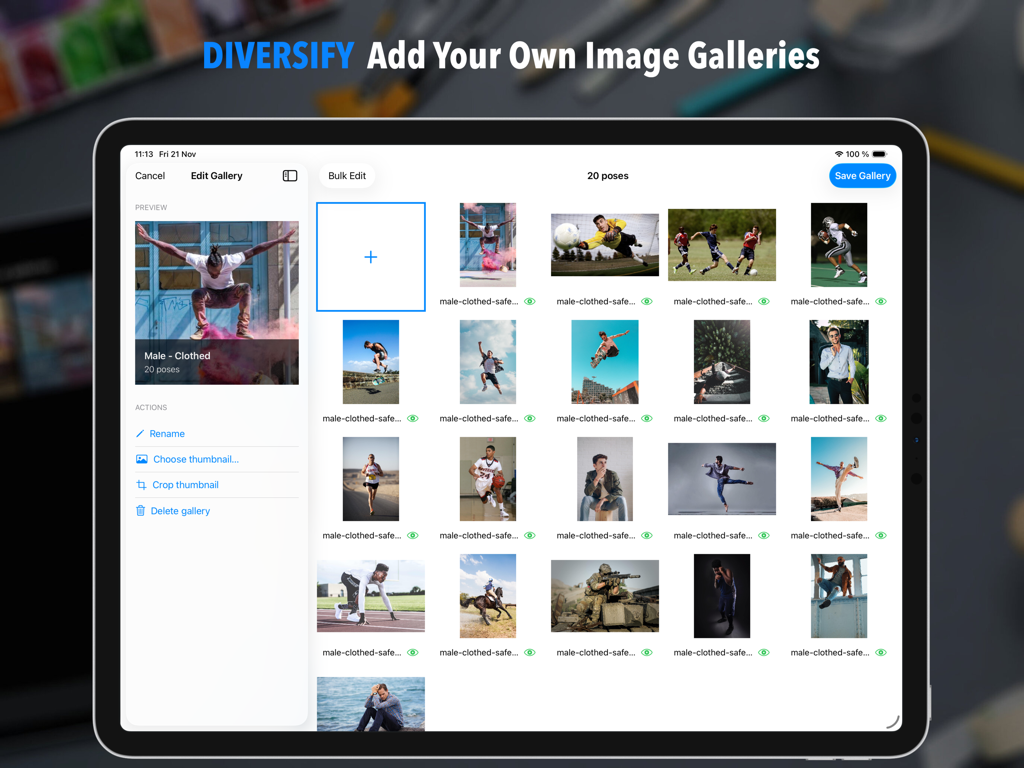
ジェスチャー描画用のカスタム画像ギャラリーの追加と編集機能を示す、Quick PosesアプリのiPadインターフェイス。

ジェスチャー描画用のカスタム画像ギャラリーの追加と編集機能を示す、Quick PosesアプリのiPadインターフェイス。

人々や動物が登場するポーズギャラリーの選択とセッション設定を示す、Quick PosesアプリのダークモードでのiPadインターフェイス。

人々や動物が登場するポーズギャラリーの選択とセッション設定を示す、Quick PosesアプリのダークモードでのiPadインターフェイス。

流れるような動きの芸術をマスターする

このアプリを際立たせるツール、 73K+ 人のユーザーが選択.

⏱️

カスタムタイムドセッション

5秒から無限大までのタイマーで、プレッシャーの高いライフドローイングクラスをシミュレートし、完璧主義ではなく、解剖学と流れに集中させます。

🎨

ネイティブiPad体験

Apple Pencilで直接描画するか、Procreateと並べてSplit Viewを使用します。プロのクリエイティブワークフローのために設計された究極のデジタルワークスペースです。

📈

成長を追跡する

セッションの概要と詳細な履歴画面で進捗を視覚化します。あなたのスキルが基本的なウォームアップからマスタークラスのダイナミックな構成へと進化するのを見てください。

アプリについて

について知っておくべきこと Quick Poses: Gesture Drawing.

説明

Quick Poses is THE ultimate tool to help artists sharpen their drawing skills by simulating REAL LIFE academic figure drawing sessions. Select your pose duration, choose your favorite photo galleries, and start drawing right away! Train your observation and anatomy skills with Quick Poses. The goal is simple: capture the ESSENCE of each pose within a limited time. As soon as the timer runs out, a new pose appears, keeping you focused and in the flow. At the end of your session, a SUMMARY gives you a clear picture of your progress. Over time, track your improvement in the HISTORY section and see how your skills evolve. This practice, called GESTURE DRAWING, is one of the BEST ways to build confidence, observation accuracy, and dynamic composition. It’s also an excellent warm-up before longer drawing sessions. FEATURE HIGHLIGHTS • CUSTOMIZE pose durations anywhere from 5 SECONDS to INFINITY. • CONTROL your total session time by limiting the number of poses. • ADD a short WARMUP DELAY before each pose to prepare your workspace or materials. • USE your APPLE PENCIL directly on screen, and analyze your sketches after each session. • ACCESS the full TOOL PICKER for longer poses to unleash your creativity with more tools and colors. • SWITCH your drawing side for LEFT or RIGHT-HANDED comfort. • USE iPad MULTITASKING to draw in your favorite app side by side. • ENJOY 7 BUILT-IN GALLERIES featuring various subjects (people, animals). • ADD your own galleries easily with the integrated GALLERY EDITOR (optional in-app purchase required). • DISPLAY poses in ORDER or RANDOM sequence. • REVIEW your past sessions in the HISTORY SCREEN and MEASURE your progress over time. • EXPORT your best drawings to share, print, or refine further in another app. • YOUR PRIVACY MATTERS – all your data stays on device unless you choose to share it. Master gesture drawing, stay motivated, and see your art grow session after session with Quick Poses.

最新バージョン

1.7.3

サイズ

76.0 MB

リリース日

2020年6月29日

アートを、一度に1つのポーズで変革しましょう。

iPadでジェスチャー・ドローイングをマスターしている何千人ものアーティストの仲間入りをしましょう。今日から毎日の練習を始め、あなたのスケッチに命を吹き込みましょう。

ダウンロード: App Store

App information, icons, screenshots, and descriptions displayed on this page are sourced from the Apple App Store and are the property of their respective developers. Download estimates and rankings are based on MWM's proprietary models and may not reflect actual figures. This page is provided for informational and analytical purposes only.

Believe this page infringes your intellectual property? File a dispute