
reMarkable mobile


集中したメモ、スケッチ、ToDoリストをポケットに。ペーパータブレットとシームレスに同期し、フローを失うことなく整理整頓と生産性を維持します。
開発元
カテゴリ
Productivityダウンロード
1M+ユーザー評価
評価数
1K+対応言語
-このインターフェースを利用する 1M+ 人のユーザー.
このアプリを際立たせるツール、 1M+ 人のユーザーが選択.
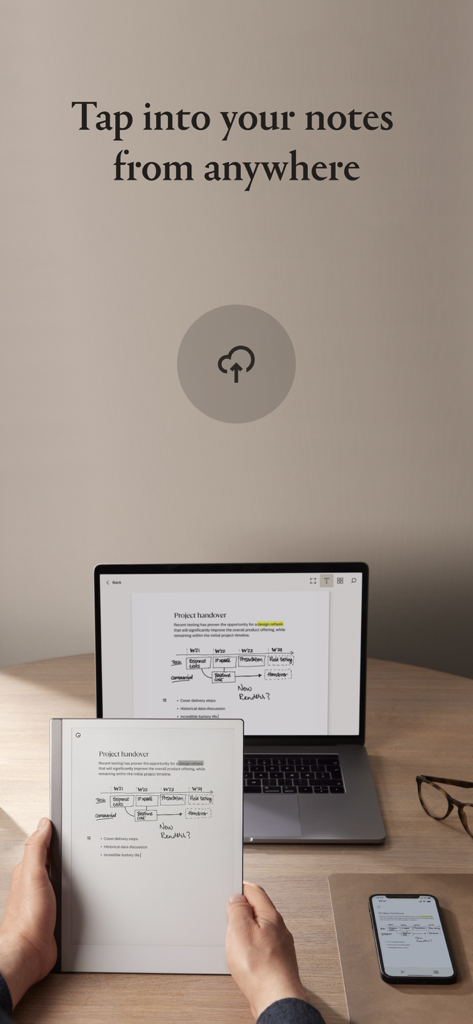
中断したところからすぐに再開できます。クラウド同期により、すべてのデバイスで手書きのノートやドキュメントを表示・共有できます。
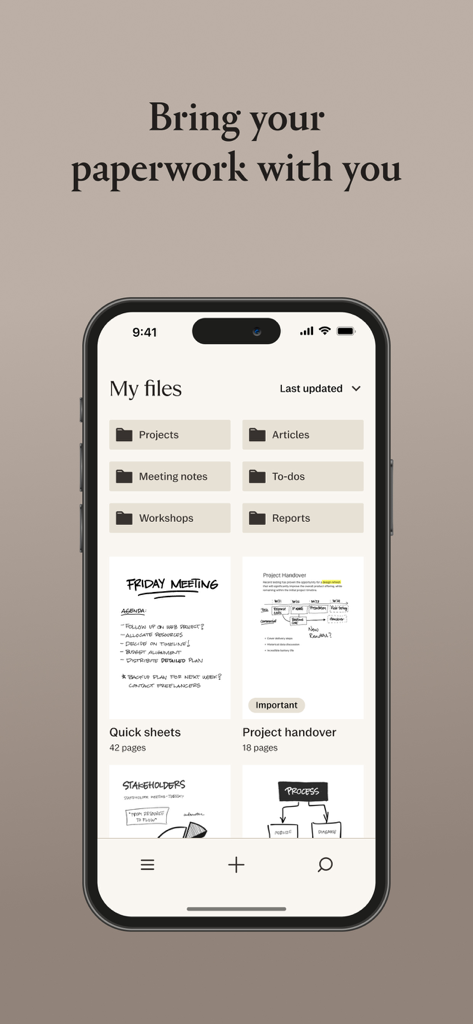
ワークフローを整理しましょう。タグ、フォルダ、お気に入りを活用してプロジェクトを分類し、検索で重要な情報を数秒で見つけます。
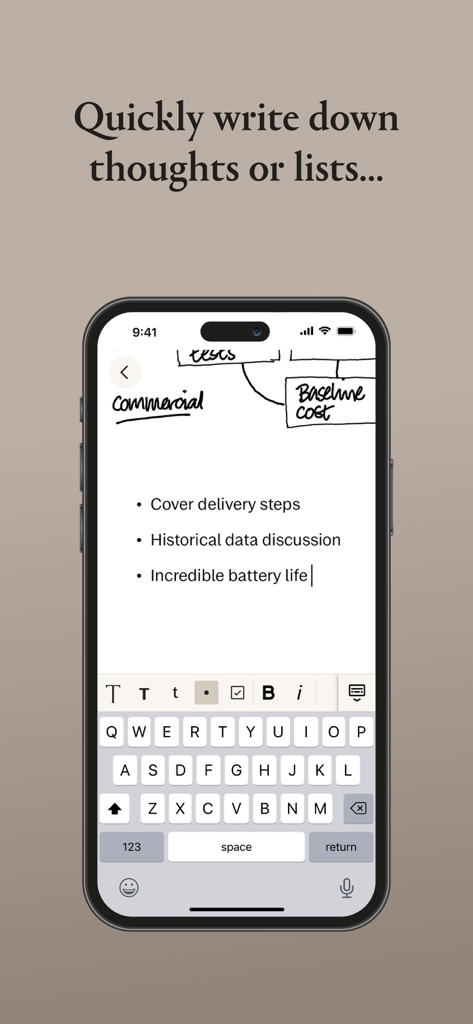
タブレットがなくても生産性を維持できます。クイックシートを作成したり、ToDoリストを管理したり、既存のドキュメントにノートページを追加したりできます。
ユーザーレビューの分析.
感情スコア
概要
User reviews for the mobile app indicate a stark contrast between the acclaimed Remarkable hardware and its companion application. While some users appreciate the app's ability to view notes, scan documents, and occasionally sync smoothly, particularly as a backup, a significant majority report numerous issues. Key criticisms revolve around unreliable and slow syncing, frequent bugs including freezing, data loss, and specific issues like the keyboard cursor bug on iPads with external keyboards. Users also express frustration over missing basic features such as dark mode, Apple Pencil support, undo/redo functionality, and direct file import from mobile devices, alongside a generally clunky user interface and unhelpful customer support.
主なテーマ
について知っておくべきこと reMarkable mobile.
説明
最新バージョン
3.24.0
サイズ
46.4 MB
リリース日
2017年9月14日
reMarkableエコシステムを完成させましょう。コンパニオンアプリをダウンロードしてノートを同期し、ペーパータブレットがなくても、インスピレーションが湧いたらいつでも最高のアイデアにアクセスできます。
について知っておくべきこと reMarkable mobile
reMarkableモバイルアプリを使用するには、my.remarkable.comでアカウントを作成し、reMarkableペーパードタブレットをペアリングしてからログインしてください。アプリはコンテンツの概要と整理のためのツールを提供します。
はい、reMarkableモバイルアプリでは、タグ、お気に入りのドキュメント、フォルダを使用して整理できます。フォルダを作成して、トピックごとにノートブックやファイルを収集し、検索でコンテンツの取得を容易にすることができます。
はい、reMarkableモバイルアプリでは、新しいノートブックやクイックシートを作成できます。また、PDFや電子書籍などの既存のドキュメントに空白のメモページを追加したり、チェックボックスを使用してToDoリストを作成したりすることもできます。
はい、reMarkableモバイルアプリはクラウドストレージを使用してコンテンツを同期します。これにより、すべてのコンテンツが常に利用可能になり、デバイス間で中断したところからシームレスに作業を再開できます。
はい、reMarkableモバイルアプリではデジタルペーパーを削除できます。この機能は、蓄積されたコンテンツを削除し、アプリ内で効率的に整理整頓するのに役立ちます。
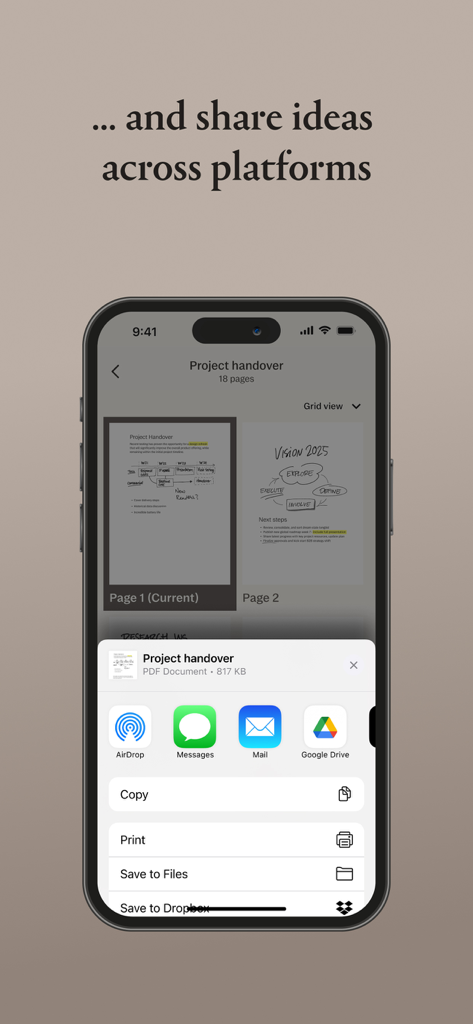
はい、reMarkableモバイルアプリではドキュメントの共有が可能です。Airdrop、Messages、Mail、Google Drive、Save to Files、Dropboxなどのオプションを通じて、プラットフォーム間でアイデアを共有できます。
はい、reMarkableモバイルアプリでは、ユーザーはメモをタイプ入力できます。アプリケーションインターフェイ内で、詳細なメモのページをタイプ入力したり、短いリストをすばやく書き出したりできます。
似た機能とユーザー体験を持つアプリ

Glimpse LLC.

Red Paket sp. z o.o.

nadi digital indonesia, pt

Aleh Piashkou

Thorley Industries LLC

Electro Cirkel Retail BV

Pol Nadal Serra

Jonathan Reed

YONGXING JIN
App information, icons, screenshots, and descriptions displayed on this page are sourced from the Apple App Store and are the property of their respective developers. Download estimates and rankings are based on MWM's proprietary models and may not reflect actual figures. This page is provided for informational and analytical purposes only.
Believe this page infringes your intellectual property? File a dispute