
このページはアプリまたはその開発者の公式ページではなく、情報提供および論評を目的として作成された独立した編集出版物です。明示的に別段の記載がない限り、アプリおよびその開発者は、MWM、Apple、Google Play、アプリのパブリッシャー、またはアプリの開発者と提携、承認、後援、認可、またはその他の公式的な関係はなく、このページのいかなる内容も、アプリがMWMのサービスを使用して開発されたことを意味するものではありません。すべての商標、ロゴ、スクリーンショット、その他のコンテンツはそれぞれの所有者の財産です。

Firestick・Fire TV Remote Stick
失くしたリモコンを探したり、画面上のキーボードで苦労したりするのはもうやめましょう。応答性の高いタッチパッド、瞬時の入力、素早い音声検索で、iPhoneをパワフルなFire TVハブに変えましょう。
ダウンロード
109K+ユーザー評価
評価数
800開発元
カテゴリ
Utilities対応言語
1最新バージョン
2.0サイズ
100.3 MBリリース日
2023年12月4日iPhoneからFire TVを自在に操作
失くしたリモコンを探すのはやめて、手元にあるデバイスで入力、スワイプ、検索を始めましょう。
驚くほど速いキーボード
画面上での面倒なクリック入力にさよなら。iPhoneのネイティブキーボードを使って、数秒で映画、アプリ、番組を検索できます。
瞬時のワンタップ設定
複雑なマニュアルは忘れてください。Wi-Fi経由で数秒でFirestickに接続し、ストレスなくお気に入りの番組に戻りましょう。
よくある質問
について知っておくべきこと Firestick・Fire TV Remote Stick
Firestick・Fire TV Remote Stickとは何ですか?
Firestick・Fire TV Remote Stickは、スマートフォンをFire TVおよびFirestickデバイスのフル機能リモコンに変え、ナビゲーション、再生制御、アプリ起動を可能にします。
Firestick・Fire TV Remote Stickは完全なリモートコントロールを提供しますか?
はい、Firestick・Fire TV Remote Stickは、スマートフォンから直接、ナビゲーション、音量調整、再生/一時停止など、完全なリモートコントロール機能を提供します。
Firestick・Fire TV Remote Stickでキーボードを使用できますか?
はい、Firestick・Fire TV Remote Stickにはキーボード入力機能があり、従来の物理リモコンよりも速く簡単に文字を入力できます。
Firestick・Fire TV Remote Stickにはタッチパッド機能がありますか?
はい、Firestick・Fire TV Remote Stickにはスムーズで応答性の高いコントロールのためのタッチパッドモードが含まれており、Fire TVデバイスでのナビゲーションを向上させます。
Firestick・Fire TV Remote Stickは音声検索をサポートしていますか?
はい、Firestick・Fire TV Remote Stickを使用すると、スマートフォンのマイクを使用して、Fire TVを制御するためのクイック音声コマンドを実行できます。
Firestick・Fire TV Remote Stickはデバイスにどれくらいの速さで接続できますか?
Firestick・Fire TV Remote Stickは、同じWi-Fiネットワーク上のデバイスを検索してすばやく接続するため、数秒でセットアッププロセスが迅速に行われます。
Firestick・Fire TV Remote Stickのサブスクリプションの支払いはどのように処理されますか?
Firestick・Fire TV Remote Stickの支払いは、最初のサブスクリプション購入時にiTunesアカウントに請求されます。サブスクリプションは、期間終了の24時間前までにオフにしない限り、自動更新されます。
Firestick・Fire TV Remote Stickの自動更新をオフにするにはどうすればよいですか?
購入後にアカウント設定にアクセスすることで、Firestick・Fire TV Remote Stickサブスクリプションを管理し、自動更新をオフにすることができます。
Firestick・Fire TV Remote Stickの無料トライアルに登録した場合、どうなりますか?
Firestick・Fire TV Remote Stickの無料トライアル期間の未使用部分は、提供されている場合、サブスクリプションが購入されると失効します。
Firestick・Fire TV Remote Stickのプライバシーポリシーはどこで見つけられますか?
Firestick・Fire TV Remote Stickのプライバシーポリシーは、アプリのストア説明に記載されているリンクから入手できます:docs.google.com/document/d/18yZQK6dE_bJx0EiUGdPTJ7ZRdnI7AoSRRJUoKWNi7Vk/edit。
以下のスクリーンショットと説明は、アプリの公式ストアリスティングから直接取得されたものであり、アプリ開発者の所有物です。
アプリストア
スクリーンショット
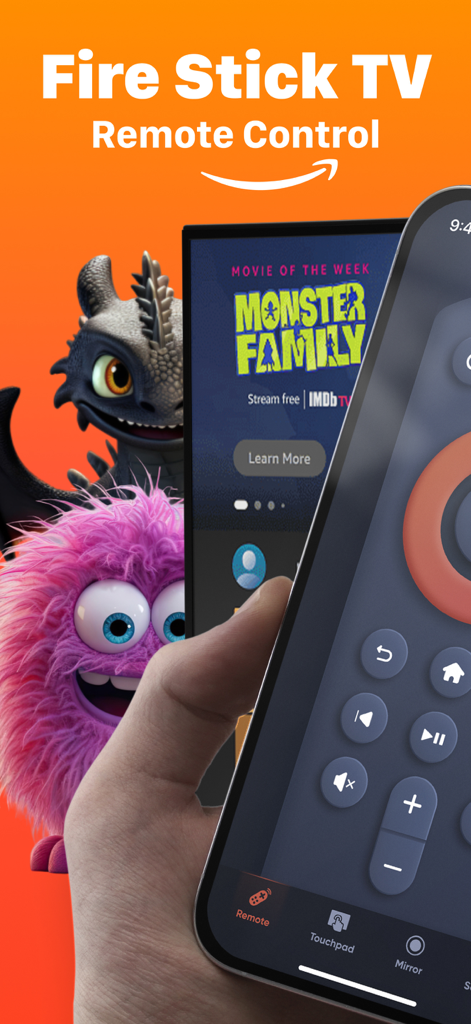
Fire Stick TVリモートコントロールアプリの画面が表示されたiPhoneを持つ手
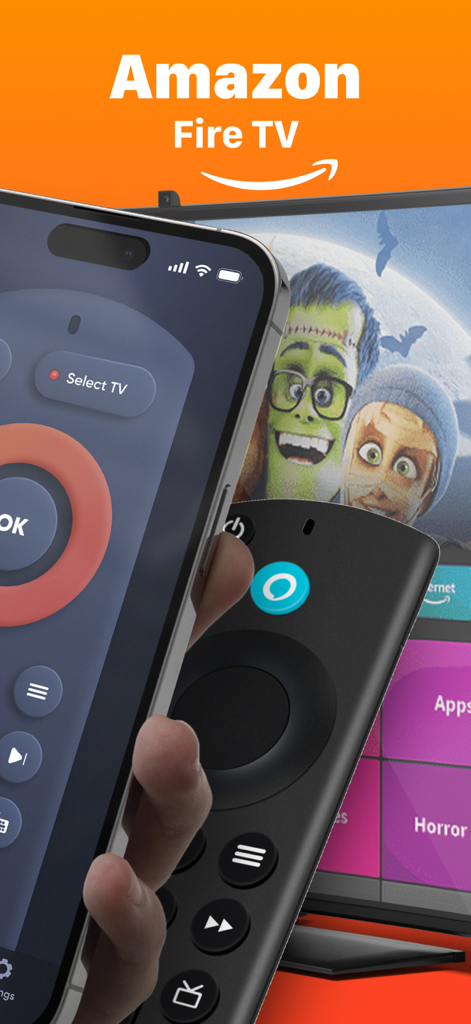
物理的なFirestickリモコンの横に、Fire TVリモートアプリが表示されたiPhone
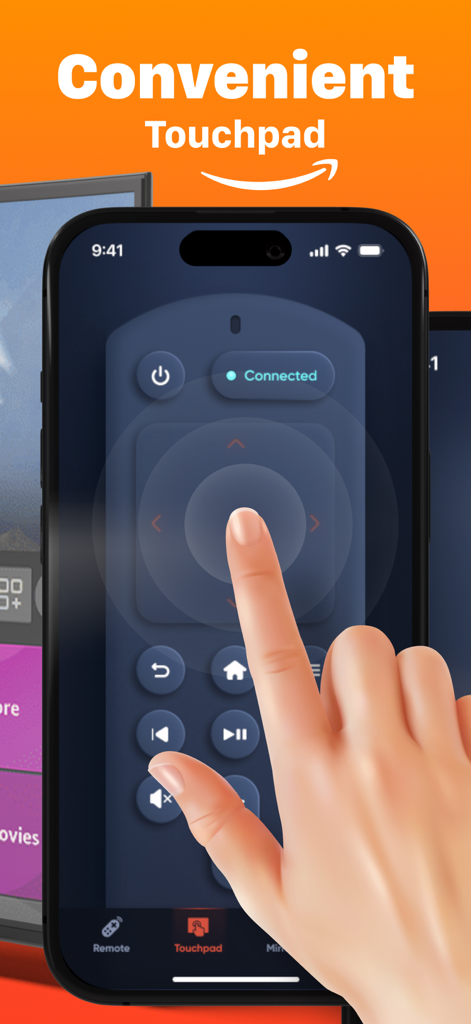
Fire TVリモートアプリの便利なタッチパッドインターフェースが表示されたiPhone画面。スムーズなナビゲーションに使用。
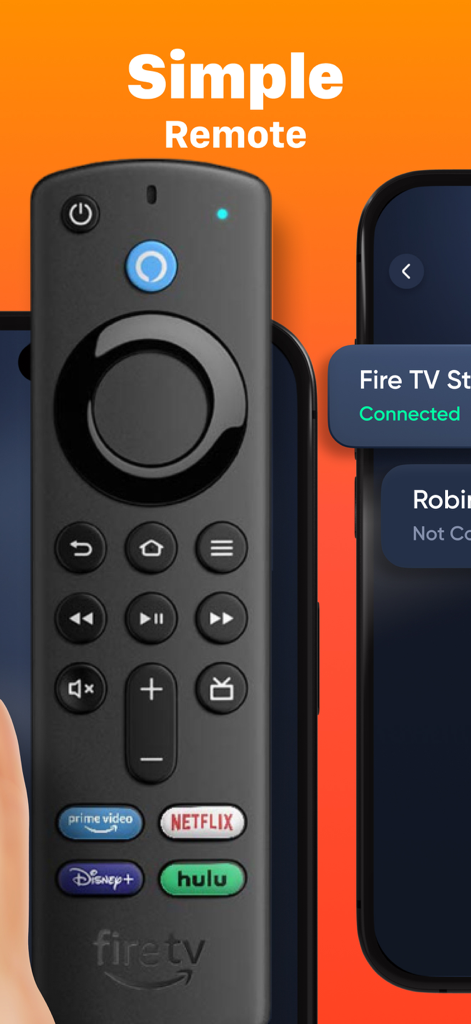
物理的なFire TVリモコンの隣に、iPhone上のFirestickリモートアプリのシンプルなインターフェース
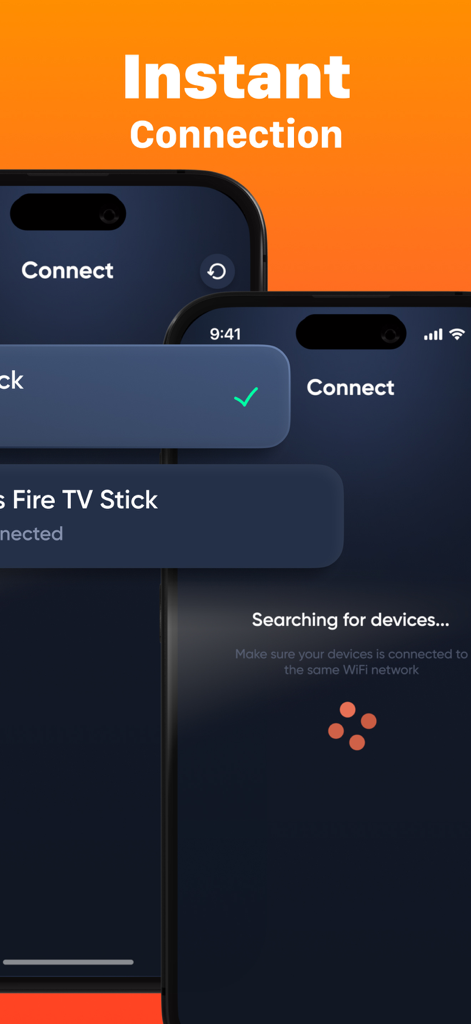
iPhone上のインスタント接続とデバイス検索画面を示すFirestick Remoteアプリのインターフェース。
説明
Download
類似アプリ
似た機能とユーザー体験を持つアプリ

Skylight App
Glimpse LLC.
Remote Control for Samsung TV・
Red Paket sp. z o.o.

BARDI Smart Home
nadi digital indonesia, pt

LG TV Remote Control Smart TVs
Aleh Piashkou

UPPAbaby Home
Thorley Industries LLC

Calex Smart
Electro Cirkel Retail BV

Remote Control for TV Stick
Pol Nadal Serra

Bravia Controller - Sony TV
YONGXING JIN
RoByte: Remote for Roku TV App
Tinybyte Apps LLC
このページはアプリまたはその開発者の公式ページではなく、情報提供および論評を目的として作成された独立した編集出版物です。明示的に別段の記載がない限り、アプリおよびその開発者は、MWM、Apple、Google Play、アプリのパブリッシャー、またはアプリの開発者と提携、承認、後援、認可、またはその他の公式的な関係はなく、このページのいかなる内容も、アプリがMWMのサービスを使用して開発されたことを意味するものではありません。すべての商標、ロゴ、スクリーンショット、その他のコンテンツはそれぞれの所有者の財産です。