
このページはアプリまたはその開発者の公式ページではなく、情報提供および論評を目的として作成された独立した編集出版物です。明示的に別段の記載がない限り、アプリおよびその開発者は、MWM、Apple、Google Play、アプリのパブリッシャー、またはアプリの開発者と提携、承認、後援、認可、またはその他の公式的な関係はなく、このページのいかなる内容も、アプリがMWMのサービスを使用して開発されたことを意味するものではありません。すべての商標、ロゴ、スクリーンショット、その他のコンテンツはそれぞれの所有者の財産です。

RoByte: Remote for Roku TV App
失くしたリモコンを探すのはもうやめましょう。フルキーボードによる即時検索、タッチパッド操作、シームレスな音量調節で、テレビを簡単にコントロールできます。
ダウンロード
9M+ユーザー評価
評価数
279K+開発元
カテゴリ
Utilities対応言語
1最新バージョン
2.2.13サイズ
19.8 MBリリース日
2016年4月11日Rokuを自在にコントロール
忙しい家庭やヘビーユーザー向けに設計された、最も直感的で多機能なリモコンです。
手間いらずのテキスト入力
アルファベットを一つずつクリックするのはもう終わり。iPhoneのキーボードを使って、映画の検索やアプリへのログインを数秒で完了できます。
シームレスな複数テレビ設定
家中のすべてのRokuデバイスに瞬時に接続し、ワンタップで切り替えることができます。
よくある質問
について知っておくべきこと RoByte: Remote for Roku TV App
RoByteは私のRokuデバイスにどのように接続しますか?
RoByteはネットワークを自動的にスキャンしてRokuデバイスを見つけます。RoByteが正常に接続するには、RokuとiPhone/iPadの両方が同じWi-Fiネットワークに接続されている必要があります。
RoByteアプリで複数のRokuプレーヤーを制御できますか?
はい、RoByteアプリは複数のRokuプレーヤーとペアリングできます。デバイスを即座に見つけるため、1つのアプリから異なるRokuユニットを管理できます。
RoByteにはテキスト入力用のキーボードが含まれていますか?
はい、RoByteには、NetflixやHuluなどのチャンネルに便利な、迅速なテキスト入力用のキーボードが含まれています。この機能はRoByte Premiumの一部です。
RoByte Freeで利用できる機能は何ですか?
RoByte Freeは、再生/一時停止、早送り、巻き戻し機能、および複数のRokuデバイスとのペアリング機能を含む基本的なRokuリモートコントロールを提供します。
RoByteアプリはどのようなプレミアム機能を提供していますか?
RoByte Premiumの機能には、チャンネルスイッチャー、音量コントロール、キーボードと音声検索、および強化されたナビゲーションのためのタッチパッドが含まれます。
RoByteでRoku TVのモバイルアプリコントロールを有効にするにはどうすればよいですか?
コントロールを有効にするには、Roku TVで「設定」->「システム」->「高度なシステム設定」->「モバイルアプリによる制御」に移動し、「有効」を選択します。これにより、RoByteはRokuデバイスと通信できます。
RoByteアプリで直接チャンネルを変更できますか?
はい、RoByteアプリを使用すると、ワンタップで簡単にチャンネルを変更できます。このチャンネルスイッチャー機能はRoByte Premiumで利用できます。
RoByteは複雑なセットアップが必要ですか?
いいえ、RoByteは複雑なセットアップを必要としません。ネットワークを自動的にスキャンしてRokuを見つけるため、接続プロセスは簡単かつ直接的です。
RoByteアプリがRokuに接続されないのはなぜですか?
接続の問題は通常、Rokuとモバイルデバイスが同じWi-Fiネットワークに接続されていない場合に発生します。RoByteを再インストールするか、RokuのWi-Fi接続を確認することで、このような問題が解決することがよくあります。
以下のスクリーンショットと説明は、アプリの公式ストアリスティングから直接取得されたものであり、アプリ開発者の所有物です。
アプリストア
スクリーンショット
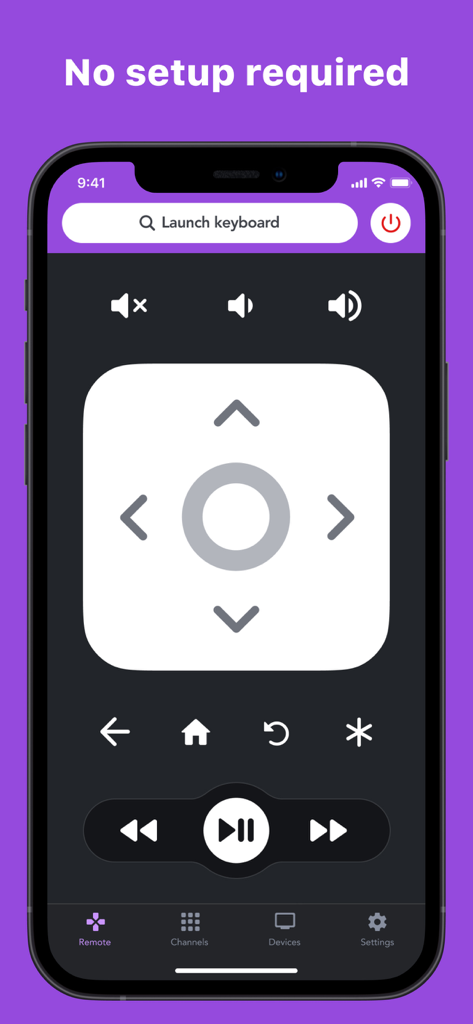
方向パッドと再生コントロールを備えた、スマートフォン画面上のRoByte Rokuリモコンアプリのインターフェース
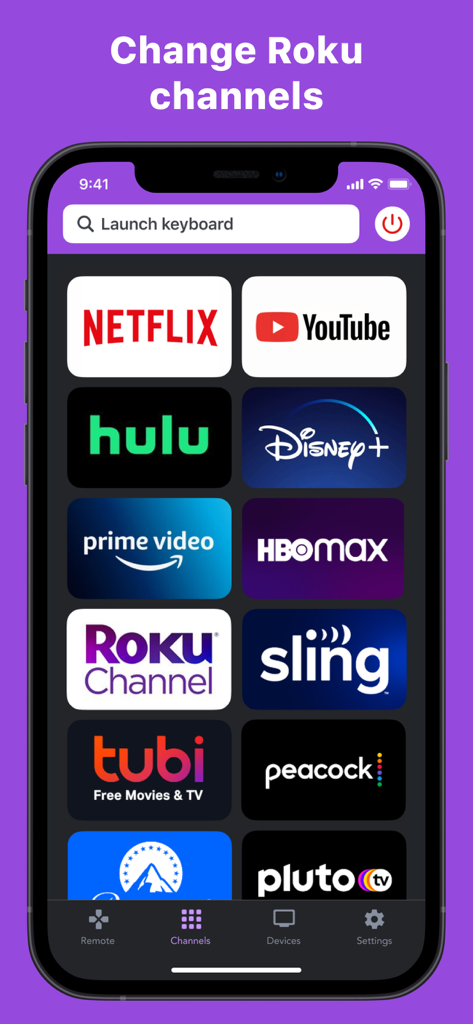
Roku TVで素早く選択できるように、ストリーミングチャンネルのアイコンがグリッド表示されたRoByteアプリのインターフェース
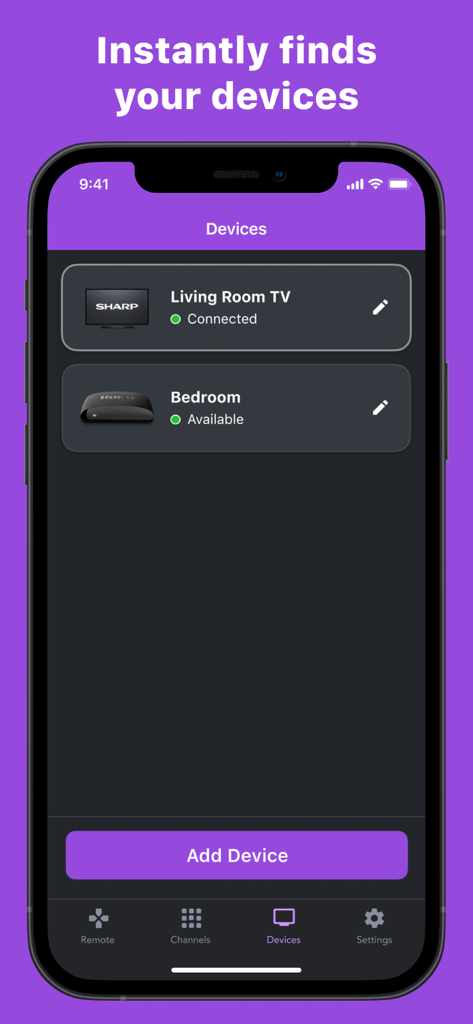
ホームネットワーク内で検出・接続されたRokuデバイスのリストを表示するRoByteアプリのインターフェース
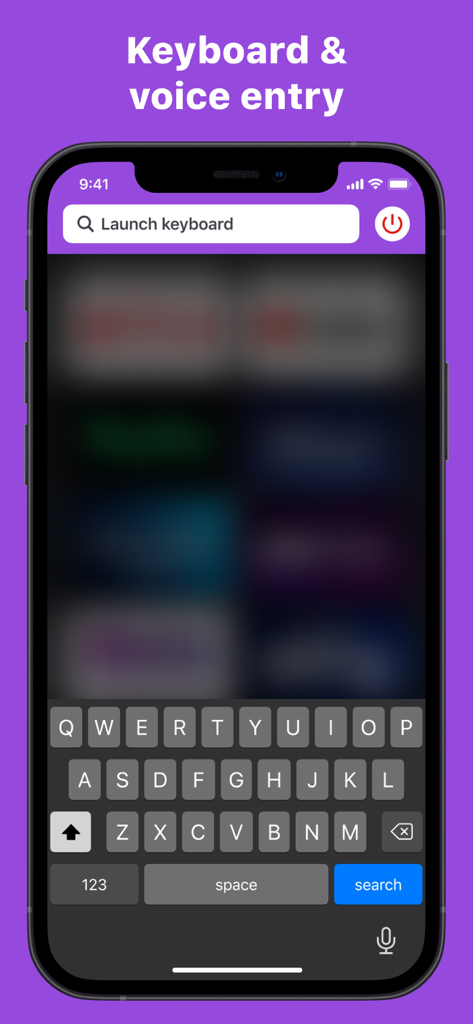
Roku TV操作のためのキーボード入力と音声入力を表示するRoByteアプリのインターフェース
説明
Download
類似アプリ
似た機能とユーザー体験を持つアプリ

Skylight App
Glimpse LLC.

Remote Control for Samsung TV・
Red Paket sp. z o.o.

BARDI Smart Home
nadi digital indonesia, pt

LG TV Remote Control Smart TVs
Aleh Piashkou

UPPAbaby Home
Thorley Industries LLC

Calex Smart
Electro Cirkel Retail BV

Remote Control for TV Stick
Pol Nadal Serra

Firestick・Fire TV Remote Stick
Jonathan Reed

Bravia Controller - Sony TV
YONGXING JIN
このページはアプリまたはその開発者の公式ページではなく、情報提供および論評を目的として作成された独立した編集出版物です。明示的に別段の記載がない限り、アプリおよびその開発者は、MWM、Apple、Google Play、アプリのパブリッシャー、またはアプリの開発者と提携、承認、後援、認可、またはその他の公式的な関係はなく、このページのいかなる内容も、アプリがMWMのサービスを使用して開発されたことを意味するものではありません。すべての商標、ロゴ、スクリーンショット、その他のコンテンツはそれぞれの所有者の財産です。