Remote For Tcl Roku

Remote For Tcl Roku

ダウンロード: App Store
ロゴ: Remote For Tcl Roku

TCL Roku用リモコン:テレビのための究極のスマートフォンコントローラー

紛失したリモコンを探すのはやめましょう。フルキーボードとインスタントペアリングで、iPhoneから直接、簡単にタイピング、検索、エンターテイメントをコントロールしましょう。

ダウンロード: App Store

開発元

Real Vision Ltd

カテゴリ

Utilities

ダウンロード

273K+

ユーザー評価

3.8/5

評価数

1K+

対応言語

9

指先でコントロール

このインターフェースを利用する 273K+ 人のユーザー.

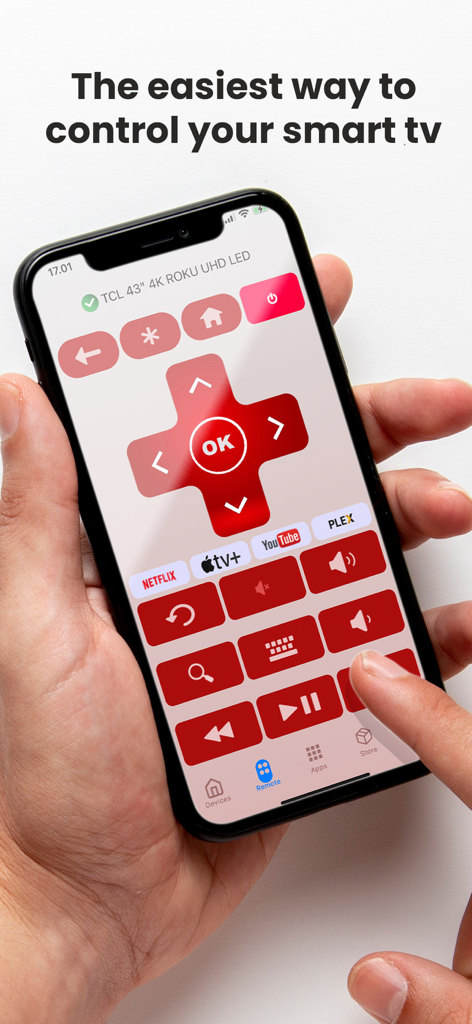
スマートテレビを操作するためのRemote For Tcl Rokuアプリのインターフェースが表示されたiPhoneを持っている人

スマートテレビを操作するためのRemote For Tcl Rokuアプリのインターフェースが表示されたiPhoneを持っている人

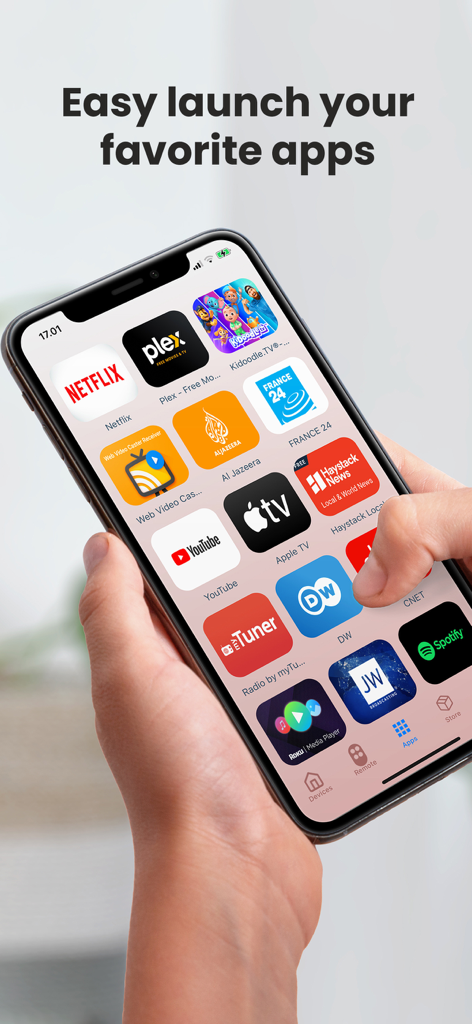
簡単なナビゲーションのためのお気に入りのストリーミングアプリが表示されたiPhone上のRemote for TCL Rokuアプリのインターフェース

簡単なナビゲーションのためのお気に入りのストリーミングアプリが表示されたiPhone上のRemote for TCL Rokuアプリのインターフェース

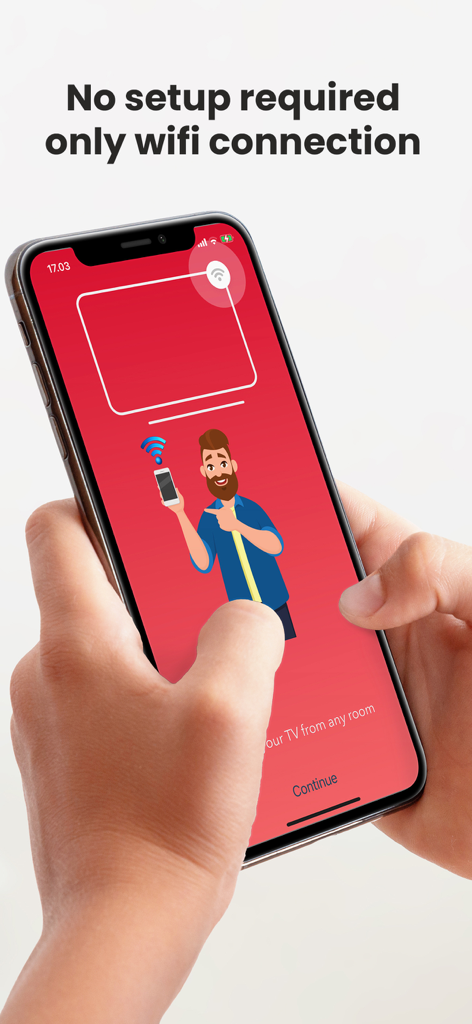
Wi-Fi接続のみでセットアップ不要と表示されたRemote For Tcl Rokuアプリのセットアップ画面を示すスマートフォンを持っている人

Wi-Fi接続のみでセットアップ不要と表示されたRemote For Tcl Rokuアプリのセットアップ画面を示すスマートフォンを持っている人

スマートコントロールでテレビをマスターする

このアプリを際立たせるツール、 273K+ 人のユーザーが選択.

⌨️

超高速キーボード

画面上でのイライラするような手探りの検索はやめましょう。スマートフォンのキーボードを使って、数秒でお気に入りの映画のタイトルやパスワードを入力できます。

インスタントワンタップセットアップ

設定は不要です。当社のクイックペアリングテクノロジーがWi-Fi経由でテレビを自動的に検出し、すぐにコントロールできます。

ワンタッチショートカット

Netflix、Hulu、Disney+を即座に起動します。最も視聴するチャンネルをブックマークして、メニューをスキップし、お気に入りの番組に直接飛び込みましょう。

レビュー分析

ユーザーレビューの分析.

感情スコア

17%
ネガティブ

概要

The app garners largely negative feedback, predominantly criticized for its pervasive connectivity issues, with many users reporting that it fails to find or connect to their TVs and often stops working entirely. A significant source of frustration is the overwhelming number of advertisements, which frequently interrupt usability and hinder access to remote functions. Despite these widespread problems, a small number of users have praised the app for its initial smooth operation, instant connection to their devices, and reliable performance of basic remote features, highlighting its potential when functional.

主なテーマ

Initial Functionality(1)
Instant Connection(1)
Smooth Operation(1)
Basic Remote Functions(1)
Quick Accessibility(1)
Brand Specific Compatibility(1)

アプリについて

について知っておくべきこと Remote For Tcl Roku.

説明

Turn Your Smartphone into the Ultimate tcl Roku Remote The premier choice for transforming your smartphone into a dynamic tcl Roku remote. Embrace the convenience of controlling your Roku TV with unparalleled ease. Whether you're replacing a lost remote or simply prefer the comfort of using your phone, our app is specifically engineered to enrich your viewing experience. Why Choose our app? Optimized for Your Device: Tailor-made for tcl Roku TVs, this app ensures flawless compatibility, making it the perfect remote control. User-Centric Design: Navigate through our intuitive interface to effortlessly access all your entertainment needs. Effortless Setup: Quick pairing technology automatically connects your smartphone to your tcl Roku TV over Wi-Fi, offering you control without the complex setup. Comprehensive Control: Master your TV's functions, from volume adjustments and channel switching to accessing Roku’s extensive streaming library, all from one app. Favorites Shortcut: Bookmark your most-loved channels and services for instant access, making it your go-to Roku tcl remote. Swift Keyboard Input: Avoid the hassle of slow on-screen typing. Use your smartphone to quickly enter text, search terms, and passwords. Voice Search: (If available) Elevate your search experience by finding shows and movies with just your voice, bypassing the need for manual input. Getting Started is Simple: Connect your smartphone and tcl Roku TV to the same Wi-Fi network. Download the app and launch it. The app instantly finds your TV for a hassle-free one-click pairing. Enjoy comprehensive control over your TV without any boundaries. Ideal For: Users needing a replacement for a lost or malfunctioning physical remote. Those who desire an additional remote without extra costs. Viewers looking for a convenient, smart way to manage their tcl Roku TV. Elevate Your TV Experience Step into a world where control and convenience meet. Remote TV for tcl Roku not only acts as your remote but also redefines your interaction with your TV. Download today to join a community of users who have upgraded their TV experience. With this app, the power of television is always at your fingertips. Please note: Disclaimer: This app is an independent product and is not sponsored, endorsed, or affiliated with Roku, Inc., or TCL. It is designed to enhance your Roku TV experience and is not an official product of Roku, Inc., or TCL Upgrade your experience with Premium and immerse yourself in an ad-free ambiance. Select the ideal plan for you: Lifetime Premium (One-time payment): $24.99 Monthly Premium Subscription: $3.99 Annual Premium Subscription: $19.99 Your iTunes Account will be charged upon purchase confirmation, following any applicable free trial period. Subscriptions automatically renew unless auto-renewal is disabled at least 24 hours before the current billing cycle ends. Renewal charges will be applied to your account 24 hours before the current period concludes, with costs clearly outlined. Users retain the option to manage subscriptions and disable auto-renewal by accessing Account Settings post-purchase. For Terms of Use, visit: https://realvision.app/terms-of-use/ For Privacy Policy, visit: https://realvision.app/privacy-policy/

最新バージョン

2.5

サイズ

57.3 MB

リリース日

2021年6月30日

リモコンを探すのをやめて、ストリーミングを始めましょう

270,000人以上のユーザーがTCL Roku TV体験をアップグレードしました。インスタントペアリング、簡単なキーボード入力、iPhoneからの完全なコントロールを今すぐダウンロードしてください。

ダウンロード: App Store
FAQ

よくある質問

について知っておくべきこと Remote For Tcl Roku

How to connect the "Remote For Tcl Roku" app to a TCL Roku TV?

Yes, connect your smartphone and TCL Roku TV to the same Wi-Fi network. Launch the "Remote For Tcl Roku" app, and it automatically finds your TV for one-click pairing.

What features does the "Remote For Tcl Roku" app offer for controlling a TCL Roku TV?

The "Remote For Tcl Roku" app offers comprehensive control, including volume adjustments, channel switching, access to the Roku streaming library, favorites shortcuts, swift keyboard input, and app launching.

Is the "Remote For Tcl Roku" app compatible with non-TCL Roku TVs?

No, the "Remote For Tcl Roku" app is specifically engineered and tailor-made for TCL Roku TVs. It ensures flawless compatibility for these devices, focusing on an enriched viewing experience.

How much does a premium subscription for the "Remote For Tcl Roku" app cost?

A Lifetime Premium for "Remote For Tcl Roku" costs $24.99. Monthly Premium is $3.99, and Annual Premium is $19.99. These options provide an ad-free experience.

Can the "Remote For Tcl Roku" app replace a lost physical TCL Roku remote?

Yes, the "Remote For Tcl Roku" app is ideal for users needing a replacement for a lost or malfunctioning physical remote. It transforms your smartphone into a dynamic remote control.

Is the "Remote For Tcl Roku" app an official product of Roku, Inc. or TCL?

No, "Remote For Tcl Roku" is an independent product. It is not sponsored, endorsed, or affiliated with Roku, Inc., or TCL. The app is designed solely to enhance the Roku TV experience.

Does the "Remote For Tcl Roku" app support text input on the TV?

Yes, "Remote For Tcl Roku" provides swift keyboard input. Users can quickly enter text, search terms, and passwords on their TCL Roku TV directly from their smartphone using the app.

How do users manage subscriptions for the "Remote For Tcl Roku" app?

Users manage subscriptions and disable auto-renewal for "Remote For Tcl Roku" through their device's Account Settings after purchase. The iTunes Account is charged upon purchase confirmation.

App information, icons, screenshots, and descriptions displayed on this page are sourced from the Apple App Store and are the property of their respective developers. Download estimates and rankings are based on MWM's proprietary models and may not reflect actual figures. This page is provided for informational and analytical purposes only.

Believe this page infringes your intellectual property? File a dispute