RemoTV: Universal TV Remote

RemoTV: Universal TV Remote

ダウンロード: App Store
ロゴ: RemoTV: Universal TV Remote

RemoTV: ユニバーサルTVリモコン – 家中のあらゆる画面を究極にコントロール

紛失したリモコンを探したり、画面上での入力を遅くしたりするのに苦労するのはもうやめましょう。iPhoneを、現代のビンジウォッチャーのために設計された、応答性の高いタッチパッドとキーボードを備えた強力なユニバーサルスマートリモコンに変えます。

開発元

EpicScale Inc

カテゴリ

Utilities

ダウンロード

3M+

ユーザー評価

4.6/5

評価数

27K+

対応言語

10

再定義されたコントロール

このインターフェースを利用する 3M+ 人のユーザー.

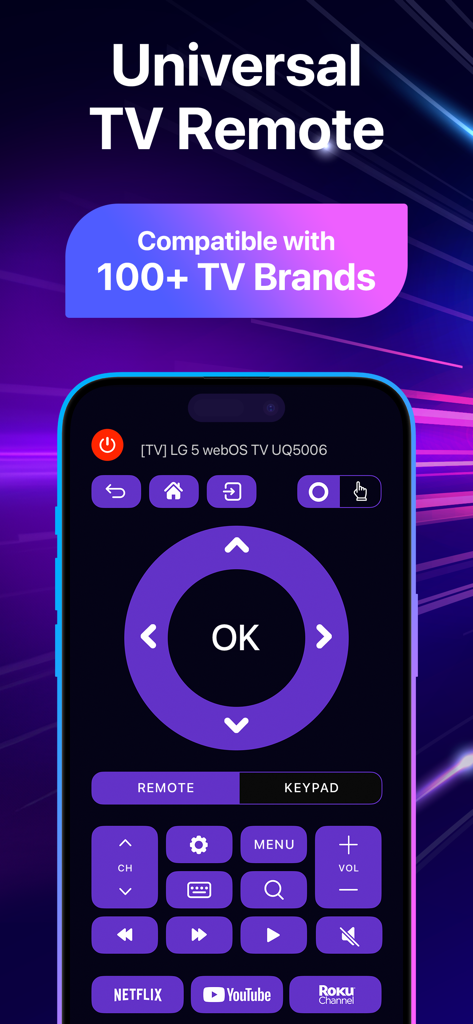
RemoTVアプリのインターフェースをiPhoneに表示し、ユニバーサルTVコントロールとストリーミングショートカットを表示

RemoTVアプリのインターフェースをiPhoneに表示し、ユニバーサルTVコントロールとストリーミングショートカットを表示

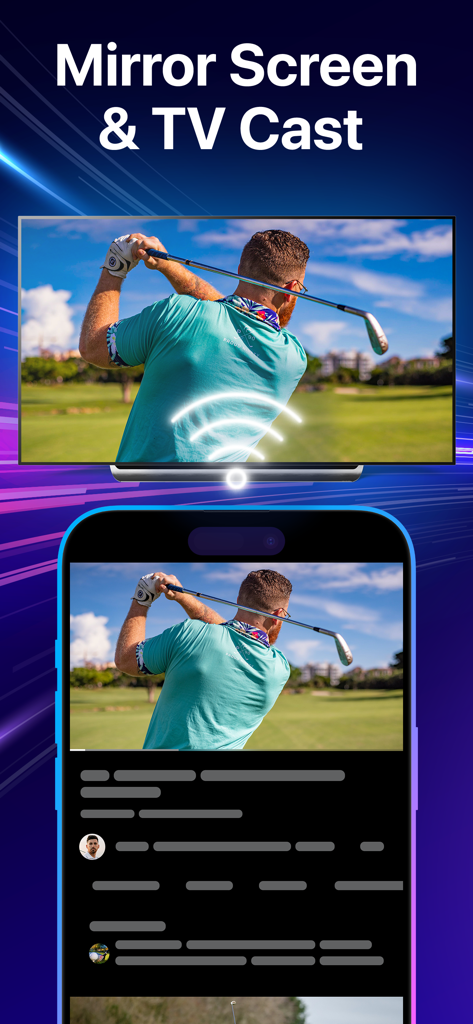
RemoTVアプリを使用して、iPhoneからゴルファーのビデオを大画面スマートTVにミラーリングしている様子

RemoTVアプリを使用して、iPhoneからゴルファーのビデオを大画面スマートTVにミラーリングしている様子

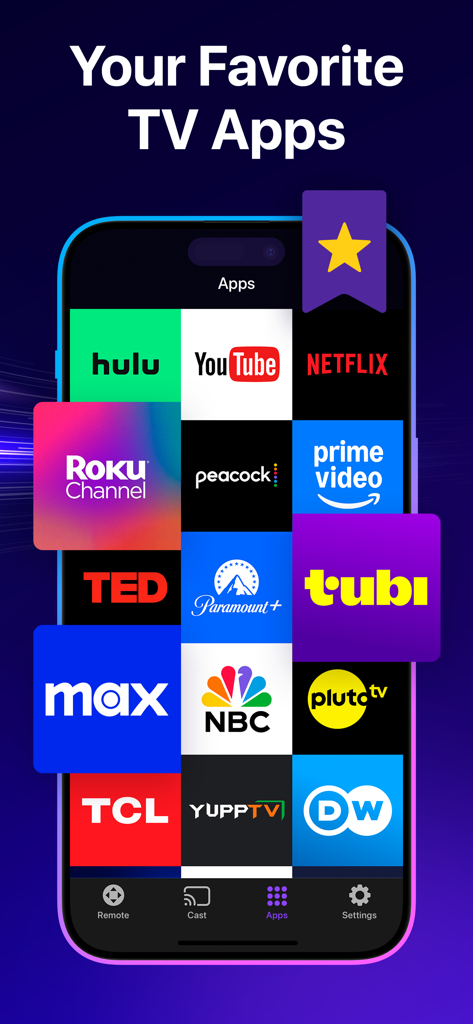
RemoTVアプリ内のNetflix、Hulu、YouTubeなどの人気ストリーミングアプリのアイコンがグリッド表示されたスマートフォン画面

RemoTVアプリ内のNetflix、Hulu、YouTubeなどの人気ストリーミングアプリのアイコンがグリッド表示されたスマートフォン画面

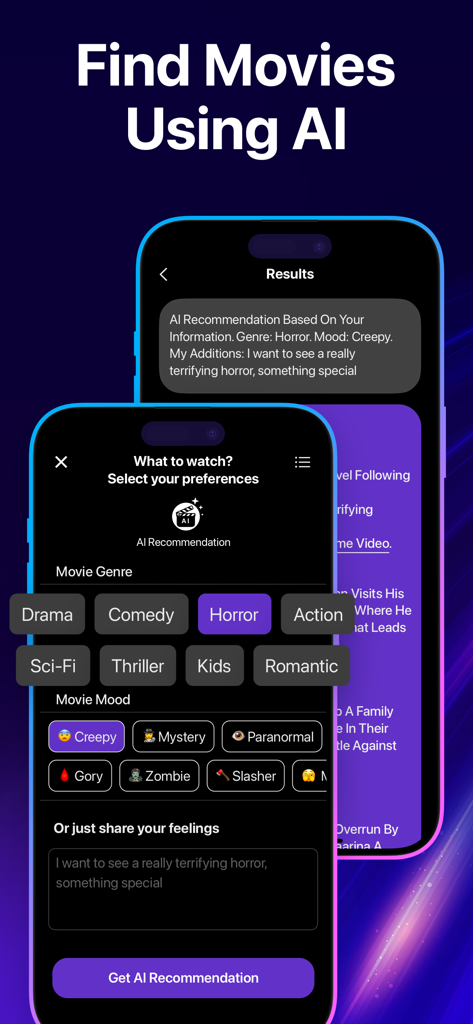
RemoTVアプリにAI映画レコメンデーション機能が表示され、ジャンルやムードのフィルターが設定されている画面

RemoTVアプリにAI映画レコメンデーション機能が表示され、ジャンルやムードのフィルターが設定されている画面

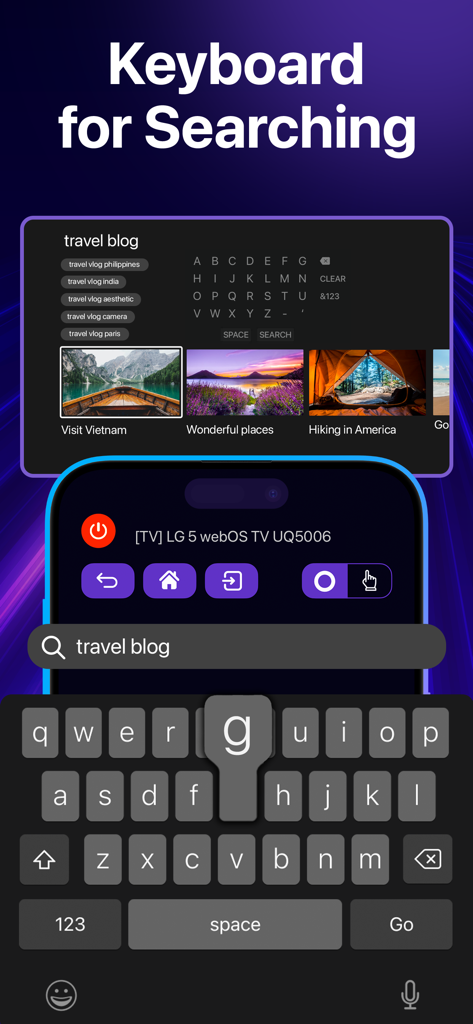
RemoTVアプリで、スマートTVのコンテンツを検索するためのモバイルキーボード機能が表示されている画面

RemoTVアプリで、スマートTVのコンテンツを検索するためのモバイルキーボード機能が表示されている画面

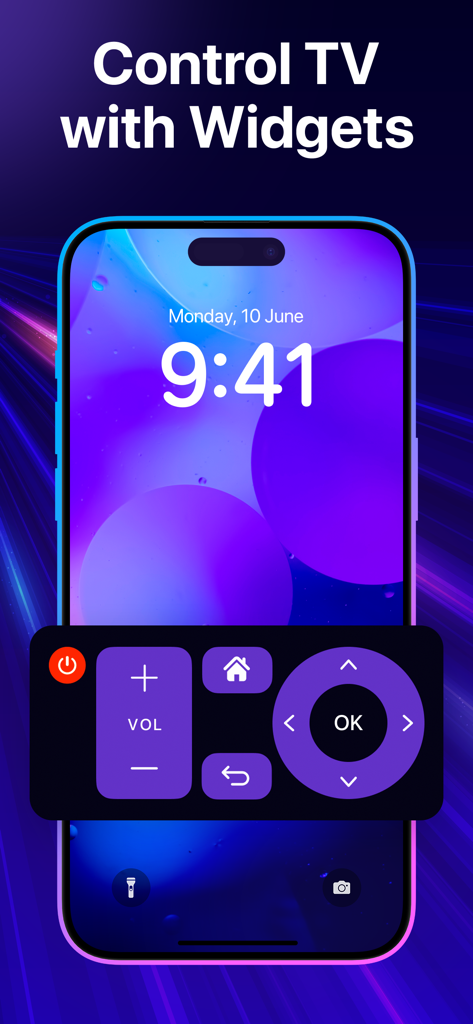
ボリュームとナビゲーションボタンを備えたユニバーサルTVリモコンウィジェットが表示されたスマートフォンロック画面

ボリュームとナビゲーションボタンを備えたユニバーサルTVリモコンウィジェットが表示されたスマートフォンロック画面

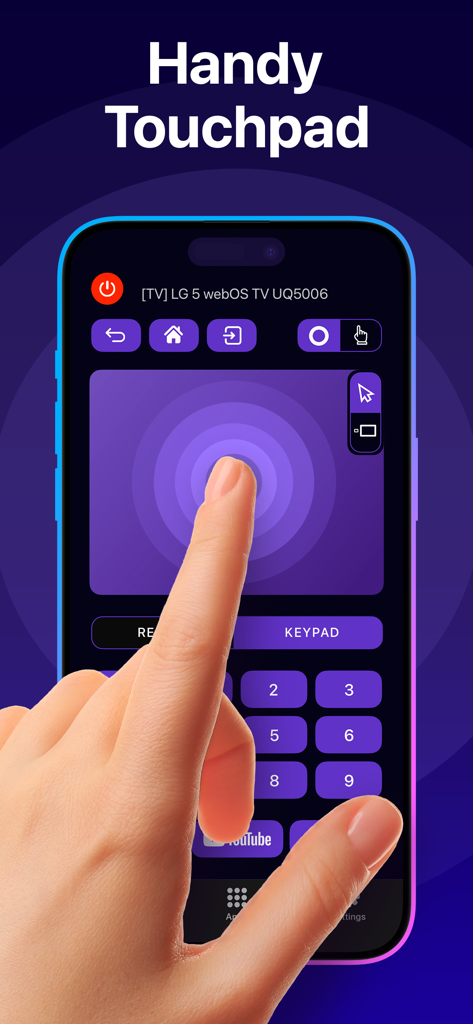
RemoTVアプリのインターフェースに、スマートTVコントロール用の応答性の高いタッチパッド機能が表示されている画面

RemoTVアプリのインターフェースに、スマートTVコントロール用の応答性の高いタッチパッド機能が表示されている画面

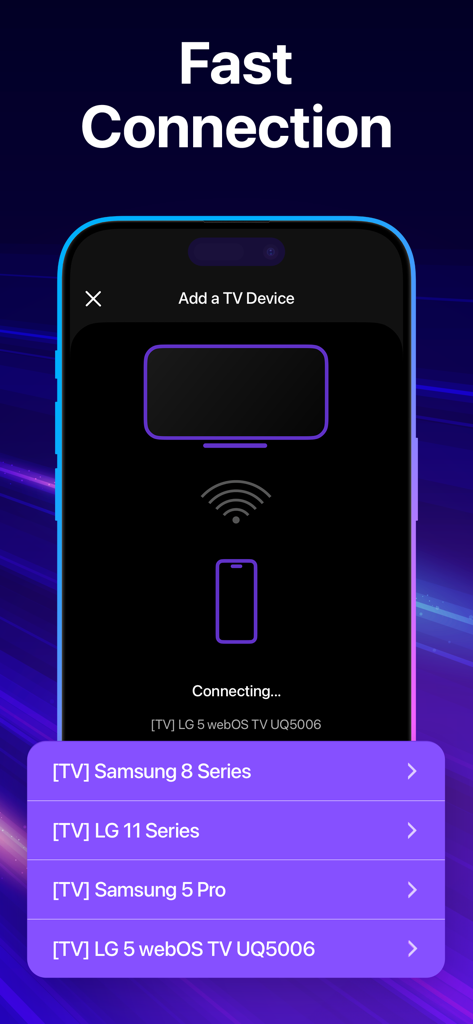
SamsungやLGなどの様々なスマートTVブランドへのRemoTVアプリの高速接続プロセスを表示するスマートフォン画面

SamsungやLGなどの様々なスマートTVブランドへのRemoTVアプリの高速接続プロセスを表示するスマートフォン画面

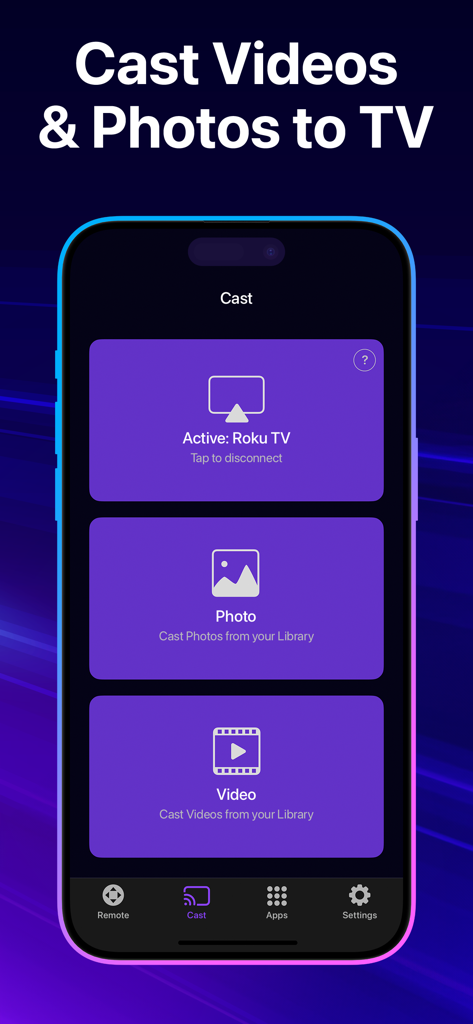
RemoTVアプリのインターフェースに、iPhoneからRoku TVへのビデオや写真のキャストオプションが表示されている画面

RemoTVアプリのインターフェースに、iPhoneからRoku TVへのビデオや写真のキャストオプションが表示されている画面

指先で究極のコントロール

このアプリを際立たせるツール、 3M+ 人のユーザーが選択.

⌨️

超高速検索

テレビ画面の文字を探すイライラから解放されます。iPhoneのキーボードを使って、映画のタイトル、パスワード、検索クエリを瞬時に入力できます。

📱

ユニバーサル互換性

1つのアプリで、完全なコントロール。リビングルームのSamsungでも、寝室のRokuでも、RemoTVは物理的なリモコンの散らかりなしで、主要ブランドすべてに対応します。

👆

直感的なジェスチャーコントロール

自然なスワイプとタップでメニューを操作できます。超応答性の高いタッチパッドは、従来のクリックボタンよりもスムーズでモダンな操作体験を提供します。

レビュー分析

ユーザーレビューの分析.

感情スコア

28%
ネガティブ

概要

This mobile app receives largely negative feedback due to its aggressive subscription model and inconsistent performance. Many users report high weekly charges, paywalls for basic functionalities like the 'Home' or 'OK' buttons, and unexpected charges even after free trials or cancellations. While some users praise its ease of use and ability to connect flawlessly to their TVs, a significant number experience frequent disconnections, buggy behavior, or an inability to control their devices effectively. Overall, users feel the app is a "cash grab" and often recommend alternative free solutions.

主なテーマ

Ease of Use(3)
App Performance(2)

アプリについて

について知っておくべきこと RemoTV: Universal TV Remote.

説明

TV remote always goes missing? Frustrated by complicated controls? Meet RemoTV—the universal smart TV remote always within reach. Compatible with top brands, this app will make your TV viewing experience smooth and intuitive. Dive straight into your digital entertainment without wrestling with your remote to log in or type the movie you want to watch. No more fuss–just fun! RemoTV offers a full range of features that lets you seamlessly switch between channels, adjust the volume, or fine-tune TV settings, all from the comfort of your iPhone. No more guessing which button does what—the intuitive touchpad and keyboard ensure smooth and straightforward navigation. This app makes it easy to manage your TV no matter where you are. Whether you're binge-watching in the living room or catching up on shows from the kitchen, enjoy complete control of your TV from every corner of your home. What you'll love about RemoTV Universal TV remote: the app works on a wide variety of smart TVs. Essential controls: change the volume, fast-forward, switch channels, adjust TV settings, and more. Just like your trusty old remote, but smarter. Handy keyboard: forget about the tedious process of typing on your TV screen. Now you can input your queries right from your iPhone hassle-free. Responsive touchpad: no need to fumble with physical buttons—our touchpad lets you seamlessly glide through menus and scroll content. Effortless setup: just connect your iPhone and TV to the same Wi-Fi network, and you’re good to go—no manuals or elaborate pairing. Instant access to entertainment: launch streaming services and apps in a snap using handy shortcuts. It's time to retire your old remote and discover a new level of comfort with a responsive and ultra-compatible remote control that effortlessly guides you to your desired content. Streamline your TV experience with smart and reliable RemoTV today! PREMIUM SUBSCRIPTION - You can subscribe to get unlimited access to certain app features. - Subscriptions are billed automatically at the rate depending on the selected subscription plan. By using the app, you are agreeing to our Privacy Policy and Terms of Use: https://ascellamobile.com/remotv/privacy/ https://ascellamobile.com/remotv/terms/

最新バージョン

3.18

サイズ

55.9 MB

リリース日

2023年9月11日

リモコンを探すのを二度とやめましょう

エンターテイメント体験をシンプルにした300万人以上のユーザーに加わりましょう。iPhoneを唯一必要なリモコンに変え、入力、スワイプ、ストリーミングを簡単に始めましょう。

ダウンロード: App Store
FAQ

よくある質問

について知っておくべきこと RemoTV: Universal TV Remote

RemoTVは多くのテレビブランドに対応していますか?

はい、RemoTVはユニバーサルTVリモコンとして機能し、幅広いスマートTVに対応しています。100以上のTVブランドをサポートしており、幅広いデバイスをカバーします。

RemoTVアプリの設定方法を教えてください。

RemoTVを設定するには、iPhoneとTVを同じWi-Fiネットワークに接続してください。接続にマニュアルや複雑なペアリングは必要ありません。

RemoTVにはTVでの文字入力用のキーボードは含まれていますか?

はい、RemoTVには便利なキーボード機能が搭載されています。iPhoneから直接テキストや検索語句を入力できるため、TV画面での入力の手間が省けます。

RemoTVにはナビゲーション用のタッチパッドがありますか?

はい、RemoTVアプリには応答性の高いタッチパッドが含まれています。この機能により、メニューやコンテンツをスムーズに操作でき、物理ボタンを探す必要がなくなります。

RemoTVはどのような基本的なTV操作を提供しますか?

RemoTVは、音量変更、早送り、チャンネル切り替え、TV設定の調整などの基本的な操作を提供します。従来のテレビリモコンの、よりスマートなバージョンとして機能します。

RemoTVにはプレミアムサブスクリプションがありますか?

はい、RemoTVはプレミアムサブスクリプションを提供しています。これにより、特定のアプリ機能への無制限アクセスが可能になり、選択したサブスクリプションプランに基づいて自動的に請求されます。

RemoTVのプライバシーポリシーはどこで見られますか?

RemoTVのプライバシーポリシーは、アプリの説明に記載されているリンク(https://ascellamobile.com/remotv/privacy/)にアクセスすることで確認できます。

RemoTVはストリーミングサービスやアプリを起動できますか?

はい、RemoTVはエンターテイメントへのインスタントアクセスを可能にします。便利なショートカットを使用して、ストリーミングサービスやさまざまなアプリをすばやく起動できます。

RemoTVは、メディアをTVにミラーリングまたはキャストするのをサポートしていますか?

はい、RemoTVは画面ミラーリングとキャストの両方をサポートしています。電話の画面をTVにミラーリングしたり、ライブラリからビデオや写真をキャストしたりできます。

RemoTVはAIを使って映画を見つけますか?

はい、RemoTVには映画を見つけるためのAI機能が含まれています。ユーザーはジャンルやムードなどの好みに合わせてAIからコンテンツをおすすめしてもらうことができます。

RemoTVのウィジェットを使ってTVを操作できますか?

はい、RemoTVではウィジェットを使用してTVを操作できます。これにより、電話のホーム画面から直接、基本的なリモート機能にすばやくアクセスできます。

App information, icons, screenshots, and descriptions displayed on this page are sourced from the Apple App Store and are the property of their respective developers. Download estimates and rankings are based on MWM's proprietary models and may not reflect actual figures. This page is provided for informational and analytical purposes only.

Believe this page infringes your intellectual property? File a dispute