TV Remote Control “Universo”
ダウンロード: App Store

このページはアプリまたはその開発者の公式ページではなく、情報提供および論評を目的として作成された独立した編集出版物です。明示的に別段の記載がない限り、アプリおよびその開発者は、MWM、Apple、Google Play、アプリのパブリッシャー、またはアプリの開発者と提携、承認、後援、認可、またはその他の公式的な関係はなく、このページのいかなる内容も、アプリがMWMのサービスを使用して開発されたことを意味するものではありません。すべての商標、ロゴ、スクリーンショット、その他のコンテンツはそれぞれの所有者の財産です。


ロゴ: TV Remote Control “Universo”
ダウンロード: App Store

TV Remote Control “Universo”

ソファの奥底からリモコンを探す手間を終わらせる。このアプリは、ユーザーにデジタル時代の真のリモートコントロール体験を提供する。

主要数値

ダウンロード

500k+

ユーザー評価

4.8/5

評価数

5.1K

開発元

Nemo Apps LLC

カテゴリ

Utilities

対応言語

33

最新バージョン

3.5.0

サイズ

118.5 MB

リリース日

2024年3月4日
機能

革新的なホームエンターテイメントコントロールソリューション

アプリ「TV Remote Control “Universo”」分析

ユニバーサルな互換性とデバイス統合

このアプリは、主要なすべてのブランドのスマートテレビとストリーミングデバイスに対応し、ユーザーが複数の物理的なリモコンをデジタルソリューションに統合することを可能にします。

統合されたキーボードと音声検索

本ツールは、iOSキーボードによるテレビへの直接入力や、音声コマンドを通じたコンテンツ検索機能を提供し、操作の利便性を大幅に向上させます。

リモコンインターフェースのカスタマイズ

ユーザーは、お気に入りのテレビアプリや入力ソースへのクイックアクセスボタンを作成し、個々の視聴習慣に合わせてリモコンのレイアウトとスタイルをパーソナライズできます。

以下のスクリーンショットと説明は、アプリの公式ストアリスティングから直接取得されたものであり、アプリ開発者の所有物です。

アプリストア

スクリーンショット

TV Remote Control “Universo” - このアプリはiPhoneをスマートテレビのリモコンに変え、基本的な操作ボタンや主要なストリーミングアプリのショートカットを提供します。

このアプリはiPhoneをスマートテレビのリモコンに変え、基本的な操作ボタンや主要なストリーミングアプリのショートカットを提供します。

iPhoneがリモコンに
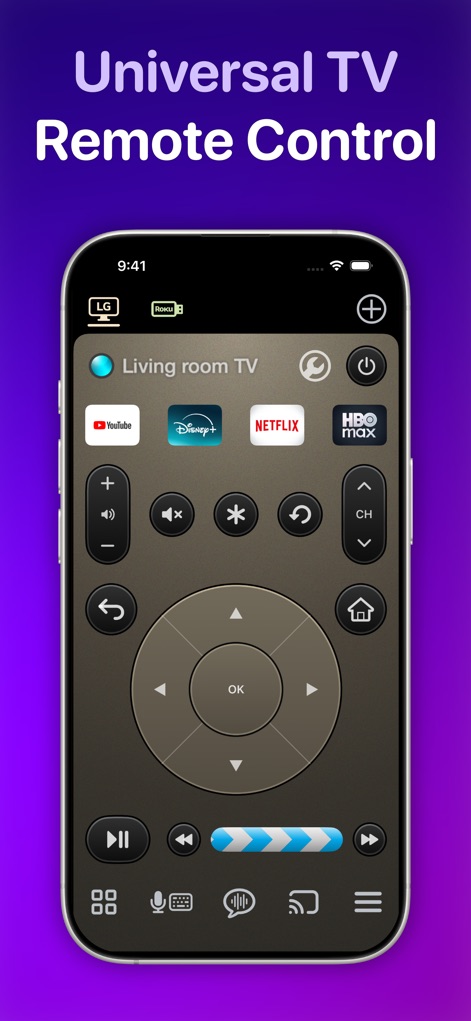
TV Remote Control “Universo” - このアプリは、LGやRokuなどの主要なテレビブランドに対応し、方向キー(D-pad)と基本的なメディアコントロールボタンを統合して提供します。

このアプリは、LGやRokuなどの主要なテレビブランドに対応し、方向キー(D-pad)と基本的なメディアコントロールボタンを統合して提供します。

万能リモコン操作
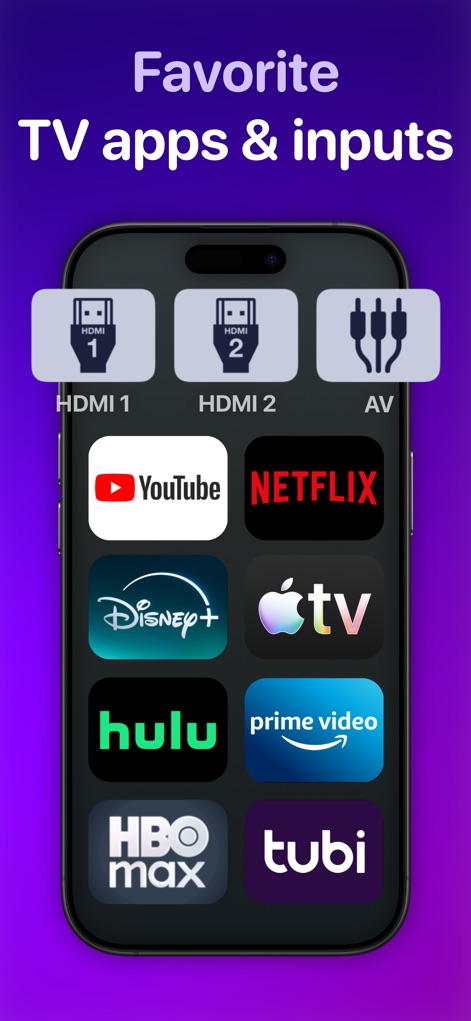
TV Remote Control “Universo” - ユーザーは、HDMI入力切り替え機能と、YouTubeやNetflixなどのお気に入りテレビアプリへの直接アクセスボタンをカスタマイズできます。

ユーザーは、HDMI入力切り替え機能と、YouTubeやNetflixなどのお気に入りテレビアプリへの直接アクセスボタンをカスタマイズできます。

お気に入りアプリに即アクセス

TV Remote Control “Universo” - この革新的な機能により、映画のアクションを遮ることなく、テレビの字幕をiPhoneのようなセカンドスクリーンに表示できます。

この革新的な機能により、映画のアクションを遮ることなく、テレビの字幕をiPhoneのようなセカンドスクリーンに表示できます。

字幕をセカンドスクリーンで

TV Remote Control “Universo” - 統合されたD-pad/タッチパッドにより、ユーザーは画面をタップしたり、スワイプジェスチャーを使ってテレビメニューを直感的に操作できます。

統合されたD-pad/タッチパッドにより、ユーザーは画面をタップしたり、スワイプジェスチャーを使ってテレビメニューを直感的に操作できます。

直感的なジェスチャー操作

TV Remote Control “Universo” - このアプリを使用すると、iPhone内の写真ギャラリーから選択した写真や動画を、ワイヤレスでテレビの大画面に簡単にキャストできます。

このアプリを使用すると、iPhone内の写真ギャラリーから選択した写真や動画を、ワイヤレスでテレビの大画面に簡単にキャストできます。

写真と動画をキャスト
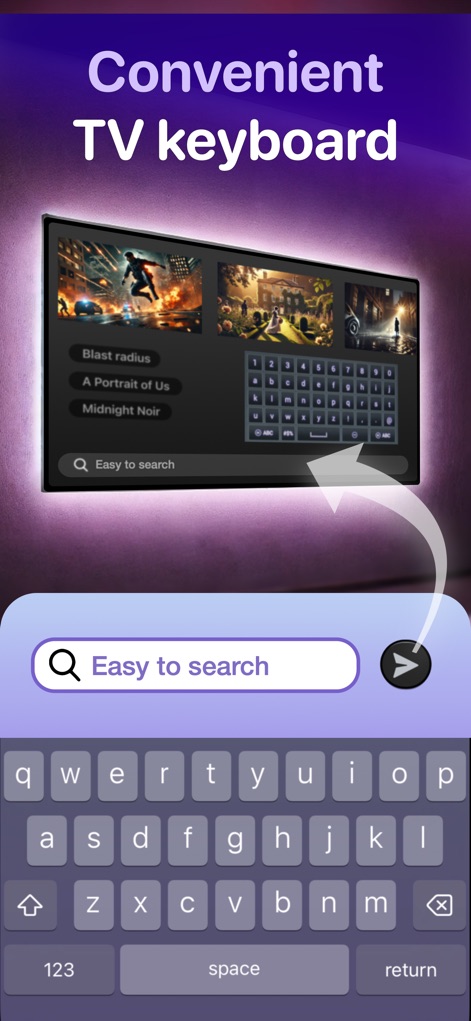
TV Remote Control “Universo” - ユーザーは、iOSキーボードを介してテレビに直接文字を入力でき、大画面の検索バーやアプリ内で便利に利用できます。

ユーザーは、iOSキーボードを介してテレビに直接文字を入力でき、大画面の検索バーやアプリ内で便利に利用できます。

TV用キーボード入力

TV Remote Control “Universo” - このアプリは音声検索機能をサポートしており、ユーザーはマイクアイコンをタップして話すだけで、キーボード入力なしにコンテンツを検索できます。

このアプリは音声検索機能をサポートしており、ユーザーはマイクアイコンをタップして話すだけで、キーボード入力なしにコンテンツを検索できます。

音声でスマート検索

TV Remote Control “Universo” - YouTube動画向けに設計された「Time Jumper」機能は、スライダーコントロールを使用して、動画の再生位置を正確に早送りしたり巻き戻したりできます。

YouTube動画向けに設計された「Time Jumper」機能は、スライダーコントロールを使用して、動画の再生位置を正確に早送りしたり巻き戻したりできます。

YouTubeで時間ジャンプ
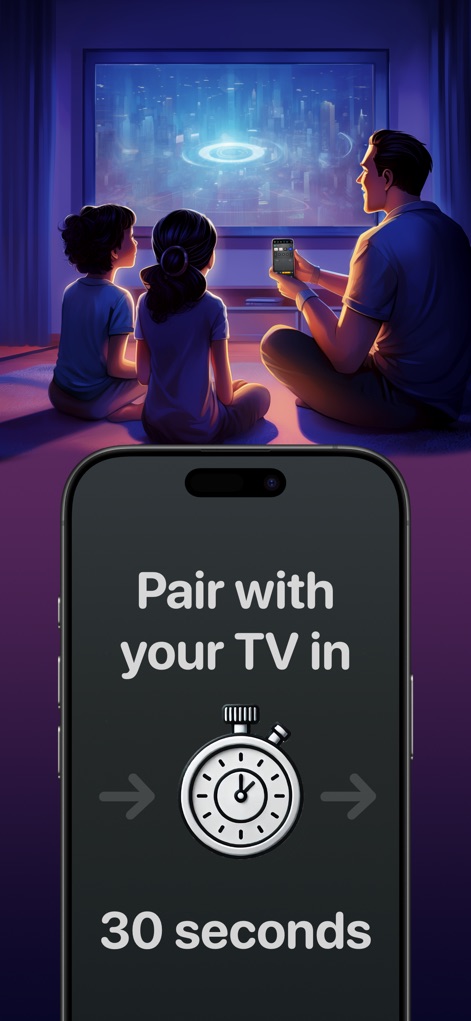
TV Remote Control “Universo” - このアプリは、ストップウォッチのアイコンが示すように、わずか30秒でスマートテレビと簡単にペアリングでき、迅速なセットアップを可能にします。

このアプリは、ストップウォッチのアイコンが示すように、わずか30秒でスマートテレビと簡単にペアリングでき、迅速なセットアップを可能にします。

30秒で簡単接続

説明

Turn your iPhone and iPad into a universal remote control and companion for smart televisions and streaming devices. Simplify Entertainment • Tired of digging through sofa cushions for a lost remote? With this app, a fully functional remote control is always a tap away. • Set up your TV in 30 seconds or less. Universally Compatible • All major brands of TVs and streaming devices supported. See our full list below. Multi-Device Support • Control all your TVs and devices in one place. One tap switches between them. • You can even make a "combo" remote that controls your TV and streaming stick together - no juggling. Captions and Subtitles, on the side • Instead of covering the movie action with text, display captions and subtitles on your second screen: an iPhone or iPad. Easy navigation control • With an integrated d-pad / touchpad, you can tap or use swipe gestures to navigate TV menus. • Designed so your eyes stay on the TV screen, not your phone. • One long swipe skips multiple steps at once. Time Jumper for YouTube • Get to the good parts of a YouTube video like a pro. • Slide slowly for precision control over the current play position. • Flick fast to leap across to different scenes. Photo and Video Casting • Throw your photos and home movies onto the big screen in seconds. Keyboard Input and Voice Search • Type on your TV with the iOS keyboard under your fingertips — or just speak. Design Your Perfect Remote • Make quick access buttons for your favorite TV apps and inputs. • Launch apps like YouTube, Netflix, HBO Max, and Disney with one tap. • Direct switch to TV inputs/sources like HDMI1, HDMI2, or Antenna (“Live TV”). • Go minimal or load it up with all the buttons. • Style your remote in finishes like Space Gray, Silver, Gold, Rose Gold, and Obsidian. All the Regulars • Power on/off. This app uses Wake-on-LAN (WoL) to power on TVs that support it. • Standard media buttons like play, pause, rewind and fast-forward. • Change channels with channel up/down buttons and numpad. • Audio buttons for volume control and mute. On remote controls for streaming devices, these buttons can control the companion TV. How Does This App Work? • It connects with your TV securely on your home wireless network. It doesn’t use IR (Infrared) like a traditional remote control. • It uses Apple Bonjour (zeroconf) and UPnP discovery to find devices on your home network automatically. • Some surprise benefits of Wi-Fi control: + You don’t need to point your phone at the TV for it to work. + There is no cross-interference between two TVs. + If your roommate is playing the TV too loud, turn it down from the other room. Compatibility Supported platforms • Roku • Google TV • Fire TV OS • Samsung Tizen • LG WebOS Supported devices • Amazon Fire TV Stick • Roku Streaming Stick • Google Chromecast • Nvidia Shield • Xiaomi Mi TV Stick Supported TV sets • Samsung (2016+) • LG • Sony • Vizio (2016+) • TCL • Hisense • Sharp • Toshiba Also: Philips, Insignia, Panasonic, JVC, RCA, Onn, Element, Magnavox, Grundig, Onida, OnePlus, Realme, Xiaomi, Skyworth, Blaupunkt, Metz, XGIMI, Haier, Pioneer, Westinghouse This app is not affiliated with the TV brands mentioned here. All trademarks are property of their respective owners. We try to make the most out of the functionality offered by the TV platform for control by apps. But the capabilities offered vary by manufacturer and model. So some of the remote control features listed here may not be available for your TV. Terms of use: https://www.apple.com/legal/internet-services/itunes/dev/stdeula

Download

ダウンロード: App Store

このページはアプリまたはその開発者の公式ページではなく、情報提供および論評を目的として作成された独立した編集出版物です。明示的に別段の記載がない限り、アプリおよびその開発者は、MWM、Apple、Google Play、アプリのパブリッシャー、またはアプリの開発者と提携、承認、後援、認可、またはその他の公式的な関係はなく、このページのいかなる内容も、アプリがMWMのサービスを使用して開発されたことを意味するものではありません。すべての商標、ロゴ、スクリーンショット、その他のコンテンツはそれぞれの所有者の財産です。








