reWASD Mobile

reWASD Mobile

ダウンロード: App Store
ロゴ: reWASD Mobile

reWASD Mobile: プロ級のセカンドスクリーンと仮想コントローラー

PC設定をその場で管理して、Alt-Tabの疲労を解消。デバイスを完全に機能するゲームパッドに変え、リアルタイムのマッピング通知でコントロールを維持しましょう。

ダウンロード: App Store

開発元

AVB Disc Soft, SIA

カテゴリ

Utilities

ダウンロード

2K+

ユーザー評価

3.4/5

評価数

0

対応言語

10

指先での精度

このインターフェースを利用する 2K+ 人のユーザー.

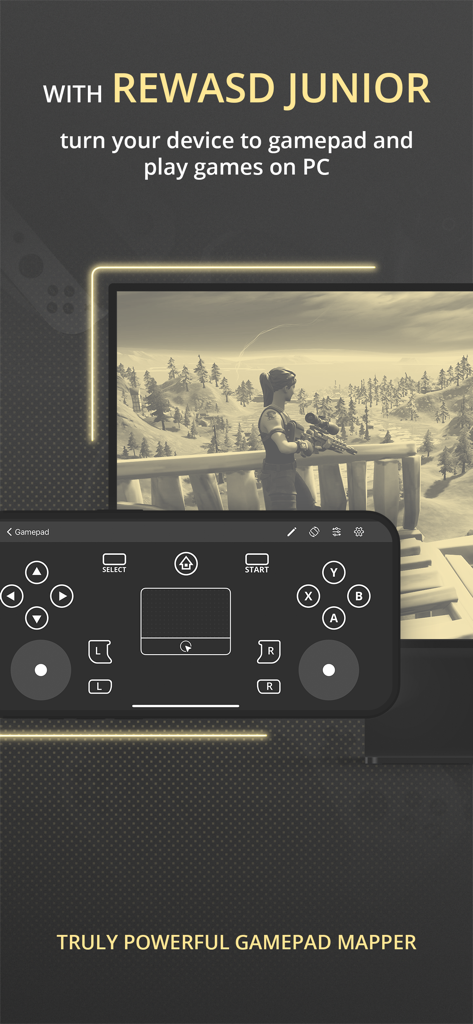
PCゲームに使用されるreWASD Mobile仮想ゲームパッドインターフェイスを表示するスマートフォン。

PCゲームに使用されるreWASD Mobile仮想ゲームパッドインターフェイスを表示するスマートフォン。

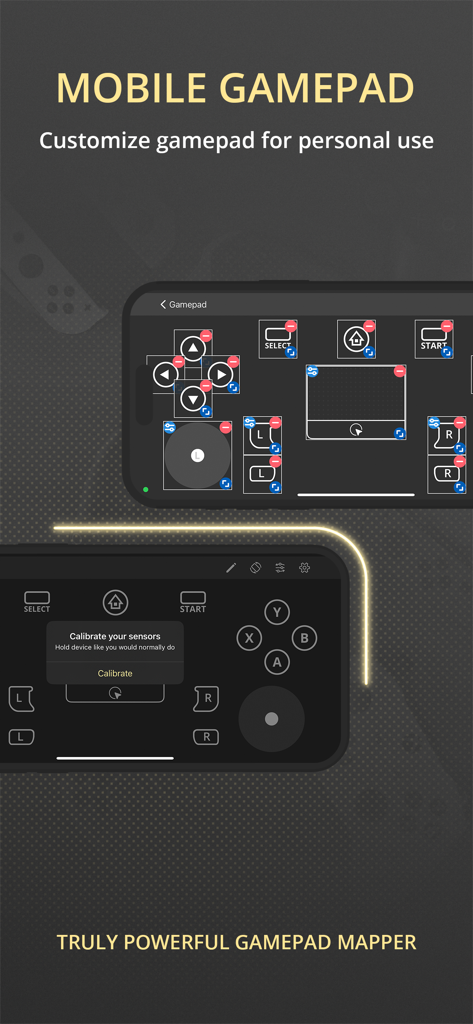
仮想ボタンとセンサーキャリブレーションを備えたカスタマイズ可能なモバイルゲームパッドインターフェイス

仮想ボタンとセンサーキャリブレーションを備えたカスタマイズ可能なモバイルゲームパッドインターフェイス

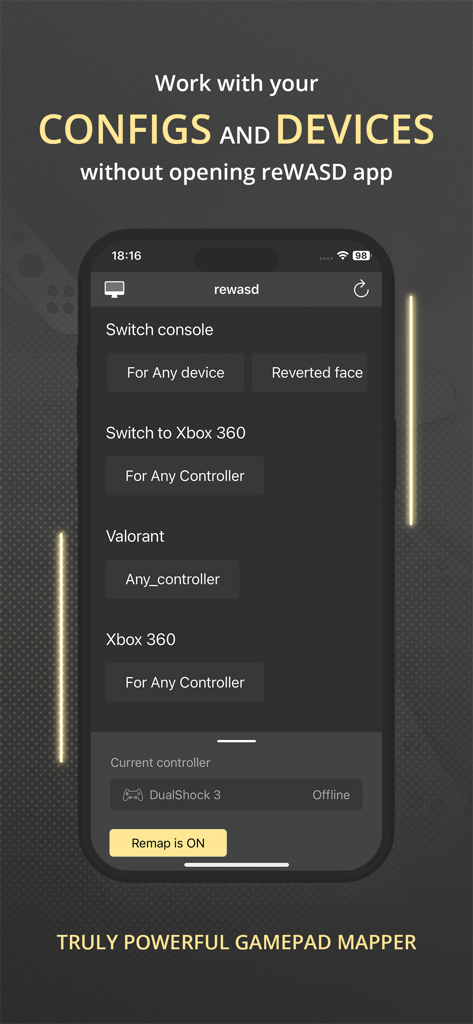
iPhone画面上のValorantとXbox 360のコントローラー設定を表示するreWASD Mobileアプリインターフェイス

iPhone画面上のValorantとXbox 360のコントローラー設定を表示するreWASD Mobileアプリインターフェイス

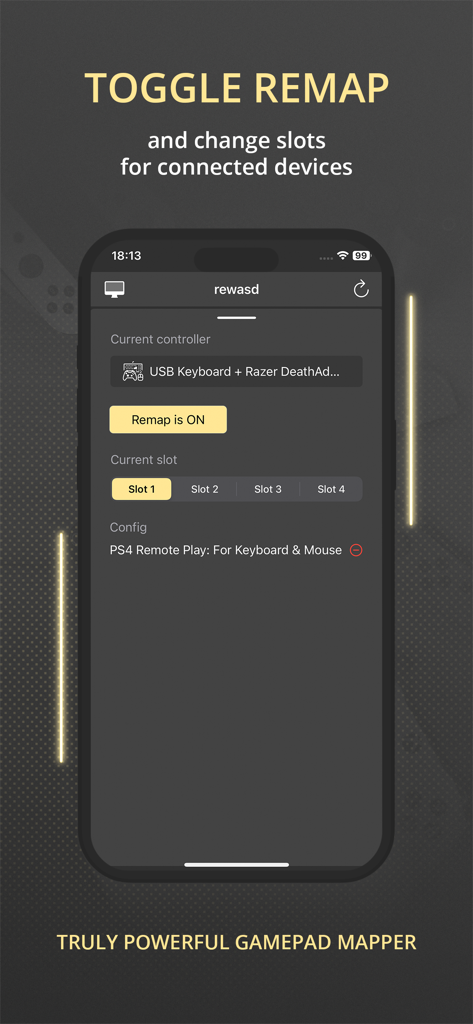
リマップトグルとコントローラースロット選択を表示するreWASD Mobileアプリインターフェイス

リマップトグルとコントローラースロット選択を表示するreWASD Mobileアプリインターフェイス

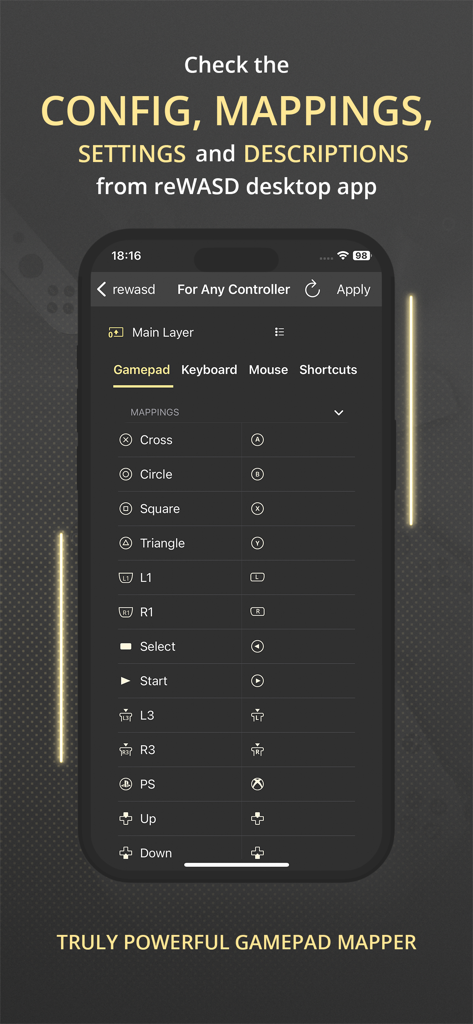
ゲームパッドボタンのマッピングと設定の詳細なリストを表示するreWASD Mobileアプリのインターフェイス

ゲームパッドボタンのマッピングと設定の詳細なリストを表示するreWASD Mobileアプリのインターフェイス

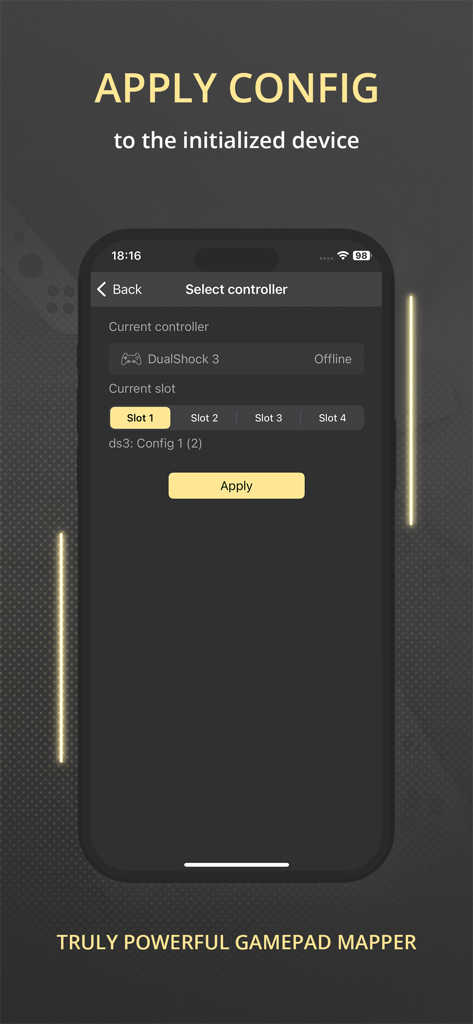
ゲーム用周辺機器のコントローラー選択と設定適用を表示するreWASD Mobileアプリのインターフェイス

ゲーム用周辺機器のコントローラー選択と設定適用を表示するreWASD Mobileアプリのインターフェイス

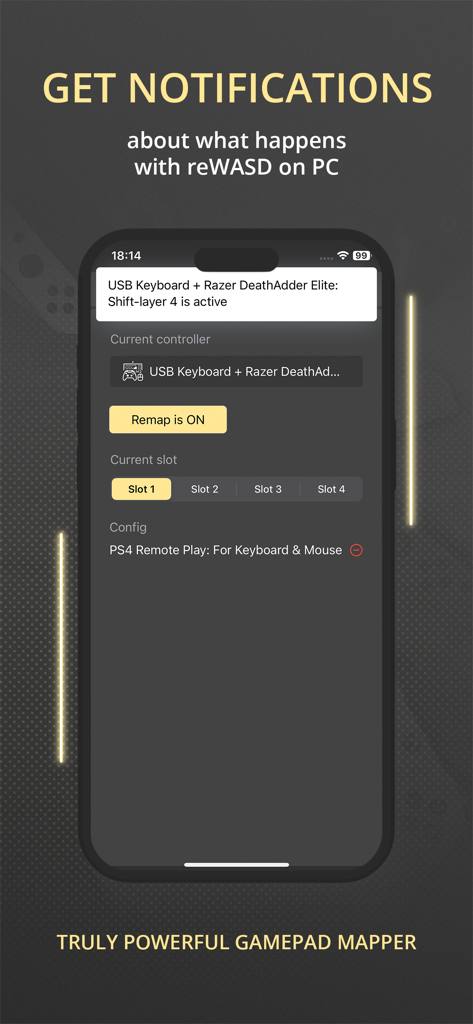
Razerマウスとキーボードの構成ステータスの通知を表示するreWASD Mobileアプリを搭載したスマートフォン。

Razerマウスとキーボードの構成ステータスの通知を表示するreWASD Mobileアプリを搭載したスマートフォン。

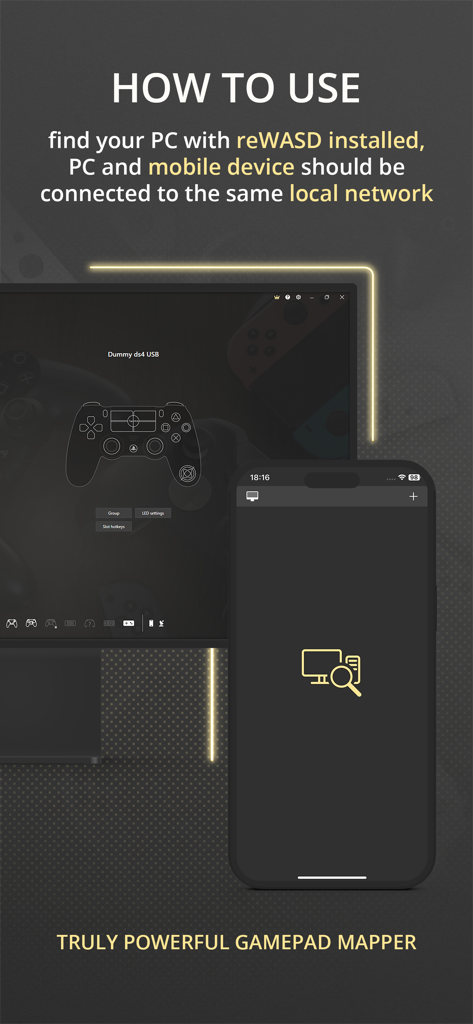
ローカルネットワーク経由でPCにアプリを接続する方法を説明するreWASD Mobileの指示画面。

ローカルネットワーク経由でPCにアプリを接続する方法を説明するreWASD Mobileの指示画面。

完全なゲームコントロールを解き放つ

このアプリを際立たせるツール、 2K+ 人のユーザーが選択.

🎮

プロ級モバイルゲームパッド

デバイスをPCまたはコンソールの仮想コントローラーに変え、高価なハードウェアコストを節約しながら、最高の応答性を維持します。

👁️

リアルタイムマッピングHUD

カスタムマクロとキーバインドをセカンドスクリーンに表示し、激しい試合中に設定を見失うことがないようにします。

🔋

スマートリモート管理

ゲームウィンドウを離れることなく、即座にバッテリーアラートを受け取り、マッピングスロットやシフトを瞬時に切り替えます。

アプリについて

について知っておくべきこと reWASD Mobile.

説明

Meet the Mobile Controller feature — a new way to use your device! Turn your device to the controller — to use it with a PC or console. You can play in your favorite game with your device even if you does not have gamepad. All you need is reWASD Mobile and reWASD — please check more information below! With reWASD Mobile, you do not need to open the PC app if you want to check the config, mappings, settings or descriptions. Just find the computer with reWASD installed and ensure that both devices are connected to the same local network. Once this step is done, you will see the full list of the configs and gaming devices and will be able to “match” those — apply the config you need to the preferable device. Now, nothing stops you from jumping into the game! What is reWASD? reWASD is a gamepad, keyboard and mouse remapper with various features and use cases. Mostly, it is used on the PC with Windows to enhance and adjust your devices for PC gaming. Also, you can use the virtual controller created by reWASD inside the network — on PS4 console or mobile and desktop devices if they are connected via Bluetooth or GIMX adapter. What is reWASD Mobile? reWASD Mobile is a companion app that lets you manage the configs from your PC on a mobile device. This way you won’t need to Alt+Tab from the game to check the mappings you have in your config, and also you could Apply a config easily with a few taps on your mobile device. In addition, reWASD Mobile gets the notifications from its elder brother on PC while it is opened, so you will be informed if the battery is low or if you switched to another Slot or Shift. Why should I use it? reWASD Mobile is an easy way to work with your configs and devices without the necessity to open the app itself on a PC. Right now, you can check everything you have in your config, keep it open to check the mappings or descriptions, get notifications about what happens with reWASD on your PC and apply a config to the initialized device. But we are planning much more features, and hope you could give us suggestions and ideas to make our reWASD Mobile handier for you.

最新バージョン

3.1

サイズ

72.3 MB

リリース日

2021年12月17日

プロゲーミングセットアップを強化

Alt-Tabをやめて勝利を掴もう。マッピングを同期し、バッテリー寿命を監視し、iPhoneを数秒で高性能コントローラーに変えましょう。

ダウンロード: App Store
FAQ

よくある質問

について知っておくべきこと reWASD Mobile

reWASD Mobileとは何ですか?

reWASD Mobileは、お使いのデバイスをPCまたはコンソールゲーム用のコントローラーに変えるコンパニオンアプリです。reWASDデスクトップの構成を管理し、PCアプリを監視します。

PCでreWASD Mobileを使用するには何が必要ですか?

reWASD MobileアプリとPCにインストールされたreWASDデスクトップアプリケーションの両方が必要です。両方のデバイスは同じローカルネットワークに接続されている必要があります。

reWASD MobileでデバイスをPC用のゲームパッドに変えられますか?

はい、reWASD MobileはreWASD Juniorとペアリングすることで、モバイルデバイスを仮想ゲームパッドに変換します。これにより、スマートフォンやタブレットを使用してPCゲームをプレイできます。

reWASD Mobileでモバイルゲームパッドのレイアウトをカスタマイズできますか?

はい、reWASD Mobileでは、個人的な使用のためにモバイルゲームパッドのレイアウトをカスタマイズできます。ユーザーはアプリインターフェース内で直接ボタンのリマップやコントロールの調整が可能です。

デスクトップアプリを開かずにreWASD Mobileで構成を管理するにはどうすればよいですか?

reWASD Mobileはローカルネットワーク経由でPCに接続します。デスクトップアプリケーションを開かなくても、reWASDの構成とデバイス設定をリモートで表示、適用、管理できます。

reWASD Mobileでリマップの切り替えやスロットの変更はできますか?

はい、reWASD Mobileはリマップ機能をオンまたはオフに切り替えるコントロールを提供します。ユーザーは接続されたデバイスのさまざまな構成スロットを選択して切り替えることもできます。

reWASD MobileはreWASDデスクトップアプリの設定とマッピングを表示しますか?

はい、reWASD Mobileは、reWASDデスクトップアプリケーションからの構成、マッピング、設定、説明を表示します。これにより、PCを操作することなく包括的な概要を提供します。

モバイルアプリを使用してreWASD構成を適用するにはどうすればよいですか?

構成を適用するには、reWASD Mobileを開き、対象のコントローラーと目的の構成スロットを選択してから、「適用」ボタンをタップします。これにより、初期化されたデバイスで構成がアクティブになります。

reWASD MobileはPCアプリケーションからの通知を提供しますか?

はい、reWASD MobileはreWASDデスクトップアプリからのリアルタイム通知を受信します。これらのアラートは、バッテリー残量低下やアクティブスロット/シフトの変更などのイベントを通知します。

App information, icons, screenshots, and descriptions displayed on this page are sourced from the Apple App Store and are the property of their respective developers. Download estimates and rankings are based on MWM's proprietary models and may not reflect actual figures. This page is provided for informational and analytical purposes only.

Believe this page infringes your intellectual property? File a dispute