Router Setup Page

Router Setup Page

ダウンロード: App Store
ロゴ: Router Setup Page

ルーター設定ページ:ホームWi-Fiを完全に制御

技術的な専門用語や忘れてしまったIPアドレスは不要です。ゲートウェイを自動検出し、デフォルトのパスワードを見つけて、ルーターまたはエクステンダーを数秒で管理できます。

開発元

Black Sheep Media Ltd

カテゴリ

Utilities

ダウンロード

21K+

ユーザー評価

3.8/5

評価数

0

対応言語

1

あなたのネットワークをシンプルに

このインターフェースを利用する 21K+ 人のユーザー.

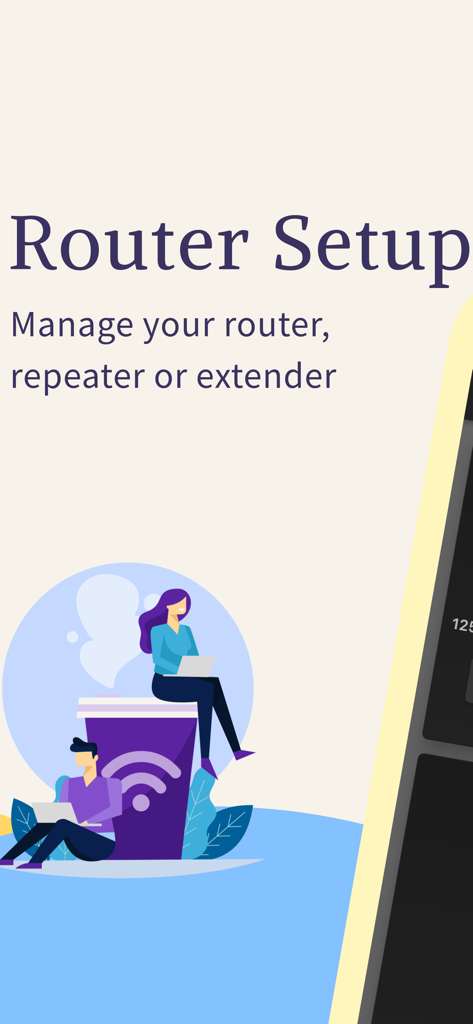
ルーター設定ページアプリを使用してルーター設定を管理するためにラップトップを使用している人々

ルーター設定ページアプリを使用してルーター設定を管理するためにラップトップを使用している人々

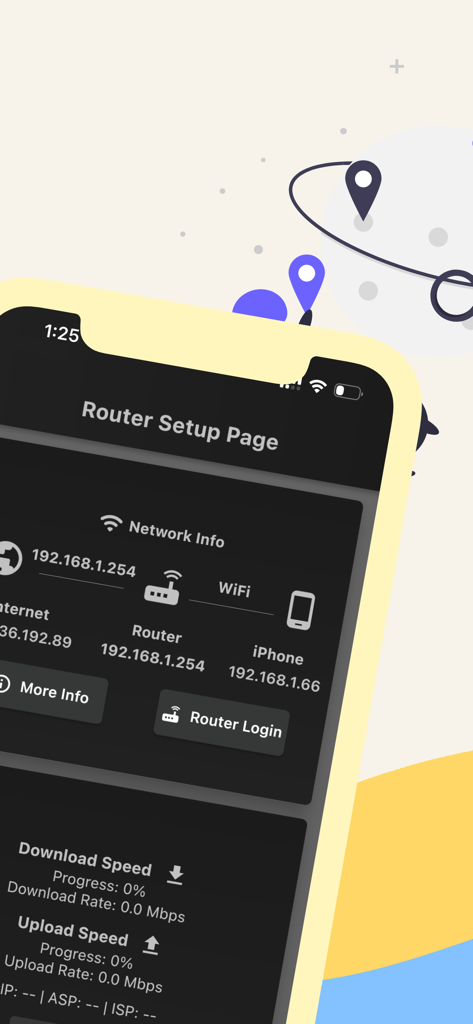
ネットワークIPアドレスと接続ステータスを表示するルーター設定ページアプリのiPhoneディスプレイ。

ネットワークIPアドレスと接続ステータスを表示するルーター設定ページアプリのiPhoneディスプレイ。

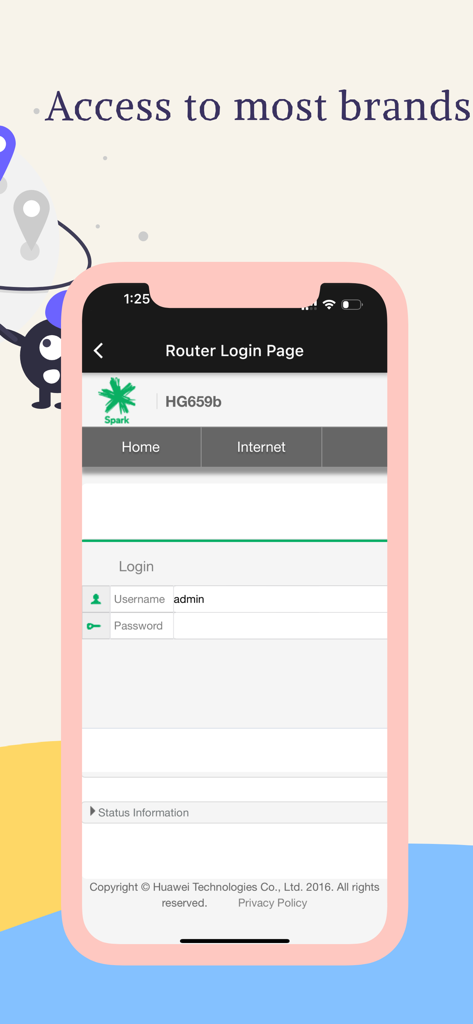
ルーター設定ページアプリ内のルーターログインインターフェイスを示すスマートフォンの画面。

ルーター設定ページアプリ内のルーターログインインターフェイスを示すスマートフォンの画面。

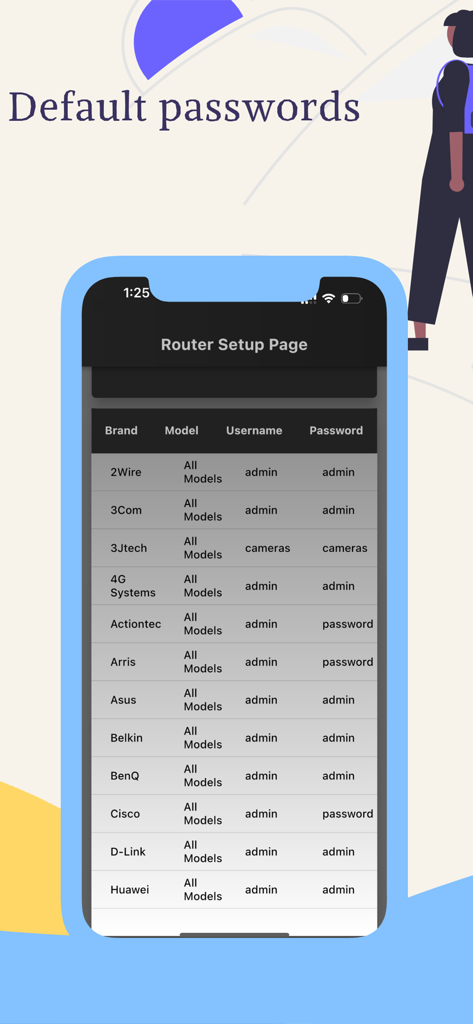
ルーター設定ページアプリに表示されるさまざまなブランドのデフォルトルーターユーザー名とパスワードのリスト。

ルーター設定ページアプリに表示されるさまざまなブランドのデフォルトルーターユーザー名とパスワードのリスト。

ホームネットワークを完全に制御

このアプリを際立たせるツール、 21K+ 人のユーザーが選択.

🔍

インスタントゲートウェイ検出

技術的な専門用語は不要です。ワンタップでルーターのデフォルトIPアドレスを自動的に特定し、ログインページを開きます。

🔑

マスターログインディレクトリ

もうロックアウトされることはありません。Netgear、TP-Link、Xfinityなどの主要ブランドのデフォルトユーザー名とパスワードの包括的なデータベースにアクセスできます。

パフォーマンスの最適化

ゲーマーやリモートワーカーに最適です。Wi-Fiチャネルを簡単に更新したり、ユーザーアクセスを管理したり、ネットワークを保護して最高の接続速度を確保できます。

アプリについて

について知っておくべきこと Router Setup Page.

説明

Router Setup Page is an all-in-one tool to manage your routers, repeaters, and extenders. For every router brand, there will be an IP address that will give access to the settings page of the router. For some reason, most people are not aware of this IP address. Here comes the importance of the router setup page. We will automatically pick up the default gateway address of your router and display the login page. You just need to enter the username and password to connect. Following are the router brands we have tested and working perfectly. You should be able to access the setup page of the following router brands. We already listed the majority of the router's default username and password. However, if it doesn't work, please check the device manual for further details. TP Link router Login:- We support access to the setup page of TP-Link routers and repeaters. The gateway address can be either 192.168.1.1 or 192.168.0.1. No need to remember these IP addresses as we will pick them for you by default. Netgear Router Login:- You can easily access the Netgear router or repeater admin page using this app. The Netgear brand comes with the default IP address 192.168.0.1 which can straightly be accessed within this app. Tenda Router Login:- Tenda routers, by default, comes with the IP 192.168.1.1. If you don't want to remember this IP and want to log in straight to the admin page, try our app. You will be able to manage Wi-Fi settings, User Access Control, and other Tenda settings. Huawei Router Login:- Great news for those who are using Huawei routers at home or office. We have tested our app on Huawei routers and extenders and it is working perfectly. Along with these popular brands, you can also access -ZTE Router Login page -Sky router login -Xfinity router login -Zyxel router login etc. Contact us if you want more devices to be added to the list. Terms of Use: https://www.apple.com/legal/internet-services/itunes/dev/stdeula/ Privacy Policy:- https://blacksheepmedia.co.nz/router-setup-page-privacy-policy/

最新バージョン

2.1

サイズ

48.2 MB

リリース日

2023年7月5日

今すぐホームネットワークを完全に制御

マニュアルを探すのをやめた21,000人以上のユーザーに参加しましょう。ルーター設定にすぐにアクセスし、デフォルトのパスワードを見つけて、ワンタップでWi-Fiを最適化できます。

ダウンロード: App Store

App information, icons, screenshots, and descriptions displayed on this page are sourced from the Apple App Store and are the property of their respective developers. Download estimates and rankings are based on MWM's proprietary models and may not reflect actual figures. This page is provided for informational and analytical purposes only.

Believe this page infringes your intellectual property? File a dispute