Screen Mirroring - 1001 TVs

Screen Mirroring - 1001 TVs


ダウンロード: App Storeダウンロード: Google Play
ロゴ: Screen Mirroring - 1001 TVs
1001 TVs: PC、Mac、スマートTVへの簡単な画面ミラーリング

サイロ化された環境から解放されましょう。iPhoneまたはiPadを、プロフェッショナルグレードの低遅延と完璧な音声・映像同期で、あらゆるWindowsコンピューター、TV、またはブラウザにキャストできます。

開発元

Nero AG

カテゴリ

Utilities

ダウンロード

998K+

ユーザー評価

4.1/5

評価数

2K+

対応言語

43

大画面で表示する

このインターフェースを利用する 998K+ 人のユーザー.

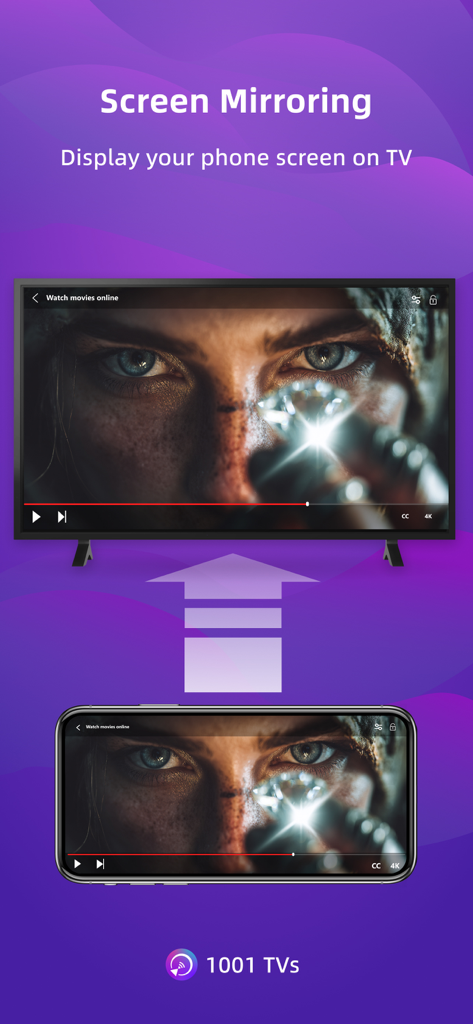
スマートフォンの画面が、映画が表示されている大きなスマートTVディスプレイにミラーリングされている様子

スマートフォンの画面が、映画が表示されている大きなスマートTVディスプレイにミラーリングされている様子

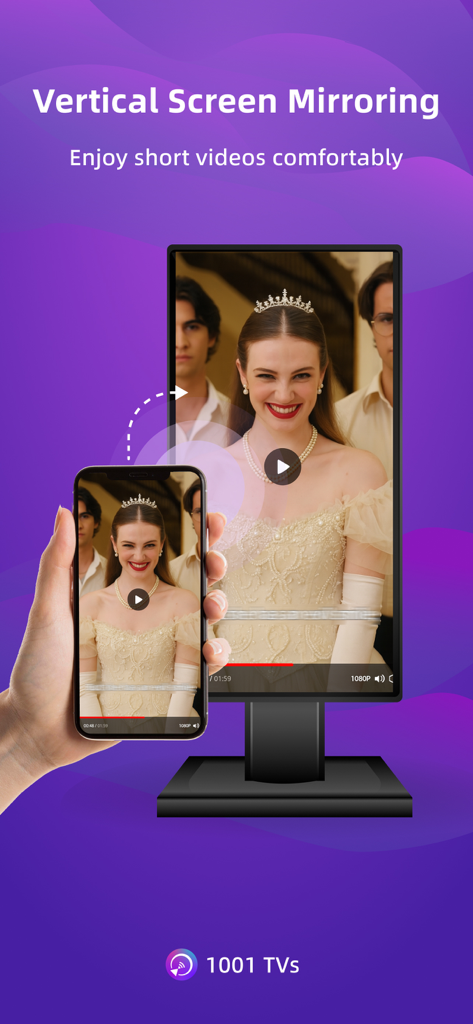
1001 TVsアプリを使用して、垂直動画をデスクトップモニターにミラーリングするスマートフォン

1001 TVsアプリを使用して、垂直動画をデスクトップモニターにミラーリングするスマートフォン

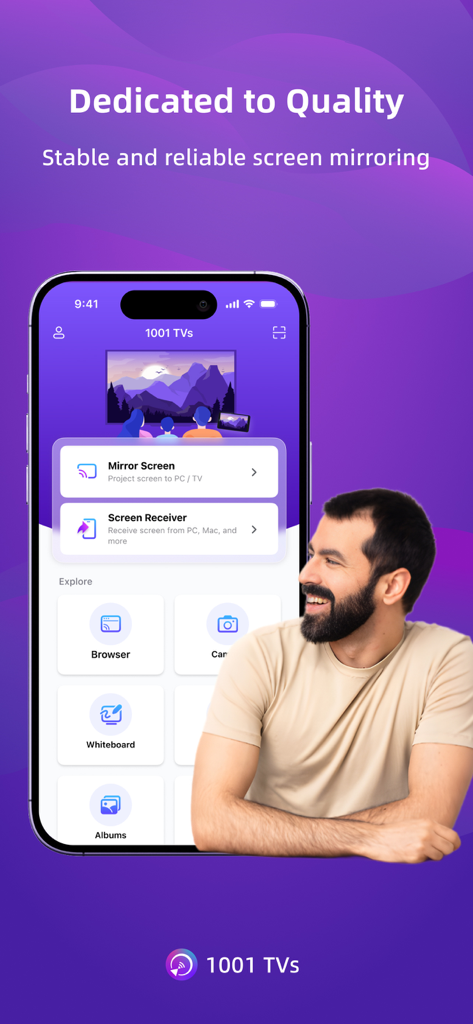
さまざまな画面ミラーリングおよびキャスティングオプションが表示されている1001 TVsアプリインターフェイスを表示するスマートフォン

さまざまな画面ミラーリングおよびキャスティングオプションが表示されている1001 TVsアプリインターフェイスを表示するスマートフォン

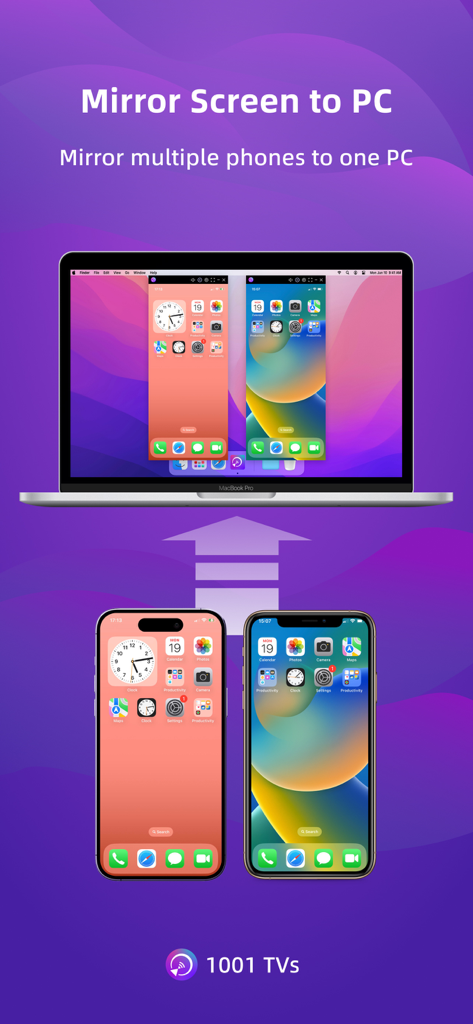
2台の携帯電話が同時に1台のラップトップコンピューターに画面をミラーリングしている様子

2台の携帯電話が同時に1台のラップトップコンピューターに画面をミラーリングしている様子

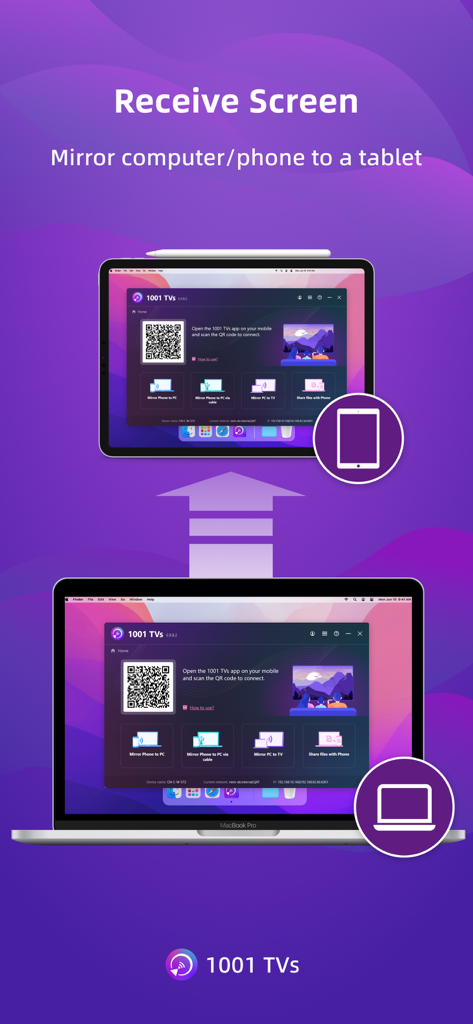
接続用のQRコードが表示された1001 TVsアプリを使用して、ラップトップ画面がタブレットにミラーリングされている様子

接続用のQRコードが表示された1001 TVsアプリを使用して、ラップトップ画面がタブレットにミラーリングされている様子

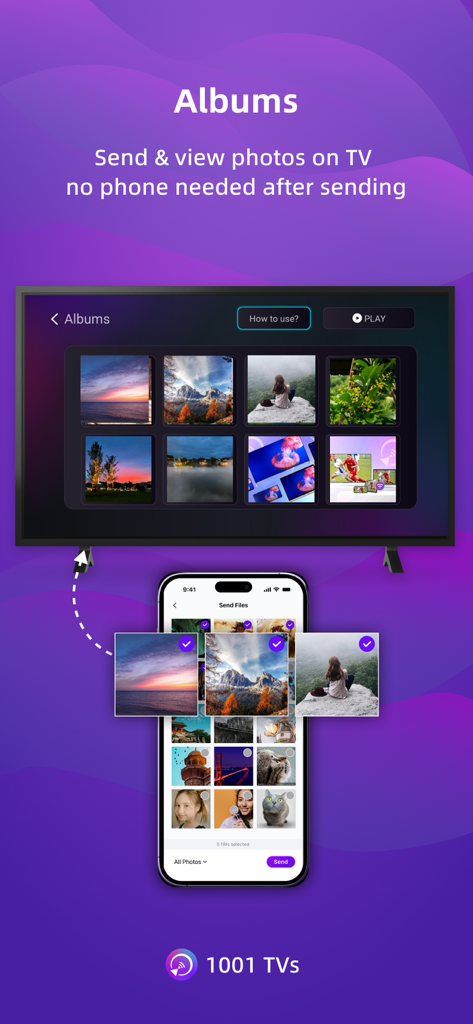
1001 TVsを使用してスマートフォンからテレビ画面にフォトアルバムを送信している様子

1001 TVsを使用してスマートフォンからテレビ画面にフォトアルバムを送信している様子

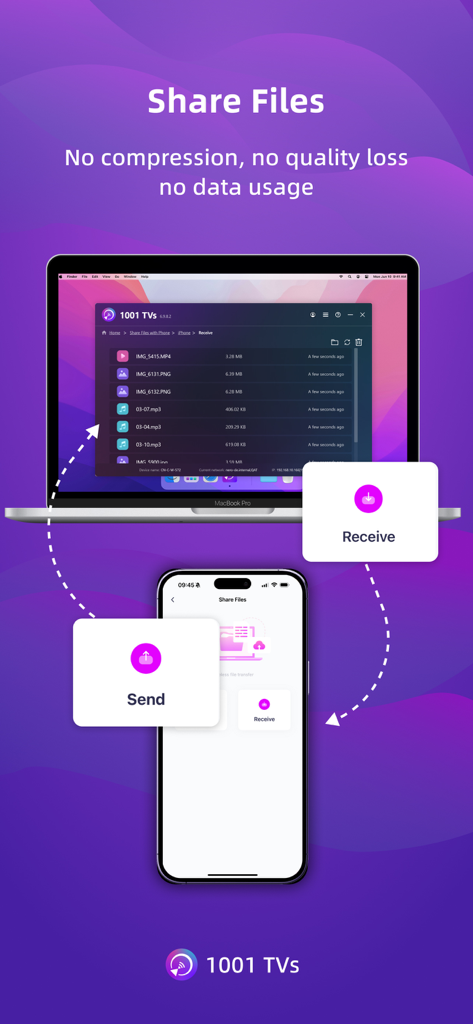
品質の低下やデータ使用量がないことを示す1001 TVsアプリを使用した、スマートフォンとラップトップ間のワイヤレスファイル転送を実演している様子

品質の低下やデータ使用量がないことを示す1001 TVsアプリを使用した、スマートフォンとラップトップ間のワイヤレスファイル転送を実演している様子

あなたの生活のすべての画面を接続する

このアプリを際立たせるツール、 998K+ 人のユーザーが選択.

💻

iPhoneをWindowsとMacにミラーリング

ついに、モバイル画面をワークコンピューターとシームレスに共有する方法が登場しました。AirPlayがなくても問題ありません。プラットフォーム間で即座に接続できます。

超低遅延パフォーマンス

同期された音声と映像でリアルタイムミラーリングを体験してください。モバイルゲーム、ライブデモ、スムーズな4Kビデオ再生に最適です。

🌐

インスタントブラウザキャスティング

Webブラウザを備えたあらゆるデバイスにミラーリングできます。受信側でのソフトウェアインストールは不要です。制限のあるワークPCに最適な回避策です。

レビュー分析

ユーザーレビューの分析.

感情スコア

13%
ネガティブ

概要

The app receives overwhelmingly negative feedback, primarily due to an aggressive subscription model and widespread technical issues. Many users report being unexpectedly charged after free trials or encountering immediate paywalls, labeling the app as a 'scam.' Common complaints include significant performance lag, audio/video synchronization problems, and an inability to reliably cast content, alongside issues with an outdated Fire TV receiver app. Despite these frustrations, a few users found the app simple to use and effective for basic screen mirroring, particularly valuing features like screen rotation.

主なテーマ

Subscription Model(26)
Free Trial Transparency(10)
Performance & Latency(9)
Core Functionality(7)
Billing & Refund Issues(6)
Ease of Use(2)

アプリについて

について知っておくべきこと Screen Mirroring - 1001 TVs.

説明

1001 TVs lets you cast your phone or tablet to Windows, Mac, Smart TV, Apple TV—even a web browser. You can also receive screen mirroring from other phones and PCs. We are a professional team on screen mirroring, always focus on the core features: - Support landscape mode and portrait mode that keep same ratio with phone's screen - Real-Time screen mirroring, keep best balance with low Latency and good quality - Audio and video stay perfectly in sync - Mirror multiple phones to one PC at the same time - Automatically rotates screen to match your phone’s orientation - Fit, Fill, or Zoom mode to remove black borders - Support screen mirroring to older devices that don't support AirPlay or Miracast - Mirror to any browser (like Chrome) — no app needed on the receiver side - Live Camera Mirroring — mirror what your camera sees to a big screen in real time. Great for selfies, support mirror flip - Whiteboard — draw or write and share in real time on TV or PC Also provide additional features: * Photo Albums — Upload and display photos on your TV * Web Streaming — Stream videos, music, and images to Smart TVs * Fast File Transfer — Quickly send files between devices without cables How to Get Started? # Install 1001 TVs on your phone and the device you want to cast to (PC, TV or tablet) # Connect both devices to the same Wi-Fi network # Open the app, select a device, and start mirroring No cables, no complicated setup — just tap and go. [Feedback] Reach out to us at 1001tvs@nero.com or visit our website: www.1001tvs.com [Subscription Plan] -Service Title: Auto-renew Weekly, Auto-renew Monthly, Auto-renew Yearly and Lifetime; -Your payment will be charged to your store account once you confirm the purchase; -Your subscription will automatically renew unless canceled at least 24 hours before the end of the current period; -You can always cancel the subscription through your store account; [Terms of Use] http://1001tvs.com/license/en/terms.html [Privacy Policy] http://1001tvs.com/license/en/privacy.html For privacy, screen casting data remains within your local network and will never be uploaded.

最新バージョン

3.0.23

サイズ

90.6 MB

リリース日

2019年5月28日

すべてのデバイス間のギャップを埋める準備はできましたか?

100万以上のユーザーに加わり、今すぐiPhoneをWindows PC、スマートTV、またはブラウザにミラーリングしましょう。高品質、低遅延、ケーブル不要。

ダウンロード: App Storeダウンロード: Google Play
FAQ

よくある質問

について知っておくべきこと Screen Mirroring - 1001 TVs

1001 TVsのスクリーンミラーリングはどのように機能しますか?

1001 TVsは、スマートフォンやタブレットをWindows、Mac、スマートTV、Apple TV、またはWebブラウザにキャストします。両方のデバイスが同じWi-Fiネットワークに接続されている必要があります。スクリーンミラーリングを開始するには、両方のデバイスにインストールが必要です。

Screen Mirroring - 1001 TVsで何にキャストできますか?

スマートフォンやタブレットをWindows、Mac、スマートTV、Apple TV、および任意のWebブラウザにキャストできます。1001 TVsは、他のスマートフォンやPCからのスクリーンミラーリングの受信もサポートしています。

1001 TVsはTVリモートコントロール機能を提供していますか?

はい、1001 TVsにはTVリモートコントロール機能が含まれています。同じWi-Fiネットワーク上のスマートTVを自動検出して、電源、音量、ホーム、チャンネル、方向パッドを操作できます。

1001 TVsを使用して、スマートフォン画面をPCにミラーリングできますか?

はい、1001 TVsを使用すると、スマートフォンやタブレットの画面をPCにミラーリングできます。また、PCが他のスマートフォンからのスクリーンミラーリングを受信することもできます。

1001 TVsのスクリーンミラーリングはリアルタイムですか?

はい、1001 TVsはリアルタイムのスクリーンミラーリングを提供します。低遅延と良好な品質の最適なバランスを維持し、オーディオとビデオが完全に同期していることを保証します。

1001 TVsは、AirPlayやMiracastを備えていない古いTVへのミラーリングをサポートしていますか?

はい、1001 TVsは、AirPlayやMiracast機能を持たない古いデバイスへのスクリーンミラーリングをサポートしています。これにより、さまざまなディスプレイ設定の互換性が拡張されます。

1001 TVsでファイルを転送するにはどうすればよいですか?

1001 TVsは、ケーブルなしでデバイス間でファイルを高速に送信できる高速ファイル転送を提供します。両方のデバイスにアプリがインストールされ、同じWi-Fiネットワークに接続されている必要があります。

1001 TVsのサブスクリプションオプションは何ですか?

1001 TVsは、自動更新ウィークリー、自動更新マンスリー、自動更新イヤーリー、およびライフタイムのサブスクリプションプランを提供しています。支払いは、購入確定時にストアアカウントに請求されます。

1001 TVsのサブスクリプションをキャンセルできますか?

はい、いつでもストアアカウントを通じて1001 TVsのサブスクリプションをキャンセルできます。現在の期間が終了する少なくとも24時間前にキャンセルした場合、自動更新は停止します。

Screen Mirroring - 1001 TVsを使用する際、私のプライバシーは保護されていますか?

はい、プライバシーは保護されています。1001 TVsでのスクリーンキャストデータはローカルネットワーク内に留まり、アプリがアップロードすることはありません。

App information, icons, screenshots, and descriptions displayed on this page are sourced from the Apple App Store and are the property of their respective developers. Download estimates and rankings are based on MWM's proprietary models and may not reflect actual figures. This page is provided for informational and analytical purposes only.

Believe this page infringes your intellectual property? File a dispute