Screen Recorder - RecordX

Screen Recorder - RecordX


ダウンロード: App Store
ロゴ: Screen Recorder - RecordX

Screen Recorder - RecordX: クリエイターのためのオールインワン4Kスタジオ

60fpsの息をのむようなゲームプレイをキャプチャし、プロフェッショナルなチュートリアルを作成し、音声テキスト変換、カスタム透かし、インスタントGIFエクスポートなどの強力なツールで外出先でも編集できます。

開発元

哲 魏

カテゴリ

Utilities

ダウンロード

298K+

ユーザー評価

4.3/5

評価数

2K+

対応言語

33

ピクセルパーフェクトなパフォーマンス

このインターフェースを利用する 298K+ 人のユーザー.

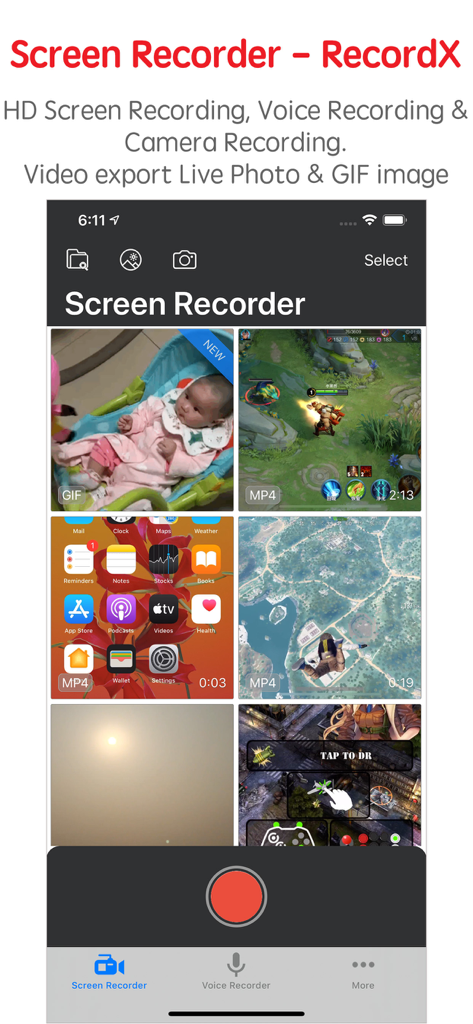
Screen Recorder RecordXのライブラリビュー。さまざまなビデオ録画と録画ボタンが表示されています。

Screen Recorder RecordXのライブラリビュー。さまざまなビデオ録画と録画ボタンが表示されています。

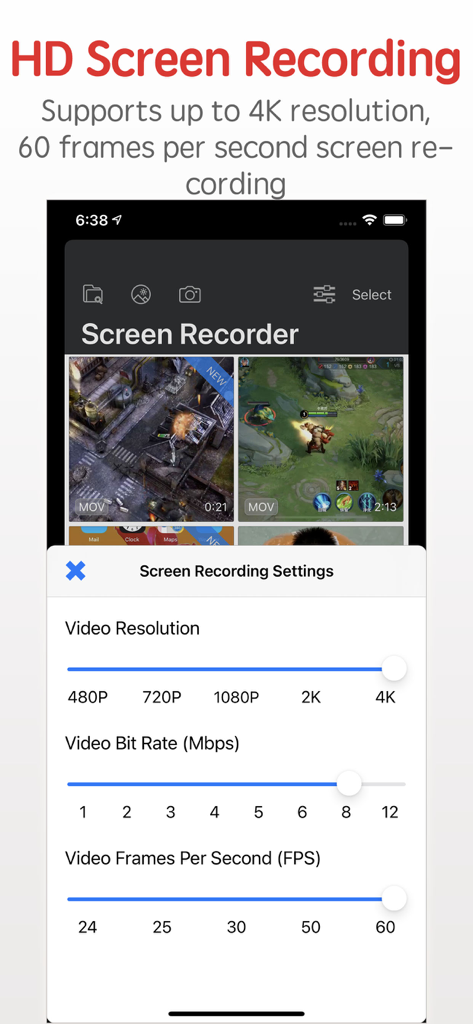
RecordXのインターフェイス。4K解像度と60 FPSのオプションを含むHD画面録画設定が表示されています。

RecordXのインターフェイス。4K解像度と60 FPSのオプションを含むHD画面録画設定が表示されています。

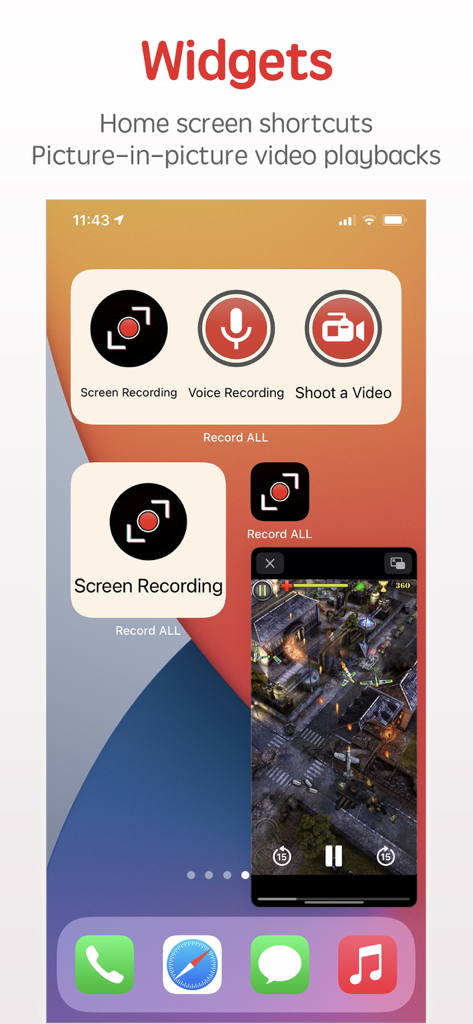
ホーム画面ショートカットとピクチャーインピクチャービデオ再生用のScreen Recorder RecordXウィジェット。

ホーム画面ショートカットとピクチャーインピクチャービデオ再生用のScreen Recorder RecordXウィジェット。

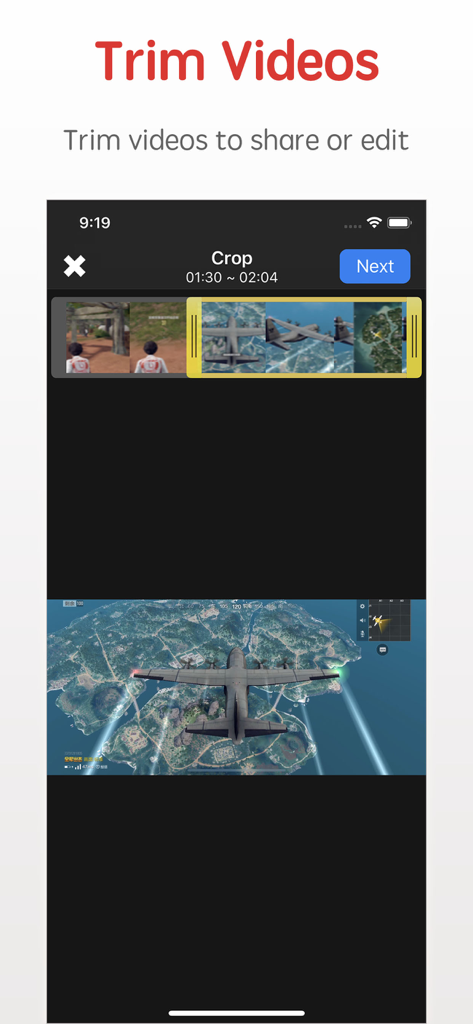
RecordX画面録画アプリのインターフェイス。ゲームクリップ付きのビデオトリミングおよびクロッピング機能が表示されています。

RecordX画面録画アプリのインターフェイス。ゲームクリップ付きのビデオトリミングおよびクロッピング機能が表示されています。

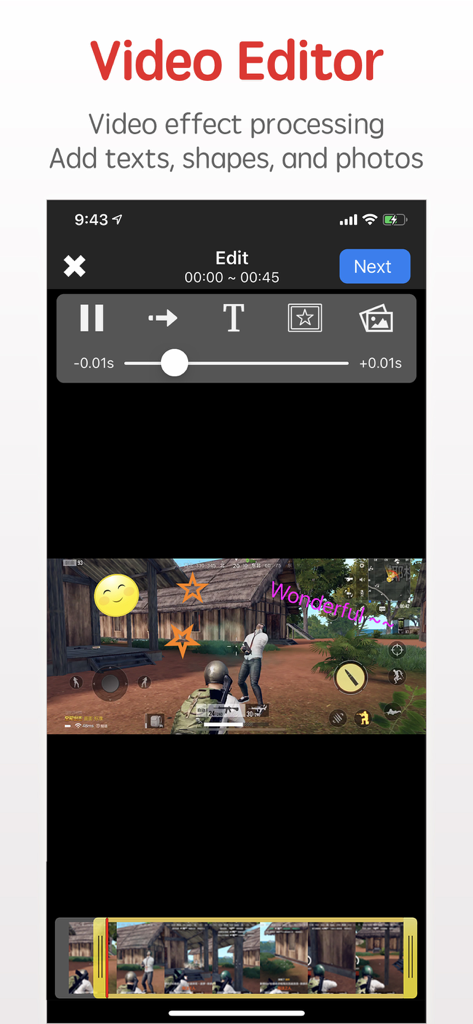
RecordXビデオエディタのインターフェイス。モバイルゲームプレイ上のテキストおよびステッカーオーバーレイが表示されています。

RecordXビデオエディタのインターフェイス。モバイルゲームプレイ上のテキストおよびステッカーオーバーレイが表示されています。

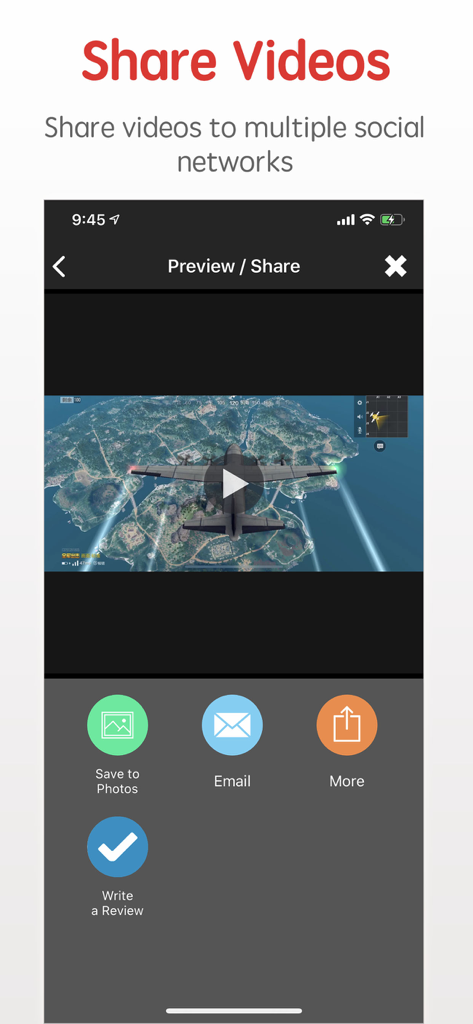
Screen Recorder RecordXアプリで、録画されたゲームプレイビデオを共有し、写真に保存するためのインターフェイス。

Screen Recorder RecordXアプリで、録画されたゲームプレイビデオを共有し、写真に保存するためのインターフェイス。

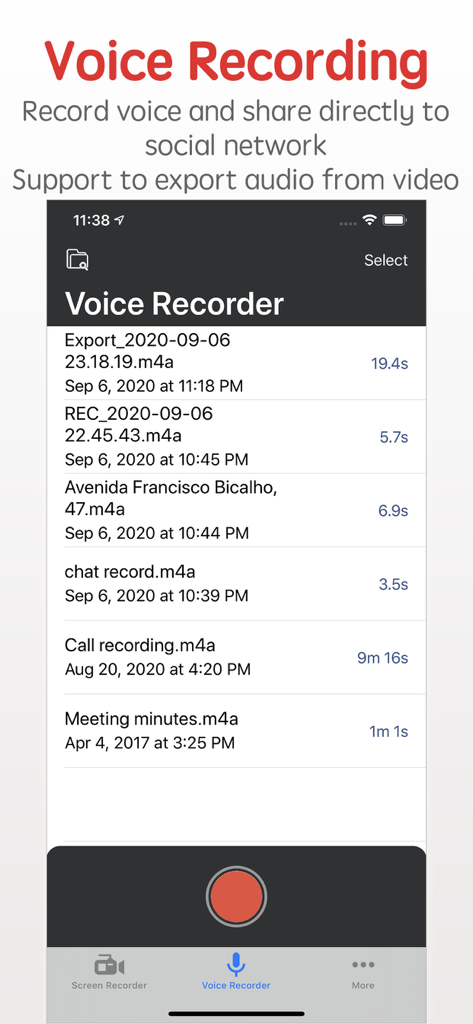
Screen Recorder RecordXアプリのインターフェイス。音声録音リストと赤い録音ボタンが表示されています。

Screen Recorder RecordXアプリのインターフェイス。音声録音リストと赤い録音ボタンが表示されています。

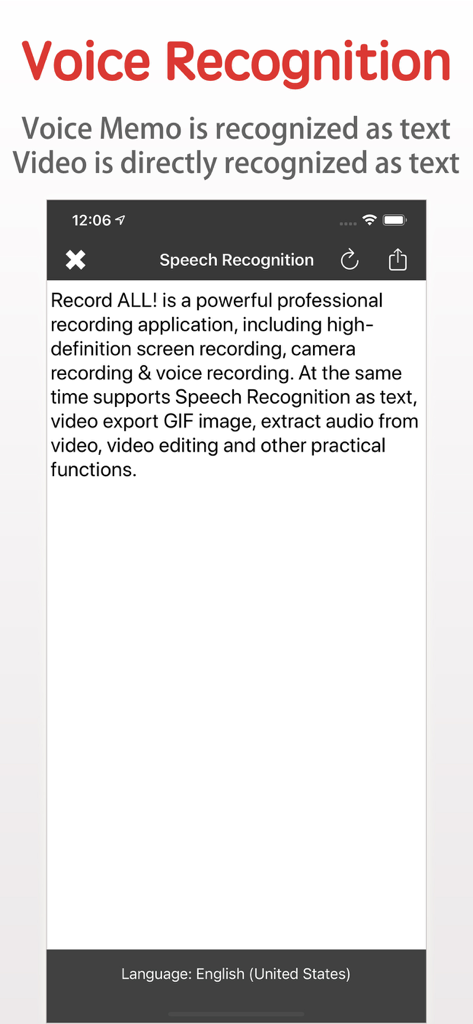
RecordXアプリの音声認識機能が、音声をテキストに文字起こししています。

RecordXアプリの音声認識機能が、音声をテキストに文字起こししています。

プロのように作成するために必要なすべて

このアプリを際立たせるツール、 298K+ 人のユーザーが選択.

🎬

Ultra-HD 4Kパフォーマンス

ゲームプレイやアプリのチュートリアルのすべてのフレームを、驚異的な4K 60FPSでキャプチャし、コンテンツがあらゆる画面でプロフェッショナルに見えるようにします。

📱

スタジオ品質のモバイル編集

アプリ内でクリップをトリミングし、カスタム透かしを追加し、速度を調整します。インスタントソーシャルメディアインパクトのためにGIFまたはLive Photosとして直接エクスポートします。

🎙️

AI搭載音声認識

録音した音声とビデオを即座にテキストに変換します。手動でのタイピングなしで、字幕、会議のメモ、またはスクリプトの生成に最適です。

アプリについて

について知っておくべきこと Screen Recorder - RecordX.

説明

Screen Recorder - RecordX is a powerful professional recording application, including high-definition screen recording up to 4K resolution 60 frames, camera recording & voice recording. At the same time supports Voice Recognition as text, video export Live Photo or GIF images, extracting audio from video, picture-in-picture video playback on the home screen, video editing, and other practical functions. With RecordX, You can easy to capture your favorite videos, music videos, games, apps for gameplay shows, app tutorials, game reviews, game walkthroughs, video chats, and other screen activities on your iPhone or iPad. Game players can share great moments or research game tactics. Features: - HIGH-QUALITY screen recording 1. Record Full-Screen videos without any limitations 2. Support up to 4K resolution 60 frames screen recording 3. Quick one-touch screen recording and directly close the screen recording on the home screen. 4. Record screen in multiple display directions: You can set the display orientation of the recording screen, and the default landscape screen recording (the video direction of most games). 5. Record screen with all kinds of audio 6. Build-in video player 7. Extract audio from video 8. PIP: Recorded video can be picture-in-picture played on the home screen - Export the video as a Live Photo or GIF image, which is convenient for you to share on social media - Camera Recording, the recorded video is directly edited or exported as a Live Photo or GIF image - Voice Recording 1. Record the voice of the microphone directly, and support background recording 2. Set the voice recording quality - Voice Recognition 1. Voice Memos are directly recognized as text 2. The audio in the video is directly recognized as text - Video Editor 1. Trim or cut the length of the recorded video 2. Add rotation and mirror effects to your videos 3. Adjust the video playback speed 4. Adjust the video playback direction, play forward or backward 5. Add a text watermark to set the text size, color, font, etc. 6. Add a graphic watermark or photo watermark, can set display transparency 7. Import video and edit from system Photo Library - Share videos & audio with your friends. 1. Share videos and voice recordings to social networks 2. The recorded videos can be saved directly to the system Photos app 3. WiFi file sharing to other mobile devices or computers 4. Import videos directly from the system Photos app 5. Import video and audio directly from iCloud Drive - Privacy protection 1. App password login 2. Emergency switch to other application functions - One-click control screen recording and voice recording on the desktop - One-click control screen recording and voice recording on the lock screen - Built-in video user guides * * * * * * * * * If you enjoy using RecordX, please give us a 5-star rating. Your 5-star rating for each version will keep the updates coming. Thanks in advance. ◆ Subscription Terms ◆ • You can subscribe for unlimited access to all features within RecordX • Subscriptions are billed annually, monthly, or weekly at the rate selected depending on the subscription plan. Payment will be charged to App Store Account at confirmation of purchase By using RecordX, you agree to our Privacy Policy and Terms of Use: http://www.elinapp.com/privacy_policy_new.html http://www.elinapp.com/terms.html

最新バージョン

3.5

サイズ

39.4 MB

リリース日

2018年8月16日

次のバイラルモーメントをキャプチャする準備はできましたか?

RecordXを信頼する298,000人以上のクリエイターやゲーマーに参加しましょう。今すぐダウンロードして、4Kでの録画、外出先での編集、iPhoneやiPadからのプロフェッショナルなコンテンツの直接共有を開始しましょう。

ダウンロード: App Store

App information, icons, screenshots, and descriptions displayed on this page are sourced from the Apple App Store and are the property of their respective developers. Download estimates and rankings are based on MWM's proprietary models and may not reflect actual figures. This page is provided for informational and analytical purposes only.

Believe this page infringes your intellectual property? File a dispute