Screenia

Screenia

ダウンロード: App Store
ロゴ: Screenia

Screenia: プロフェッショナルなスクリーンショットを即座にキャプチャ、編集、共有

テクノロジープロフェッショナル向けの究極のクロスプラットフォームワークフロー。精度で注釈を付け、macOSとiOS間でシームレスに同期し、インスタントで安全なクラウドリンクでデスクトップの散らかりを置き換えます。

ダウンロード: App Store

開発元

FRESH DYZAIN, TOV

カテゴリ

Developer Tools

ダウンロード

3K+

ユーザー評価

4.3/5

評価数

100

対応言語

1

すべてのピクセルに精度を

このインターフェースを利用する 3K+ 人のユーザー.

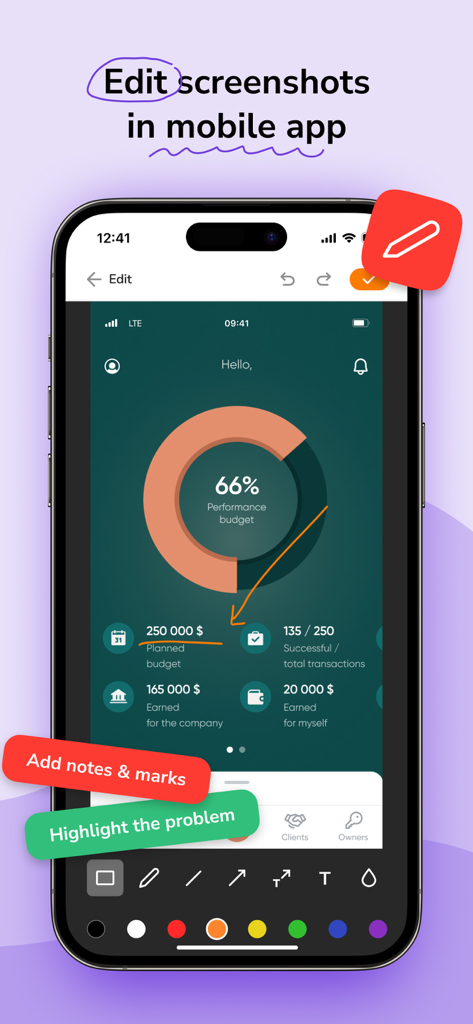
Screeniaアプリのモバイルインターフェース。スクリーンショット編集および注釈ツールが表示されています。

Screeniaアプリのモバイルインターフェース。スクリーンショット編集および注釈ツールが表示されています。

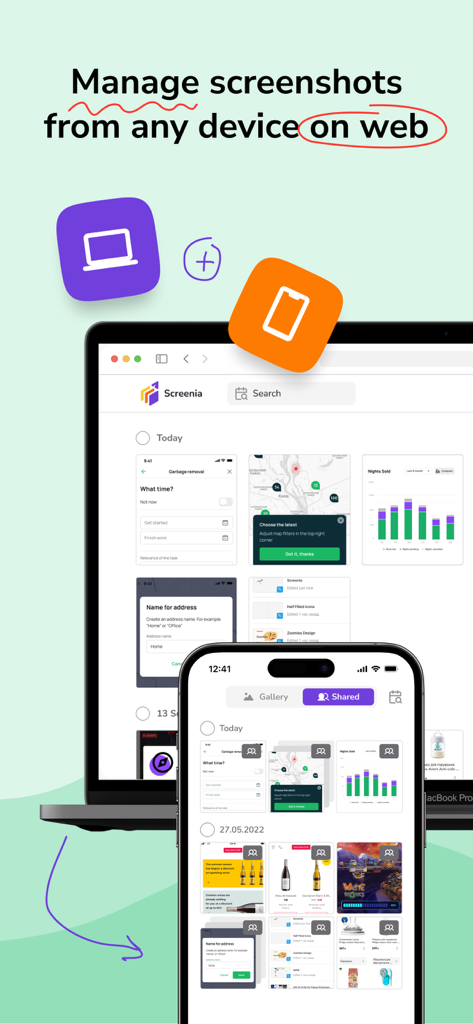
Screeniaアプリのインターフェース。ラップトップとモバイルフォン間で同期されたスクリーンショット管理が表示されています。

Screeniaアプリのインターフェース。ラップトップとモバイルフォン間で同期されたスクリーンショット管理が表示されています。

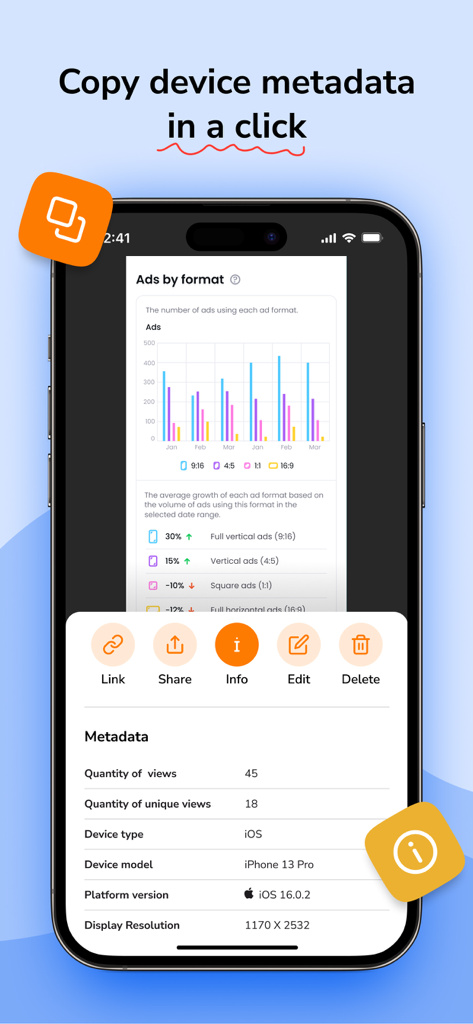
Screeniaモバイルアプリ。スクリーンショットのデバイスモデルとOSバージョンを含むデバイスメタデータが表示されています。

Screeniaモバイルアプリ。スクリーンショットのデバイスモデルとOSバージョンを含むデバイスメタデータが表示されています。

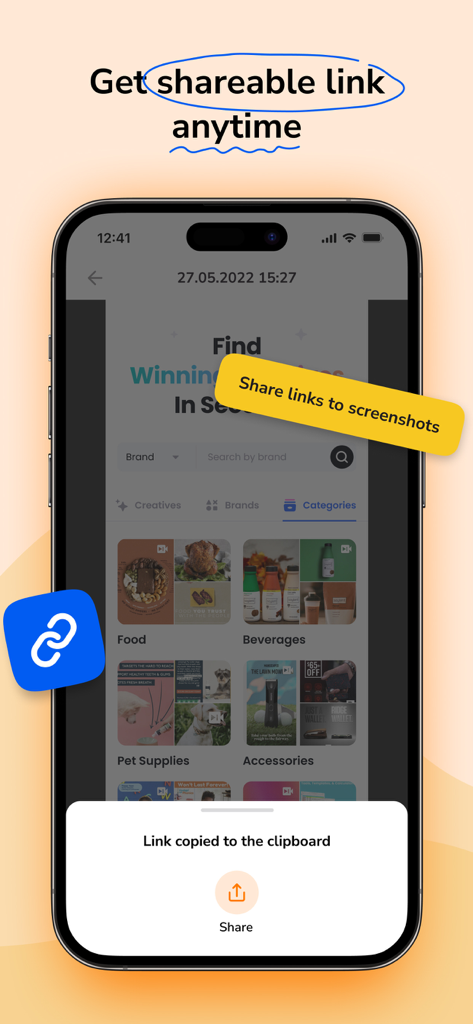
スマートフォン画面。Screeniaアプリが表示され、クリップボードにコピーされたリンクの通知が表示されています。

スマートフォン画面。Screeniaアプリが表示され、クリップボードにコピーされたリンクの通知が表示されています。

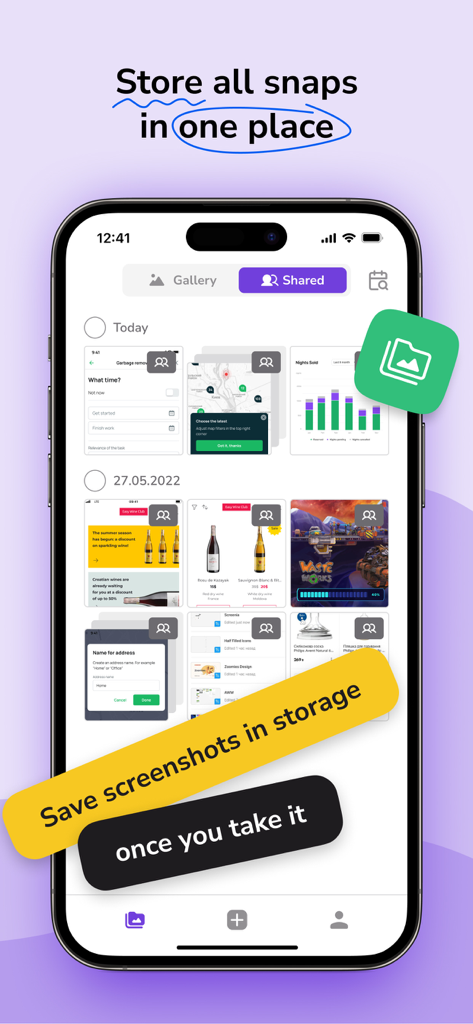
Screeniaアプリのインターフェース。iPhone上の保存されたスクリーンショットのギャラリーが表示され、クラウドストレージのプロモーションテキストが付いています。

Screeniaアプリのインターフェース。iPhone上の保存されたスクリーンショットのギャラリーが表示され、クラウドストレージのプロモーションテキストが付いています。

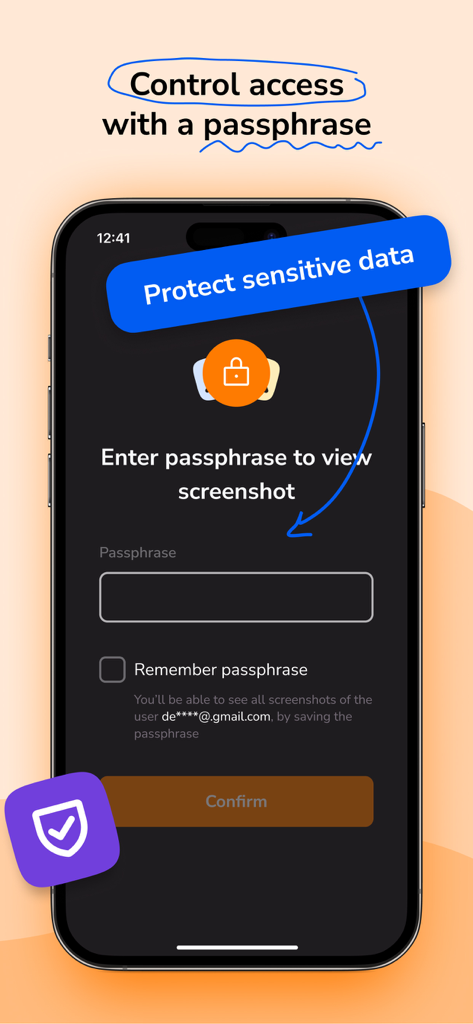
Screeniaモバイルアプリのインターフェース。安全なスクリーンショット共有のためのパスフレーズ保護が表示されています。

Screeniaモバイルアプリのインターフェース。安全なスクリーンショット共有のためのパスフレーズ保護が表示されています。

ビジュアルワークフローをマスターする

このアプリを際立たせるツール、 3K+ 人のユーザーが選択.

☁️

統一されたクラウドエクスペリエンス

ファイルの検索はもう不要です。macOSとiOS全体で、シームレスなクラウド同期と整理されたコレクションを使用して、すべてのスクリーンショット履歴に即座にアクセスできます。

✏️

精密編集スイート

鮮明な矢印、図形、テキストでプロフェッショナルグレードのフィードバックを提供します。乱雑な描画を、権威のある洗練された注釈に置き換えます。

🔗

インスタント共有とセキュリティ

クリックするだけで共有可能なリンクを生成し、摩擦を排除します。パスフレーズ暗号化とデバイスメタデータ制御で機密性の高い会社データを保護します。

アプリについて

について知っておくべきこと Screenia.

説明

Screenia is a cross-platform tool for taking and editing screenshots. It also provides cloud storage and allows you to share links to your screenshots. Available for macOS, iOS, web, and other platforms. Free version: • Capture fullscreen or fragment • Edit screenshots with pencil, text, arrows, and shapes • Save 100 screenshots on the cloud • Customize hotkeys • Sharable screenshot links • Original screenshot quality • 14-day screenshot storing period • Screenshot collection • Shared with me history Premium version: • Capture fullscreen or fragment • Edit screenshots with pencil, text, arrows, and shapes • Save unlimited screenshot amount on the cloud • Customize hotkeys • Sharable screenshot links • Original screenshot quality • Unlimited screenshot storing period • Screenshot collection • Shared with me history • Device metadata • Screenshot passphrase protection ____________ Screenia can be used without an activated subscription, with limited features. Premium version can be enabled with paid: • Monthly subscription $7.99 • Seasonal subscription $6.99 / per month ($20.99 total cost) • Yearly subscription $4.99 / per month ($59.99 total cost) Subscription will be charged to your credit card through your App Store account. Your subscription will automatically renew unless canceled at least 24 hours before the end of the current period. Manage your subscription in the Account Settings on the App Store after purchase. Follow us: Facebook: https://www.facebook.com/screeniaapp Twitter: https://twitter.com/ScreeniaAPP LinkedIn: https://www.linkedin.com/company/screeniaapp Contact us: hello@screenia.app Legal: Privacy Policy: https://screenia.app/privacy-policy Terms of Use: https://screenia.app/terms-and-conditions

最新バージョン

1.7.0

サイズ

82.5 MB

リリース日

2022年11月1日

プロフェッショナルなワークフローを効率化する準備はできましたか?

デスクトップの散らかりはもうやめましょう。Screeniaを使用して、すべてのデバイスでアイデアを即座にキャプチャ、注釈付け、共有する何千人もの開発者、デザイナー、リモートチームに参加しましょう。

ダウンロード: App Store

App information, icons, screenshots, and descriptions displayed on this page are sourced from the Apple App Store and are the property of their respective developers. Download estimates and rankings are based on MWM's proprietary models and may not reflect actual figures. This page is provided for informational and analytical purposes only.

Believe this page infringes your intellectual property? File a dispute