Simple Flash Card Maker

Simple Flash Card Maker

ダウンロード: App Store
ロゴ: Simple Flash Card Maker

シンプルなフラッシュカードメーカー:カスタムマルチメディアカードでどんなsubjectsでもマスター

動画、音声、画像を使ったインタラクティブな学習デッキを作成しましょう。SAT対策でも新しい言語の学習でも、目標を10枚のカードずつマスターしましょう。

ダウンロード: App Store

開発元

Paul Stevenson

カテゴリ

Education

ダウンロード

3K+

ユーザー評価

3.1/5

評価数

0

対応言語

1

学習の様子

このインターフェースを利用する 3K+ 人のユーザー.

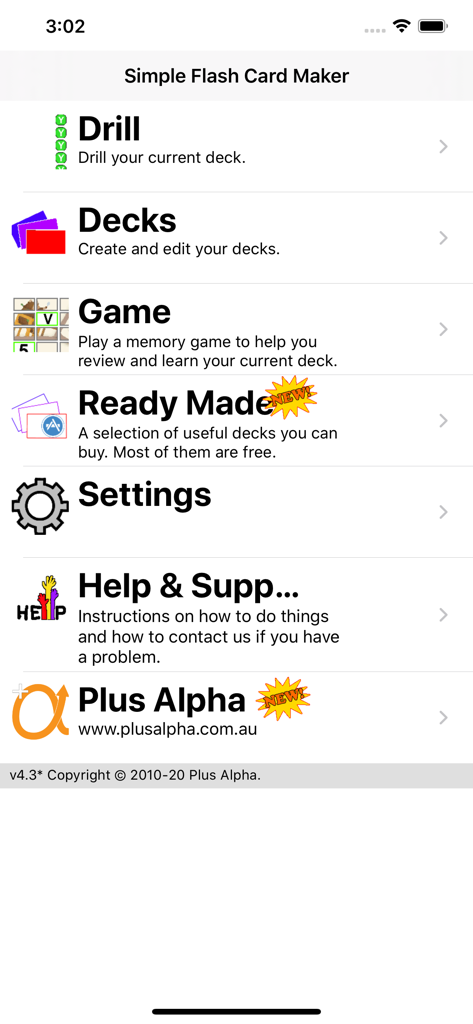
シンプルなフラッシュカードメーカーアプリのメインメニュー画面。ドリル、デッキ、ゲーム、設定のオプションが表示されています。

シンプルなフラッシュカードメーカーアプリのメインメニュー画面。ドリル、デッキ、ゲーム、設定のオプションが表示されています。

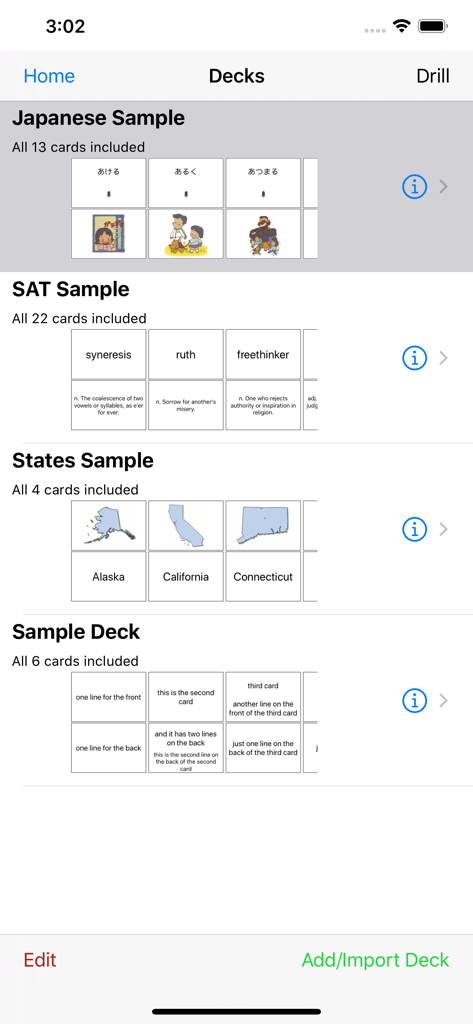
シンプルなフラッシュカードメーカーのメインインターフェース。日本語SATやアメリカの州などの様々な学習デッキが表示されています。

シンプルなフラッシュカードメーカーのメインインターフェース。日本語SATやアメリカの州などの様々な学習デッキが表示されています。

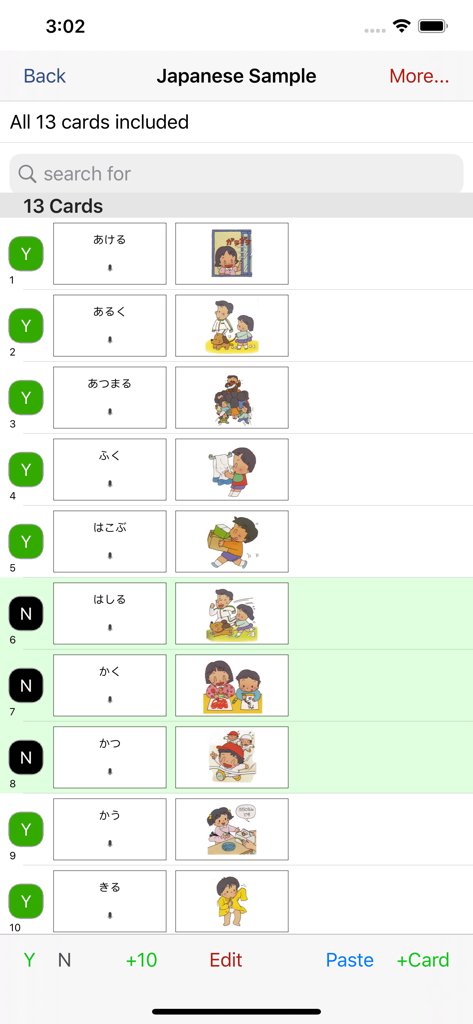
シンプルなフラッシュカードメーカーアプリのテキストとカラフルなイラストが表示された日本語フラッシュカードのリスト。

シンプルなフラッシュカードメーカーアプリのテキストとカラフルなイラストが表示された日本語フラッシュカードのリスト。

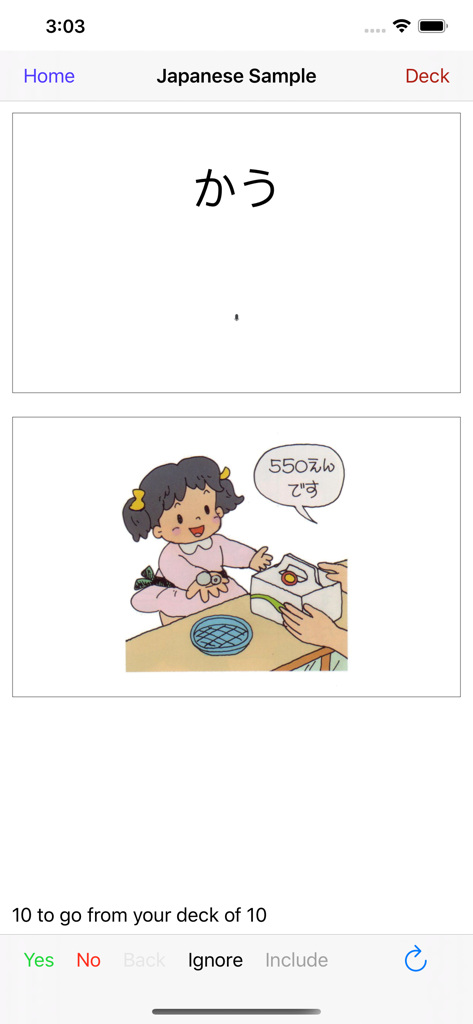
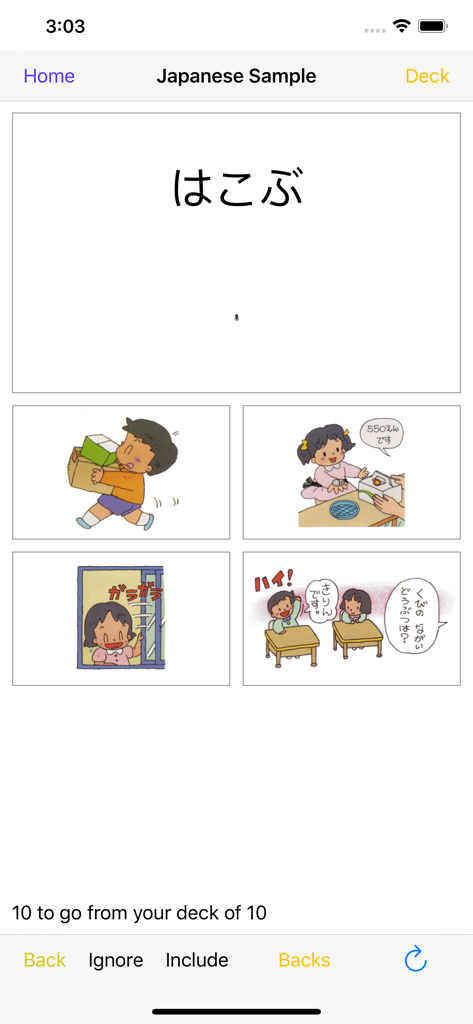
日本語フラッシュカードのドリルインターフェース。ひらがなのテキストと、店員さんのキャラクターのイラストが表示されています。

日本語フラッシュカードのドリルインターフェース。ひらがなのテキストと、店員さんのキャラクターのイラストが表示されています。

白いタオルで手を乾かす少年の漫画イラスト。

白いタオルで手を乾かす少年の漫画イラスト。

ひらがなとカラフルなイラストが表示された多肢選択式の日本語フラッシュカードドリルインターフェース。

ひらがなとカラフルなイラストが表示された多肢選択式の日本語フラッシュカードドリルインターフェース。

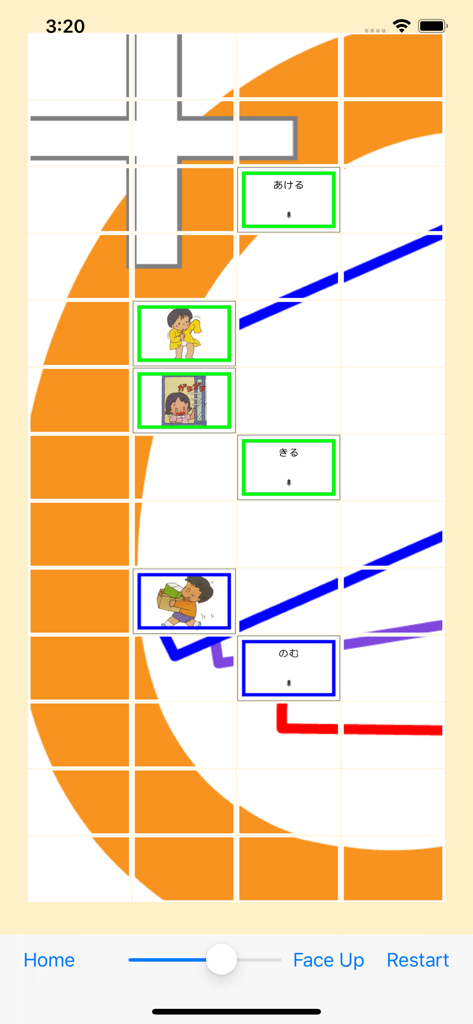
語彙練習のための日本語ひらがなとイラストカードが表示されたマッチングゲームインターフェース。

語彙練習のための日本語ひらがなとイラストカードが表示されたマッチングゲームインターフェース。

どんなsubjectsでも簡単にマスター

このアプリを際立たせるツール、 3K+ 人のユーザーが選択.

🎥

インタラクティブマルチメディア

動画、音声、画像でカードに命を吹き込みましょう。テキスト以上のものを必要とする言語学習者や視覚的な思考者にとって完璧です。

10枚カード方式

膨大なsubjectsを小さなピースに分解しましょう。10枚のカードずつ学習することで、集中力を維持し、短い休憩中に進捗を確認できます。

🚀

簡単なカスタマイズ

コンピュータや携帯電話で素早くデッキを作成しましょう。コンテンツを即座にインポートし、数時間ではなく数秒で学習を開始できます。

アプリについて

について知っておくべきこと Simple Flash Card Maker.

説明

User comment: "This app is very convenient for getting some quick studying in when walking from class to class or waiting at a bus stop etc. I highly recommend it especially for college students." User comment: "I like being able to study two ways: playing the matching game as well as drilling with the flashcards." Don't like our flash cards? Then make your own. Simple Flash Card Maker lets you easily make your own flash cards. Either right there on your iOS device, or make them even more quickly on your computer, (mac or pc), and import them using iTunes. Or you can download our ready made decks from within the app (for FREE). We currently have decks for Japanese, Chinese and the SAT. Each card can have combinations of text, images, sound or video. The text can be in any language that you can enter using your keyboard. Images and Video can come direct from your camera, from your albums or from your mac/pc. Sound can be recorded live, from your music, or imported from your mac/pc using iTunes. Cards within your deck can be marked to be included (or not) when you are doing drills. This lets you learn the cards 10 at a time. Easily add 10 more when you master those. And after you have learned those 10, easily drill yourself on the whole deck so far. 10 at a time is a great way to learn even a very large deck. Easily drill just the last 10 cards at the tap of a button. During a drill you can see either the front, the back or both. Or you can rotate to landscape and see "Just the Card" - one side of the card filling the entire screen. You can also do a multichoice drill and choose from one of four answers. If you get a card right it is removed from that drill, (not the deck). If you get it wrong it's shuffled back in and it will come back again later. Keep going until you get them all right. You can also play a simple memory game, (face up or face down), to test your knowledge of the cards by finding pairs of matching cards. Simple Flash Card Maker is great for elementary maths and for learning to read. It is indispensable for language study, and for learning vocabulary. Use it to memorise your favorite Bible verses. Or cram key facts for upcoming examinations. Video takes it to a whole new level beyond old school paper flash cards. Kids can learn from short videos instead of just static text or images. They can record their own voices for names of animals. Video is also great for learning things like sign language where complicated diagrams usually just make it harder to get started. Regular practice and review is the only way to memorise anything using flash cards. You always have your phone with you, so use those spare moments throughout the day to review your deck and you will be amazed at how quickly your knowledge grows.

最新バージョン

4.3

サイズ

10.4 MB

リリース日

2012年1月27日

あらゆる空き時間を学習の成功に変えましょう

忙しい学生や proactive な親のために設計された、シンプルで無駄のないツールをダウンロードしましょう。デバイスやコンピュータでカスタムマルチメディアカードを作成し、目標をマスターしましょう — 10枚のカードずつ。

ダウンロード: App Store

App information, icons, screenshots, and descriptions displayed on this page are sourced from the Apple App Store and are the property of their respective developers. Download estimates and rankings are based on MWM's proprietary models and may not reflect actual figures. This page is provided for informational and analytical purposes only.

Believe this page infringes your intellectual property? File a dispute