Sleep time record charts

Sleep time record charts


ダウンロード: App Store
ロゴ: Sleep time record charts

睡眠記録チャート:データに基づいた精度で休息をマスターする

ミニマリストでウェアラブル不要のトラッカー。パフォーマンスの高い人や家族向け。睡眠を記録し、目覚めの気分と相関させ、詳細な概日リズムチャートで長期的なパターンを視覚化します。

ダウンロード: App Store

開発元

YUTAKA IZUMIYAMA

カテゴリ

Health & Fitness

ダウンロード

300

ユーザー評価

3.9/5

評価数

0

対応言語

2

あなたの睡眠を視覚化する

このインターフェースを利用する 300 人のユーザー.

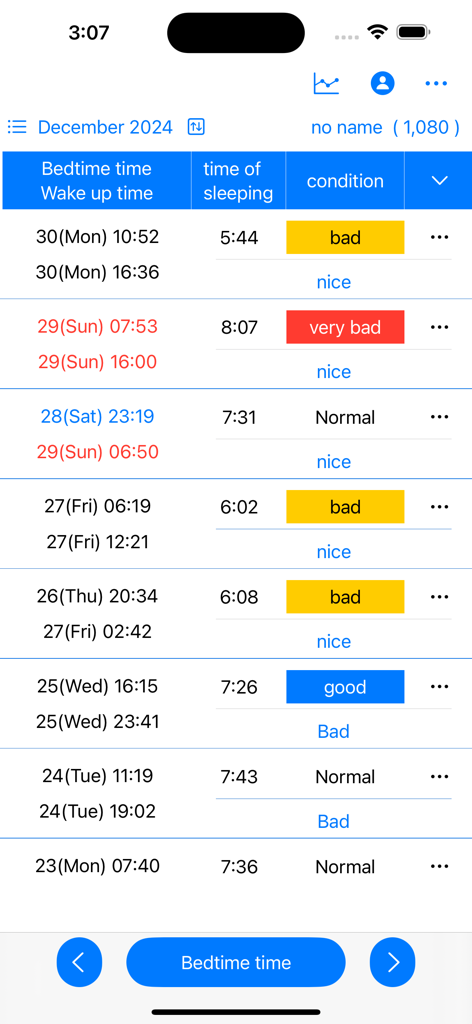
就寝時間、起床時間、睡眠時間、気分(良い、悪いなど)のラベルが付いたテーブルを示す手動睡眠ログインターフェース。

就寝時間、起床時間、睡眠時間、気分(良い、悪いなど)のラベルが付いたテーブルを示す手動睡眠ログインターフェース。

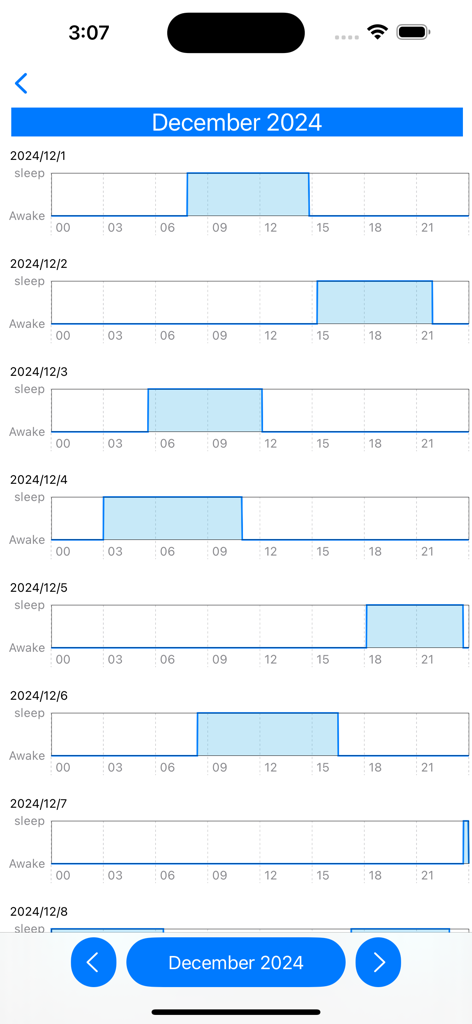
12月の毎日の睡眠と起床パターンを示す水平棒グラフの縦リスト。

12月の毎日の睡眠と起床パターンを示す水平棒グラフの縦リスト。

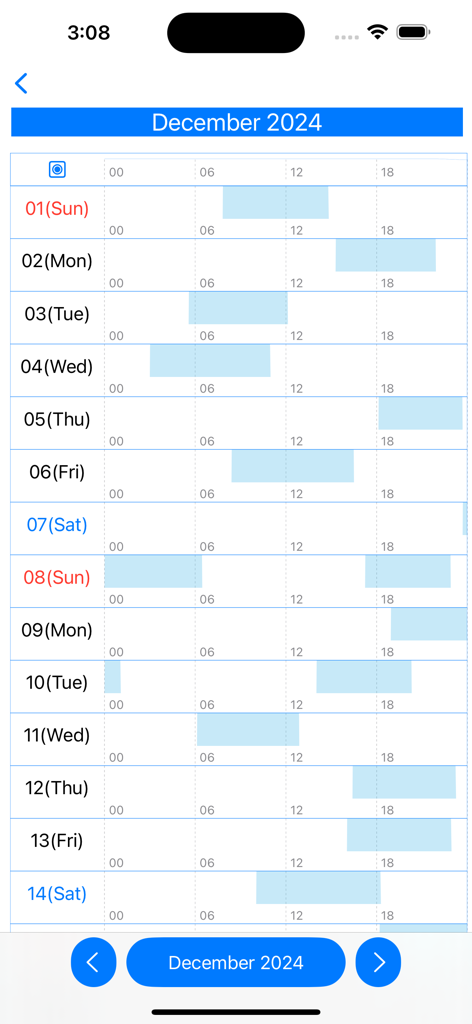
毎日の睡眠と起床パターンを示す月間睡眠リズムチャート。

毎日の睡眠と起床パターンを示す月間睡眠リズムチャート。

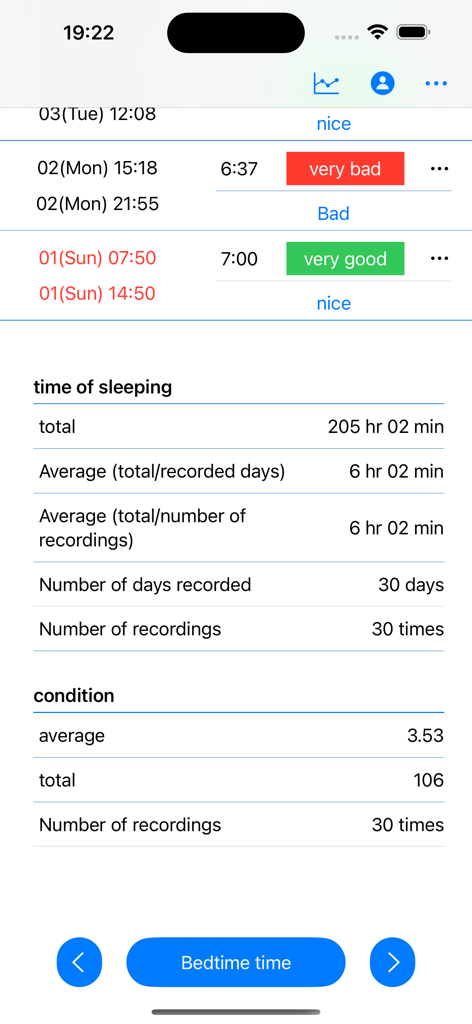
合計睡眠時間、30日間の日次平均、起床時の体調ログなどの睡眠統計を示す睡眠追跡アプリ画面。

合計睡眠時間、30日間の日次平均、起床時の体調ログなどの睡眠統計を示す睡眠追跡アプリ画面。

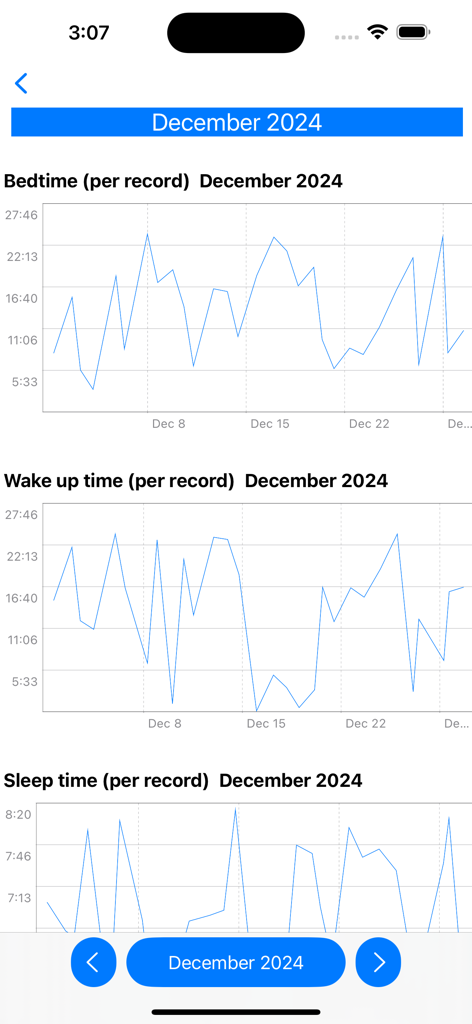
2024年12月の就寝時間、起床時間、総睡眠時間の記録を示す月間折れ線グラフ。

2024年12月の就寝時間、起床時間、総睡眠時間の記録を示す月間折れ線グラフ。

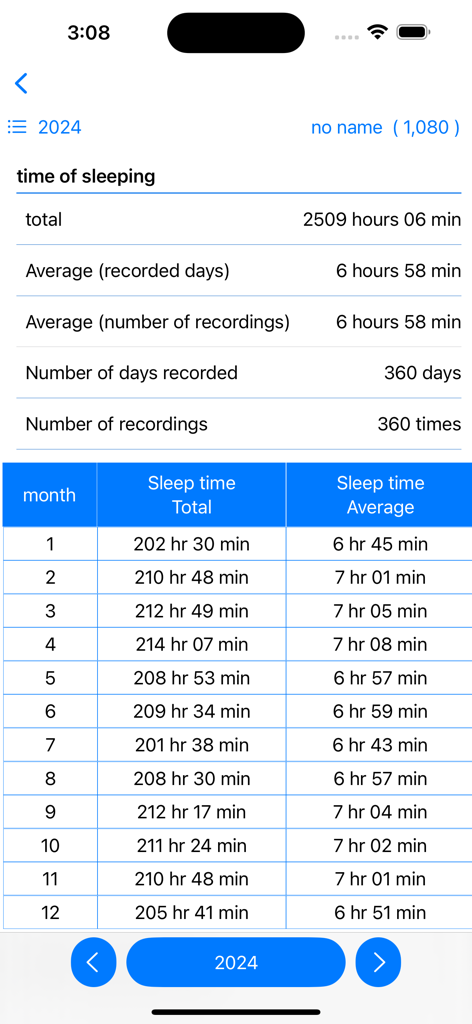
2024年の年間睡眠データ概要を示すモバイル画面。月次合計と平均が表形式で表示される。

2024年の年間睡眠データ概要を示すモバイル画面。月次合計と平均が表形式で表示される。

より良い休息への道筋を視覚化する

このアプリを際立たせるツール、 300 人のユーザーが選択.

🎯

正確な手動記録

侵襲的なセンサーやバッテリー消費はありません。信頼できるデータのために、数秒で正確な睡眠時間を記録します。

📊

高度なリズム分析

詳細な折れ線グラフと月間チャートで、自然な概日パターンを明らかにする理想的な睡眠ウィンドウを特定します。

🧠

体調と気分の追跡

目覚めたときの気分を記録して、睡眠時間と日々の最高のパフォーマンスの間の完璧なバランスを見つけます。

アプリについて

について知っておくべきこと Sleep time record charts.

説明

Sleep time is calculated and displayed based on bedtime and wake-up date and time. Displays sleep time in a line graph. ・Record bedtime 1. Tap the "Bedtime" button. If you press/tap for a long time, step 2/step 3 will be skipped. The current date and time will be set. 2. Select the year, month, and day and tap "Next". 3. Select your bedtime and tap OK. ・When recording the wake-up date and time 1. Tap the "Wake up date and time" button in the wake up date and time column of the table. If you press/tap for a long time, step 2/step 3 will be skipped. The current date and time will be set. 2. Select the year, month, and day and tap "Next". 3. Select your wake-up time and tap "OK". ▼Sleep time The sleep time in the table is automatically displayed based on the bedtime and wake-up date and time. ▼When recording your mood when you wake up 1. Tap "Condition" in the Condition column of the table. 2. Select a condition. ▼Display chart 1. Press the line chart button at the top. 2. Click the displayed chart from the menu below. Monthly chart sleep/wake chart sleep/wake rhythm chart Annual total/average/chart Full period chart ▼Add user 1. Press the user button at the top 2. Press add user 3. Enter the username and press OK. ▼Edit username 1. Press the user button at the top 2. Press user edit and delete 3. Press the username from the list. 4. Edit the user name on the edit screen and press OK. ▼Delete username 1. Press the user button at the top 2. Press user edit and delete 3. Swipe the username you want to delete from the list from the left and press Delete. ▼If you want to delete all records From the menu on the top right, select Erase all data. You can delete all records.

最新バージョン

25.11.23

サイズ

4.1 MB

リリース日

2024年5月3日

睡眠リズムをコントロールする

クリーンな手動ログとデータに基づいたチャートを使用して、休息と日々のパフォーマンスを最適化する意識の高い睡眠者の仲間入りをしましょう。

ダウンロード: App Store

App information, icons, screenshots, and descriptions displayed on this page are sourced from the Apple App Store and are the property of their respective developers. Download estimates and rankings are based on MWM's proprietary models and may not reflect actual figures. This page is provided for informational and analytical purposes only.

Believe this page infringes your intellectual property? File a dispute