SlideShow Maker Photo to Video

SlideShow Maker Photo to Video


ダウンロード: App Store
ロゴ: SlideShow Maker Photo to Video

スライドショーメーカー 写真からビデオへ: お気に入りの思い出を忘れられない映画に変えよう

家族の誕生日から夢の休暇まで、数分でプロ品質のスライドショーを作成できます。友人や家族と共有するすべてのストーリーに音楽、トランジション、そして心を加えましょう。

開発元

Mosaic S.r.l.

カテゴリ

Photo & Video

ダウンロード

23M+

ユーザー評価

4.2/5

評価数

243K+

対応言語

12

動きのある思い出

このインターフェースを利用する 23M+ 人のユーザー.

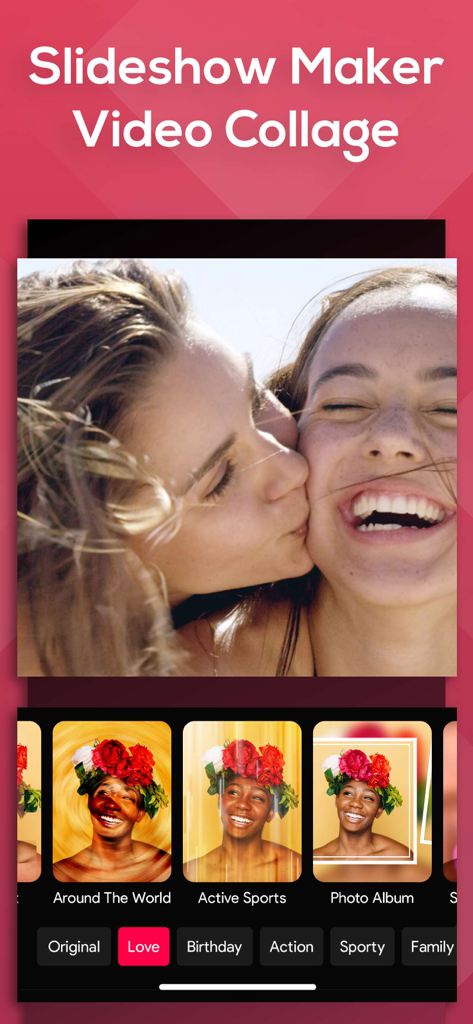
スライドショーメーカーアプリのインターフェース。ビデオコラージュ編集にムードフィルターと写真エフェクトが表示されています。

スライドショーメーカーアプリのインターフェース。ビデオコラージュ編集にムードフィルターと写真エフェクトが表示されています。

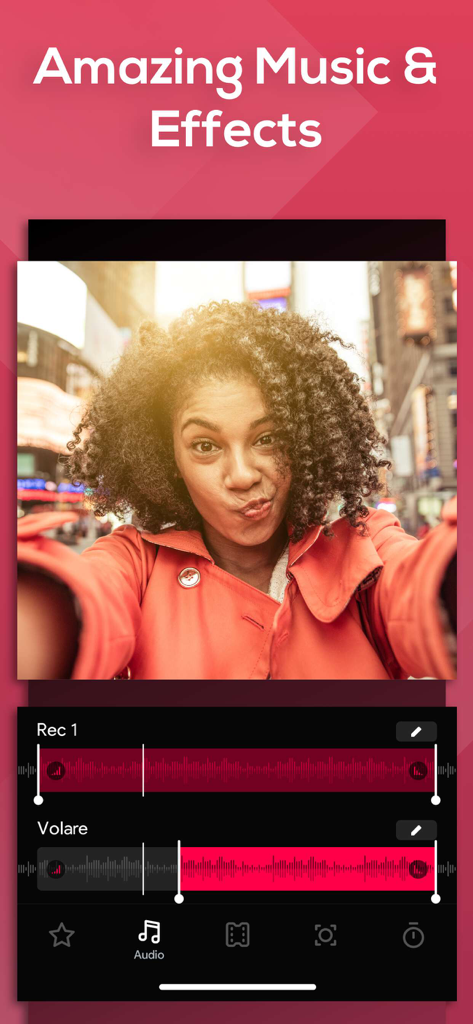
アプリ画面には、オーディオ波形トラックと、見出し「素晴らしい音楽とエフェクト」で写真スライドショーを作成するための音楽編集ツールが表示されています。

アプリ画面には、オーディオ波形トラックと、見出し「素晴らしい音楽とエフェクト」で写真スライドショーを作成するための音楽編集ツールが表示されています。

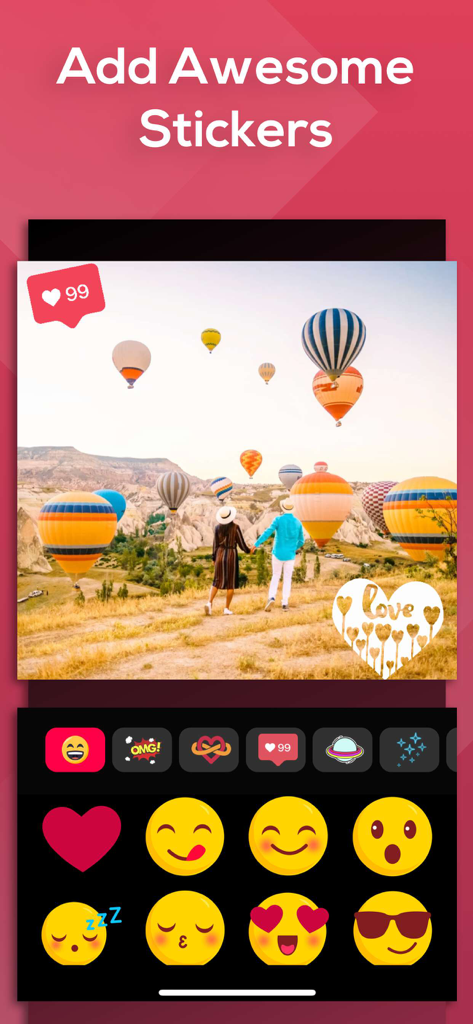
気球のある旅行写真と、絵文字とハートのアイコンが特徴のステッカー選択メニューが表示されている写真編集インターフェース。

気球のある旅行写真と、絵文字とハートのアイコンが特徴のステッカー選択メニューが表示されている写真編集インターフェース。

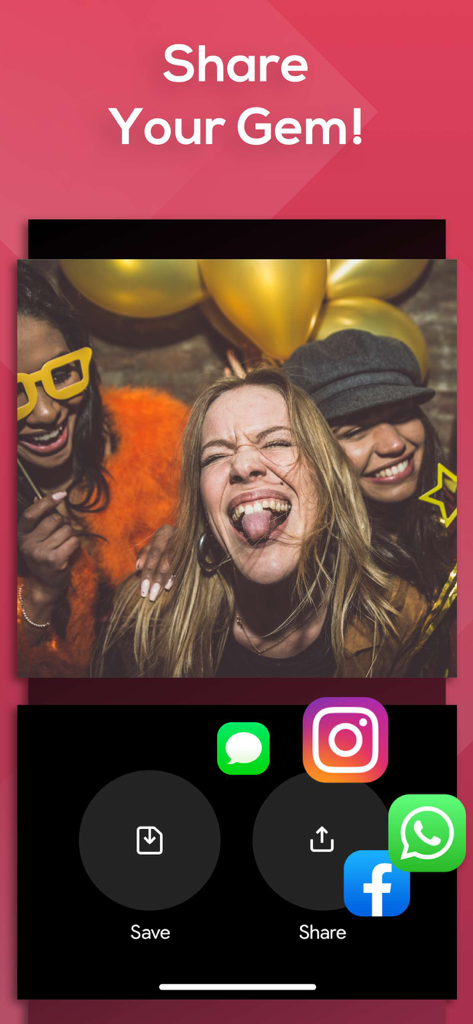
スライドショーメーカーアプリのインターフェース。Instagram、Facebook、WhatsAppなどのソーシャルメディア共有オプションが表示されています。

スライドショーメーカーアプリのインターフェース。Instagram、Facebook、WhatsAppなどのソーシャルメディア共有オプションが表示されています。

あらゆる節目を簡単に祝う

このアプリを際立たせるツール、 23M+ 人のユーザーが選択.

インスタント ストーリーテリング

メディアを選択し、「ムード」を適用して、カメラロールを数秒で洗練された映画に変えましょう。ビデオ編集の経験は不要です。

🎨

感情的なテーマ

厳選されたファミリー、ビンテージ、またはバースデーコレクションから選択して、特別な機会の感情と心を完璧に捉えましょう。

📤

共有準備完了

Instagram、Facebook、またはYouTubeに直接エクスポートし、最適なアスペクト比で、ソーシャルサークルと簡単に思い出を共有できます。

アプリについて

について知っておくべきこと SlideShow Maker Photo to Video.

説明

Create slideshows with SlideShow Movie Maker using your photos & videos from your camera roll and add on top of that your own music! Make your own slideshow in just a few taps choosing from a great mood collection - from adventure to vintage, birthday or family, find your own style! Add photo, video, and music to your movie creation and share it with friends and family. Creating a slideshow with SlideShow Movie Maker is quick: 1) Pick your photos and videos 2) Select moods, filters, and transitions 3) Choose your favorite music from our gallery or your own songs and recordings 4) Select the slideshow's length, ratio, and trim videos 5) Finalize your slideshow with text & stickers 6) Save it to your camera roll and share it on Facebook, Instagram or Youtube SUBSCRIPTION INFO: Subscribe to take advantage of the features described above. •Subscription length: Weekly •Your payment will be charged to your iTunes Account as soon as you confirm your purchase. •You can manage your subscriptions and turn off auto-renewal from your Account Settings after the purchase. •Your subscription will renew automatically, unless you turn off auto-renew at least 24 hours before the end of the current period. •The cost of renewal will be charged to your account in the 24 hours prior to the end of the current period. •When canceling a subscription, your subscription will stay active until the end of the period. Auto-renewal will be disabled, but the current subscription will not be refunded. •Any unused portion of a free trial period, if offered, will be forfeited when purchasing a subscription. Terms of service: https://support.bendingspoons.com/tos?app=552341639 Privacy policy: https://bendingspoons.com/privacy.html?app=924826256 Have a feature request you would like to see in a future version of the app? Do not hesitate to contact us at slideshow@bendingspoons.com Disclaimer: You will be required to sign up for an auto-renewable In-App Purchase before you are able to access the app. Have fun!

最新バージョン

5.6.44

サイズ

145.3 MB

リリース日

2015年2月17日

今日からあなたのストーリーを作成しましょう

人生の最高の瞬間を素晴らしいミュージックスライドショーに変える2300万人以上の人々に加わりましょう。誕生日から休暇まで、数回タップするだけで思い出を忘れられないものにしましょう。

ダウンロード: App Store
FAQ

よくある質問

について知っておくべきこと SlideShow Maker Photo to Video

SlideShow Maker Photo to Videoでスライドショーを作成するにはどうすればよいですか?

SlideShow Maker Photo to Videoでスライドショーを作成するには、写真や動画を選択し、ムード、フィルター、トランジションを選択します。次に、音楽を選択し、長さと比率を設定し、テキストとステッカーを追加して、完了します。

SlideShow Maker Photo to Videoにはどのような機能がありますか?

SlideShow Maker Photo to Videoは、写真や動画からのスライドショー作成、音楽統合、ムード、フィルター、トランジション、テキスト、ステッカーを提供します。動画のトリミング、長さの調整、共有オプションも含まれています。

SlideShow Maker Photo to Videoのスライドショーに自分の音楽を追加できますか?

はい、SlideShow Maker Photo to Videoでは、アプリのギャラリーから音楽を選択するだけでなく、デバイスから自分の曲や録音を追加できます。

SlideShow Maker Photo to Videoで作成したスライドショーを共有するにはどうすればよいですか?

SlideShow Maker Photo to Videoで作成したスライドショーは、カメラロールに保存したり、Facebook、Instagram、YouTubeで直接共有したりできます。

SlideShow Maker Photo to Videoは無料アプリですか?

いいえ、SlideShow Maker Photo to Videoでは、アプリの機能にアクセスするために、自動更新されるアプリ内購入にサインアップする必要があります。

SlideShow Maker Photo to Videoのサブスクリプション期間はどのくらいですか?

SlideShow Maker Photo to Videoのサブスクリプション期間は週次です。この詳細はサブスクリプション情報セクションに記載されています。

SlideShow Maker Photo to Videoのサブスクリプションを管理またはキャンセルするにはどうすればよいですか?

購入後、アカウント設定からSlideShow Maker Photo to Videoのサブスクリプションを管理し、自動更新をオフにすることができます。自動更新は、期間終了の24時間前までにオフにする必要があります。

SlideShow Maker Photo to Videoはスライドショーにステッカーを追加できますか?

はい、SlideShow Maker Photo to Videoでは、さまざまなステッカーを追加してスライドショーを完成させることができます。

App information, icons, screenshots, and descriptions displayed on this page are sourced from the Apple App Store and are the property of their respective developers. Download estimates and rankings are based on MWM's proprietary models and may not reflect actual figures. This page is provided for informational and analytical purposes only.

Believe this page infringes your intellectual property? File a dispute