SmartSDR™ - FlexRadio Systems®

SmartSDR™ - FlexRadio Systems®

ダウンロード: App Store
ロゴ: SmartSDR™ - FlexRadio Systems®

SmartSDR™ - FlexRadio Systems® 用プロフェッショナル・リモート・コントロール

iPad や iPhone で 6000 または 8000 シリーズ SDR の真の力を引き出しましょう。FT8 や DX クラスターから高度なパナダプター制御まで、プロ仕様のリモート操作で完全なステーションの自由を体験してください。

ダウンロード: App Store

開発元

Marcus Roskosch

カテゴリ

Utilities

ダウンロード

6K+

ユーザー評価

4.2/5

評価数

200

対応言語

1

解き放たれた無線室

このインターフェースを利用する 6K+ 人のユーザー.

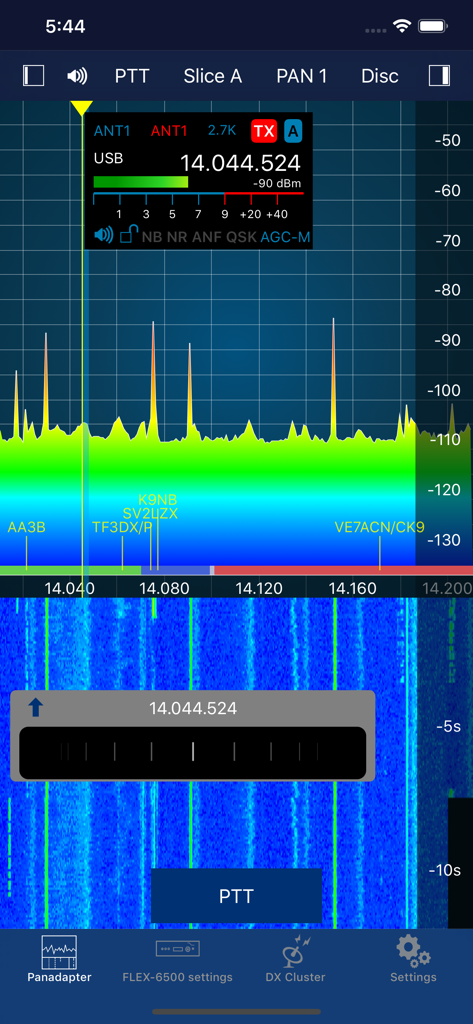
無線周波数パナダプターとウォーターフォール表示を示す SmartSDR モバイルアプリのインターフェース

無線周波数パナダプターとウォーターフォール表示を示す SmartSDR モバイルアプリのインターフェース

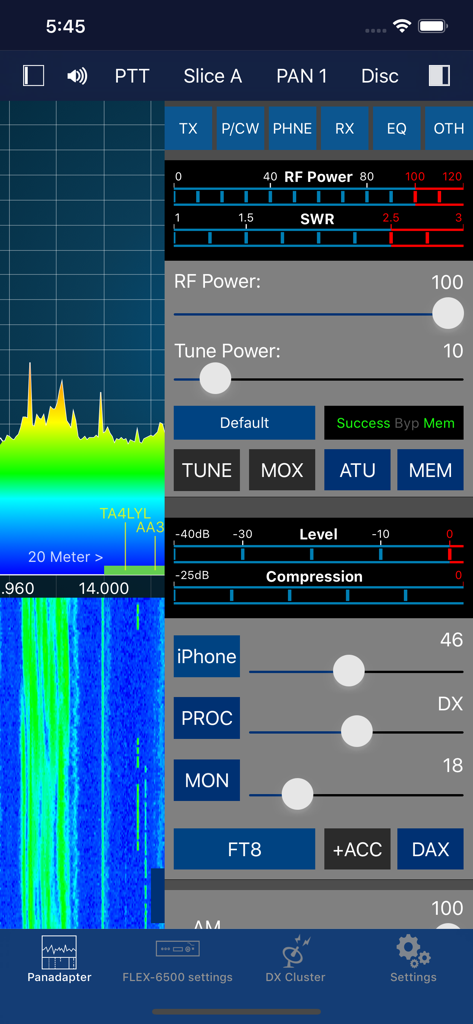
スペクトラム・パナダプターと無線送信コントロールを示す SmartSDR アプリのインターフェース

スペクトラム・パナダプターと無線送信コントロールを示す SmartSDR アプリのインターフェース

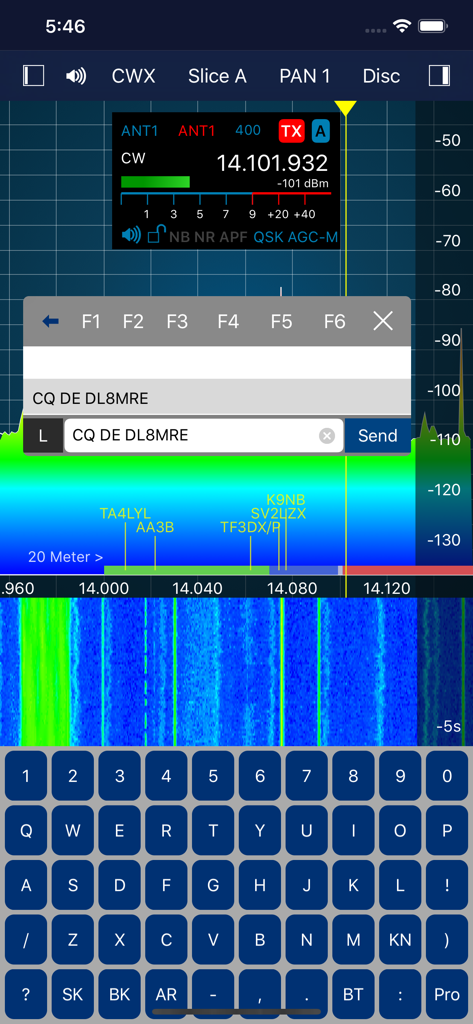
無線スペクトラム・ウォーターフォールと CW テキスト入力キーボードを示す SmartSDR アプリのインターフェース

無線スペクトラム・ウォーターフォールと CW テキスト入力キーボードを示す SmartSDR アプリのインターフェース

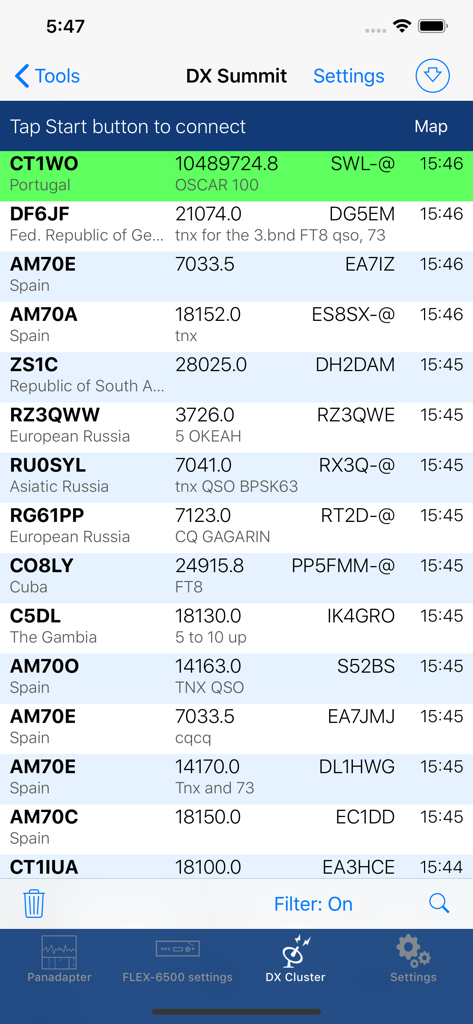
SmartSDR アプリでコールサインと周波数が表示された DX スポットのリストを示す画面

SmartSDR アプリでコールサインと周波数が表示された DX スポットのリストを示す画面

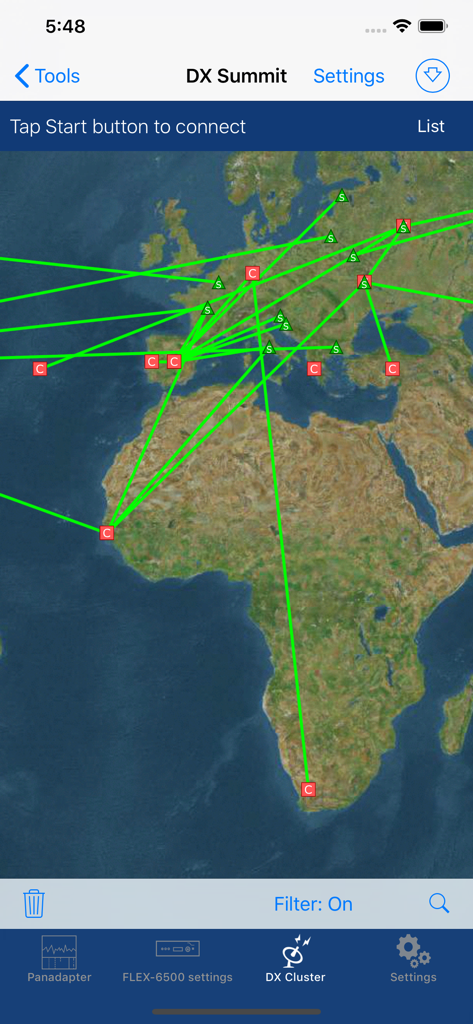
世界地図上にアマチュア無線のスポットを表示する SmartSDR アプリの DX クラスター・インターフェース

世界地図上にアマチュア無線のスポットを表示する SmartSDR アプリの DX クラスター・インターフェース

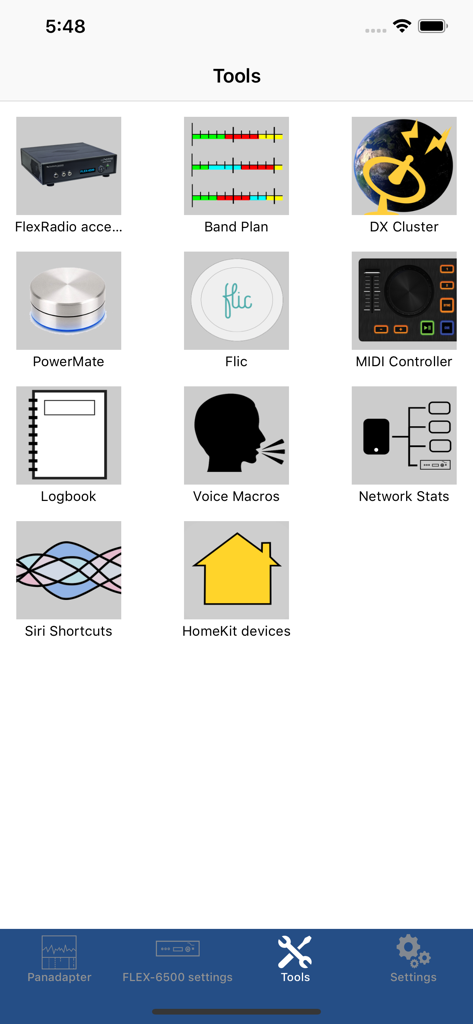
バンドプランや DX クラスターなどのアマチュア無線ユーティリティのアイコンを示す SmartSDR アプリのツールメニュー

バンドプランや DX クラスターなどのアマチュア無線ユーティリティのアイコンを示す SmartSDR アプリのツールメニュー

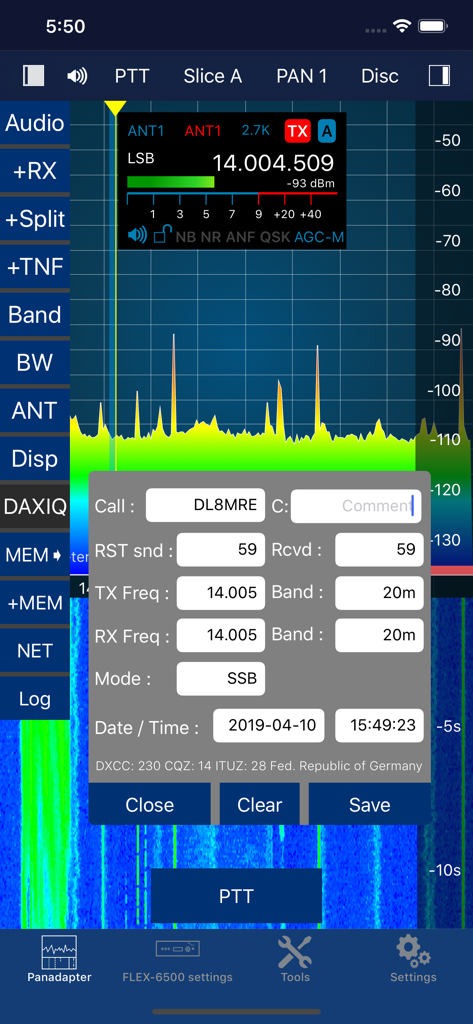
無線周波数パナダプターとアマチュア無線交信ログ・ウィンドウを示す SmartSDR アプリのインターフェース。

無線周波数パナダプターとアマチュア無線交信ログ・ウィンドウを示す SmartSDR アプリのインターフェース。

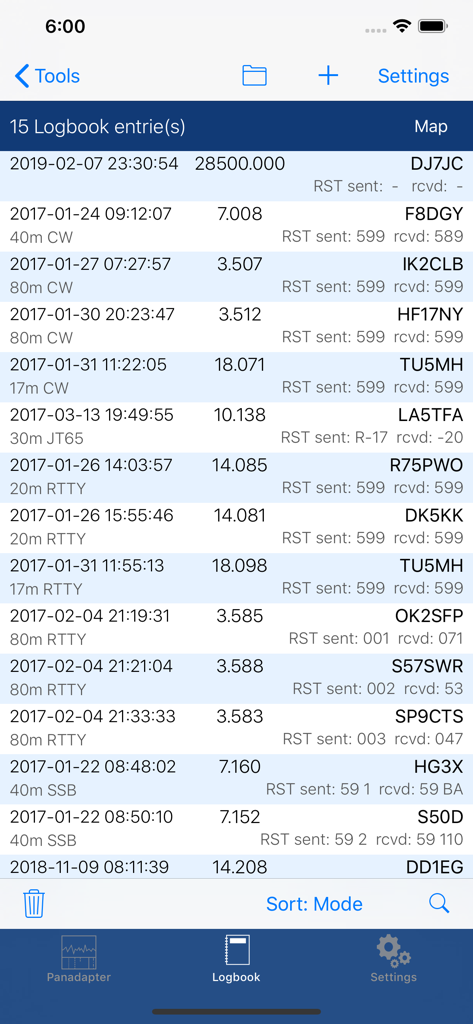
コールサインと周波数が表示されたアマチュア無線交信エントリを示すデジタル・ログブック画面

コールサインと周波数が表示されたアマチュア無線交信エントリを示すデジタル・ログブック画面

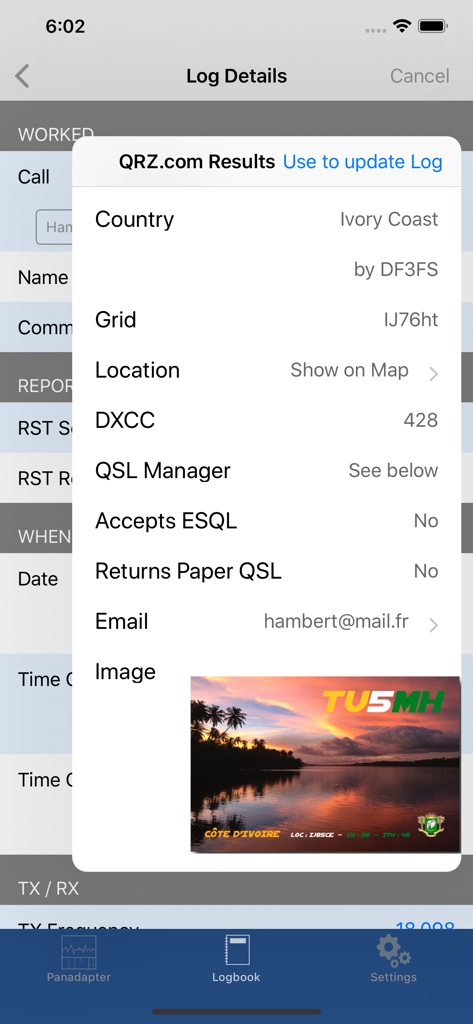
コートジボワールからの交信を示す SmartSDR アプリのログブック詳細と QRZ 検索結果

コートジボワールからの交信を示す SmartSDR アプリのログブック詳細と QRZ 検索結果

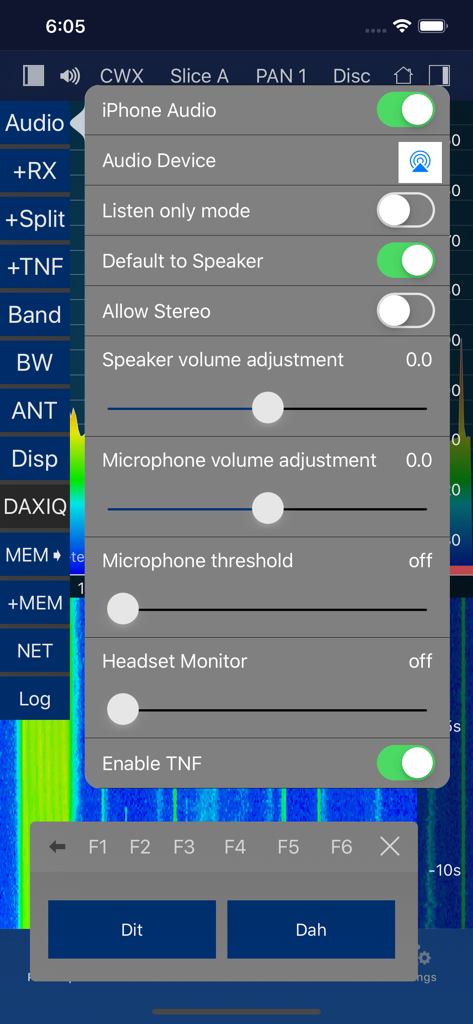
オーディオ設定と、短点(Dit)および長点(Dah)ボタンを備えたモールス信号 CW キーヤーを示す SmartSDR アプリのインターフェース

オーディオ設定と、短点(Dit)および長点(Dah)ボタンを備えたモールス信号 CW キーヤーを示す SmartSDR アプリのインターフェース

デスクトップ・パフォーマンスを手のひらに

このアプリを際立たせるツール、 6K+ 人のユーザーが選択.

🌍

グローバルな SmartLink™ リモート・アクセス

無線室で期待するのと同様の低遅延と全機能を備えた FLEX-6000 または 8000 シリーズ・ステーションを、世界中のどこからでも操作できます。

🛰️

統合されたデジタルモードとツール

FT8、FT4、SSTV、CW デコードをデバイス上で直接実行。デジタルセットアップを完結させるために、外部 PC、複雑なケーブル、サードパーティ製ソフトウェアは必要ありません。

🔍

高度なスペクトラム・ディスカバリー

高解像度のパナダプターと統合された DX クラスター・スポットでバンドを可視化し、稀少な信号を外科的な精度で見つけてログに記録できます。

アプリについて

について知っておくべきこと SmartSDR™ - FlexRadio Systems®.

説明

Official FlexRadio Systems® Client - NOW: All-Inclusive, no In-App Purchase! SmartSDR is a full featured radio client that enables your iPad or iPhone to operate your FlexRadio device. It is fully compatible to SmartSDR v1, v2 (including SmartLink) and v3 (including MultiFlex and SmartControl) and v4. Please note: This App requires a FlexRadio Systems® Series 6000 or 8000 Software Defined Radio (SDR) Device. FACTS AND FEATURES: SmartSDR offers almost all features of SmartSDR for Windows such as: ■ Supports FT8 and FT4 (iPad and iPhone Max, Firmware 2 required) ■ SSTV TX and RX (NEW!) ■ APRS TX and RX (NEW!) ■ Included CW Decoder and keyer ■ Weather Fax (HF-Fax) Decoder ■ Creation, maintenance of Slices, TNFs, Filters ■ Unlimited number of Slices, Panadapters (limited only by radio model) ■ CWX support including Sidetone and live send mode ■ Software Paddle or Straight-Key support ■ Maintain all Radio, Slice and Panadapter settings ■ Support for Memories ■ Profiles integration (TX, Microphone and Global) ■ Audio settings supported including equalizers ■ Support for TX Settings like Power including all Tuning features ■ Transverter support ■ SmartLink™ remote access ■ APD / SmartSignal™ support ■ MultiFlex™ support ■ SmartControl support ■ HomeKit support to control radio, antenna switches etc. remotely ■ Direct support for Power Genius XL (PGXL), Tuner Genius (TGXL), Antenna Genius (AGXL) and Rotator Genius (RGXL) local and remote For HomeKit, you can use any Power Plug or Switch that are HomeKit compatible. In addition to SmartSDR for Windows, this App offers these features: ■ Band limits and Band maps and modes will be displayed inside the Pan adapter ■ DX Cluster support which displays spots directly inside the Pan adapter ■ Graphical tuning knob for easy and exact frequency selection. ■ Various additional minor bells and whistles such as easy TNF maintenance, ■ Direct Bandwidth selection, Split Mode, instant Memory creation and more. ■ Device logging and device parameter monitoring (e.g. PA Temperature etc.) ■ Logbook integration with ADIF Im- and Export ■ Support for two Bluetooth and USB Controllers ■ Voice Macro recording and playback There are just a few limitations compared to SmartSDR for Windows which are: - Only one Panadapter visible at the same time. - Diversity is not implemented. WHAT YOU NEED: - A FlexRadio Systems® FLEX-6000 or 8000 series radio - An iPhone or iPad that runs at least iOS 17 NETWORK REQUIREMENTS: To run this App at your home, nothing else but a regular WiFi connection is needed that can access your FLEX Radio. You can immediately start using the App. For Remote operation via SmartLink™ a Version 2 License is required for your Radio. The App supports Splitscreen Multitasking on the newer iPads so you can run SmartSDR in split mode parallel to your browser, Email software or any other App. SUPPORTED SDR HARDWARE: FLEX-6300, FLEX-6400, FLEX-6400M, FLEX-6500, FLEX-6600, FLEX-6600M, FLEX-6700,FLEX-8400, FLEX-8400M, FLEX-8600, FLEX-8600M Find out more here: https://ham-radio-apps.com Read the Manual: https://go-to.me/smartsdr-manual

最新バージョン

7.0.94

サイズ

58.3 MB

リリース日

2016年9月2日

FlexRadio を完全にコントロール

FLEX-6000 および 8000 シリーズ・ハードウェア向けの、最も強力で包括的なモバイル・クライアントを使用している数千人のエリート・オペレーターの仲間に加わりましょう。縛られることのない無線室の自由を体験してください。

ダウンロード: App Store

App information, icons, screenshots, and descriptions displayed on this page are sourced from the Apple App Store and are the property of their respective developers. Download estimates and rankings are based on MWM's proprietary models and may not reflect actual figures. This page is provided for informational and analytical purposes only.

Believe this page infringes your intellectual property? File a dispute