Speedtest: wifi analyzer

Speedtest: wifi analyzer


ダウンロード: App Store
ロゴ: Speedtest: wifi analyzer

Speedtest: WiFiアナライザー: 自宅やオフィス向けのプロフェッショナル診断

遅い速度で妥協するのはやめましょう。ISPのパフォーマンスを確認し、WiFi信号を最適化し、リアルタイムのネットワークインサイトでリモートワーク、4Kストリーミング、ゲームの安定性を最大限に高めましょう。

ダウンロード: App Store

開発元

SPEIS UAI, OOO

カテゴリ

Utilities

ダウンロード

4K+

ユーザー評価

4.2/5

評価数

200

対応言語

9

すべてのピクセルに精度を

このインターフェースを利用する 4K+ 人のユーザー.

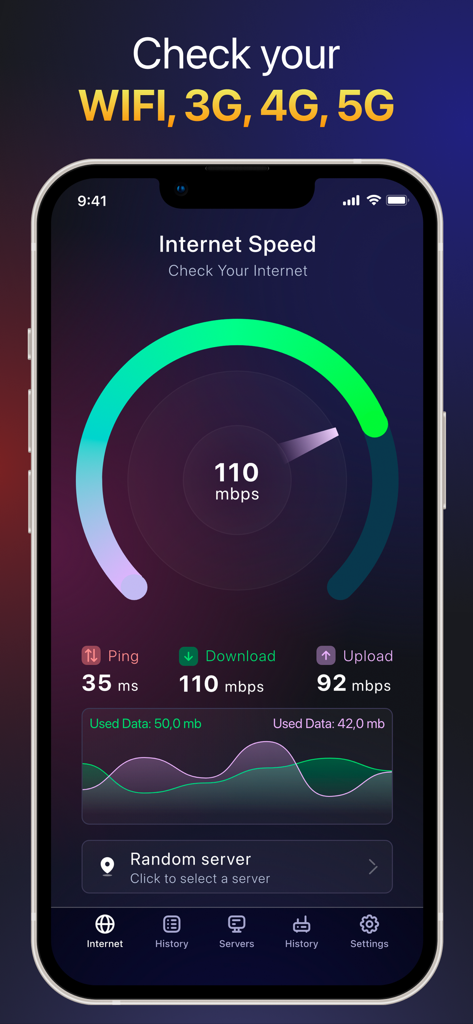
スマートフォンでインターネット速度の結果、Ping、ダウンロード、アップロードの測定値を含むSpeedtest WiFiアナライザーアプリのインターフェイス

スマートフォンでインターネット速度の結果、Ping、ダウンロード、アップロードの測定値を含むSpeedtest WiFiアナライザーアプリのインターフェイス

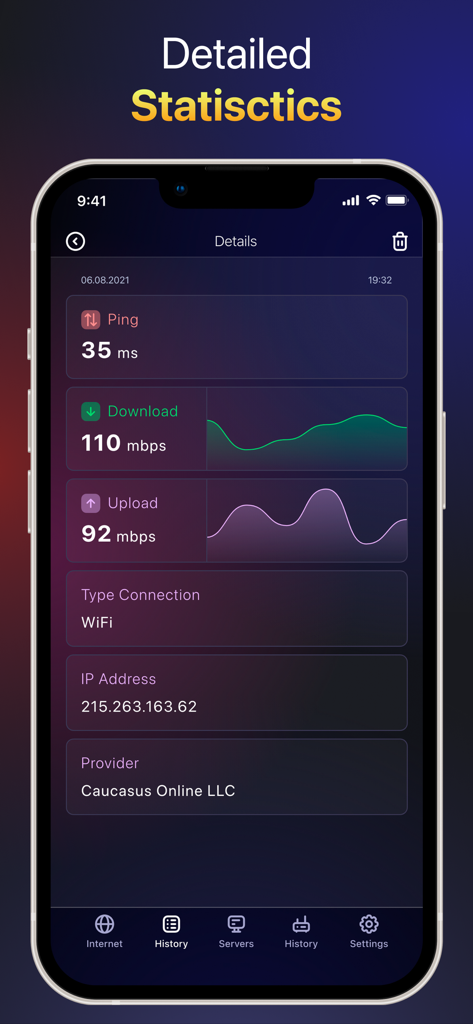
Ping、ダウンロード速度、アップロード速度、IPアドレスを含む詳細なインターネット接続統計を表示するモバイルアプリ画面

Ping、ダウンロード速度、アップロード速度、IPアドレスを含む詳細なインターネット接続統計を表示するモバイルアプリ画面

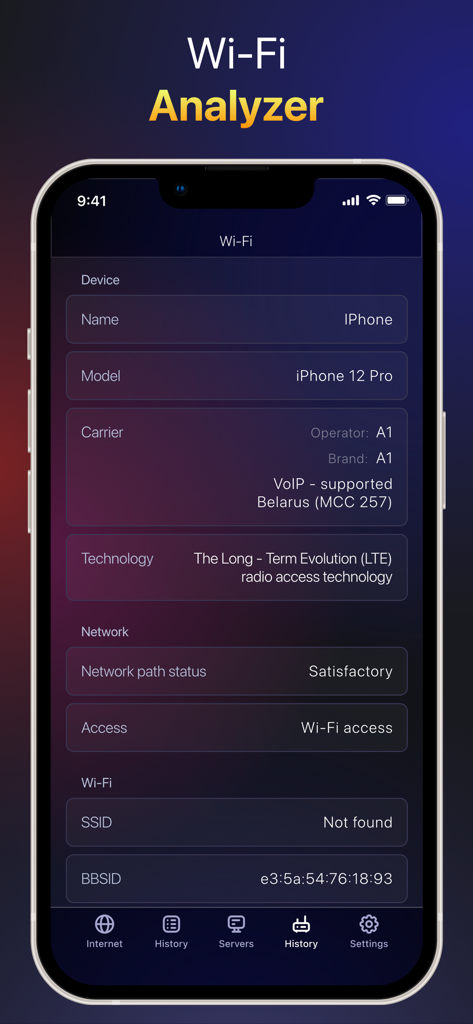
詳細なデバイス情報とネットワーク接続ステータスを表示するモバイルアプリ画面

詳細なデバイス情報とネットワーク接続ステータスを表示するモバイルアプリ画面

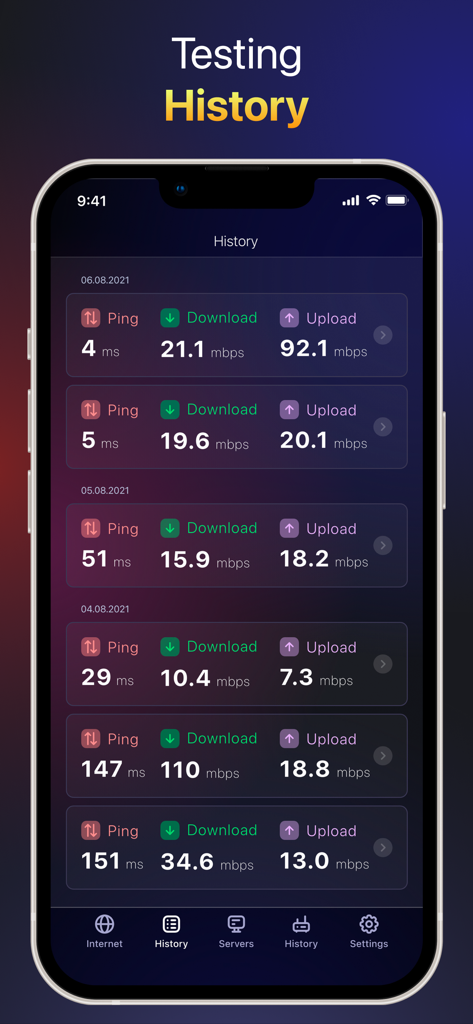
Pingとデータレートを含む過去のネットワーク速度テスト結果のリストを表示するSpeedtestアプリのインターフェイス

Pingとデータレートを含む過去のネットワーク速度テスト結果のリストを表示するSpeedtestアプリのインターフェイス

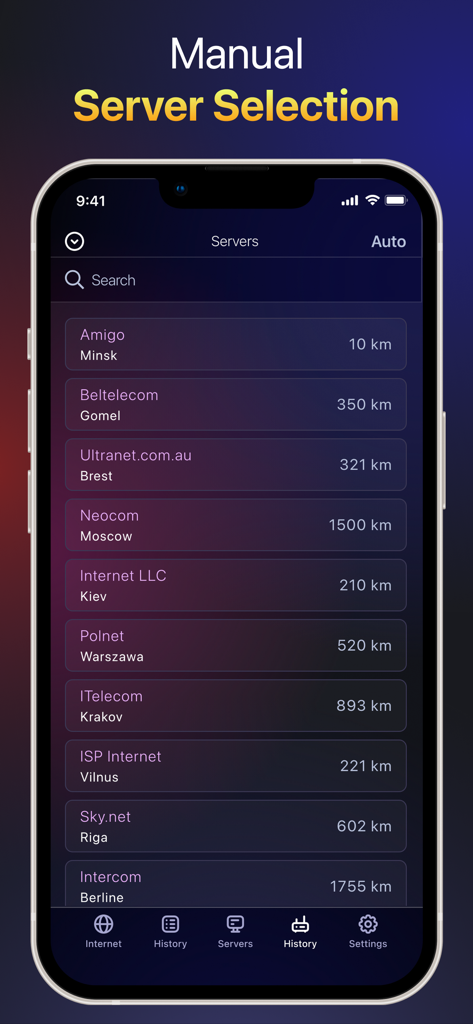
利用可能なサーバーの場所と距離を示すSpeedtest WiFiアナライザーアプリの手動サーバー選択画面

利用可能なサーバーの場所と距離を示すSpeedtest WiFiアナライザーアプリの手動サーバー選択画面

ネットワークパフォーマンスをマスターする

このアプリを際立たせるツール、 4K+ 人のユーザーが選択.

🚀

リアルタイム5G & WiFi監査

ISPが支払った通りの速度を提供していることを確認するために、実際のダウンロードおよびアップロード速度を即座に確認してください。

🔍

高度なWiFiアナライザー

ネットワークをスキャンして不正なデバイスを検出し、干渉やデッドゾーンを排除するために最適なチャネルを特定します。

🎮

ラグフリー最適化

ミリ秒単位の精度でPing、ジッター、遅延を監視し、スムーズなビデオ通話と競争力のあるゲームパフォーマンスを保証します。

アプリについて

について知っておくべきこと Speedtest: wifi analyzer.

説明

"What is Speedtest for? Smart Speedtest is a network tool to quickly and accurately test your internet connection speed on all your iOS mobile devices. The app can test speed for 2G, 3G, 4G, 5G, DSL and ADSL. What indicator characterizes the quality of the Internet connection? Ping shows the server response time, measured in milliseconds. The lower the ping rate, the better the internet connection. WiFi Analyzer. Supports advanced tool for network diagnostics, LAN scanning and problem detection. Features of Smart Speedtest: - Test the speed of data download (download) in real time; - Test of data transfer rate (upload) in real time; - Measurement of the delay time for sending packets (ping, latency, jitter); -WiFi Analyzer; - Choice of speed units (Mbps, kbps); - Display of basic information about the connection (IP-address, provider, connection type, WiFi network name); - Automatic configuration of testing algorithms depending on the type of connection (WiFi or mobile networks 2G / 3G / 4G LTE / 5G); - History of results (measured values ​​of download / upload / ping, connection type, date, test parameters); - Simple interface, usability. SUBSCRIPTION: A premium subscription will allow you to use the application without ads, as well as use the basic functions. You can try the subscription for free for three days from the first week of purchase. Subscription Fee: Week - $2.99, 6 Months - $ 19.99, Year - $ 29.99 The user will be able to use the following features and capabilities: - 24/7 Premium Support; -Manual selection of servers; -WiFi Analyzer; -No Ads. * If you do not cancel your free three-day trial at least 24 hours before the last day of the free trial, you will be charged for the automatic renewal of your premium subscription. Privacy policy: https://spacey.dev/privacy.html Terms of use: https://spacey.dev/terms.html If you have any problems, questions or suggestions, we are always happy to help. Just send us an email at spaceyllc@gmail.com"

最新バージョン

1.5

サイズ

65.3 MB

リリース日

2021年10月7日

推測をやめて、ネットワークの最適化を始めましょう

重要なZoom会議の準備でも、ラグのないゲームセッションでも、ISPを確認し、今日デッドゾーンを解消するためのプロツールを入手しましょう。

ダウンロード: App Store

App information, icons, screenshots, and descriptions displayed on this page are sourced from the Apple App Store and are the property of their respective developers. Download estimates and rankings are based on MWM's proprietary models and may not reflect actual figures. This page is provided for informational and analytical purposes only.

Believe this page infringes your intellectual property? File a dispute