SSTP Connect

SSTP Connect

ダウンロード: App Store
ロゴ: SSTP Connect

SSTP Connect: プロフェッショナルのためのネイティブVPNクライアント

ブロートウェアなし、プライバシー重視のクライアントで、安全なSSTPおよびSoftEther接続を体験してください。広告なし、追跡なし—ネイティブパフォーマンスと高度な認証で、あなたのITインフラストラクチャを強化します。

開発元

Domosekai Limited

カテゴリ

Utilities

ダウンロード

126K+

ユーザー評価

5.0/5

評価数

0

対応言語

2

精度のために構築

このインターフェースを利用する 126K+ 人のユーザー.

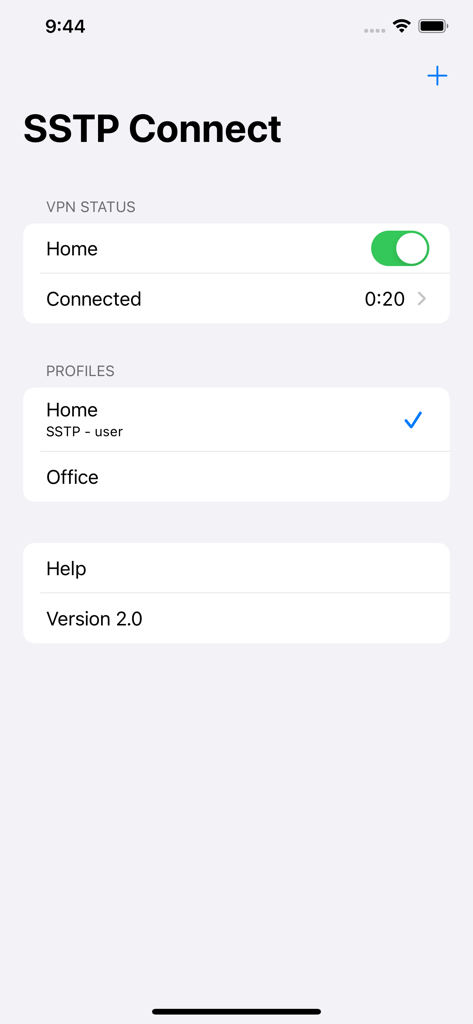
SSTP Connectアプリのインターフェース。接続済みVPNステータスとプロファイルリストを表示しています。

SSTP Connectアプリのインターフェース。接続済みVPNステータスとプロファイルリストを表示しています。

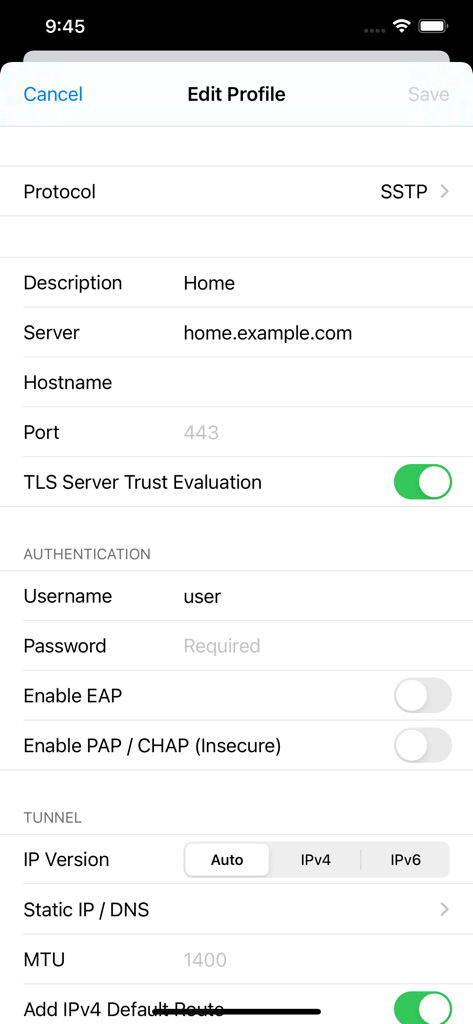
SSTP Connectアプリの編集プロファイル画面。VPN設定オプションを表示しています。

SSTP Connectアプリの編集プロファイル画面。VPN設定オプションを表示しています。

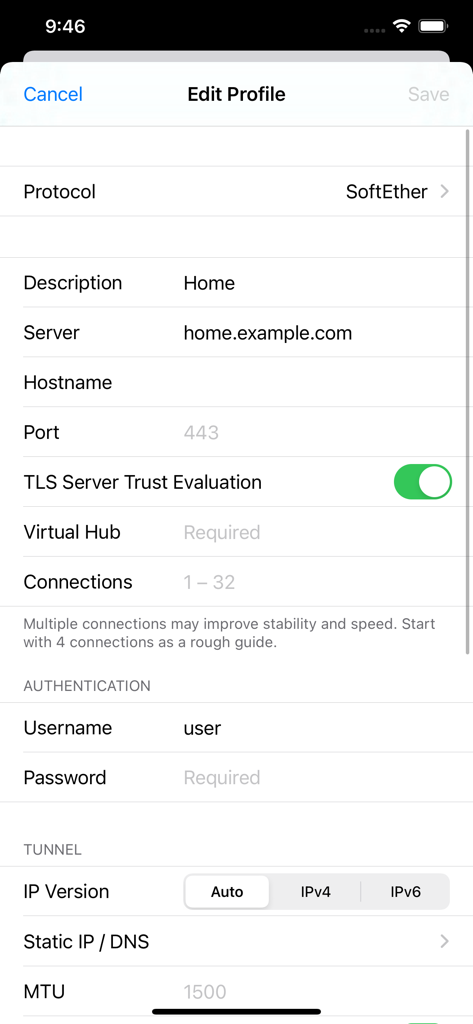
SSTP Connectアプリの編集プロファイル画面。SoftEther VPN設定用です。

SSTP Connectアプリの編集プロファイル画面。SoftEther VPN設定用です。

エンタープライズグレードの接続性、ネイティブパフォーマンス

このアプリを際立たせるツール、 126K+ 人のユーザーが選択.

🛡️

プライバシーファーストアーキテクチャ

追跡ゼロ、分析ゼロ、ログゼロ。資格情報はiOSキーチェーンに安全に保管され、データが管理を離れることはありません。

⚙️

完全なプロトコルマスタリー

証明書ベースの認証とTEAPの業界標準サポートにより、SSTP、SoftEther、Azure P2Sサーバーにシームレスに接続できます。

🚀

ネイティブiOS効率

最大限の速度と安定性を実現するためにネイティブライブラリ上に構築。サードパーティのブロートウェアなしで、システム設定から直接トンネルを管理します。

アプリについて

について知っておくべきこと SSTP Connect.

説明

SSTP Connect is a VPN client that supports these protocols: - SSTP (MS-SSTP) - SoftEther VPN This is only a VPN client. No VPN service is included. You need to specify the server you are connecting to. • Native Only iOS native libraries are used in the core function, including the TLS stack. No OpenSSL. Connections are saved natively so that you can start a connection from the system settings. • Simple VPN clients ought to be small and simple. No ads, analytics or other 3rd-party SDK are included. • Privacy No data is collected from you. Connection log only exists in the memory and is never saved to the device. • Complete Support all password and certificate-based authentications available in Windows 11. Support authenticating by password and certificate at the same time with TEAP (EAP chaining). Protocol details below. • Security Passwords and certificates are stored in the iOS keychain. SSTP Connect never saves them locally for convenience. • IPv6 Ready Support both IPv6 connections and stateless IPv6 configuration in the VPN tunnels. (DHCPv6 not supported) • More than TCP Support NAT traversal (NAT-T) and UDP acceleration just like the official SoftEther client. • Easy Import and Export Not only from SSTP Connect, reading connection settings from SoftEther Client Manager is also a piece of cake. • Routing Accept static routes pushed from the server or add your own entries. SSTP Authentication Methods - PEAP - EAP-TTLS - TEAP (EAP chaining) - EAP-TLS - EAP-MSCHAPv2 - MSCHAPv2 - CHAP - PAP SoftEther Authentication Methods - Password - RADIUS / NT Domain Password - Certificate - Anonymous Supported Server Platforms • Microsoft Windows Server 2008 and later • Microsoft Azure P2S VPN • MikroTik RouterOS* • SoftEther VPN Server • VPN Azure * Servers configured without certificates are not supported. SSTP Connect is a third-party implementation based on Microsoft Open Specifications and SoftEther VPN source code. We do not have any affiliation with either Microsoft Corporation or SoftEther Corporation.

最新バージョン

3.9.10

サイズ

17.0 MB

リリース日

2021年1月19日

プロフェッショナルVPNクライアントを導入する

126,000人以上のパワーユーザーやITプロフェッショナルに加わりましょう。分析ゼロ、追跡ゼロで、iOS向けの最も安全でネイティブ、プライバシー重視のSSTPおよびSoftEtherクライアントを体験してください。

ダウンロード: App Store

App information, icons, screenshots, and descriptions displayed on this page are sourced from the Apple App Store and are the property of their respective developers. Download estimates and rankings are based on MWM's proprietary models and may not reflect actual figures. This page is provided for informational and analytical purposes only.

Believe this page infringes your intellectual property? File a dispute