Stemify : AI Vocal Remover

Stemify : AI Vocal Remover


ダウンロード: App Store
ロゴ: Stemify : AI Vocal Remover

Stemify: AIボーカルリムーバー – クリエイターのための究極のAI音楽スタジオ

ワンタップでボーカルを分離し、プロフェッショナルなステムを作成し、バイラル級のマッシュアップを制作。ベッドルームでの練習からソーシャルメディアのヒットまで、AIの力でサウンドをマスターしましょう。

開発元

Breeze Technology Co., Limited

カテゴリ

Music

ダウンロード

203K+

ユーザー評価

3.6/5

評価数

200

対応言語

10

ポケットの中のスタジオ

このインターフェースを利用する 203K+ 人のユーザー.

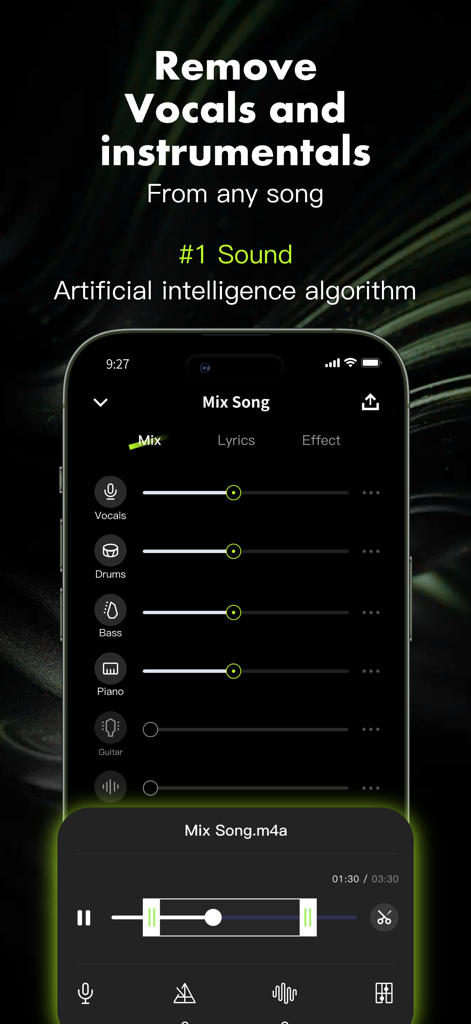
Stemifyアプリインターフェース。ドラム、ベース、ピアノのボーカルとインストゥルメンタル分離スライダーを表示。

Stemifyアプリインターフェース。ドラム、ベース、ピアノのボーカルとインストゥルメンタル分離スライダーを表示。

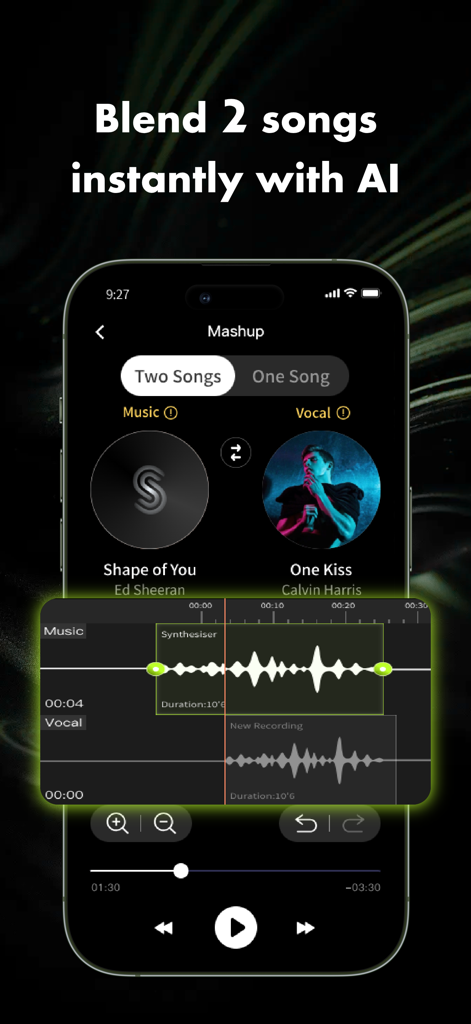
Stemifyモバイルアプリインターフェース。オーディオ波形と2曲をブレンドするAIマッシュアップツールを表示。

Stemifyモバイルアプリインターフェース。オーディオ波形と2曲をブレンドするAIマッシュアップツールを表示。

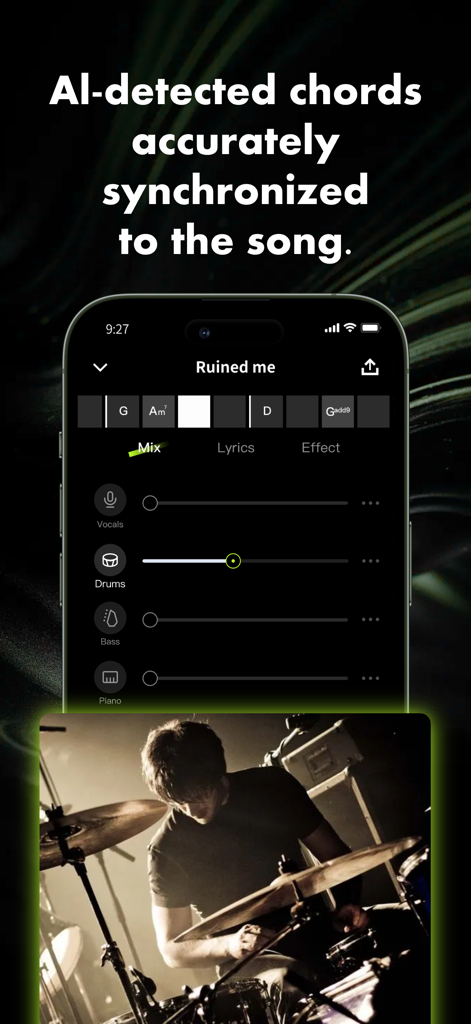
Stemifyモバイルアプリインターフェース。ボーカル、ドラム、ベース、ピアノのスライダーと同期したAI検出コードを表示。

Stemifyモバイルアプリインターフェース。ボーカル、ドラム、ベース、ピアノのスライダーと同期したAI検出コードを表示。

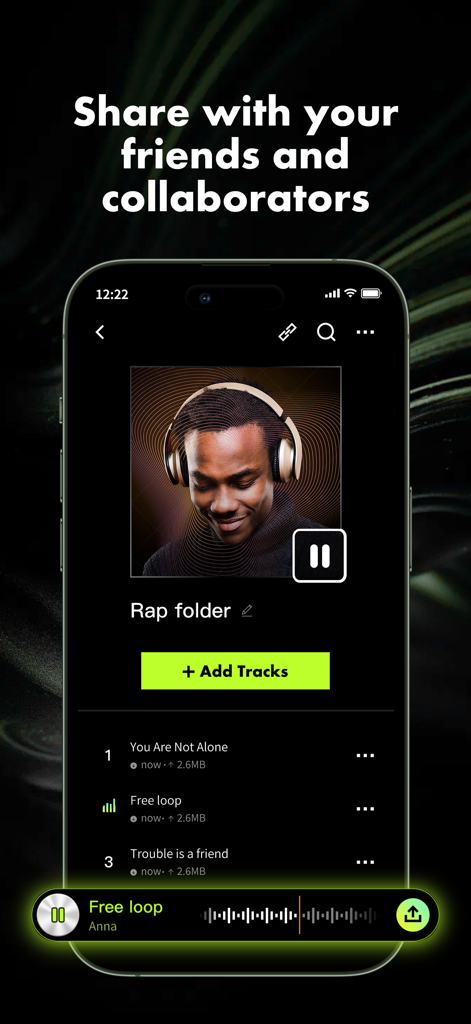
Stemifyアプリインターフェース。ラップフォルダと音楽トラックリスト、友達やコラボレーターと共有するヘッダーを表示。

Stemifyアプリインターフェース。ラップフォルダと音楽トラックリスト、友達やコラボレーターと共有するヘッダーを表示。

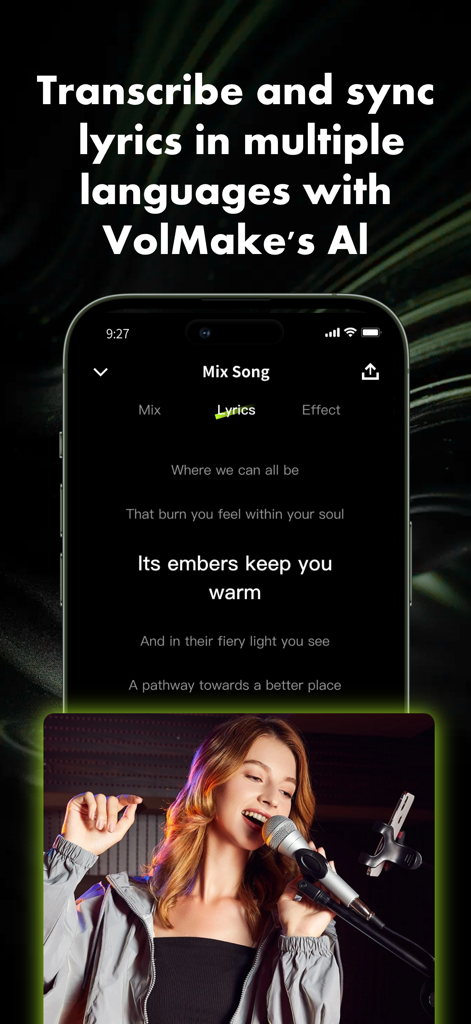
Stemifyアプリのモバイルインターフェース。同期した曲の歌詞とマイクに向かって歌う女性を表示。

Stemifyアプリのモバイルインターフェース。同期した曲の歌詞とマイクに向かって歌う女性を表示。

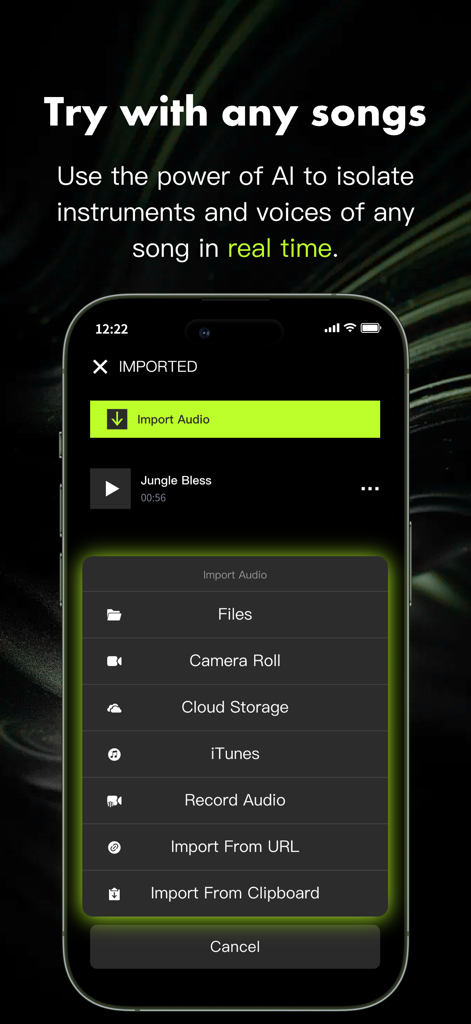
Stemifyアプリ画面。ファイル、カメラロール、クラウドストレージ、iTunesなどのオーディオインポートオプションのメニューを表示。

Stemifyアプリ画面。ファイル、カメラロール、クラウドストレージ、iTunesなどのオーディオインポートオプションのメニューを表示。

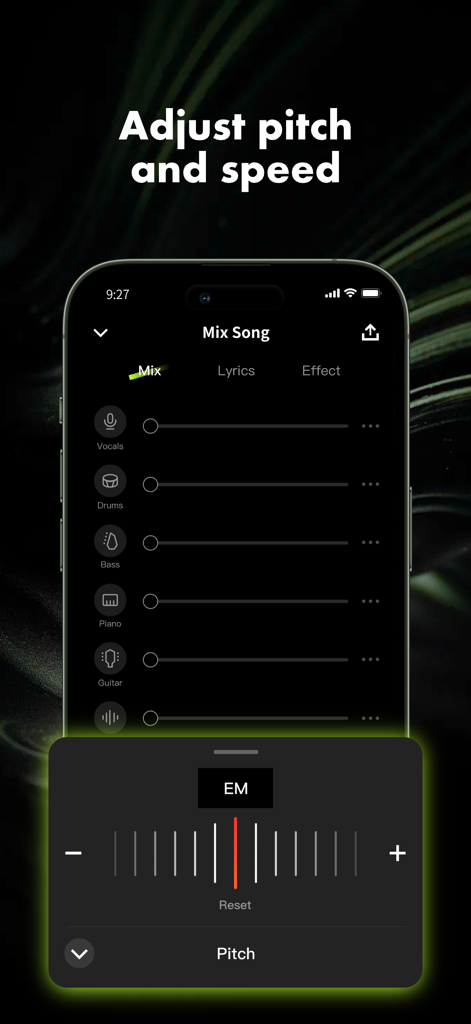
Stemifyアプリのインターフェース。音楽トラックのピッチ調整を表示。

Stemifyアプリのインターフェース。音楽トラックのピッチ調整を表示。

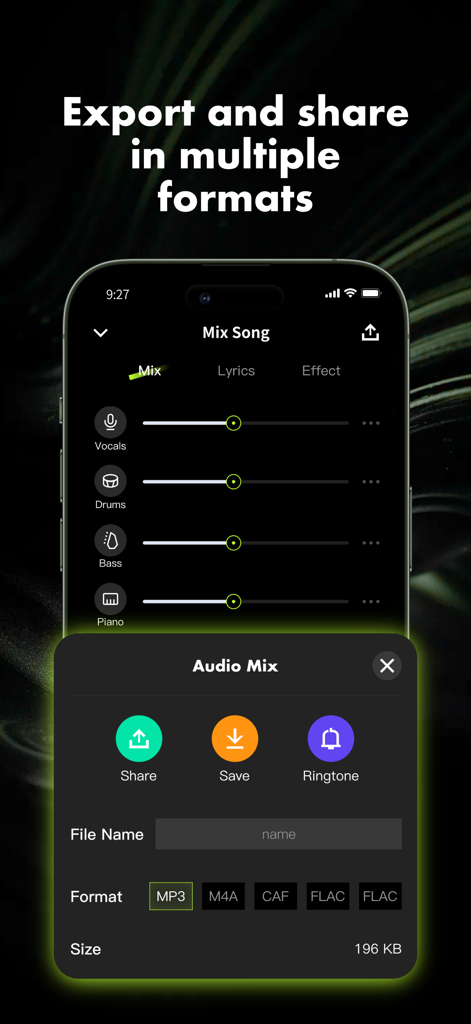
Stemifyアプリインターフェース。MP3やFLACなどの複数のオーディオフォーマットで音楽ミックスをエクスポートおよび共有。

Stemifyアプリインターフェース。MP3やFLACなどの複数のオーディオフォーマットで音楽ミックスをエクスポートおよび共有。

創造性を解き放つ

このアプリを際立たせるツール、 203K+ 人のユーザーが選択.

🎙️

スタジオ品質のステム分離

ボーカル、ドラム、楽器をワンタップで分離し、カバー、カラオケ、ディーププラクティスのための高品質バッキングトラックを作成します。

🎚️

インスタントマッシュアップ&リミックスラボ

AI BPMマッチングとプロのDJエフェクトで、ソーシャルメディア向けのバイラル級リミックスを作成し、オーディエンスを夢中にさせます。

🎹

プロのピッチ&テンポコントロール

曲のキーを瞬時に検出し、オーディオ品質を損なうことなく、ボーカルレンジや楽器のチューニングに合わせて曲を移調します。

アプリについて

について知っておくべきこと Stemify : AI Vocal Remover.

説明

Stemify is the ultimate AI tool for all musicians and music lovers. Use AI to extract or remove vocals & instruments from any song and play your favorite music in any key, and at any speed. Stemify is also the best place to listen, share, and organize your work-in-progress music. Core Features * AI Audio Separation of Stems - Easily separate vocals, drums, guitar, bass, piano, strings, and other instruments in any song. Stemify is your vocal remover or backing track maker. - AI Lyric Transcription: Convert music into text effortlessly. Supports audio in English, Spanish, Portuguese, French, and Italian. Transcribe the lyrics of your music for the best karaoke track maker. * AI Mashup - Mashup Maker: Seamlessly merge songs, auto-match BPM & key. - Remix Songs: Create your own edits, remixes, and party mixes. - DJ Mixer Tools: Adjust vocals, drums, bass, and instruments. - Audio Effects: Add reverb, delay, distortion, lo-fi, and more. * Smart Metronome - Instantly generate click tracks that are in sync to the beat of any song. * AI Key Detection - Detect and change the song key and instantly transpose chords to all 12 keys. * Collaborative Setlists - Invite collaborators, fine-tune song elements, and centralize all your musical work for enhanced productivity. - Share links to your music with friends. See who listens and manage access to your projects. - Record and nurture your inspiration whenever it strikes. - Our encryption is on par with Dropbox and SoundCloud and we are aiming to be the most secure place for unreleased music. * Export your mix - Share your mix results with your friends - Standard format: M4A, CAF - HQ format: FLAC, WAV It has never been easier to create your own creative performance! The application is perfect for: - Karaoke - Songwriting - Teach - Social Media Content - Practice - Remix - Perform Live - Play for fun - Drummers - Learn - Producers - Singers - Bassists - Pianists - Guitarists - Dancers And all music amateurs! Terms of Service: https://www.freeprivacypolicy.com/live/e62c5af3-6871-4a44-b918-61b575b2ec1f Privacy Policy: https://www.freeprivacypolicy.com/live/bac1cc4c-47d2-4736-9afb-31850e781b7e Subscription Info: - The user can cancel his/her subscription at any time by going into iTunes and App Store Apple ID Settings. - All prices include applicable local sales taxes. - Payment will be charged to your iTunes Account after confirmation of purchase. - Subscription automatically renews at least 24-hours before the end of the current period. - The user's account will be charged for renewal within 24-hours before the end of the current period.

最新バージョン

1.5.4

サイズ

161.4 MB

リリース日

2024年9月23日

最高の作品を制作する準備はできましたか?

Stemifyを使用してステムを抽出し、バイラルマッシュアップを作成し、サウンドを完璧にしている20万人以上のミュージシャンやクリエイターの仲間入りをしましょう。今すぐダウンロードして、制限なく音楽制作を始めましょう。

ダウンロード: App Store
FAQ

よくある質問

について知っておくべきこと Stemify : AI Vocal Remover

Stemifyアプリの主な機能は何ですか?

Stemifyは、曲からボーカルと楽器を分離し、キーとテンポを変更し、ユーザーが音楽を聴いたり、共有したり、整理したりできる、ミュージシャンと音楽愛好家のためのAIツールです。

Stemifyは曲からどの楽器を分離できますか?

Stemifyは、AIオーディオ分離機能を使用して、ボーカル、ドラム、ギター、ベース、ピアノ、弦楽器、その他の楽器を分離でき、ボーカルリムーバーまたはバッキングトラックメーカーとして機能します。

Stemifyは複数の言語で歌詞の文字起こしをサポートしていますか?

はい、Stemifyは英語、スペイン語、ポルトガル語、フランス語、イタリア語のオーディオ用のAI歌詞文字起こしをサポートしており、音楽をカラオケや分析のためにテキストに変換します。

StemifyはどのようなAIマッシュアップ機能を提供していますか?

Stemifyは、BPMとキーを自動的に一致させて曲をマージするマッシュアップメーカー、曲のリミックス、ボーカル、ドラム、ベース、楽器をオーディオエフェクトで調整するDJミキサーツールを提供します。

ユーザーはStemifyからミックスをどの形式でエクスポートできますか?

ユーザーは、M4AやCAFなどの標準形式、およびFLACやWAVなどの高品質形式でStemifyからミックスをエクスポートできます。MP3も利用可能です。

Stemifyは曲のキーを検出して移調できますか?

はい、StemifyにはAIキー検出機能が含まれており、曲のキーを識別し、コードを12のすべてのキーに瞬時に移調して、ミュージシャンが練習やパフォーマンスを行うのを支援します。

Stemifyは音楽コラボレーションをどのように促進しますか?

Stemifyでは、共同作業者をセットリストに招待したり、曲の要素を微調整したり、音楽作品を一元化したり、音楽へのリンクを共有したりできます。再生回数を追跡し、プロジェクトへのアクセスを管理します。

未公開の音楽はStemifyで安全に保存されますか?

はい、StemifyはDropboxやSoundCloudと同等の暗号化を使用して、未公開の音楽を安全に保存し、ユーザーの作品にとって最も安全なプラットフォームとなることを目指しています。

Stemifyのサブスクリプションをキャンセルするにはどうすればよいですか?

ユーザーは、デバイスでiTunesおよびApp StoreのApple ID設定にアクセスすることで、いつでもStemifyサブスクリプションをキャンセルできます。

Stemifyアプリにオーディオファイルをインポートするにはどうすればよいですか?

Stemifyでは、ファイル、カメラロール、クラウドストレージ、iTunesからインポートしたり、オーディオを直接録音したり、URLからインポートしたり、クリップボードからインポートしたりできます。

Stemifyは曲のピッチとテンポの調整を許可しますか?

はい、Stemifyはピッチとテンポの両方を調整するツールを提供しており、練習、パフォーマンス、またはクリエイティブなリミックスの柔軟性を提供します。

App information, icons, screenshots, and descriptions displayed on this page are sourced from the Apple App Store and are the property of their respective developers. Download estimates and rankings are based on MWM's proprietary models and may not reflect actual figures. This page is provided for informational and analytical purposes only.

Believe this page infringes your intellectual property? File a dispute