StickerMaker Keyboard*

StickerMaker Keyboard*


ダウンロード: App Store
ロゴ: StickerMaker Keyboard*

StickerMaker Keyboard*: ユニークなステッカーを作成してグループチャットを制覇

カスタム絵文字のミキシングと、友人に「どうやって作ったの?」と思わせるような「呪われた」ステッカーをデザインしよう。キーボードから直接iMessage、WhatsApp、TikTokに送信できる限定の作品で自分を表現しよう。

開発元

红燕 马

カテゴリ

Utilities

ダウンロード

59K+

ユーザー評価

4.6/5

評価数

1K+

対応言語

1

ミキシングをマスターする

このインターフェースを利用する 59K+ 人のユーザー.

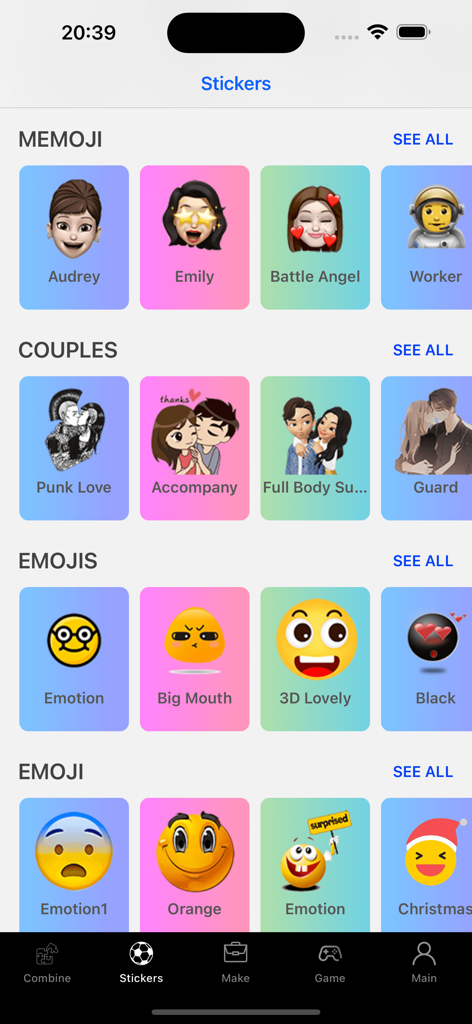
StickerMaker Keyboardアプリ内のカスタムステッカーや絵文字のライブラリがカテゴリ別に整理されている様子

StickerMaker Keyboardアプリ内のカスタムステッカーや絵文字のライブラリがカテゴリ別に整理されている様子

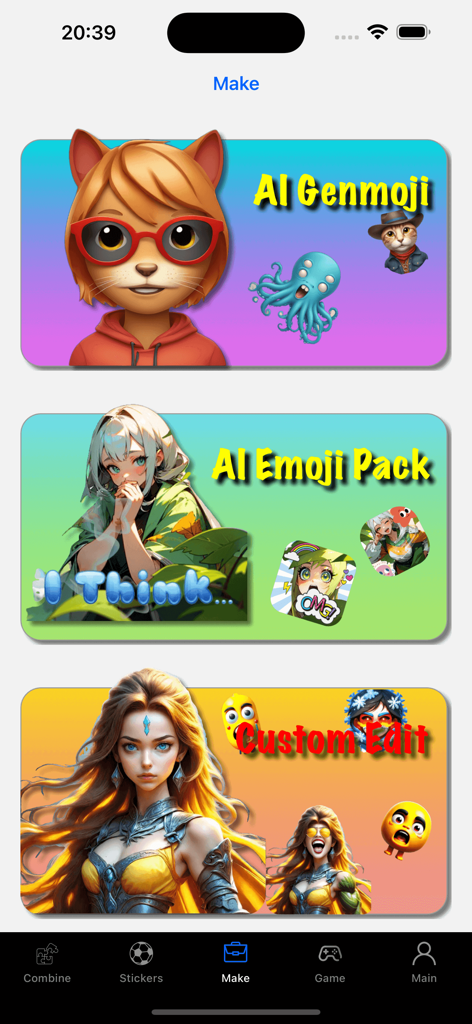
StickerMaker Keyboardのインターフェースに、AI Genmoji、AI Emoji Pack、Custom Editの機能が表示されている様子

StickerMaker Keyboardのインターフェースに、AI Genmoji、AI Emoji Pack、Custom Editの機能が表示されている様子

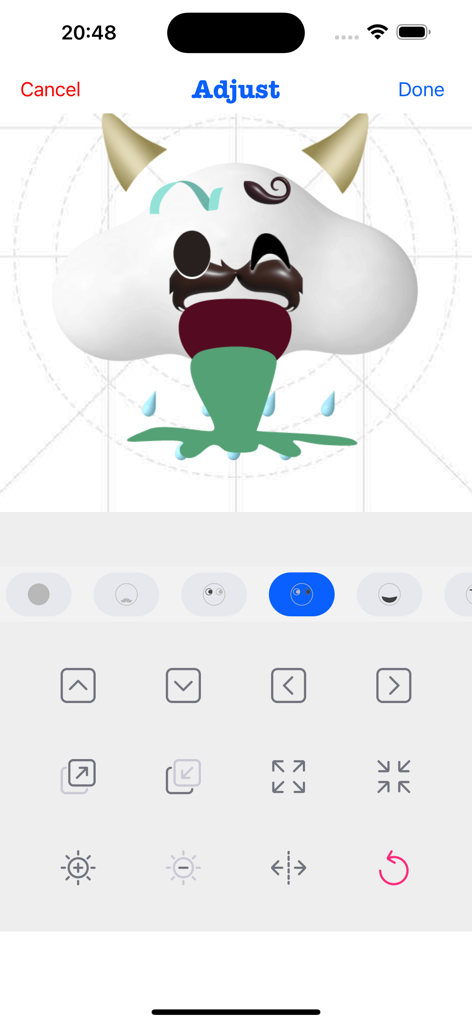
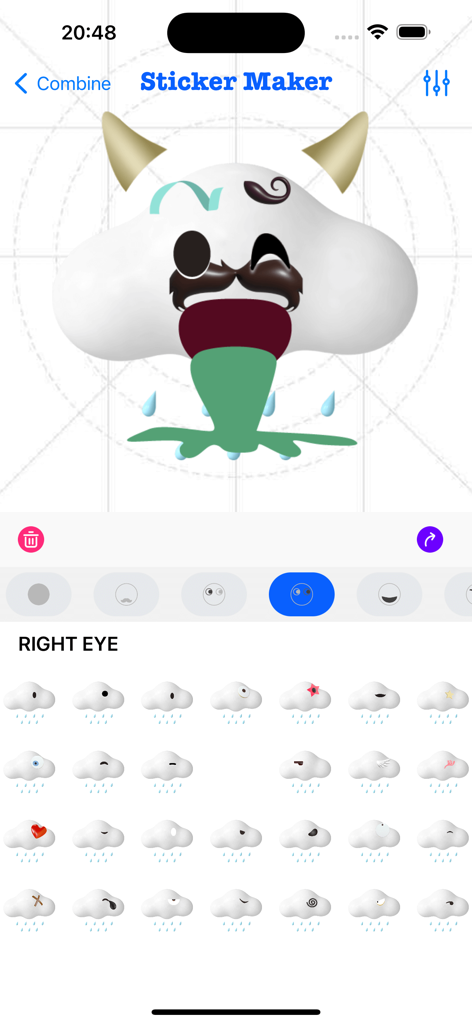
StickerMaker Keyboardアプリのインターフェースに、角とひげのあるカスタムの面白い雲の絵文字を調整しているユーザーが表示されている様子

StickerMaker Keyboardアプリのインターフェースに、角とひげのあるカスタムの面白い雲の絵文字を調整しているユーザーが表示されている様子

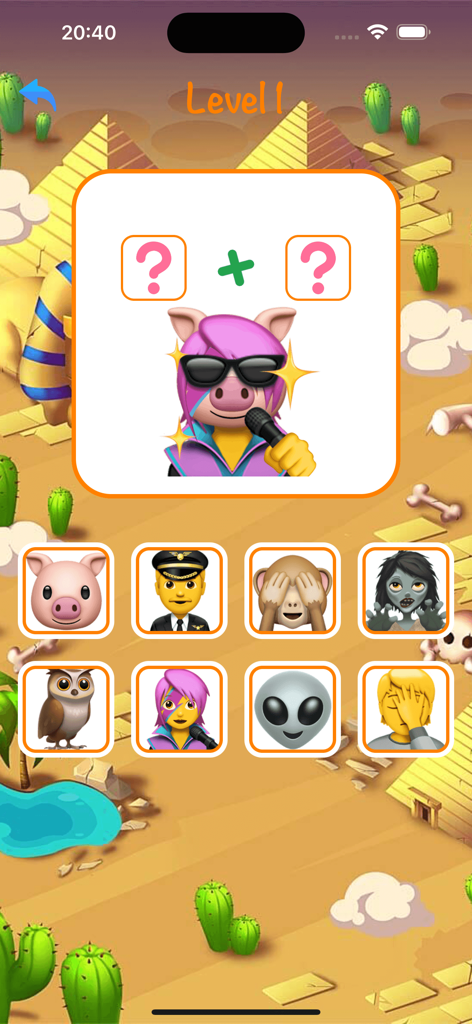
StickerMaker Keyboardアプリのモバイルゲームレベルで、歌う豚のステッカーを作成するための絵文字の組み合わせパズルが表示されている様子

StickerMaker Keyboardアプリのモバイルゲームレベルで、歌う豚のステッカーを作成するための絵文字の組み合わせパズルが表示されている様子

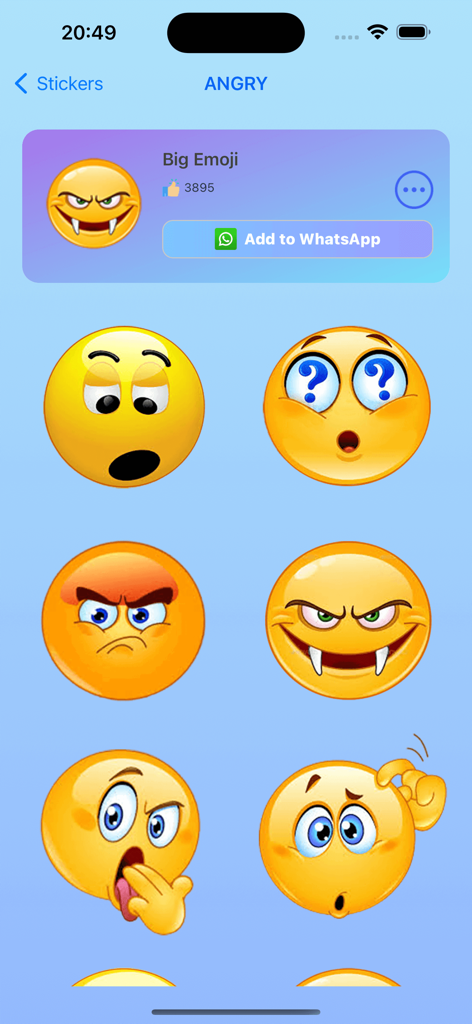
StickerMaker Keyboardアプリ内のカスタムの怒った面白い絵文字ステッカーのギャラリー

StickerMaker Keyboardアプリ内のカスタムの怒った面白い絵文字ステッカーのギャラリー

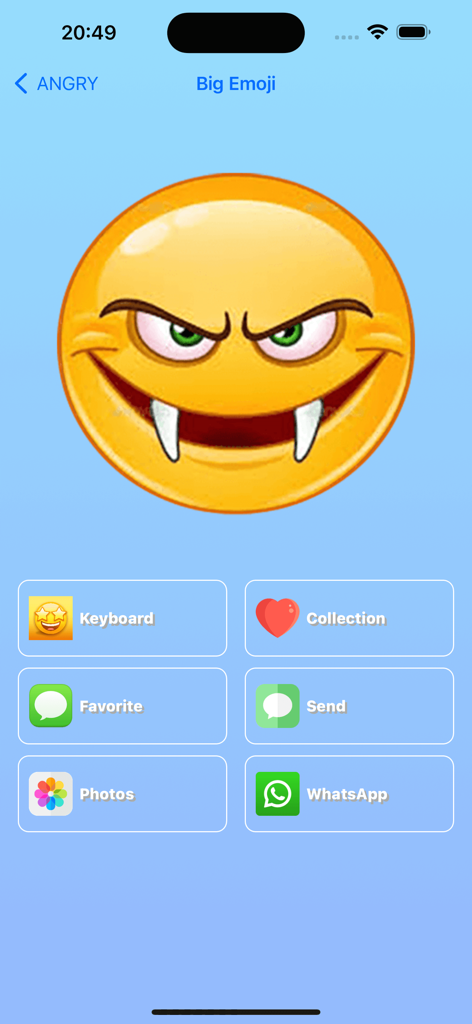
StickerMaker Keyboardアプリのインターフェースに、WhatsAppやiMessageの共有オプションが表示された、大きなカスタムの怒った吸血鬼の絵文字が表示されている様子

StickerMaker Keyboardアプリのインターフェースに、WhatsAppやiMessageの共有オプションが表示された、大きなカスタムの怒った吸血鬼の絵文字が表示されている様子

StickerMaker Keyboardのユーザーインターフェースで、異なるパーツを組み合わせてカスタム絵文字ステッカーを作成している様子

StickerMaker Keyboardのユーザーインターフェースで、異なるパーツを組み合わせてカスタム絵文字ステッカーを作成している様子

チャットゲームをレベルアップ

このアプリを際立たせるツール、 59K+ 人のユーザーが選択.

🎨

無限の絵文字ミキシング

お気に入りの表情を組み合わせて、他にはないユニークで「呪われた」、または面白いステッカーを作成しよう。

⌨️

シームレスなキーボードアクセス

アプリを切り替えることなく、iMessage、WhatsApp、TikTok内で直接カスタム作成物にアクセスして送信しよう。

バイラル絵文字テキスト

シンプルな言葉を、目を引く絵文字アートに変換して、ソーシャルプロフィールやDMを瞬時に目立たせよう。

アプリについて

について知っておくべきこと StickerMaker Keyboard*.

説明

Create your own stickers and combine them as you like. - Explore countless emoji combinations and use them in your chats - Use your imagination to combine different expressions to make them more interesting - Drag, zoom, and rotate them with your finger to make your stickers unique - Easily export your stickers to our keyboard, when you are chatting with other people, open our keyboard and send your exclusive stickers, go spoof your friends - Open the keyboard, click on the sticker, successfully copy it to the clipboard, click in your chat input box and paste it in, then you can successfully send it to your chat partner - Impress your friends with the StickerMaker Keyboar and get pranked by you Emoji Text feature: - You can convert a simple text, such as "Hello", into emoji text. It is best to make the emojis quite different, so that you can get a string of text. You just need to click "Copy" and paste it in other social software to amaze your friends. Here's how to create stickers with StickerMaker Keyboard. 1. Select Create New Sticker 2. Select different emoji options and find the sticker component you want in the sticker list 3. Make the sticker look more funny by dragging your finger or zooming and rotating, or you can make subtle adjustments to it through the Adjust module 4. If you don't want to be so complicated, you can skip all the above steps and go directly to the random generation option to get a spoof sticker directly. Maybe you will get an unexpected surprise Here's how to use the StickerMaker Keyboard. 1. First you need to go to System Settings -> Keyboard -> Third Party Keyboard, add our StickerMaker Keyboard to your favorite keyboards 2. Open WhatsApp, TikTok, iMessage or other chat software 3. Switch the keyboard and select our StickerMaker Keyboard 4. Click on the already created sticker to copy it to the clipboard 5. Double-click or long-press the chat input box, paste your exclusive sticker on it and click send Go prank your friends! Learn more about StickerMaker Keyboard! - Privacy Policy: https://www.freeprivacypolicy.com/live/e8e14320-ca09-41cf-970e-35697d7d50e9 - Terms of Service: https://www.freeprivacypolicy.com/live/3d291d75-66f9-4419-833d-516258ccfadf - Contact me: mah40445@gmail.com, if you have any suggestions, you can give me feedback by email, please bring StickerMaker Keyboard in the subject of the email, I will carefully check your feedback and optimize our products, looking forward to your feedback mail

最新バージョン

3.0.0

サイズ

95.1 MB

リリース日

2022年7月23日

グループチャットで勝利する準備はできましたか?

最も奇妙で、面白く、そして限定的なステッカーを作成する何千人ものクリエイターに参加しよう。今すぐStickerMaker Keyboardを入手して、iMessage、TikTok、WhatsAppで友人にいたずらを始めよう。

ダウンロード: App Store

App information, icons, screenshots, and descriptions displayed on this page are sourced from the Apple App Store and are the property of their respective developers. Download estimates and rankings are based on MWM's proprietary models and may not reflect actual figures. This page is provided for informational and analytical purposes only.

Believe this page infringes your intellectual property? File a dispute