SwiftyTerminal : Terminal

SwiftyTerminal : Terminal


ダウンロード: App Store
ロゴ: SwiftyTerminal : Terminal

SwiftyTerminal: iOS向けプロフェッショナルターミナル&スクリプティング環境

デスクトップクラスのCLIツールでiPhoneとiPadの能力を最大限に引き出しましょう。Pythonスクリプトを実行し、SSH経由でリモートサーバーを管理し、安全で高性能なサンドボックス内でモバイルワークフローをマスターしましょう。

ダウンロード: App Store

開発元

Hemal Modi

カテゴリ

Developer Tools

ダウンロード

100

ユーザー評価

1.0/5

評価数

0

対応言語

1

コマンドセンターに焦点を当てる

このインターフェースを利用する 100 人のユーザー.

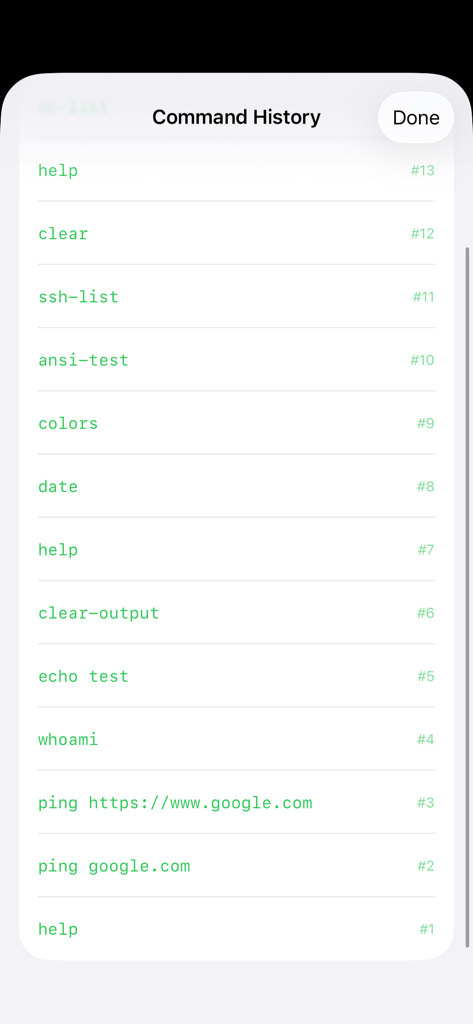
SwiftyTerminalのコマンド履歴画面。実行されたターミナルコマンドのリストが表示されています。

SwiftyTerminalのコマンド履歴画面。実行されたターミナルコマンドのリストが表示されています。

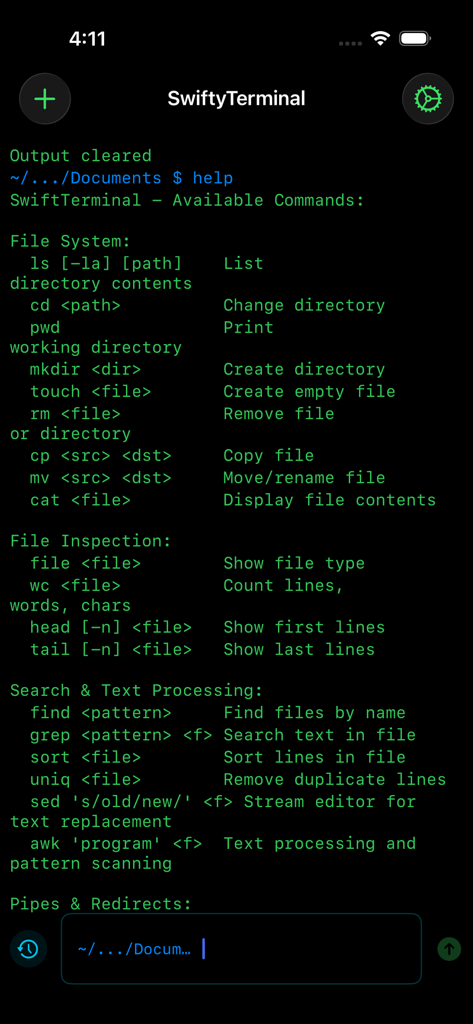
SwiftyTerminalでファイルシステム管理とテキスト処理に使用できるコマンドを表示するターミナルインターフェイス。

SwiftyTerminalでファイルシステム管理とテキスト処理に使用できるコマンドを表示するターミナルインターフェイス。

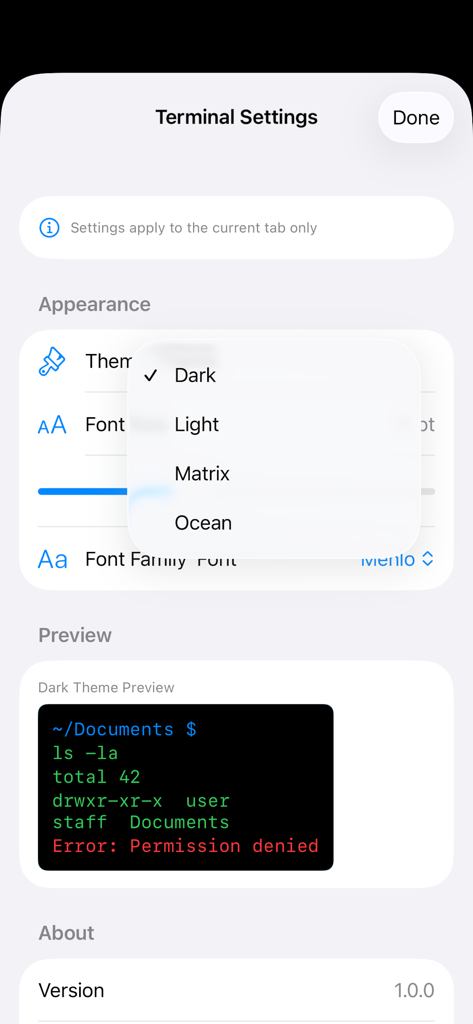
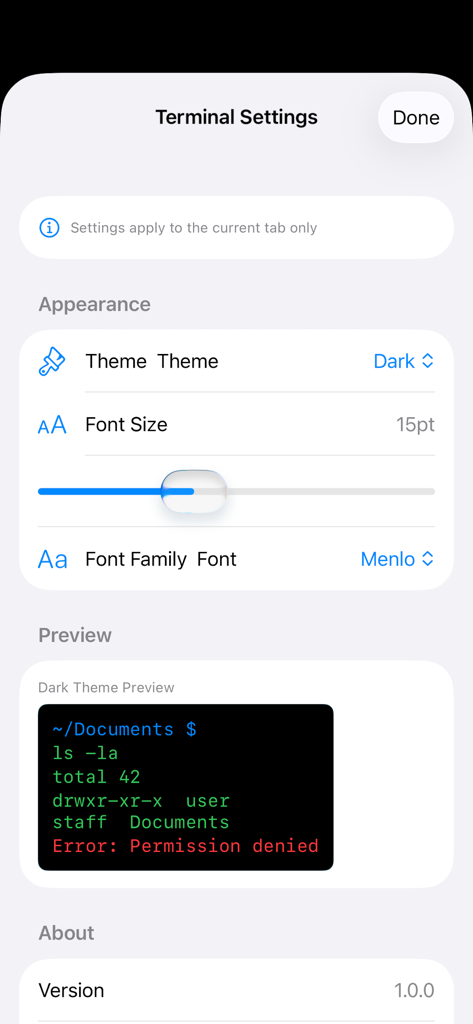
テーマ選択ドロップダウンと外観プレビューを備えたターミナル設定画面。

テーマ選択ドロップダウンと外観プレビューを備えたターミナル設定画面。

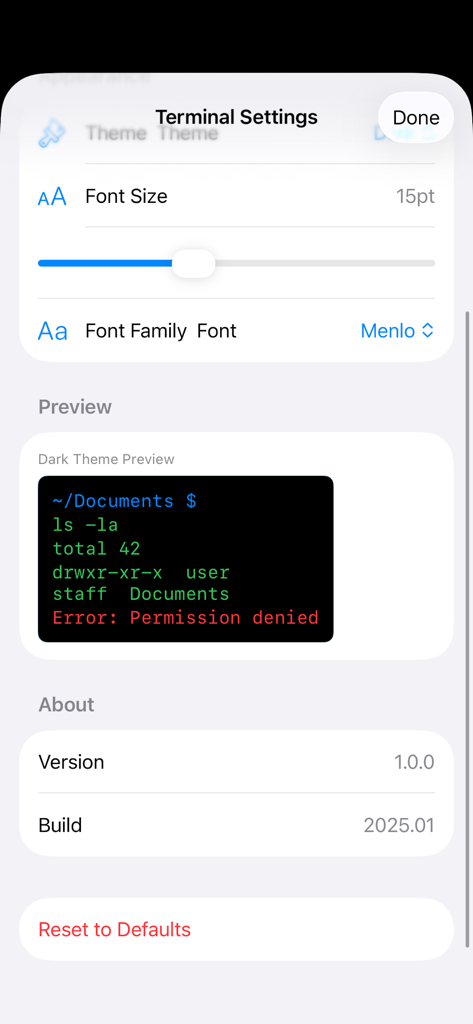
ターミナルプレビューウィンドウでフォントサイズとフォントファミリーのオプションを示すSwiftyTerminal設定画面。

ターミナルプレビューウィンドウでフォントサイズとフォントファミリーのオプションを示すSwiftyTerminal設定画面。

ターミナルプレビューでテーマ、フォントサイズ、フォントファミリーのオプションを示すSwiftyTerminal設定画面。

ターミナルプレビューでテーマ、フォントサイズ、フォントファミリーのオプションを示すSwiftyTerminal設定画面。

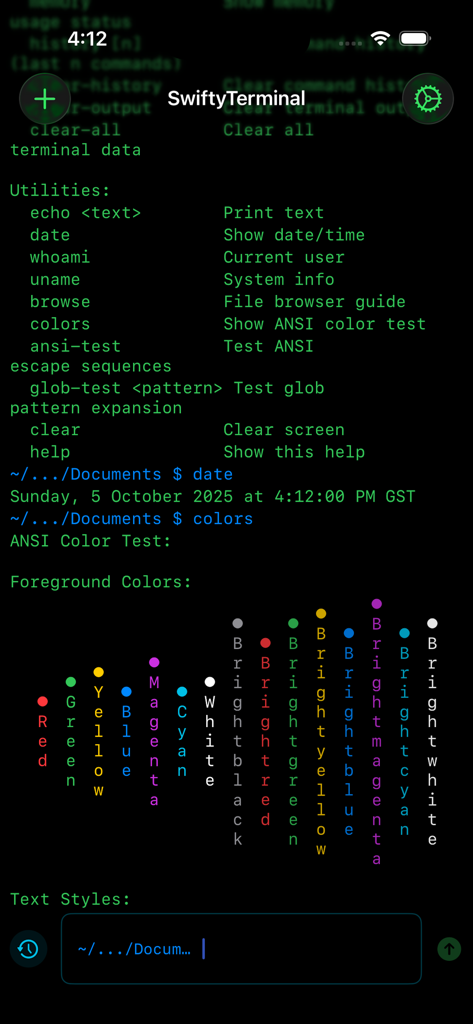
iPhone上のモバイルターミナルインターフェイス。コマンドユーティリティとANSIカラーテスト出力が表示されます。

iPhone上のモバイルターミナルインターフェイス。コマンドユーティリティとANSIカラーテスト出力が表示されます。

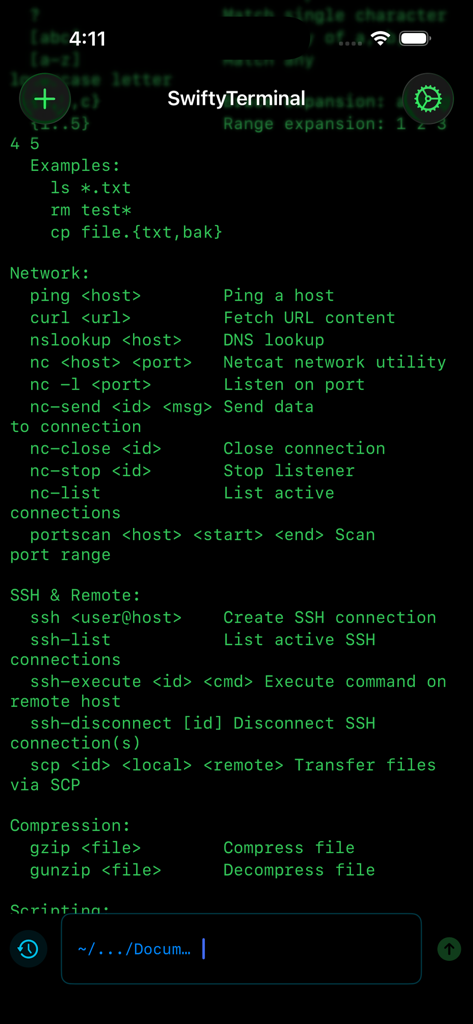
iOS上でネットワークおよびSSHターミナルコマンドを表示するSwiftyTerminalインターフェイス。

iOS上でネットワークおよびSSHターミナルコマンドを表示するSwiftyTerminalインターフェイス。

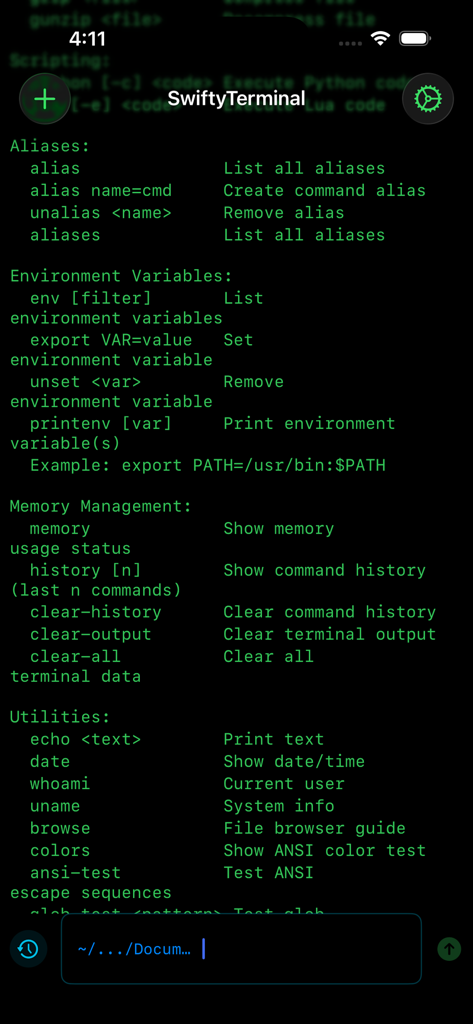
エイリアス、環境変数、システムユーティリティの利用可能なコマンドのリストが表示されたコマンドラインインターフェイスを表示するSwiftyTerminalアプリ画面。

エイリアス、環境変数、システムユーティリティの利用可能なコマンドのリストが表示されたコマンドラインインターフェイスを表示するSwiftyTerminalアプリ画面。

iOSでデスクトップパワーを解き放つ

このアプリを際立たせるツール、 100 人のユーザーが選択.

🌐

安全なリモートアクセス

SSH経由でサーバーに接続し、SCPでファイルを管理することで、いつでもどこでもインフラストラクチャの緊急事態に対応できます。

🐍

外出先でのスクリプティング

PythonやLuaスクリプトをデバイス上で直接実行し、ラップトップを必要とせずにワークフローを自動化したり、コードロジックをテストしたりできます。

🛠️

完全な開発者ツールセット

grep、curl、netcat、findを活用して、ネットワークを診断し、使い慣れた業界標準のコマンドを使用してデータを処理します。

アプリについて

について知っておくべきこと SwiftyTerminal : Terminal.

説明

SwiftyTerminal offers a robust terminal and scripting environment for your iPhone and iPad. Designed with developers, learners, and tech professionals in mind, it provides a secure and efficient command-line experience tailored for iOS. Unlock a comprehensive suite of commands for file system management. Easily list, create, rename, move, copy, and delete files or directories with powerful tools like ls, cd, mkdir, rm, and more. Stay informed with key system commands. Instantly access date, system details, environment variables, and command history using commands such as help, date, whoami, uname, and env. Effortlessly search and process data. Filter and analyze files with effective tools like find, grep, sort, and uniq, ensuring you have the information you need at your fingertips. Conduct thorough network diagnostics with ease. Utilize ping, curl, nslookup, and portscan to test network connections, and manage TCP connections with netcat, all from your device. Manage files efficiently with compression tools. Seamlessly compress or extract files using gzip and gunzip, while inspecting file types and contents directly within the terminal. Streamline your workflow with scripting support. Execute Python and Lua scripts directly from the app, making quick testing and automation tasks straightforward. Securely connect to remote servers with SSH. Execute commands remotely and transfer files with SCP, while managing multiple SSH sessions effortlessly. Customize your command-line environment for maximum efficiency. Personalize with aliases, environment variables, and themes, giving you full control over your workspace. Enjoy peace of mind with our secure sandbox. Every command runs in an isolated environment, guaranteeing your privacy and the safety of your data. Who Benefits from SwiftyTerminal - iOS and Swift developers - Students learning programming or scripting - Engineers and IT professionals - Anyone needing a mobile terminal environment Experience the power of a full terminal, the safety of iOS sandboxing, and the ease of a native mobile interface. Download SwiftyTerminal today and take command-line tools on the go.

最新バージョン

1.1

サイズ

1.5 MB

リリース日

2025年10月6日

どこでも使えるデスクトップクラスのターミナル

あなたのiPadやiPhoneをポータブルワークステーションに変える開発者やパワーユーザーのコミュニティに参加しましょう。安全でカスタマイズ可能、すぐに仕事に使えます。

ダウンロード: App Store

App information, icons, screenshots, and descriptions displayed on this page are sourced from the Apple App Store and are the property of their respective developers. Download estimates and rankings are based on MWM's proprietary models and may not reflect actual figures. This page is provided for informational and analytical purposes only.

Believe this page infringes your intellectual property? File a dispute