TAI: Comic Maker Manga, Manhwa

TAI: Comic Maker Manga, Manhwa


ダウンロード: App Store
ロゴ: TAI: Comic Maker Manga, Manhwa

TAI: コミックメーカー マンガ、マンファ:絵を描かずに自分だけのビジュアルストーリーを作成

アイデアをプロ並みのウェブトゥーンやコミックに変えましょう。キャラクターをデザインし、シーンを配置し、縦スクロールのマンファやクラシックなマンガのレイアウトをマスターしましょう — 絵のスキルは必要ありません。

開発元

CODEPILOT LIMITED

カテゴリ

Graphics & Design

ダウンロード

0

ユーザー評価

1.0/5

評価数

0

対応言語

1

あなたのビジョンをパネルに

このインターフェースを利用する 0 人のユーザー.

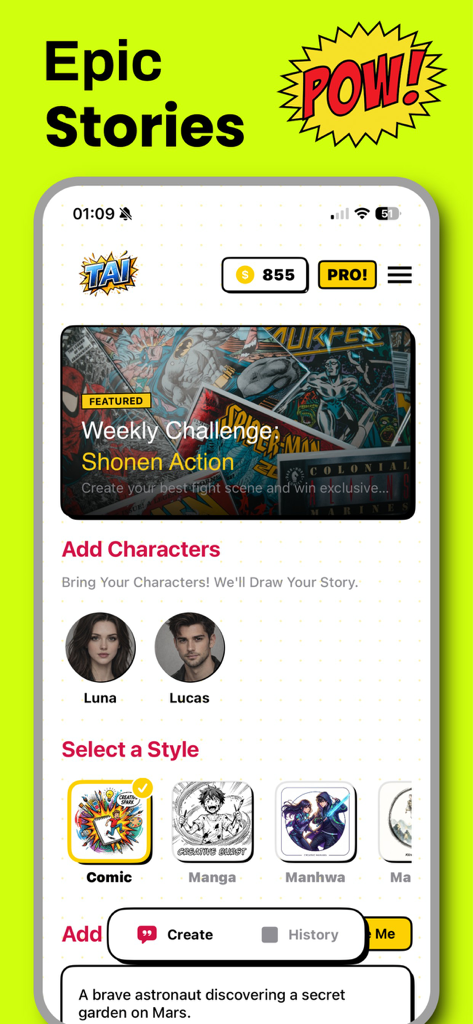
緑色の背景にポップアートスタイルのスーパーヒーローキャラクターと、コミック作成を促すテキスト

緑色の背景にポップアートスタイルのスーパーヒーローキャラクターと、コミック作成を促すテキスト

TAIコミックメーカーアプリのインターフェース。マンガとマンファのストーリー用のキャラクター選択とスタイルオプションが表示されている

TAIコミックメーカーアプリのインターフェース。マンガとマンファのストーリー用のキャラクター選択とスタイルオプションが表示されている

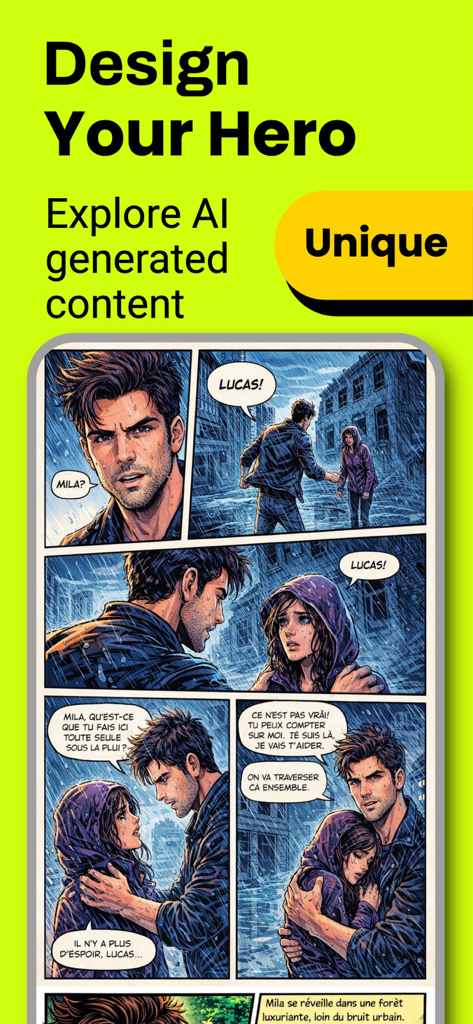
TAIコミックメーカーのインターフェース。キャラクターと対話を含むAI生成マンファパネルが表示されている

TAIコミックメーカーのインターフェース。キャラクターと対話を含むAI生成マンファパネルが表示されている

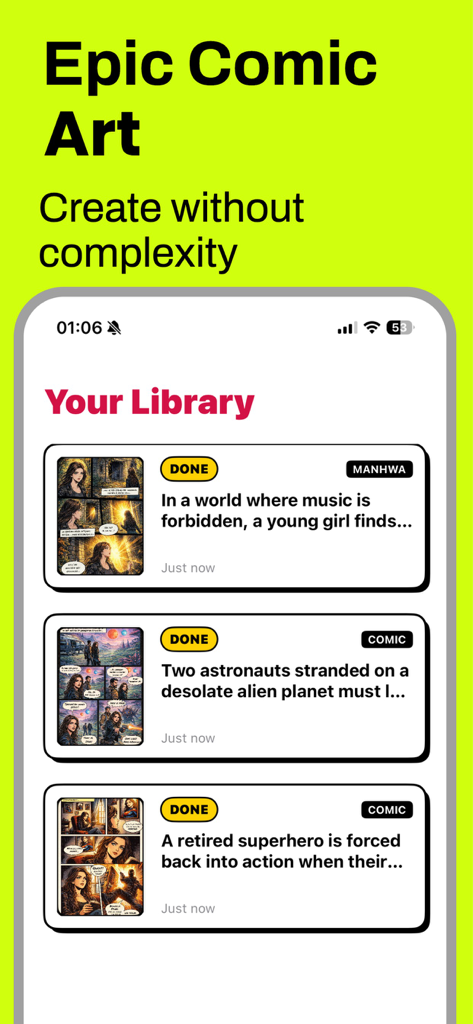
TAIコミックメーカーアプリの画面。タイトルとサムネイルが表示された作成済みマンガとマンファのストーリーのライブラリが表示されている

TAIコミックメーカーアプリの画面。タイトルとサムネイルが表示された作成済みマンガとマンファのストーリーのライブラリが表示されている

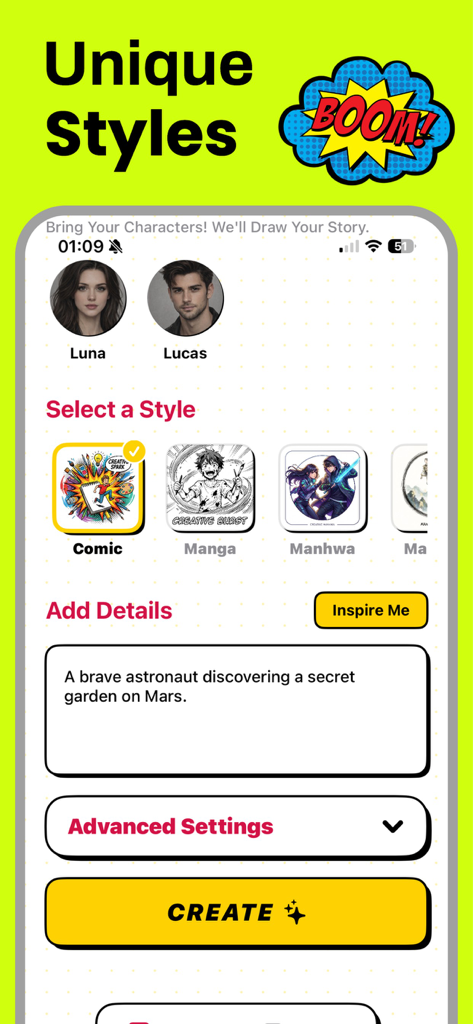
TAIコミックメーカーアプリのインターフェース。ストーリープロンプト入力フィールドを備えた、コミックマンガとマンファのスタイル選択が表示されている

TAIコミックメーカーアプリのインターフェース。ストーリープロンプト入力フィールドを備えた、コミックマンガとマンファのスタイル選択が表示されている

鉛筆を使わずに内なる漫画家を解き放つ

このアプリを際立たせるツール、 0 人のユーザーが選択.

学習曲線なしのプロのアート

カスタマイズ可能なキャラクターと表情豊かなポーズのライブラリを使用して、描画練習の年数をスキップし、すぐにキャストを構築しましょう。

📱

ウェブトゥーンとマンファに最適化

モバイルでの閲覧やソーシャル共有に特化して調整された、シームレスな縦スクロールレイアウトと鮮やかなカラーページをデザインしましょう。

🗯️

ダイナミックな映画的ストーリーテリング

プロの吹き出し、映画的な背景、アクション満載の視覚効果を追加して、あなたの物語を生き生きとさせましょう。

アプリについて

について知っておくべきこと TAI: Comic Maker Manga, Manhwa.

説明

Comic Maker Manga & Manhwa is a powerful and easy-to-use creation tool designed for anyone who wants to turn ideas into stunning visual stories. Whether you dream of creating manga, manhwa, or western-style comics, this app gives you everything you need to build your own comic universe from scratch — no drawing skills required. With Comic Maker, you can design characters, arrange scenes, and create professional-looking comic pages in multiple styles. The app supports classic black-and-white manga layouts, colorful comic pages, and modern vertical manhwa formats optimized for mobile reading. This flexibility allows creators to produce content suitable for both traditional comic readers and today’s digital-first audience. Bring your stories to life with customizable panels, expressive character poses, dynamic backgrounds, and visual effects. Add speech bubbles, narration boxes, and sound effect texts to enhance storytelling and create immersive scenes. Whether you are working on an action-packed adventure, a romantic drama, a fantasy world, or a darker seinen-inspired story, Comic Maker adapts to your creative vision. The vertical scrolling format makes it easy to create manhwa-style stories ideal for mobile platforms, while horizontal and panel-based layouts are perfect for manga and classic comics. Every element is designed to help you focus on storytelling, pacing, and atmosphere rather than complex technical tools. Comic Maker is suitable for writers, storytellers, content creators, and comic enthusiasts of all levels. Beginners can start quickly with ready-to-use templates, while experienced creators can fine-tune details and build long-running series. You can save your projects, edit them anytime, and prepare them for sharing or publishing. Creating comics no longer requires expensive software or advanced illustration skills. Comic Maker simplifies the process while maintaining a professional result. Build your characters, shape your narrative, and transform your imagination into a visual story that readers can enjoy anywhere. Start creating your own manga, manhwa, or comic today. Design your world, tell your story, and bring your ideas to life with Comic Maker. Privacy Policy : https://codepilotlimited.com/comicbookprivacy.html Terms of Use : https://codepilotlimited.com/comicbookterms.html

最新バージョン

6.0

サイズ

57.7 MB

リリース日

2026年1月15日

自分だけのウェブトゥーンを公開する準備はできましたか?

次世代のデジタルストーリーテラーに参加しましょう。アイデアを数分でプロのマンガやマンファに変えましょう — 絵のスキルは必要ありません。TAIをダウンロードして、最初のチャプターを今日から始めましょう。

ダウンロード: App Store

App information, icons, screenshots, and descriptions displayed on this page are sourced from the Apple App Store and are the property of their respective developers. Download estimates and rankings are based on MWM's proprietary models and may not reflect actual figures. This page is provided for informational and analytical purposes only.

Believe this page infringes your intellectual property? File a dispute