Talk Notes - Speech To Text

Talk Notes - Speech To Text

ダウンロード: App Store
ロゴ: Talk Notes - Speech To Text

Talk Notes - 音声認識:定期購入なしのプロ文字起こし

会議、インタビュー、講義を整理されたテキストに即座に変換します。Appleデバイスすべてで、無制限の録音、完全なプライバシー、そして買い切り型による永続的な価値を体験してください。

開発元

Nicolae Gherasim

カテゴリ

Productivity

ダウンロード

102K+

ユーザー評価

2.6/5

評価数

0

対応言語

1

すべてのフレームに精度を

このインターフェースを利用する 102K+ 人のユーザー.

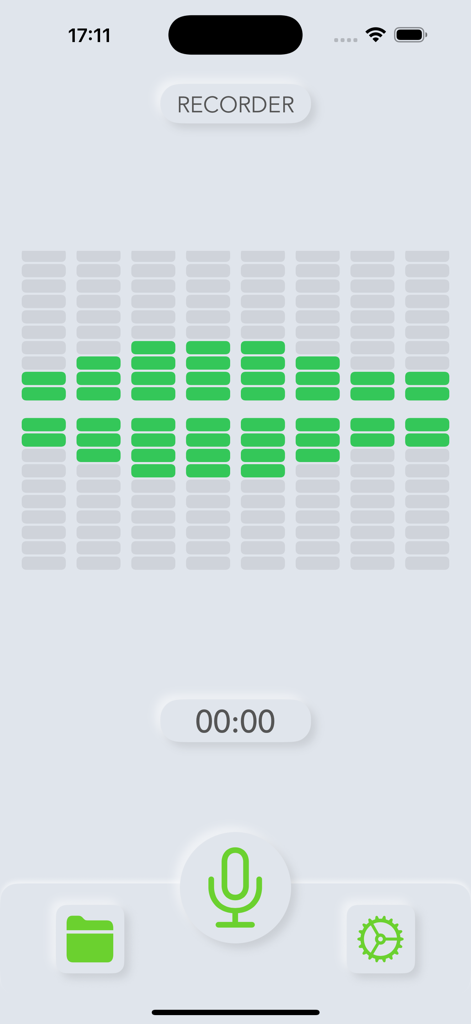
Talk Notesアプリのボイスレコーダーインターフェース、緑色のオーディオビジュアライザーとマイクアイコンが表示されています。

Talk Notesアプリのボイスレコーダーインターフェース、緑色のオーディオビジュアライザーとマイクアイコンが表示されています。

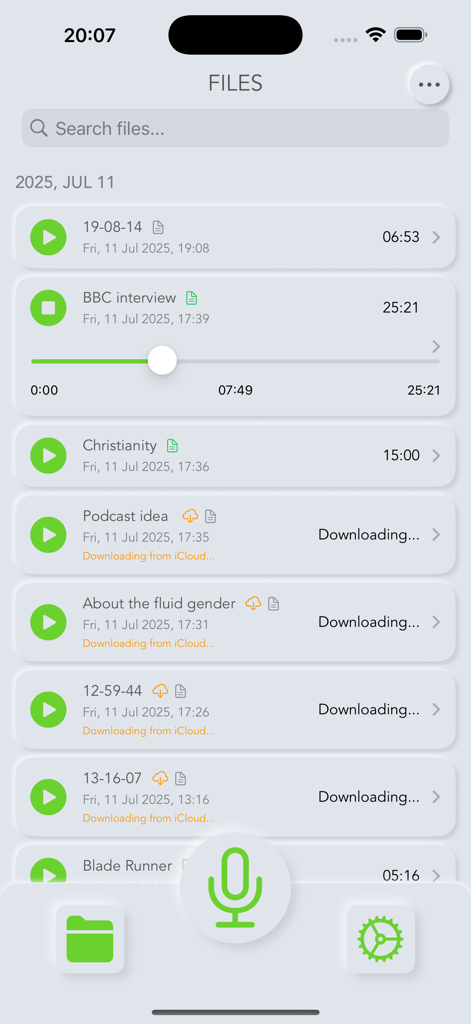
再生コントロールとiCloud同期ステータスラベル付きのボイスレコーディングリストを表示するユーザーインターフェース。

再生コントロールとiCloud同期ステータスラベル付きのボイスレコーディングリストを表示するユーザーインターフェース。

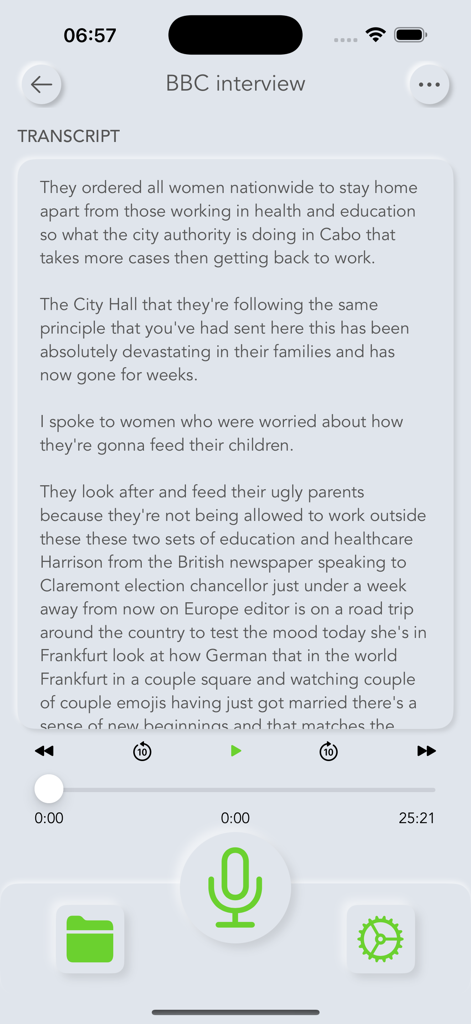
BBCのインタビューの文字起こしがTalk Notesモバイルアプリのインターフェース内に表示されています。

BBCのインタビューの文字起こしがTalk Notesモバイルアプリのインターフェース内に表示されています。

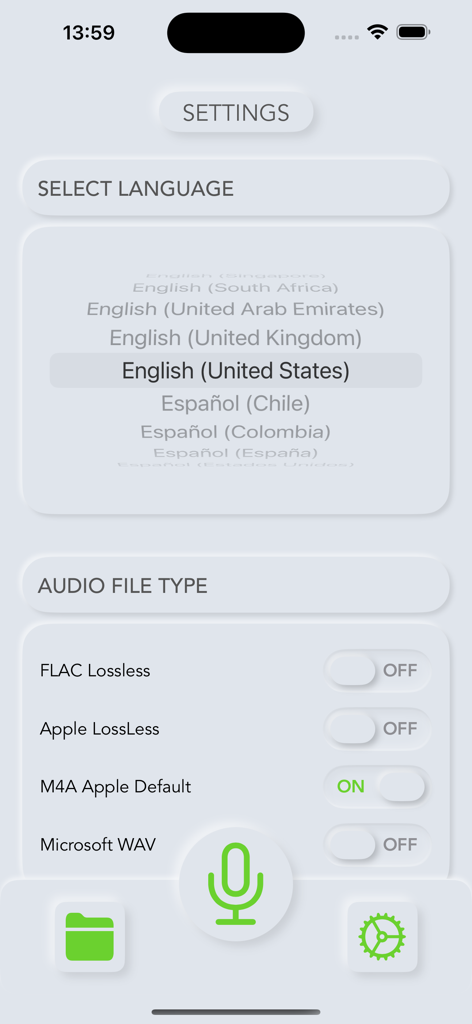
Talk Notesアプリの設定画面、英語(米国)の言語選択とオーディオファイルタイプのオプションが表示されています。

Talk Notesアプリの設定画面、英語(米国)の言語選択とオーディオファイルタイプのオプションが表示されています。

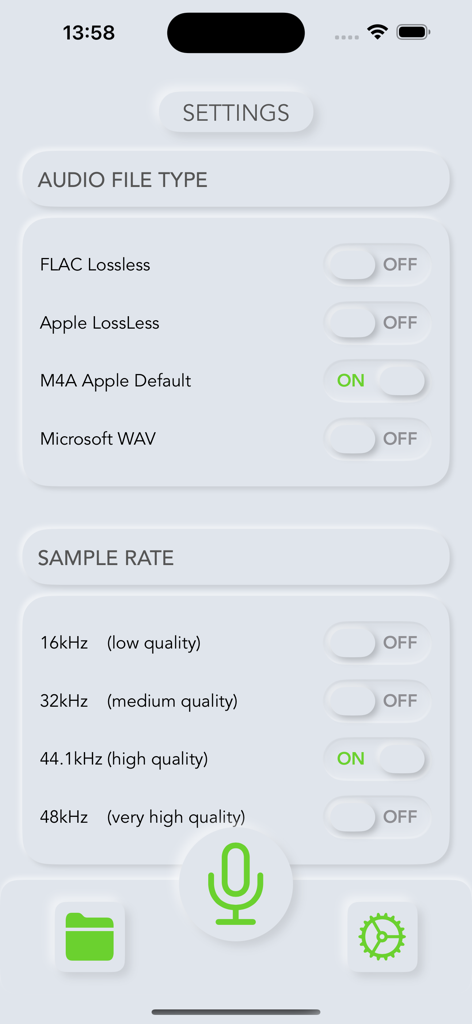
Talk Notesの設定画面、オーディオファイルタイプとサンプルレートの選択オプションが表示されています。

Talk Notesの設定画面、オーディオファイルタイプとサンプルレートの選択オプションが表示されています。

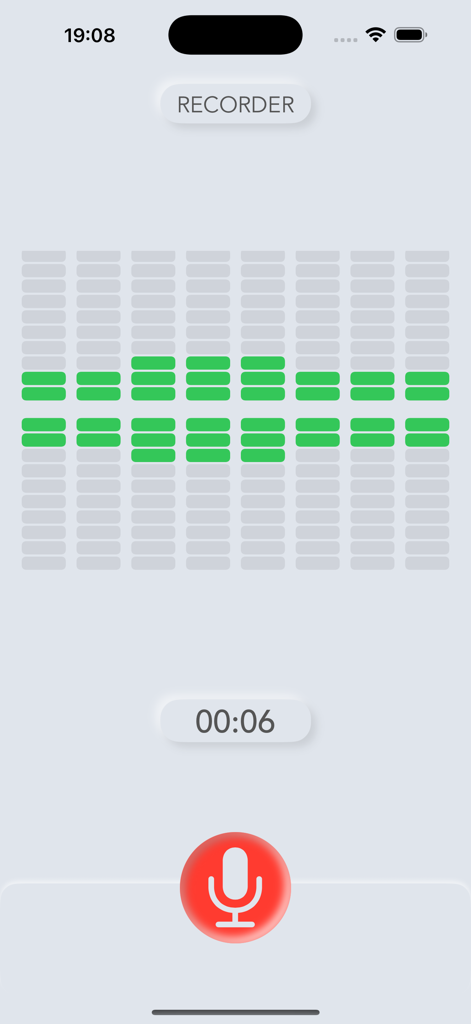
Talk Notesアプリのインターフェース、緑色のサウンドウェーブビジュアライザーと赤いマイクボタンを備えたアクティブなオーディオ録音セッションが表示されています。

Talk Notesアプリのインターフェース、緑色のサウンドウェーブビジュアライザーと赤いマイクボタンを備えたアクティブなオーディオ録音セッションが表示されています。

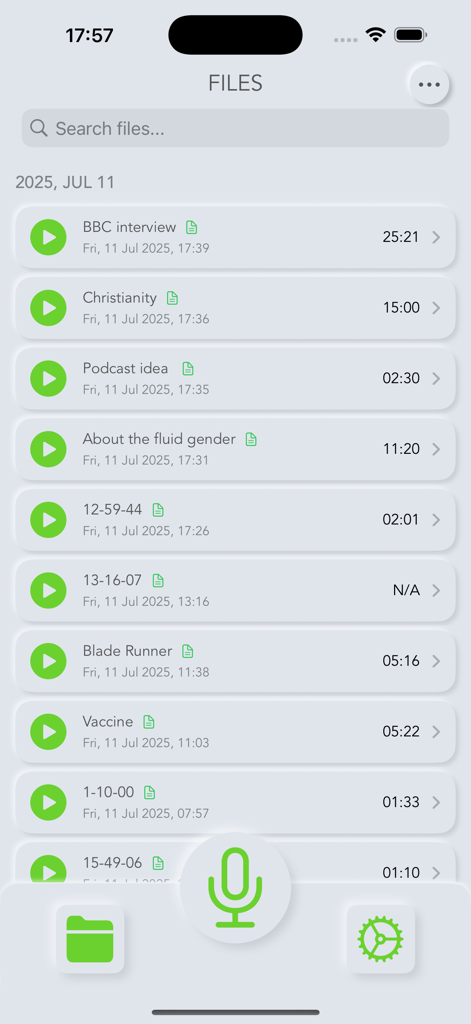
Talk Notesアプリの画面、保存されたボイスレコーディングのリストと録音ボタンが表示されています。

Talk Notesアプリの画面、保存されたボイスレコーディングのリストと録音ボタンが表示されています。

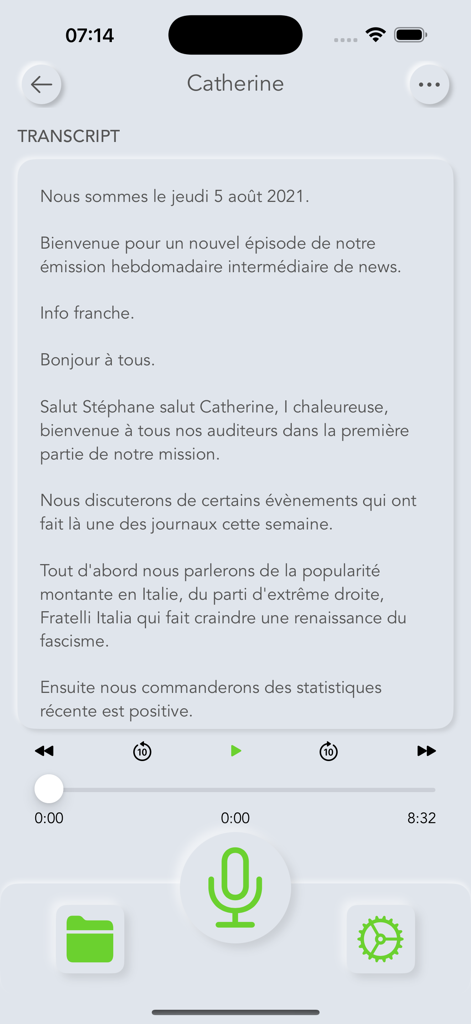
Talk Notesアプリのスクリーンショット、再生コントロールと大きな緑色のマイクボタンを備えた、ボイスレコーディングからの文字起こしテキストが表示されています。

Talk Notesアプリのスクリーンショット、再生コントロールと大きな緑色のマイクボタンを備えた、ボイスレコーディングからの文字起こしテキストが表示されています。

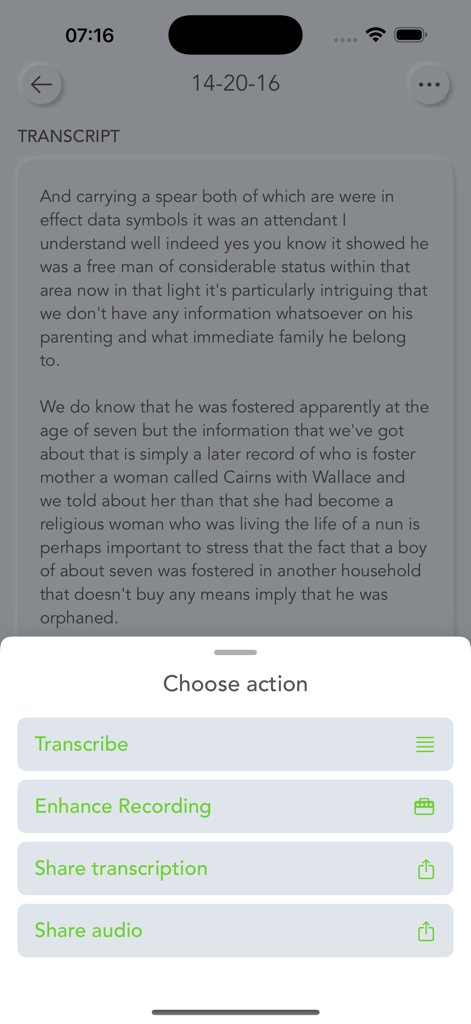
Talk Notesアプリのインターフェース、テキストの文字起こしと、文字起こし、強化、共有のオプションがあるメニューが表示されています。

Talk Notesアプリのインターフェース、テキストの文字起こしと、文字起こし、強化、共有のオプションがあるメニューが表示されています。

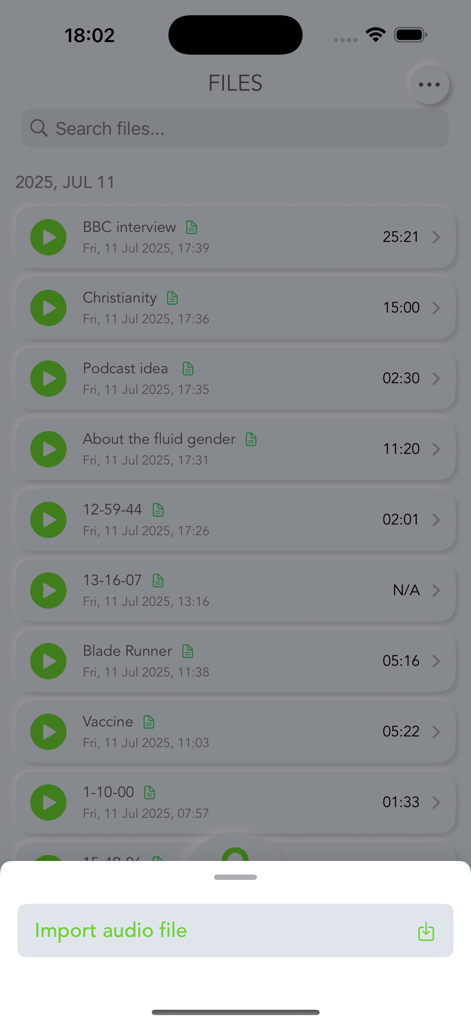
Talk Notesアプリのボイスレコーディングと文字起こしのリスト、オーディオファイルのインポートオプションが表示されています。

Talk Notesアプリのボイスレコーディングと文字起こしのリスト、オーディオファイルのインポートオプションが表示されています。

定期購入なしで、手間いらずの文字起こし

このアプリを際立たせるツール、 102K+ 人のユーザーが選択.

💸

買い切り型

月々の支払いをやめましょう。無制限の文字起こしと高品質な録音を、一度だけの価格で取得できます—継続的な料金や隠れたコストはありません。

🔒

プライバシー重視のデザイン

あなたの機密性の高いインタビューやメモはプライベートなままです。Appleのネイティブフレームワークを使用しているため、データは安全に処理され、第三者と共有されることはありません。

☁️

シームレスなApple連携

iPhoneで録音し、Macで検索可能なテキストを見つけましょう。iCloudのパワーを使って、すべてのデバイスで即座に同期します。

アプリについて

について知っておくべきこと Talk Notes - Speech To Text.

説明

Transform your voice into organized text with Talk Notes, the professional speech-to-text app that respects your privacy and budget. Whether you're recording meetings, conducting interviews, or capturing lecture notes, Talk Notes delivers accurate transcription without the ongoing subscription costs. COMPREHENSIVE RECORDING AND TRANSCRIPTION Talk Notes uses Apple's advanced speech recognition framework to deliver exceptional transcription accuracy. Record unlimited audio sessions with no time restrictions, then transform your recordings into searchable text with a simple tap. The app automatically syncs with iCloud, ensuring your voice notes and transcriptions are available across all your Apple devices. DESIGNED FOR PROFESSIONALS AND STUDENTS Business professionals rely on Talk Notes for meeting transcription and voice memos that need to be shared with colleagues. Students use it to convert lengthy lectures into organized study notes. Journalists appreciate the reliable interview transcription capabilities. The app handles multiple audio formats including MP3, M4A, WAV, and FLAC, making it compatible with existing audio files from other recording devices. PRIVACY-FOCUSED APPROACH Talk Notes uses Apple's speech recognition technology for transcription, which processes audio according to Apple's privacy standards. While some audio may be sent to Apple's servers for processing (as with Siri and other Apple speech services), no data is shared with third-party transcription services or stored by Talk Notes itself. Your recordings remain under Apple's established privacy protections, and transcribed text is stored locally on your device with iCloud sync when enabled. ONE-TIME PURCHASE, LIFETIME VALUE Unlike competing transcription services that charge monthly subscription fees, Talk Notes requires only a single purchase. This approach saves users hundreds of dollars annually while providing unlimited access to all features including high-quality recording, accurate transcription, organized file management, and seamless sharing capabilities. ADVANCED FEATURES FOR POWER USERS The app offers customizable audio quality settings from 16kHz to 48kHz, allowing you to balance file size with recording quality. Background recording continues even when using other apps, with intelligent auto-pause when receiving phone calls. Export your transcriptions and audio files via email, AirDrop, or save them directly to your preferred cloud storage service. Download Talk Notes today and experience the freedom of converting speech to text without ongoing subscription costs or privacy concerns. Note: Transcription accuracy depends on audio quality and device capabilities. Some iOS versions may have time limitations for certain languages.

最新バージョン

8.1

サイズ

2.4 MB

リリース日

2020年6月27日

定期購入をやめて、精度を維持しよう。

定期購入なしで無制限かつプライベートな文字起こしを信頼する10万人以上のプロフェッショナルや学生に加わりましょう。買い切り型で、生産性が一生続きます。

ダウンロード: App Store

App information, icons, screenshots, and descriptions displayed on this page are sourced from the Apple App Store and are the property of their respective developers. Download estimates and rankings are based on MWM's proprietary models and may not reflect actual figures. This page is provided for informational and analytical purposes only.

Believe this page infringes your intellectual property? File a dispute