Transcribe - Speech to Text

Transcribe - Speech to Text

ダウンロード: App Store
ロゴ: Transcribe - Speech to Text

Transcribe - 音声テキスト化:会議とメモのためのAI搭載アシスタント

あらゆる音声、動画、ライブ音声を瞬時に正確なテキストと実用的なAI要約に変換します。手作業でのメモ取りをやめ、生産性を向上させている100万人以上のプロフェッショナルに加わりましょう。

開発元

DENIVIP Group OOO

カテゴリ

Utilities

ダウンロード

1M+

ユーザー評価

4.5/5

評価数

28K+

対応言語

12

効率を一目で確認

このインターフェースを利用する 1M+ 人のユーザー.

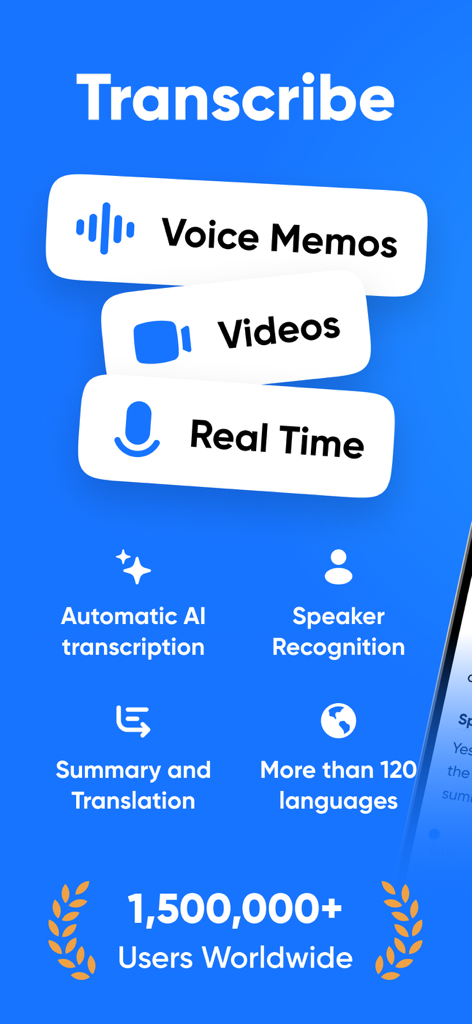
ボイスメモや動画用のAI文字起こし、話者認識、要約、翻訳を含むTranscribeアプリの機能概要。

ボイスメモや動画用のAI文字起こし、話者認識、要約、翻訳を含むTranscribeアプリの機能概要。

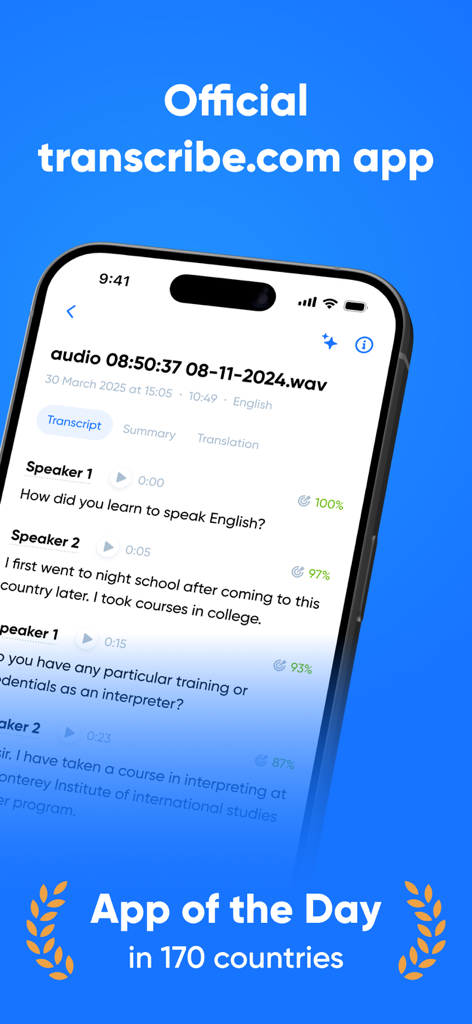
音声テキスト化と話者分離を備えたTranscribeアプリのインターフェースを示すスマートフォン。

音声テキスト化と話者分離を備えたTranscribeアプリのインターフェースを示すスマートフォン。

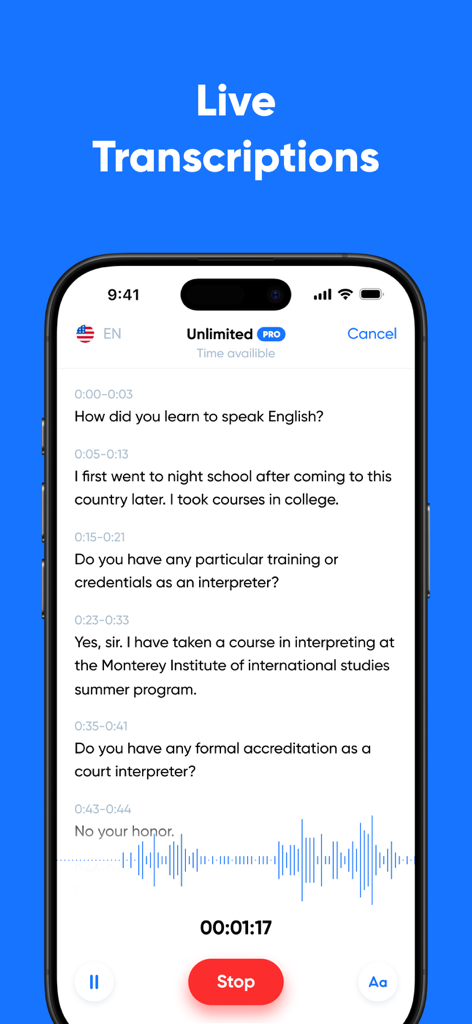
会話のライブ音声テキスト化と波形を表示するiPhoneインターフェース。

会話のライブ音声テキスト化と波形を表示するiPhoneインターフェース。

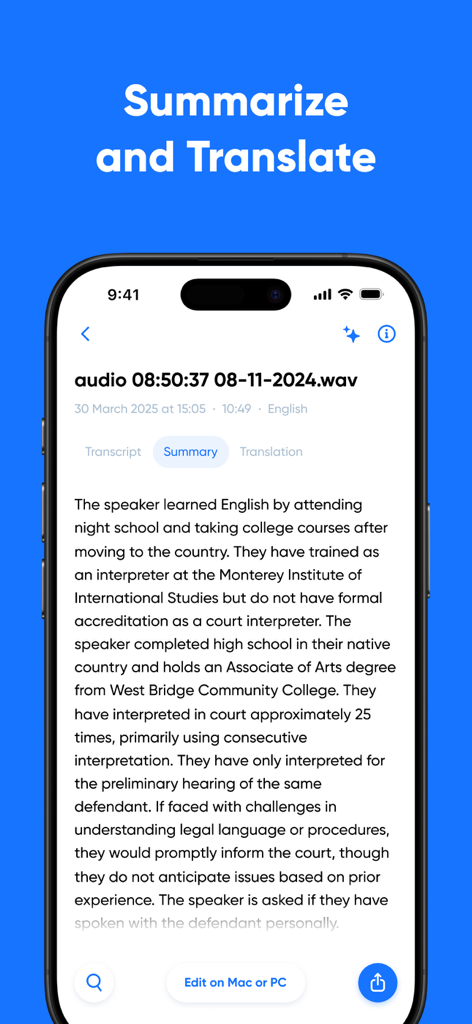
文字起こしされた音声録音のAI生成要約を示すスマートフォン。

文字起こしされた音声録音のAI生成要約を示すスマートフォン。

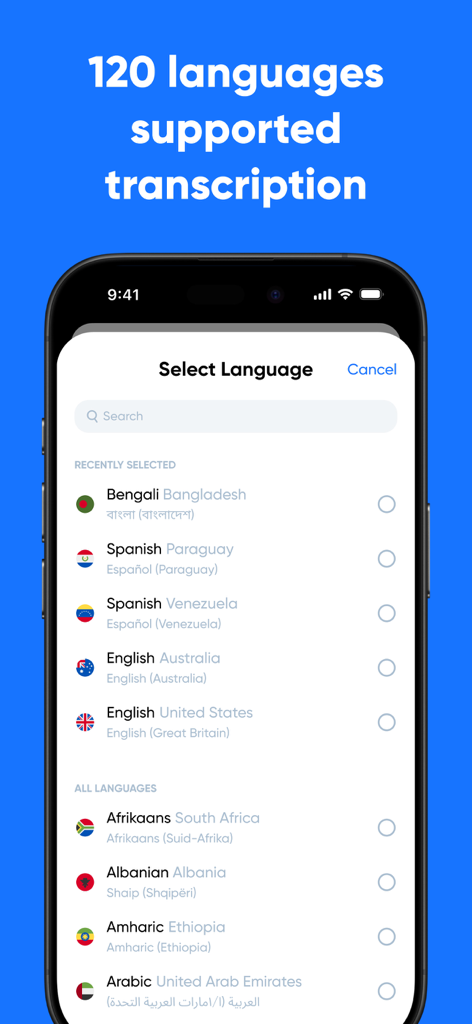
音声テキスト化でサポートされている120以上の言語が表示されたTranscribeアプリの言語選択メニューを示すスマートフォン画面。

音声テキスト化でサポートされている120以上の言語が表示されたTranscribeアプリの言語選択メニューを示すスマートフォン画面。

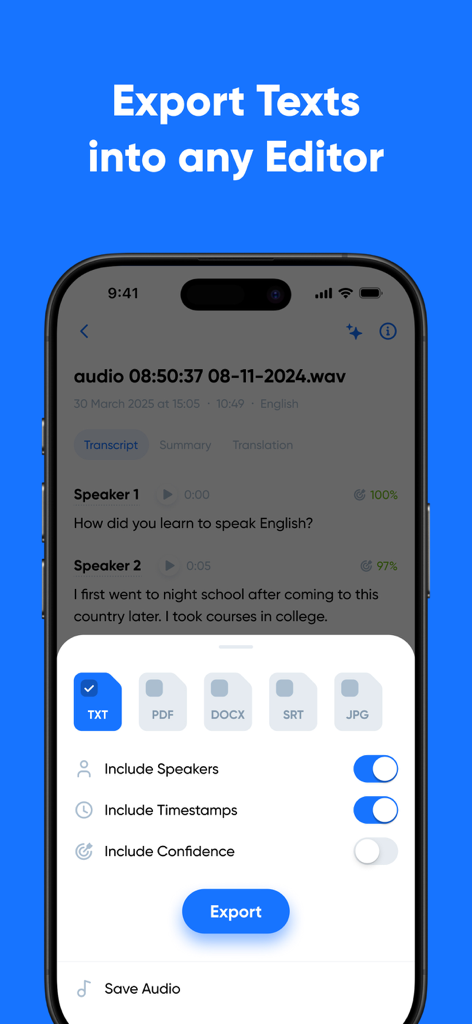
話者とタイムスタンプのトグルを備えたTXT、PDF、DOCX、SRTファイル形式のオプションを示すTranscribeアプリのエクスポート画面。

話者とタイムスタンプのトグルを備えたTXT、PDF、DOCX、SRTファイル形式のオプションを示すTranscribeアプリのエクスポート画面。

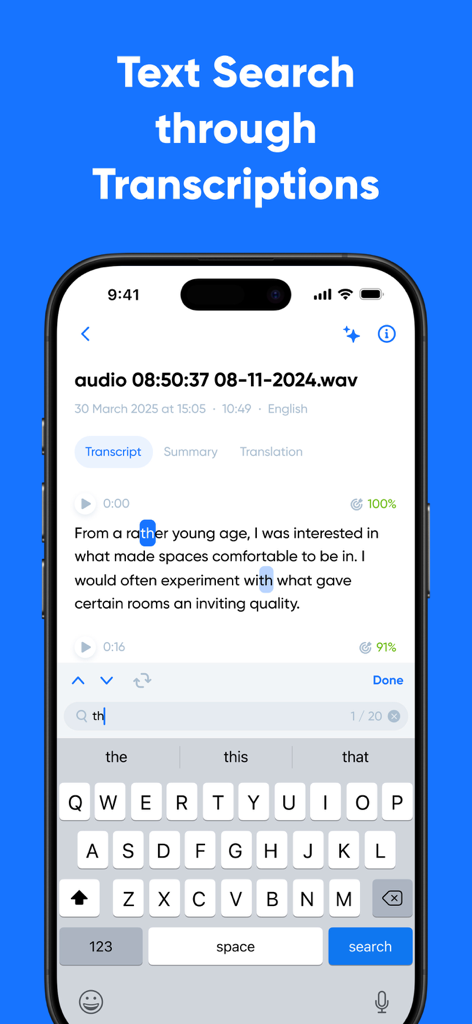
モバイル画面上の文字起こし内で単語を強調表示するテキスト検索機能を示すTranscribeアプリのスクリーンショット。

モバイル画面上の文字起こし内で単語を強調表示するテキスト検索機能を示すTranscribeアプリのスクリーンショット。

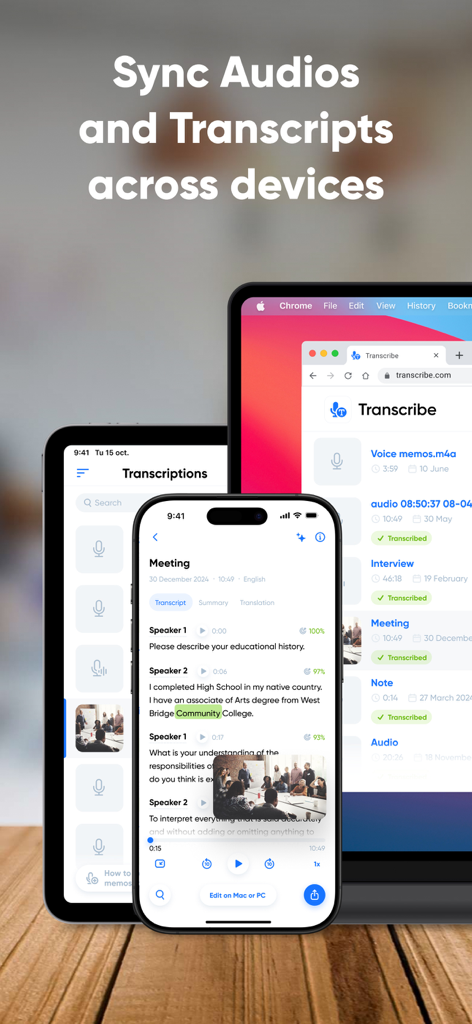
複数のデバイス間で音声とテキストの同期を示すTranscribeアプリのインターフェース。

複数のデバイス間で音声とテキストの同期を示すTranscribeアプリのインターフェース。

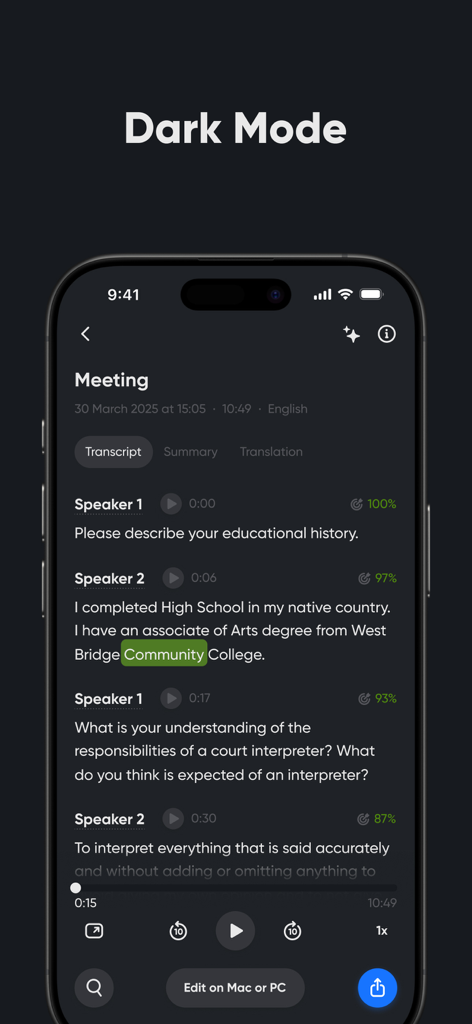
会議の文字起こしと話者分離を備えたダークモードのTranscribeアプリを示すiPhone画面。

会議の文字起こしと話者分離を備えたダークモードのTranscribeアプリを示すiPhone画面。

あらゆる会話を行動に変える

このアプリを際立たせるツール、 1M+ 人のユーザーが選択.

💡

AIによる要約

瞬時のTL;DR(要約)でレビュー時間を節約できます。AIが要点とアクションアイテムを抽出するので、全体像に集中できます。

✍️

プロフェッショナルな精度

話者分離とタイムスタンプによる正確な文字起こしを取得。役員会議、調査インタビュー、法律関連のメモに最適です。

🔄

ユニバーサルワークフロー同期

Zoom、Zapier、お気に入りのクラウドストレージとシームレスに連携し、モバイルからデスクトップまでドキュメント作成を自動化します。

アプリについて

について知っておくべきこと Transcribe - Speech to Text.

説明

Transcribe audio and video to text with Transcribe – your AI-powered transcription assistant. Get instant, high-quality transcripts, right from your phone. Whether you need to transcribe voice notes, meetings, interviews, lectures, or videos, our advanced AI provides you with fast, accurate, multilingual transcriptions – anytime, anywhere. We’ll even transcribe phone calls and WhatsApp voice messages. Transcribe live using our built-in voice recorder – simply hit record, start talking, and your words will appear on screen as you speak. Or upload an audio or video file to convert it to text in a matter of minutes – if not seconds. No more struggling to type as you listen. Transcribe does the hard work for you, so you can stay focused on the discussion. KEY FEATURES • Advanced AI transcription for files and live speech • Transcribe in 100+ languages and dialects • Generate AI-powered summaries and key points from your transcripts • Translate transcripts into 40+ languages • Free 30 minutes included for you to try it out Here’s a breakdown of Transcribe's key features: ADVANCED AI TRANSCRIPTION • Get instant, accurate transcripts with timestamps and speaker separation • Upload audio or video files, or transcribe live, as you speak MULTILINGUAL TRANSCRIPTION • Transcribe voice to text in 100+ languages and dialects • Translate transcripts into 40+ languages using our AI translator AI TRANSCRIPT EDITING TOOLS • Edit and refine your transcript within the app • Adjust speaker labels and format the transcript with paragraphs and rich-text formatting • Generate automated summaries – perfect for quick overviews and sharing key points FILE HANDLING AND SYNC • Import files from any device or cloud storage system • Supports all popular audio and video file formats • Seamlessly syncs your files across all your devices • Export transcripts to TXT, or upgrade to PRO to export to DOCX, PDF, SRT, and more INTEGRATIONS • Integrate with Zoom for seamless meeting transcripts • Automate your full transcription workflow with Zapier • Integrate with AI tools and assistants like Claude Desktop, Cursor, and Windsurf • Have transcripts delivered to your inbox with Email integration FAIR AND FLEXIBLE USAGE • Use time credits whenever you need them – they never expire • No limits on the number of files or transcriptions USE CASES • Transcribe meetings and business calls • Turn voice memos into readable notes • Transcribe interviews for articles or research • Create study materials from lectures and seminars • Convert WhatsApp messages or voicemails into text • Generate subtitles for videos to support accessibility • Summarize meetings or team calls • Translate spoken content into different languages TRANSCRIBE PRO Upgrade to unlock unlimited live transcription and get five additional hours of file transcription each month. With PRO, you can also export to DOCX, PDF, SRT, and other formats. Your transcripts and any unused time credits stay with you – even after your subscription ends. FREE TRIAL Download the Transcribe app today and get a free 30-minute trial to test the quality and see just how much time you could save. QUESTIONS? Email us at: support@transcribe.com Terms & Privacy: https://transcribe.com/terms

最新バージョン

4.21.9

サイズ

163.3 MB

リリース日

2017年6月7日

メモを取るのをやめて、行動を起こしましょう

毎週何時間も節約している100万人以上のプロフェッショナルや学生に加わりましょう。今日ダウンロードして、最初の30分間のAI音声文字起こしを無料でお試しください。

ダウンロード: App Store
FAQ

よくある質問

について知っておくべきこと Transcribe - Speech to Text

Transcribe - Speech to Textとは何ですか?

Transcribeは、音声とビデオをテキストに変換するAI搭載の文字起こしアシスタントです。モバイルデバイスまたはアップロードされたファイルから、即座に高品質で多言語のトランスクリプトを提供します。

Transcribeはリアルタイムの音声を文字起こしできますか?

はい、Transcribeはリアルタイムの音声を文字起こしできます。ユーザーは内蔵のボイスレコーダーを使用して、話している言葉を録音し、画面に表示させることができます。

Transcribeはどのファイル形式のアップロードをサポートしていますか?

Transcribeは、すべての一般的な音声およびビデオファイル形式のアップロードをサポートしています。任意のデバイスまたはクラウドストレージシステムからファイルをインポートできます。

Transcribeは文字起こしにいくつの言語をサポートしていますか?

Transcribeは120以上の言語と方言での文字起こしをサポートしています。また、40以上の言語へのトランスクリプトの翻訳も提供しています。

Transcribeは無料トライアルを提供していますか?

はい、Transcribeは無料トライアルを提供しています。アプリをダウンロードすると、ユーザーは30分間の無料文字起こしクレジットを受け取ります。

Transcribeのトランスクリプトのエクスポートオプションは何ですか?

ユーザーはトランスクリプトをTXT形式でエクスポートできます。Transcribe PROサブスクリプションでは、DOCX、PDF、SRTなどの追加のエクスポート形式が利用可能です。

Transcribeアプリを使用してトランスクリプトを要約することはできますか?

はい、TranscribeはAI搭載の要約と主要なポイントをトランスクリプトから生成します。この機能により、コンテンツの概要を素早く把握できます。

Transcribeはトランスクリプトで話者分離を提供していますか?

はい、Transcribeは話者分離を備えた、即座で正確なトランスクリプトを提供します。明確にするためにタイムスタンプも含まれています。

Transcribeはどのような連携をサポートしていますか?

Transcribeは、会議用のZoom、ワークフロー用のZapier、Claude Desktop、Cursor、WindsurfなどのAIツールと連携し、トランスクリプトのメール配信も提供します。

Transcribeの時間クレジットは無期限ですか?

はい、Transcribeの時間クレジットは失効しません。ユーザーはファイル数や文字起こしの回数に制限なく、いつでも利用できます。

Transcribeは複数のデバイス間でトランスクリプトを同期できますか?

はい、Transcribeはユーザーのファイルとトランスクリプトを、モバイルおよびデスクトップを含むすべてのデバイス間でシームレスに同期します。

App information, icons, screenshots, and descriptions displayed on this page are sourced from the Apple App Store and are the property of their respective developers. Download estimates and rankings are based on MWM's proprietary models and may not reflect actual figures. This page is provided for informational and analytical purposes only.

Believe this page infringes your intellectual property? File a dispute