TslaMirror

TslaMirror

ダウンロード: App Store
ロゴ: TslaMirror

TslaMirror: iPhoneアプリをTeslaの画面に直接ミラーリング

テクノロジーに精通したTeslaオーナーのための究極のソリューション。低遅延H.265ストリーミングで、お気に入りのiOSアプリをダッシュボードにキャストし、充電セッションを高生産性の体験に変えましょう—追加のハードウェアは不要です。

ダウンロード: App Store

開発元

Wuhan TrustComputing IT Co., Ltd.

カテゴリ

Utilities

ダウンロード

62K+

ユーザー評価

2.4/5

評価数

200

対応言語

2

大画面であなたのアプリを

このインターフェースを利用する 62K+ 人のユーザー.

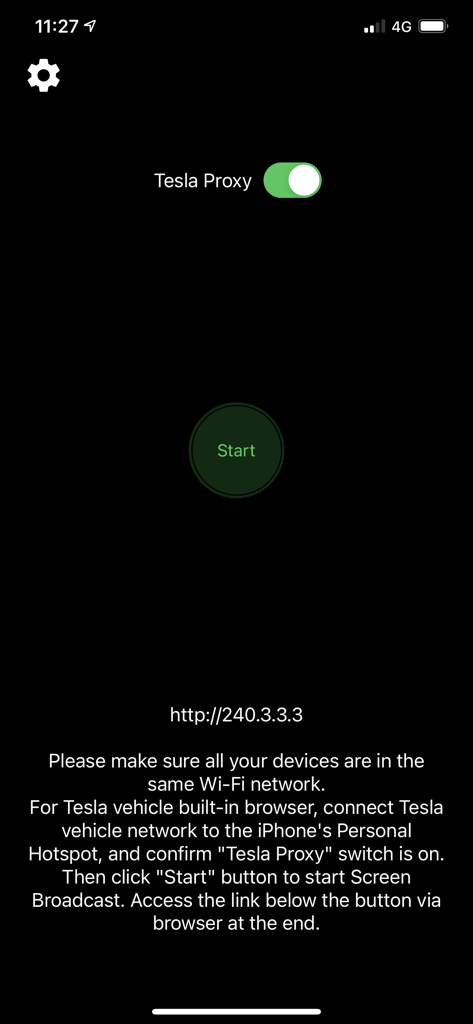
TslaMirrorアプリのインターフェース、Tesla Proxyトグルと開始ボタンを表示

TslaMirrorアプリのインターフェース、Tesla Proxyトグルと開始ボタンを表示

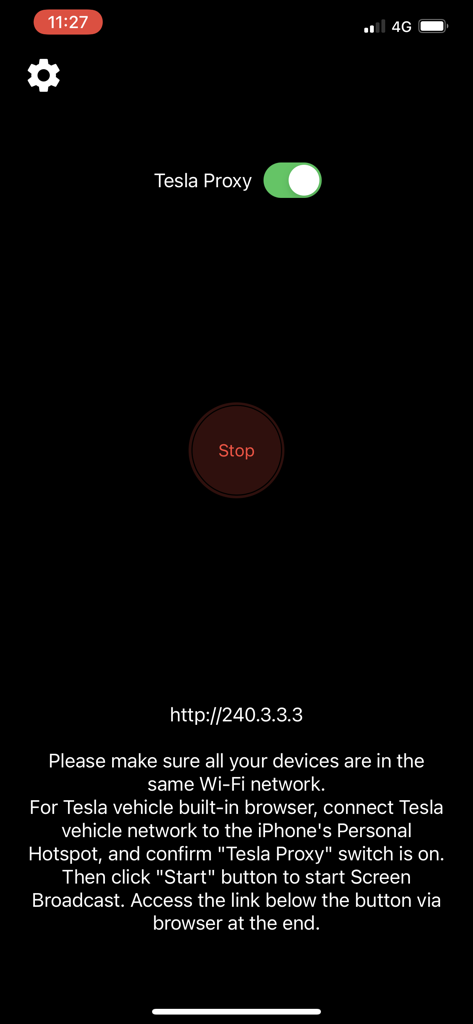
TslaMirrorアプリのインターフェース、Tesla Proxyが有効になっていることを示し、接続手順を表示

TslaMirrorアプリのインターフェース、Tesla Proxyが有効になっていることを示し、接続手順を表示

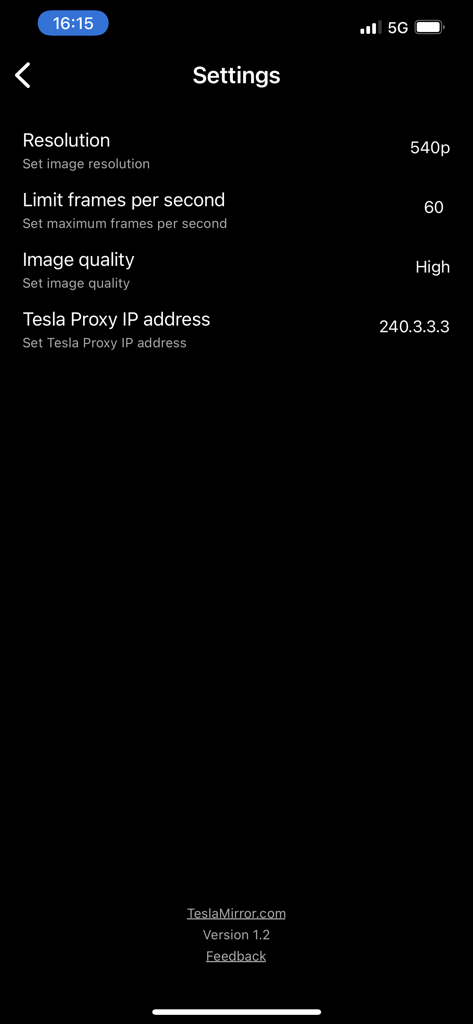
TslaMirrorアプリの設定メニュー、解像度、フレームレート、プロキシIPアドレスのオプションを表示

TslaMirrorアプリの設定メニュー、解像度、フレームレート、プロキシIPアドレスのオプションを表示

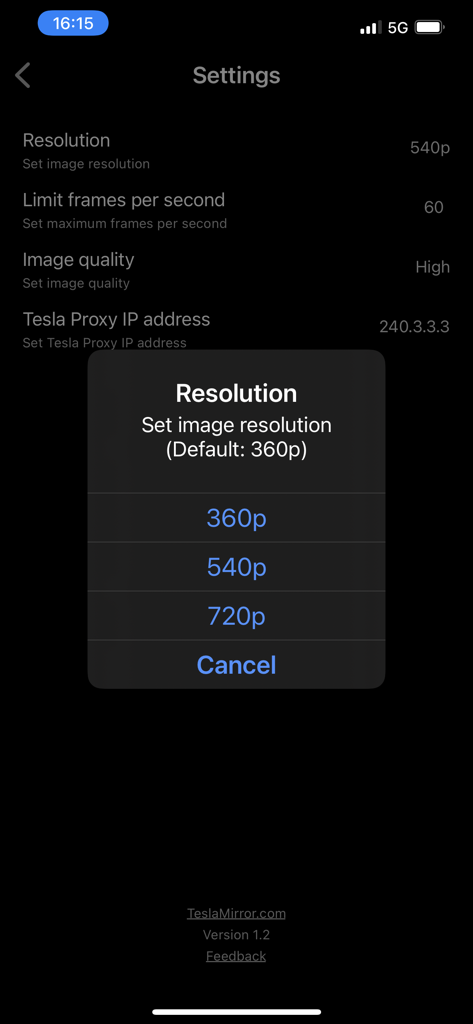
TslaMirrorアプリの設定メニュー、360p、540p、720pのオプションが表示される解像度選択ポップアップを表示

TslaMirrorアプリの設定メニュー、360p、540p、720pのオプションが表示される解像度選択ポップアップを表示

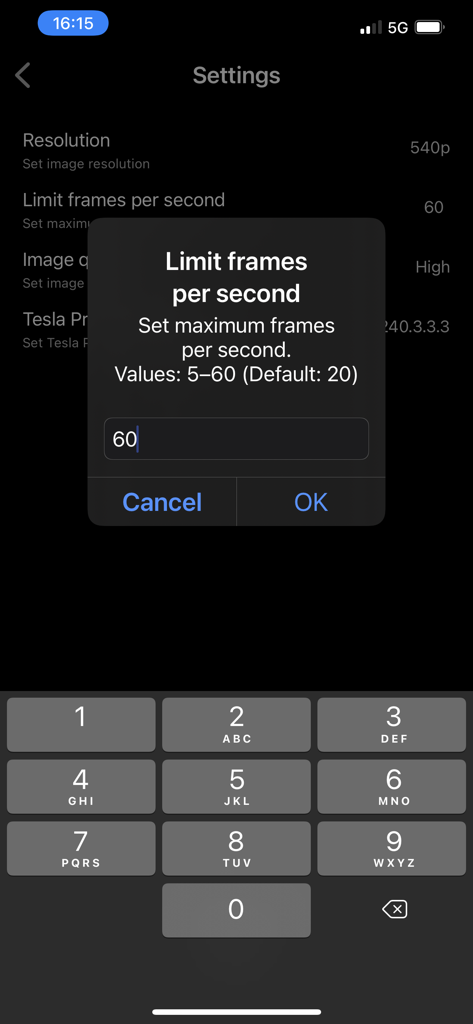
毎秒フレーム数を制限するためのTslaMirrorアプリの設定インターフェース

毎秒フレーム数を制限するためのTslaMirrorアプリの設定インターフェース

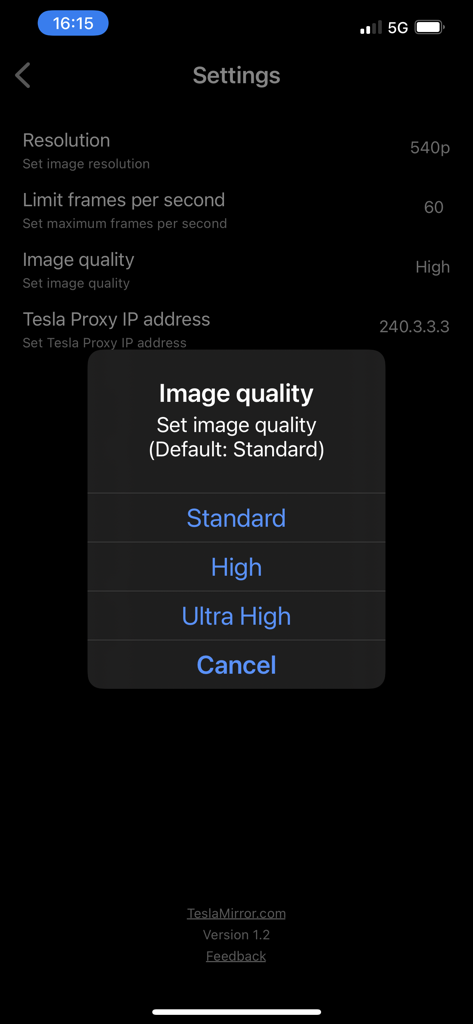
標準、高、または超高の画像品質を選択するためのポップアップメニューを表示するTslaMirrorアプリの設定画面

標準、高、または超高の画像品質を選択するためのポップアップメニューを表示するTslaMirrorアプリの設定画面

ダッシュボードの可能性を解き放つ

このアプリを際立たせるツール、 62K+ 人のユーザーが選択.

📱

大規模アプリミラーリング

画面を覗き込むのはもうやめましょう。Teslaの巨大な15インチディスプレイを使用して、スーパーチャージャーで待っている間に、お気に入りのiPhoneアプリや生産性ツールを表示できます。

🛡️

プライベート&セキュアな接続

あなたのデータは、あなたのパーソナルホットスポットから離れることはありません。外部サーバー、トラッキング、隠れたデータコストなしで、あなたの車のブラウザへの安全で直接的なストリームをお楽しみください。

Teslaハードウェアに最適化

MCU2およびMCU3システム用に特別に設計されており、Intel AtomおよびAMD Ryzenプロセッサーで高忠実度のH.265ストリーミングと最大1080p解像度をサポートします。

アプリについて

について知っておくべきこと TslaMirror.

説明

One-week free trial. TslaMirror is an app designed to mirror your iPhone apps to your Tesla’s built-in browser. Instructions for the Tesla built-in browser: 1. If possible, update your Tesla’s infotainment system to the most recent version. 2. Make sure the vehicle is PARKED (0 mph / 0 km/h). 3. Connect your Tesla to your iPhone Personal Hotspot (cellular data required). MCU2 or MCU3 hardware is required: available on Model 3 and Model Y, Model S built after March 2018, Model X built after March 2018, or vehicles upgraded from MCU1 to MCU2/3. 4. Ensure the iPhone is not in Low Power Mode. Launch the TslaMirror app and toggle on “Proxy.” 5. Tap “Start,” then select “Start Broadcast” to begin screen broadcast. 6. In your Tesla’s built-in browser, go to https://TslaMirror.com 7. Pinch in the browser to zoom in or out. 8. In H.264/H.265 mode, lossless audio playback is supported in the browser. 9. In MJPEG mode, only video is mirrored. For audio, use a Bluetooth connection from your iPhone to the Tesla’s speakers. 10. Keep your iPhone unlocked; due to Screen Broadcast API limitations, locking the screen stops casting and requires restarting the broadcast. Key Features 1. No additional internet traffic is used for mirroring; traffic stays on the iPhone’s Personal Hotspot. However, while the Tesla is connected to the hotspot, the vehicle may use your cellular data for its own internet access. 2. Private: the screencast is only available to devices connected to the iPhone Personal Hotspot Wi-Fi network. 3. A 5 GHz Personal Hotspot (supported from the iPhone 12 series) is highly recommended. Do not enable “Maximize Compatibility” on iPhone 12 models; enabling it forces a 2.4 GHz hotspot. 4. H.264/H.265 mirroring recommendations: – MCU3 (AMD Ryzen): H.265 mode with 720p@60 fps recommended, as 1080p requires higher bandwidth. MCU3 supports up to 1080p@60fps (H.264 and H.265). - H.265 playback is supported only on MCU3 or newer hardware. If your browser runs on MCU3 or higher-performance hardware, we recommend choosing H.265. H.265 delivers the best video quality. – MCU2 (Intel Atom): H.264 mode with 540p@30fps recommended. FAQ 1. This is not CarPlay. 2. iOS apps that use the AVPlayer framework (e.g., Apple Music, Netflix) are not supported. 3. Netflix is not supported. Privacy/Security Notice: This app does not collect usage statistics, personal information, or analytics. On iOS 13 and later, it uses Location Services only to read the Wi-Fi network name (SSID). Location data is never stored or collected. No information is stored by us. Disclaimer: This software and documentation are not affiliated with or endorsed by Tesla, Inc. Use at your own risk. We do not guarantee proper functioning. Some features require specific vehicle options (e.g., MCU2 or newer). The app uses interfaces similar to those used by official Tesla apps, but you are responsible for any changes to your car resulting from use. Use requires the vehicle’s built-in browser. We are not liable for any damages to you, your car, or any other property in conjunction with the use of this app. Warning and Legal Disclaimer: Use only while PARKED (0 mph / 0 km/h). Local laws may restrict the use of a built-in web browser in a vehicle. Terms of Use (EULA): https://teslamirror.com/terms.html Privacy Policy: https://teslamirror.com/privacy.html

最新バージョン

9.56

サイズ

13.1 MB

リリース日

2020年12月11日

あなたにふさわしいダッシュボードをアンロック

62,000人以上のTesla愛好家に加わりましょう。今すぐ1週間の無料トライアルを開始し、次のスーパーチャージャーセッション中にシームレスなiPhoneミラーリングを体験してください。

ダウンロード: App Store

App information, icons, screenshots, and descriptions displayed on this page are sourced from the Apple App Store and are the property of their respective developers. Download estimates and rankings are based on MWM's proprietary models and may not reflect actual figures. This page is provided for informational and analytical purposes only.

Believe this page infringes your intellectual property? File a dispute