Vector Calculator Plus

Vector Calculator Plus


ダウンロード: App Store
ロゴ: Vector Calculator Plus

Vector Calculator Plus:ベクトルの計算、可視化、加算を即座にマスター

STEM学生や教育者が、大きさ(magnitude)と方向(direction)を計算し、カスタムベクトルグラフを生成し、実験レポートや授業計画用の高品質画像をエクスポートするための必須ツールです。

ダウンロード: App Store

開発元

Heng Jia Liang

カテゴリ

Utilities

ダウンロード

300

ユーザー評価

1.0/5

評価数

0

対応言語

1

すべてのベクトルを可視化

このインターフェースを利用する 300 人のユーザー.

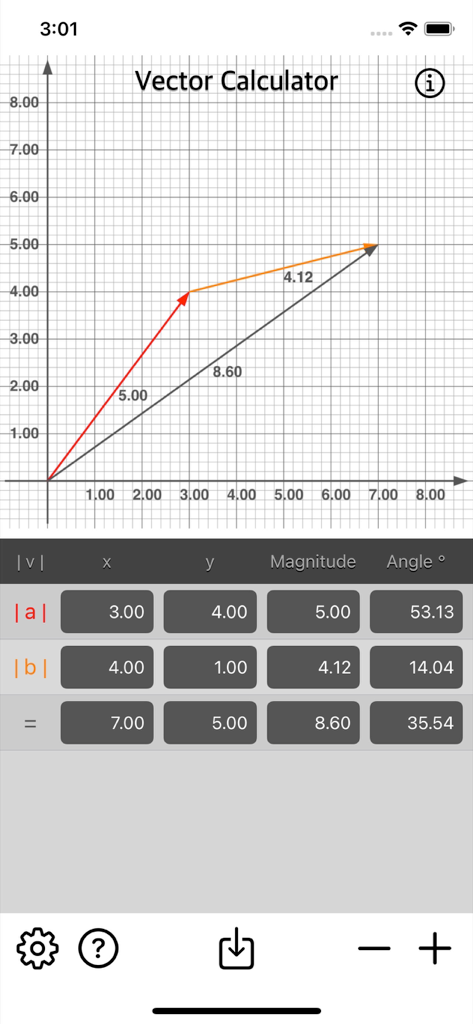
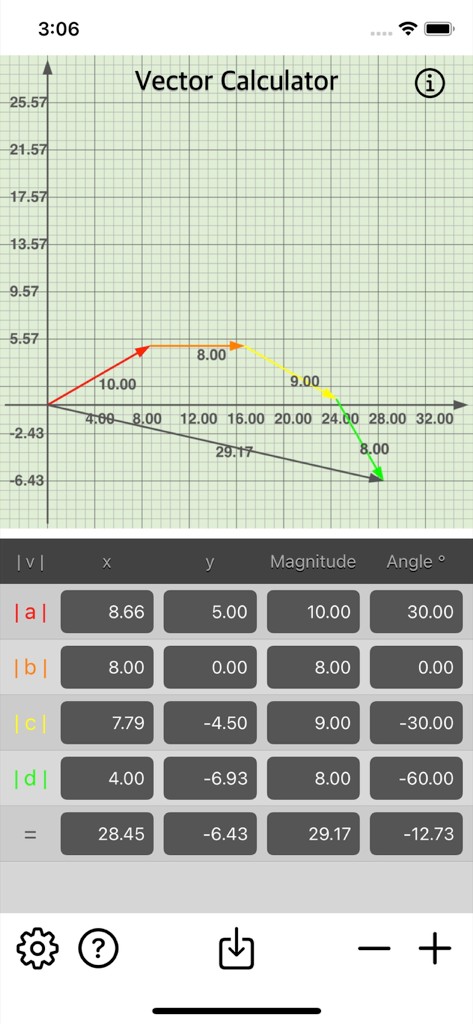
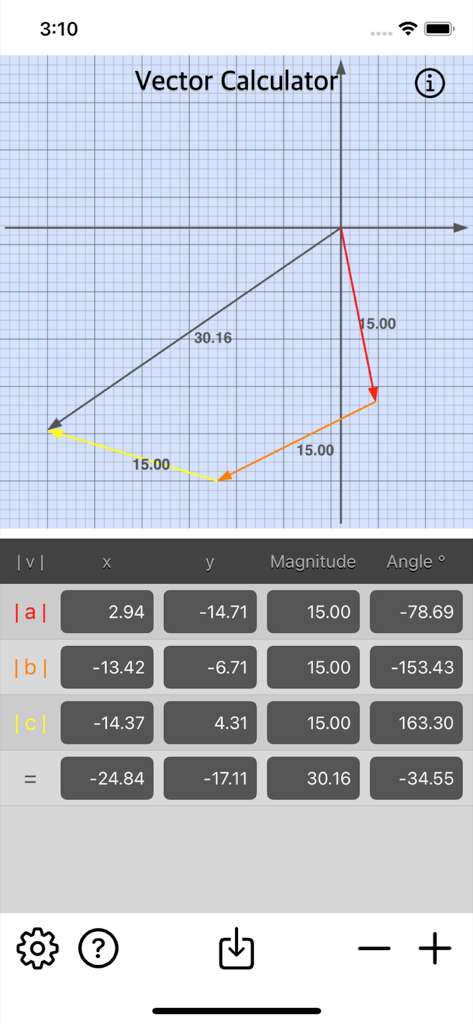
ベクトルの加算グラフとデータテーブルを表示するVector Calculator Plusのモバイルアプリインターフェース

ベクトルの加算グラフとデータテーブルを表示するVector Calculator Plusのモバイルアプリインターフェース

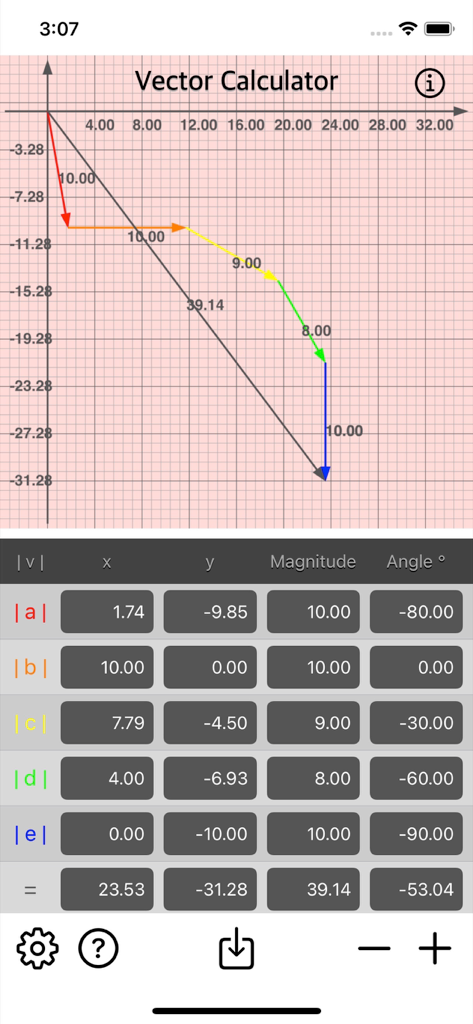
ベクトル加算グラフと大きさ(magnitude)および角度(angle)の計算テーブルを表示するVector Calculator Plusのインターフェース

ベクトル加算グラフと大きさ(magnitude)および角度(angle)の計算テーブルを表示するVector Calculator Plusのインターフェース

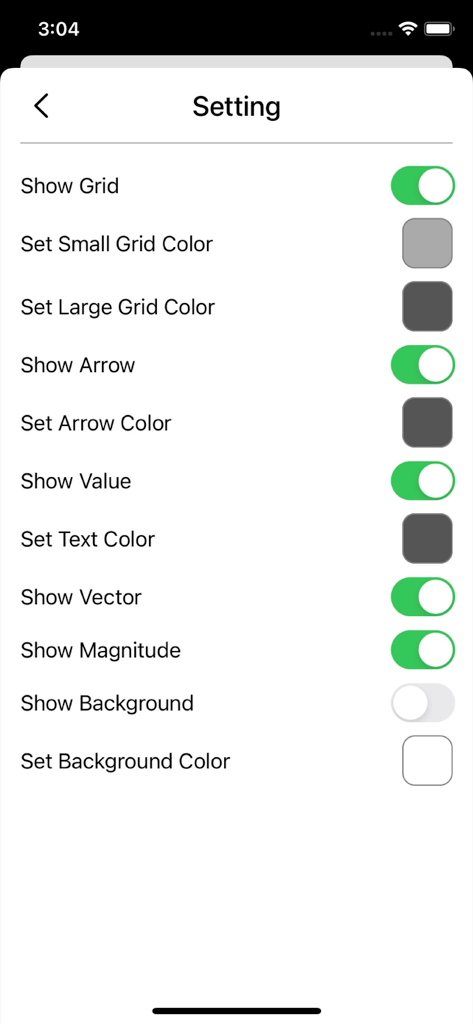
グリッドや矢印の色など、ベクトルグラフの外観のカスタマイズオプションを示すVector Calculator Plusアプリの設定画面

グリッドや矢印の色など、ベクトルグラフの外観のカスタマイズオプションを示すVector Calculator Plusアプリの設定画面

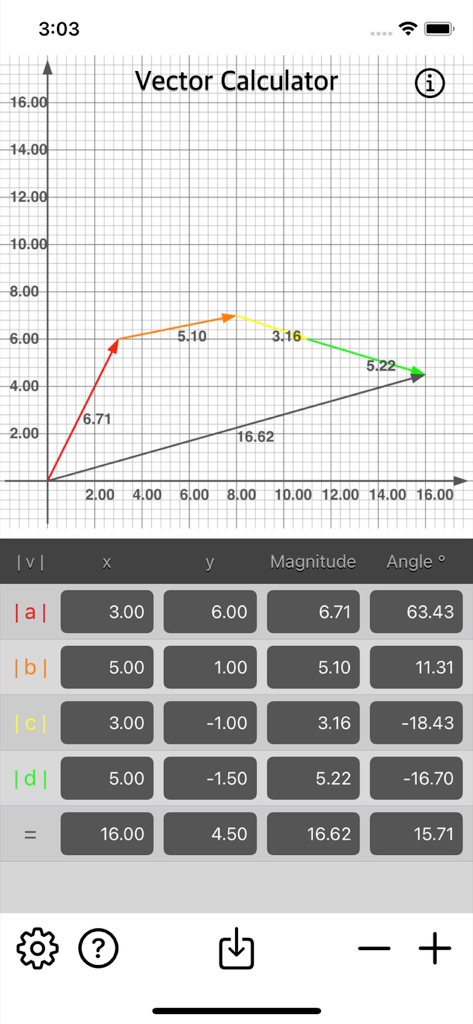
グリッドグラフにベクトル加算と大きさ(magnitude)および角度(angle)のデータテーブルを表示するVector Calculator Plusアプリ

グリッドグラフにベクトル加算と大きさ(magnitude)および角度(angle)のデータテーブルを表示するVector Calculator Plusアプリ

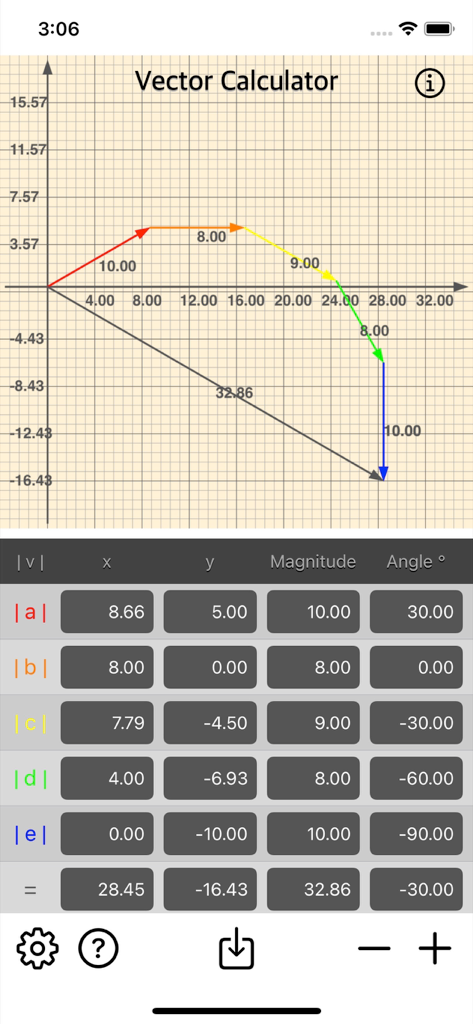
座標グリッド上に複数のベクトルが加算され、x、y、大きさ(magnitude)、角度(angle)の各成分のテーブルが表示されているVector Calculator Plusアプリのインターフェース

座標グリッド上に複数のベクトルが加算され、x、y、大きさ(magnitude)、角度(angle)の各成分のテーブルが表示されているVector Calculator Plusアプリのインターフェース

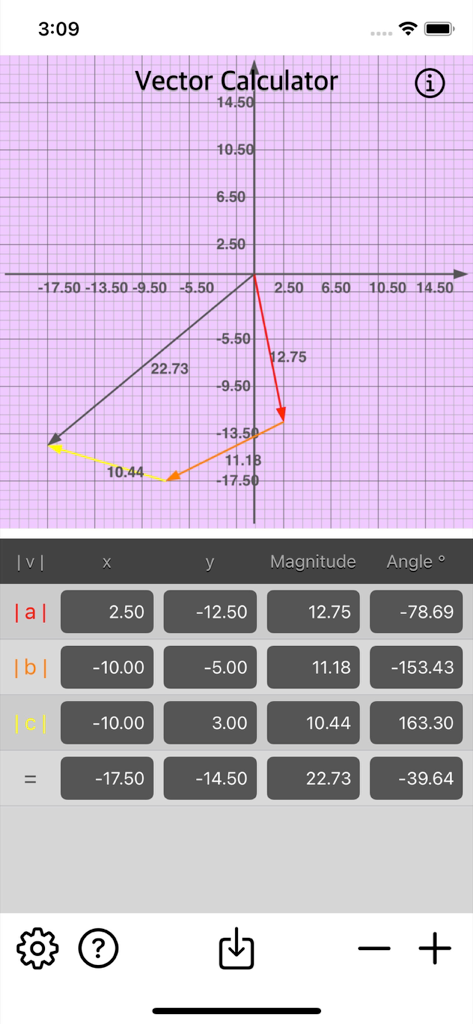
Vector Calculator Plusアプリのベクトル加算のグラフィカル表現と計算テーブル

Vector Calculator Plusアプリのベクトル加算のグラフィカル表現と計算テーブル

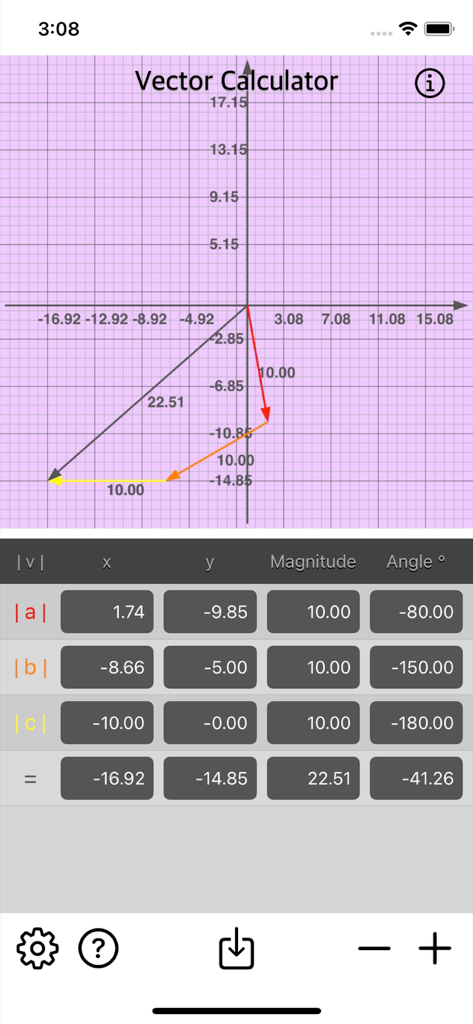
座標グリッド上にプロットされたベクトルと、x y 大きさ(magnitude)および角度(angle)の値のデータ入力テーブルが表示されているVector Calculator Plusアプリのインターフェース

座標グリッド上にプロットされたベクトルと、x y 大きさ(magnitude)および角度(angle)の値のデータ入力テーブルが表示されているVector Calculator Plusアプリのインターフェース

座標平面上にプロットされたベクトルグラフと、大きさ(magnitude)および角度(angle)の計算テーブルを表示するVector Calculator Plusのインターフェース

座標平面上にプロットされたベクトルグラフと、大きさ(magnitude)および角度(angle)の計算テーブルを表示するVector Calculator Plusのインターフェース

ベクトル加算グラフと座標データテーブルを表示するVector Calculator Plus

ベクトル加算グラフと座標データテーブルを表示するVector Calculator Plus

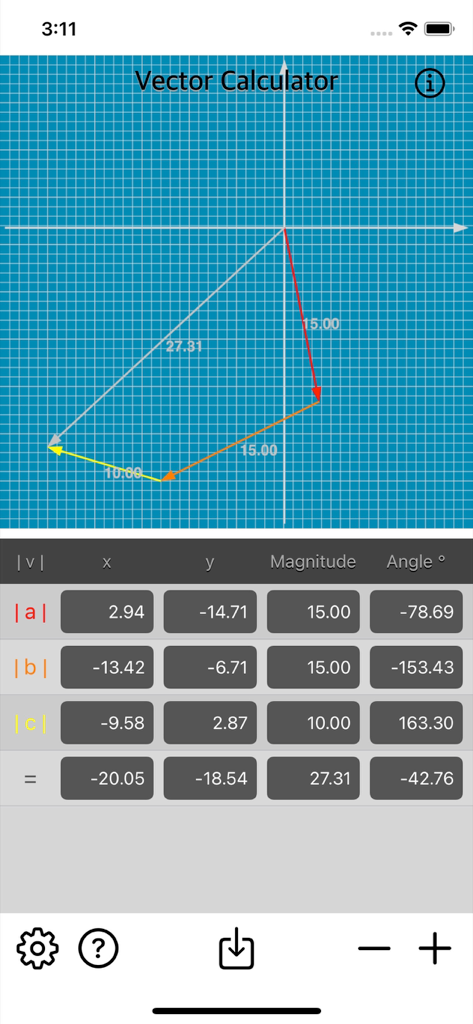
青いグリッド上に複数のベクトルと計算テーブルが表示されているVector Calculator Plusアプリのインターフェース

青いグリッド上に複数のベクトルと計算テーブルが表示されているVector Calculator Plusアプリのインターフェース

ベクトルの物理学を即座にマスター

このアプリを際立たせるツール、 300 人のユーザーが選択.

📐

リアルタイムの視覚的グラフ作成

平行四辺形法則を使用してベクトル図を即座に生成し、2D空間での力と運動を可視化します。

⚙️

柔軟な入力オプション

X/Y座標または大きさ(magnitude)と角度(angle)を使用して合計を計算します。AP物理学や工学の教科書に完全に準拠しています。

📁

実験レポート用のエクスポート

高品質のベクトル画像を直接カメラロールに保存して、デジタルノート、課題、または教材を強化します。

アプリについて

について知っておくべきこと Vector Calculator Plus.

説明

Vector Calculator is math calculator to find vector addition fast and easy. Vector Calculator give operation of adding two or more vectors together into a vector sum. The parallelogram law gives the rule for vector addition of two or more vectors. Features: • Instant vector calculation. • Add multiple vector by x, y, magnitude or angle. • Vector Image is generated upon calculation. • Save Vector Image into camera roll. • Option to show/hide Grid, Indicator, Label, Vector Label or Magnitude Label for Vector Graph. • Option to enable/disable Background for Vector Graph. • Option to set Background Colour for Vector Graph. A Vector has magnitude [size] and direction. No matter which order you add them, you will get the same result. Magnitude of a Vector: The magnitude of a vector is shown by two vertical bars on either side of the vector |a| Adding Vectors: Vectors can add by adding the x parts and adding the y parts: Example: add the vectors a = (2,3) and b = (4,5) |a+b| = |a| + |b| |a+b| = (2,3) + (4,5) = (2+4,3+5) = (6,8) Common examples of vectors are force and velocity. Both force and velocity are in a particular direction. The magnitude of the vector would indicate the strength of the force or the speed associated with the velocity. Vector Calculator is useful for math teachers, educator, or anyone who want to prepare vector math material for teaching. Also for students who need to learn more detail or understanding of math vector addition operation. Thanks for your support and do visit nitrio.com for more apps for your iOS devices.

最新バージョン

1.1

サイズ

1.1 MB

リリース日

2022年6月21日

ベクトルの計算結果を可視化する準備はできましたか?

物理学と数学のワークフローを簡素化するSTEM学生や教育者に加わりましょう。数秒でベクトルを計算、グラフ化、エクスポートできる必須ツールをダウンロードしてください。

ダウンロード: App Store

App information, icons, screenshots, and descriptions displayed on this page are sourced from the Apple App Store and are the property of their respective developers. Download estimates and rankings are based on MWM's proprietary models and may not reflect actual figures. This page is provided for informational and analytical purposes only.

Believe this page infringes your intellectual property? File a dispute