Vibration Detector

Vibration Detector

ダウンロード: App Store
ロゴ: Vibration Detector

振動計:プロフェッショナル仕様の地震計および振動解析ツール

iPhoneを高精度の産業用ツールに。リアルタイムのX、Y、Z軸解析により、機械の状態監視、地震データの記録、カスタムアラームしきい値の設定が可能です。

ダウンロード: App Store

開発元

Tan Chia Ling

カテゴリ

Utilities

ダウンロード

2K+

ユーザー評価

1.0/5

評価数

0

対応言語

1

高精度を視覚化

このインターフェースを利用する 2K+ 人のユーザー.

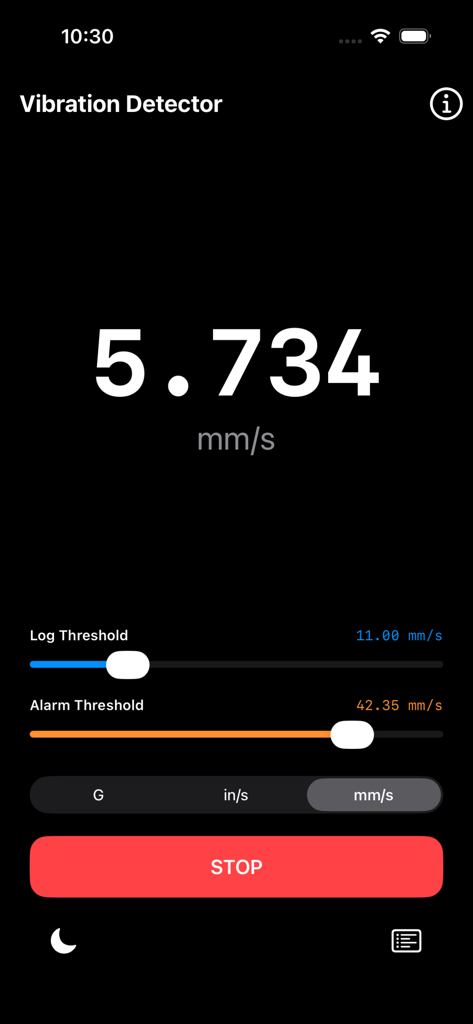
リアルタイムの速度測定(mm/s)と、調整可能なログおよびアラームしきい値を表示する振動計アプリのインターフェース。

リアルタイムの速度測定(mm/s)と、調整可能なログおよびアラームしきい値を表示する振動計アプリのインターフェース。

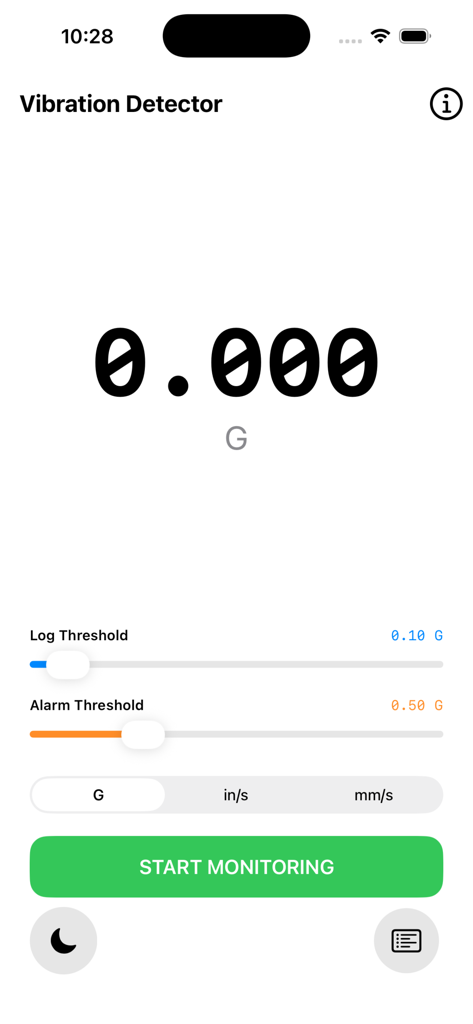
リアルタイムの速度測定としきい値設定を表示する振動計アプリのインターフェース

リアルタイムの速度測定としきい値設定を表示する振動計アプリのインターフェース

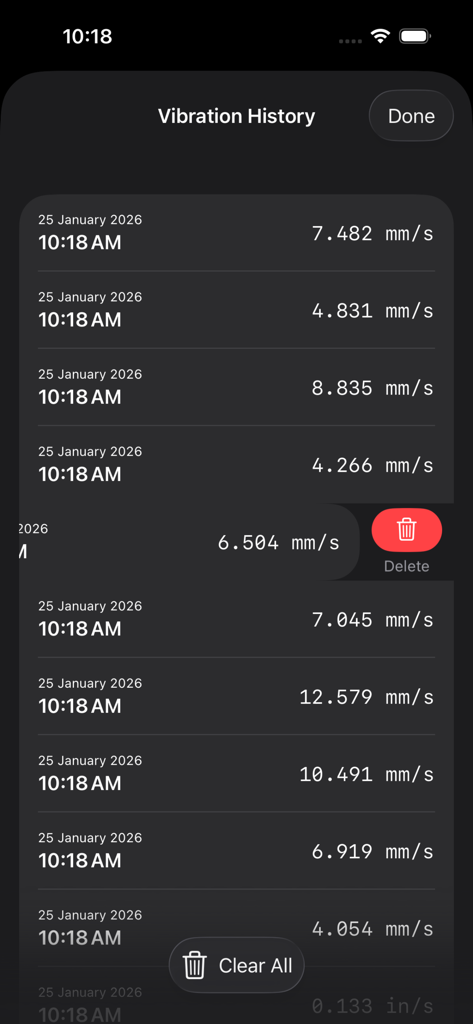
タイムスタンプ付きの振動測定値(mm/s)と削除オプションを表示する振動履歴画面

タイムスタンプ付きの振動測定値(mm/s)と削除オプションを表示する振動履歴画面

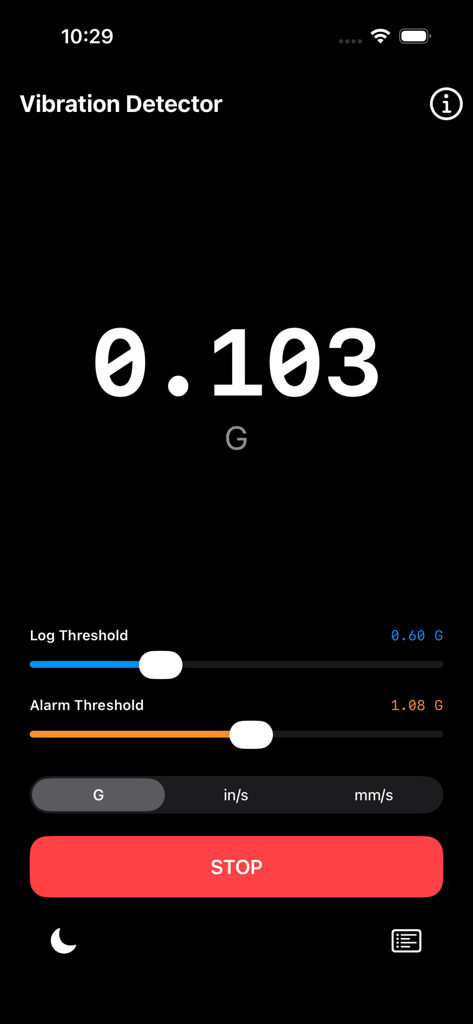
地震の重力加速度(G-force)測定値を表示する振動計アプリのデジタルインターフェース

地震の重力加速度(G-force)測定値を表示する振動計アプリのデジタルインターフェース

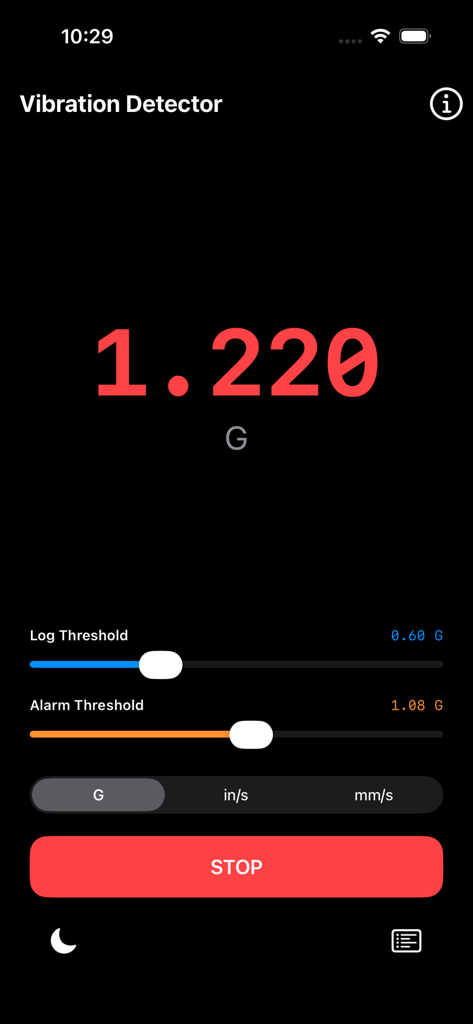
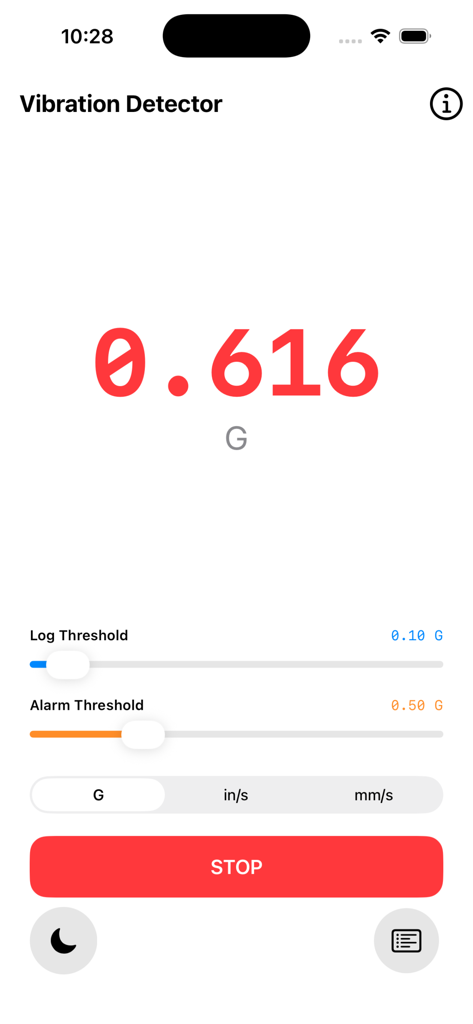
リアルタイムのGフォース読み取り値としきい値設定を備えた振動計アプリのインターフェース

リアルタイムのGフォース読み取り値としきい値設定を備えた振動計アプリのインターフェース

リアルタイムのGフォースモニタリングとしきい値調整スライダーを表示する振動計アプリのインターフェース

リアルタイムのGフォースモニタリングとしきい値調整スライダーを表示する振動計アプリのインターフェース

Gフォースの読み取り値としきい値調整スライダーを表示するリアルタイム振動モニタリングインターフェース

Gフォースの読み取り値としきい値調整スライダーを表示するリアルタイム振動モニタリングインターフェース

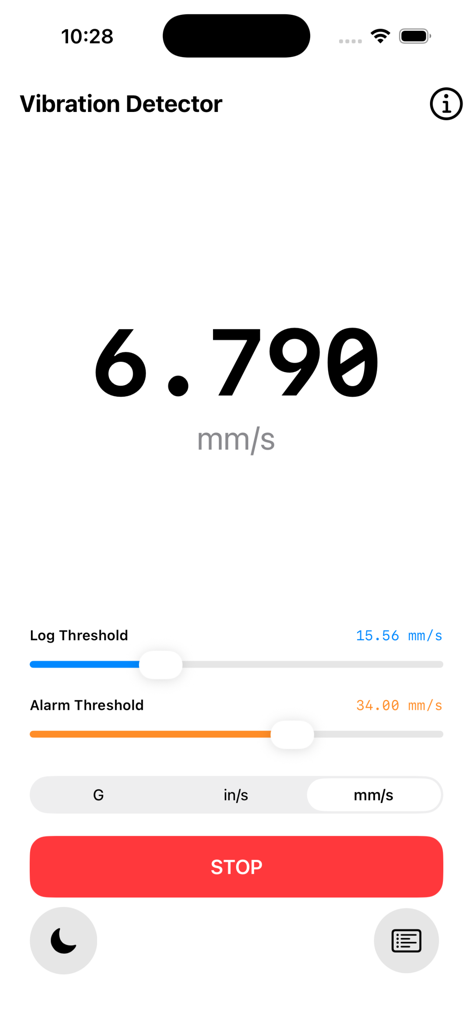
6.790 mm/sのリアルタイム測定値とログおよびアラームしきい値スライダーを表示する振動計アプリの画面

6.790 mm/sのリアルタイム測定値とログおよびアラームしきい値スライダーを表示する振動計アプリの画面

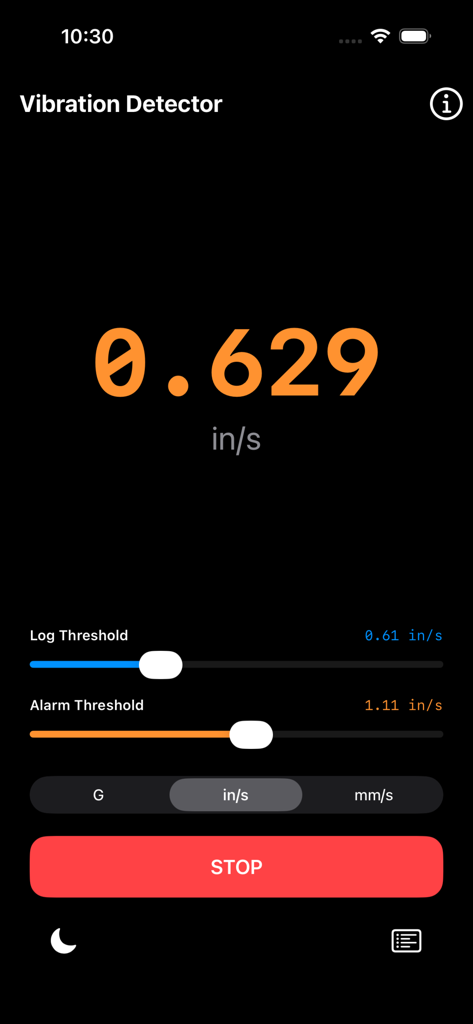
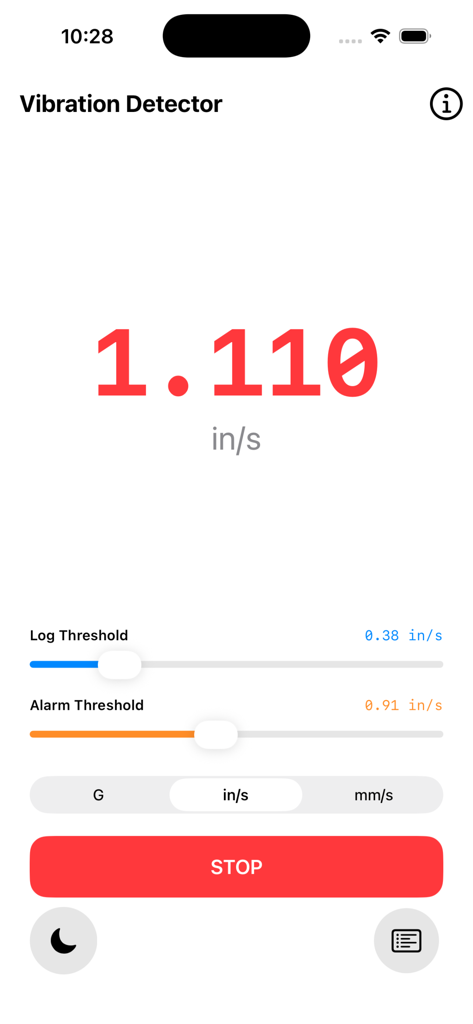
1.110 in/sのリアルタイム振動読み取り値と調整可能なログおよびアラームしきい値スライダーを表示する振動計アプリのインターフェース。

1.110 in/sのリアルタイム振動読み取り値と調整可能なログおよびアラームしきい値スライダーを表示する振動計アプリのインターフェース。

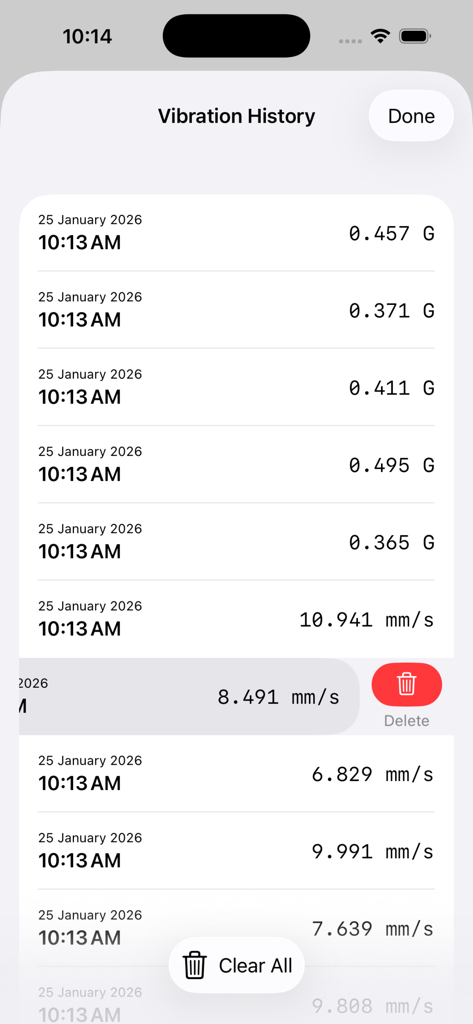
Gフォースおよびmm/s単位のタイムスタンプ付き振動測定値リストと削除オプションを表示する振動履歴画面のスクリーンショット

Gフォースおよびmm/s単位のタイムスタンプ付き振動測定値リストと削除オプションを表示する振動履歴画面のスクリーンショット

プロフェッショナル仕様の振動解析

このアプリを際立たせるツール、 2K+ 人のユーザーが選択.

📈

リアルタイム3軸精度

重力をフィルタリングし、高度なセンサーフュージョンを使用してX、Y、Z軸を同時にモニタリング。真の振動データを提供します。

🔔

インテリジェントなしきい値アラート

独立したログとアラームのトリガーを設定して、ピークを自動的にキャプチャしたり、安全制限を超えたときに音声警告を受け取ったりできます。

📋

高度なデータ履歴管理

「振動シート」内のタイムスタンプ付きログで、すべての重要なイベントを確認。機械の状態や構造の安定性のドキュメント作成に最適です。

アプリについて

について知っておくべきこと Vibration Detector.

説明

Vibration detector or Seismograph uses accelearation sensor to measure vibration or an earthquake, and it shows a reference as a seismic detector. Detect vibration and record it. Vibration detector transforms your iPhone into a high-grade industrial vibration analyzer. Built for technicians, engineers, and DIY enthusiasts, this app leverages the advanced MEMS accelerometer in your device to monitor, alarm, and log mechanical health in real-time. Vibration Detector or Vibration Meter measures vibrations using your device’s sensors on all 3 axes: X, Y, Z and shows reference to earthquake vibrations (seismograph, body tremor, seismometer). Vibration Meter can also be called seismograph or seismometer when used for measuring seismic activity. Features: - Record vibrations with time and date. - Set a vibration level threshold for recording. - Play a sound when the vibration threshold is reached. - Dim screen option for battery saving. - Lightweight app with a small size, optimized for everyday use. - Real-Time Precision Monitoring Get instant readouts of vibration magnitude. Our sensor fusion algorithm filters out gravity to give you the most accurate "true vibration" data across X, Y, and Z axes. - Multi-Unit Support Switch seamlessly between industry-standard units. Whether you prefer G-Force (g), Velocity in inches per second (in/s), or millimeters per second (mm/s), the app converts all data and thresholds instantly. - Dual-Threshold Logic Total control over your data. Set a Log Threshold to automatically record peaks for later analysis, and a separate Alarm Threshold to trigger a system-standard audible warning when vibrations reach critical levels. - The "Vibration Sheet" (Data Logger) Every significant event is timestamped and recorded in a dedicated history sheet. Manage your data with ease using swipe-to-delete or the "Clear All" function for new sessions. - Stealth "Detach" Mode Designed for long-term monitoring. Tap the Dim button to turn the screen completely black and drop brightness to zero. This saves battery and prevents screen burn-in while the device is taped or clamped to machinery. A single tap brings the UI back instantly. - Intuitive "Bottom-Control" UI Engineered for one-handed use in the field. All sliders, unit toggles, and start buttons are positioned at the bottom of the screen, keeping the massive center readout unobstructed. How to Use 1. Mount: Secure your iPhone firmly to the surface you wish to measure. 2. Set: Adjust your Log and Alarm sliders based on your required sensitivity. 3. Start: Hit "Start Monitoring" to begin the live feed. 4. Dim: If recording for a long period, tap the Moon icon to enter Stealth Mode. 5. Review: Open the Vibration History sheet to analyze the captured peaks and timestamps. *This is a universal app that work for both iPhone and iPad. Thanks for your support and do visit nitrio.com for more apps for your iOS devices.

最新バージョン

1.2

サイズ

1.7 MB

リリース日

2017年5月26日

産業用グレードのモニタリングをポケットに

リアルタイムMEMS精度を活用して、機械の状態や地震活動を分析している数千人のエンジニアや技術者の仲間入りをしましょう。

ダウンロード: App Store

App information, icons, screenshots, and descriptions displayed on this page are sourced from the Apple App Store and are the property of their respective developers. Download estimates and rankings are based on MWM's proprietary models and may not reflect actual figures. This page is provided for informational and analytical purposes only.

Believe this page infringes your intellectual property? File a dispute