Video Collage - Collage Maker

Video Collage - Collage Maker


ダウンロード: App Store
ロゴ: Video Collage - Collage Maker

Video Collage - コラージュメーカー:数分で魅力的な動画ストーリーを作成

写真と動画をお気に入りの音楽と組み合わせて、思い出に命を吹き込みましょう。ソーシャルメディア向けの美しいコラージュを数秒でデザインし、最高の瞬間を友人や家族とシェアしましょう。

ダウンロード: App Store

開発元

out thinking private limited

カテゴリ

Photo & Video

ダウンロード

868K+

ユーザー評価

4.4/5

評価数

6K+

対応言語

1

動きのある瞬間

このインターフェースを利用する 868K+ 人のユーザー.

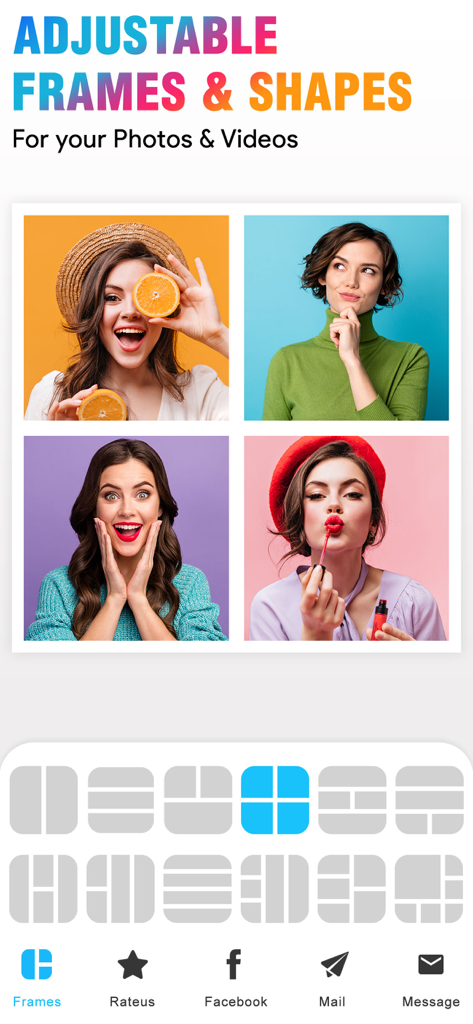
4枚の写真グリッドコラージュと、写真や動画のさまざまなレイアウトフレームオプションを示すモバイルアプリのインターフェース

4枚の写真グリッドコラージュと、写真や動画のさまざまなレイアウトフレームオプションを示すモバイルアプリのインターフェース

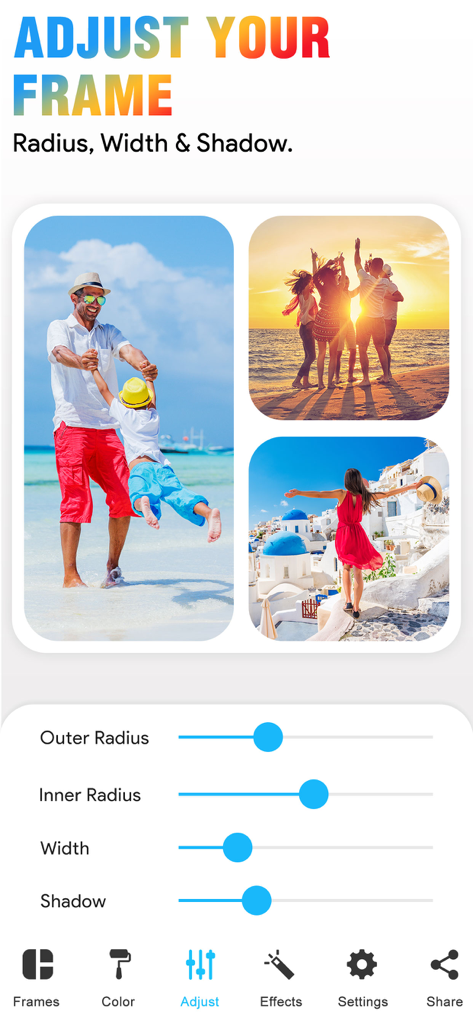
写真コラージュのフレーム半径、幅、影をカスタマイズするためのスライダーを示すVideo Collage Makerアプリのインターフェース

写真コラージュのフレーム半径、幅、影をカスタマイズするためのスライダーを示すVideo Collage Makerアプリのインターフェース

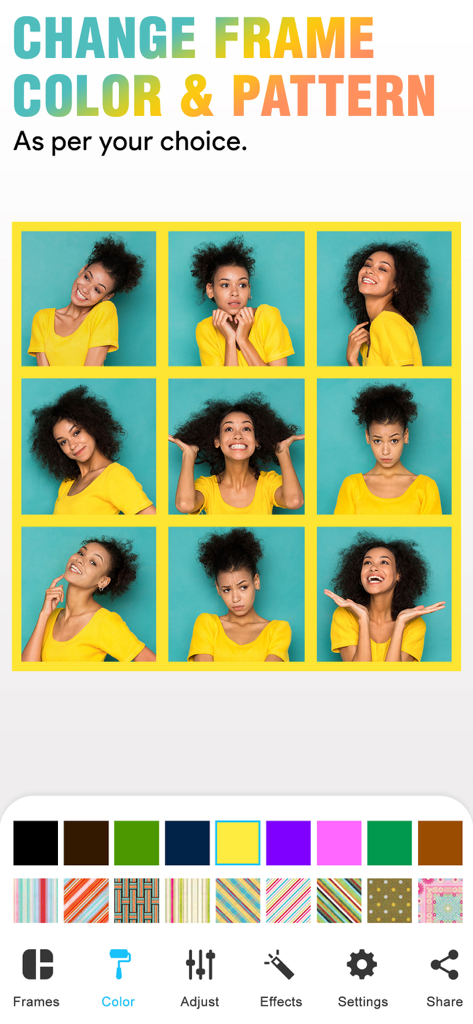
Video Collageアプリで、境界線の色とパターンを変更するためのツールを備えた3x3の写真グリッド

Video Collageアプリで、境界線の色とパターンを変更するためのツールを備えた3x3の写真グリッド

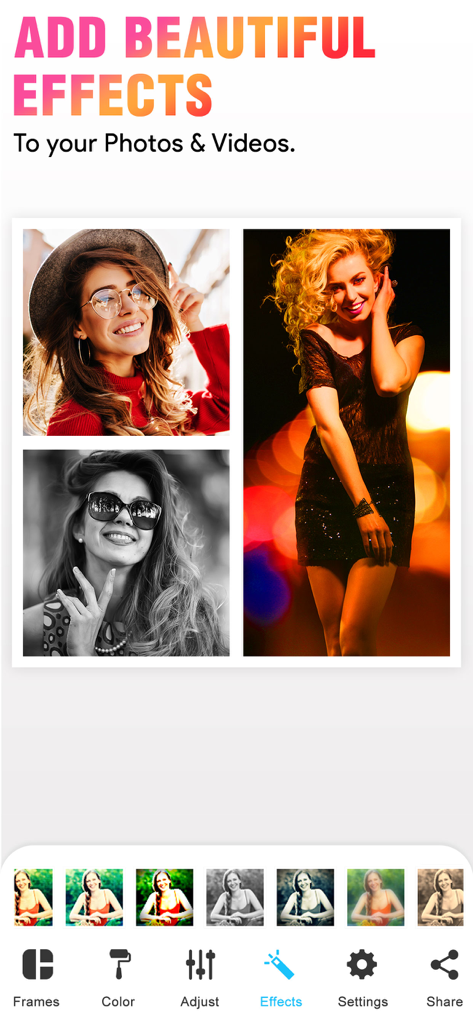
写真と動画のコラージュレイアウトに芸術的なエフェクトやフィルターを追加するためのモバイルインターフェース

写真と動画のコラージュレイアウトに芸術的なエフェクトやフィルターを追加するためのモバイルインターフェース

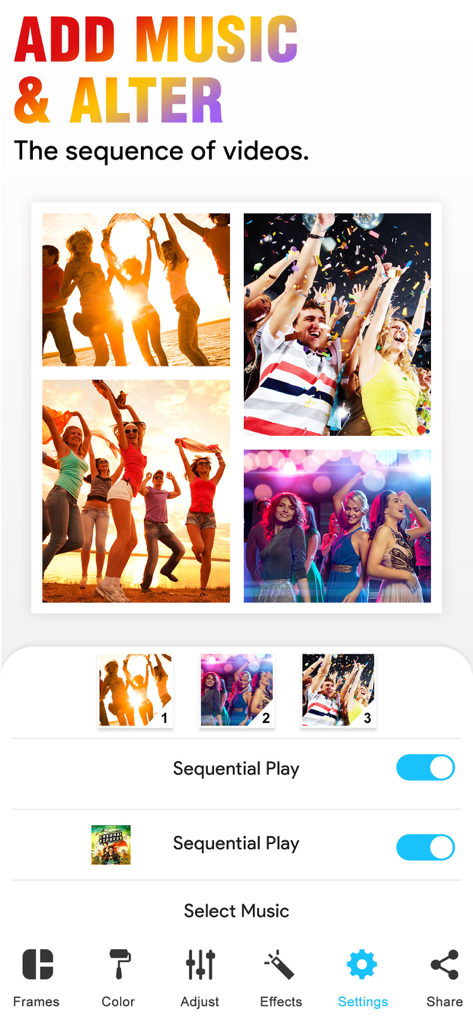
音楽を追加し、Video Collageアプリで動画シーケンスを変更する方法を示すユーザーインターフェース

音楽を追加し、Video Collageアプリで動画シーケンスを変更する方法を示すユーザーインターフェース

Video Collageアプリ内のライフスタイル写真コラージュで、下部にはソーシャル共有ボタンがあります

Video Collageアプリ内のライフスタイル写真コラージュで、下部にはソーシャル共有ボタンがあります

数分で魅力的なストーリーを作成

このアプリを際立たせるツール、 868K+ 人のユーザーが選択.

🎬

写真と動画をミックス

どちらかを選ぶ必要はありません。50種類以上の調整可能なフレームで、お気に入りのクリップやスナップショットを組み合わせて、真にダイナミックな思い出を作りましょう。

🎵

完璧な雰囲気設定

お気に入りの音楽を追加して、作品に命を吹き込みましょう。色やパターンをカスタマイズして、あなた独自のエモーショナルなスタイルに完璧に合わせましょう。

フィード準備完了

編集スキルは不要です。瞬間がまだ新鮮なうちに、InstagramやTikTokに直接共有できる傑作を作成しましょう。

フィード準備完了

編集スキルは不要です。瞬間がまだ新鮮なうちに、InstagramやTikTokに直接共有できる傑作を作成しましょう。

レビュー分析

ユーザーレビューの分析.

感情スコア

14%
ネガティブ

概要

This mobile app receives overwhelmingly negative feedback from users. A primary concern is its aggressive monetization strategy, with many essential features locked behind paywalls and numerous reports of unexpected charges or 'scam' free trial practices. Users frequently encounter critical bugs such as app crashes during saving, videos playing with unwanted slow motion or upside down, and a pervasive issue where sound is lost from videos. Furthermore, the app is criticized for its limited customization options, poor export quality, and overall lack of functionality, leading many to label it 'useless' or a 'waste of time', despite a small handful of reviews expressing general satisfaction.

主なテーマ

Pricing & Premium Features(17)
App Functionality & Performance(13)
Limited Customization(7)
Billing & Refund Problems(6)
Video Playback Problems(6)
General Satisfaction(6)
Sound Issues(5)
Saving & Exporting Issues(5)

アプリについて

について知っておくべきこと Video Collage - Collage Maker.

説明

With our Video Collage App, you can easily create beautiful Photo and Video Collage in few minutes. All you need to do is, just choose the photo or video to create a collage, add extra effects to your Photos/videos, add music of your own choice and Save that Video. You can also easily share your photo collage or video collage to social networking sites like Facebook, Instagram or you can also share by using Email with our inbuilt option. Key Features of our Video Collage App 50 Collage Frames to create a beautiful Photo/video collage (in the Free version some frames are not available) * Easily adjustable frames * You can add your own Music to your Video collage or Photo collage * Enhance Video Collage Frame by adding patterned background * You can add color to frames * Add Effects to photos or videos * Easily share your video collage with our inbuilt social sharing option * Option to Save your Photo/video collage to Photo album Instruction To Use ******************* 1. Click on the frame button to select your frame. 2. Tap on the screen to add photo/video to Frame. 3. Click on the color button to change frame color and pattern. 4. Adjust your frame width, inner and outer radius by selecting a setting option. 5. Add music from your music library to video using the video settings option. 6. Once you are done with all editing can play video preview by clicking on the Preview button. 7. Finally it's time to share your masterpiece with your friends. So click on the Share button. 8. Download it and make your collage of Video and image with a simple touch. If you are looking for a free app to combine videos into one video, then our VideoCollage is one app you can try. You don’t need any video editing software to join multiple videos into one video. Our simple & free collage maker app will do this job for you. One of the best things about our video and picture collage app is, you can use our app as a photo collage maker or as a video collage app. In one app you will get 2 app features! So you don’t need any video/photo collage app anymore. Once you are done with your collage video you can easily share that collage with your friends by Email, Facebook, or on Instagram site. Subscription Terms - Subscribe to get unlimited video collage app access to all features. - Upon confirmation of purchase, the payment will be charged to the iTunes account. - Until you turn off the auto-renew at least 24 hours before the end of the current. period it will be automatically renewed. - If you decide to turn off auto-renewal, you can turn it off maybe by going to account settings after purchase. -The renewal amount will be charged from the account within 24 hours before the end of the current period. -As per the policy, cancellation of the current subscription is not allowed during the active subscription period. Once purchased, refunds will not be returned for any unused portion of the subscription period. Terms of use - https://www.outthinkingindia.com/terms-of-use/ Privacy policy - https://www.outthinkingindia.com/privacy-policy/ Download the video collage app now.

最新バージョン

3.7

サイズ

107.7 MB

リリース日

2013年10月25日

あなたのストーリーをシェアする準備はできましたか?

80万人以上のクリエイターに加わって、お気に入りの写真や動画を数分で魅力的なコラージュに。今すぐダウンロードして、あなたの傑作を作り始めましょう!

ダウンロード: App Store

App information, icons, screenshots, and descriptions displayed on this page are sourced from the Apple App Store and are the property of their respective developers. Download estimates and rankings are based on MWM's proprietary models and may not reflect actual figures. This page is provided for informational and analytical purposes only.

Believe this page infringes your intellectual property? File a dispute