
このページはアプリまたはその開発者の公式ページではなく、情報提供および論評を目的として作成された独立した編集出版物です。明示的に別段の記載がない限り、アプリおよびその開発者は、MWM、Apple、Google Play、アプリのパブリッシャー、またはアプリの開発者と提携、承認、後援、認可、またはその他の公式的な関係はなく、このページのいかなる内容も、アプリがMWMのサービスを使用して開発されたことを意味するものではありません。すべての商標、ロゴ、スクリーンショット、その他のコンテンツはそれぞれの所有者の財産です。

PhotoGrid: Video Collage Maker
このアプリは、ユーザーに平凡な画像や動画を、ソーシャルメディアを支配するビジュアルコンテンツへと瞬時に変える力を与える。
ダウンロード
25M+ユーザー評価
評価数
603.0K開発元
カテゴリ
Photo & Video対応言語
22最新バージョン
9.2.31サイズ
339.2 MBリリース日
2012年8月1日PhotoGrid: Video Collage Maker アプリケーション分析
魅力的なビジュアルコンテンツを効率的に作成・共有
高度な動画&画像コラージュ作成
複数の写真や動画を組み合わせて、ダイナミックで魅力的なコラージュを簡単に作成できます。動画クリップの同期機能により、InstagramやTikTok向けの動画コンテンツ制作が効率化されます。
20000種類以上の豊富なテンプレートと自由なカスタマイズ
20000種類以上のテンプレートを活用し、最大16枚の写真や動画を組み合わせて独自のレイアウトを生成できます。ユーザーは創造性を発揮し、パーソナライズされたビジュアルコンテンツを制作することが可能です。
包括的な写真編集機能
トリミング、回転、サイズ変更、ぼかし、美化といった基本的な機能から、ステッカー、テキスト、背景、モザイク追加、明るさ・コントラスト調整まで、写真をプロフェッショナルなレベルに仕上げるためのツールが提供されます。
ソーシャルメディアに特化した出力とブランディングツール
カスタムロゴやウォーターマークの追加、FacebookカバーやApple Watchなど多様なアスペクト比のサポート、美しいカーブテキストの追加機能により、ユーザーは各ソーシャルメディアプラットフォームに最適化されたコンテンツを効率的に共有し、自身のブランドを構築できます。
プレミアム機能による高画質動画制作と広告なし体験
プレミアムプランでは、最大15分間の4K Full HD動画グリッド作成、アスペクト比の自由な設定が可能となり、さらに広告表示やウォーターマークなしで作品を共有できるため、よりプロフェッショナルでクリーンなコンテンツ提供が実現します。
スクラップブックとフィルムストリップ作成
独自のスクラップブックやフィルムストリップ、クールなフォトスティッチを自由にデザインできます。これにより、ユーザーは思い出を創造的に整理し、ユニークな視覚体験を生み出すことが可能です。
よくある質問
について知っておくべきこと PhotoGrid: Video Collage Maker
What is PhotoGrid: Video Collage Maker?
PhotoGrid: Video Collage Maker is an app designed to create stunning image and video collages, social media content, and edit photos and videos. It offers extensive templates, editing tools, and features for various platforms.
Can PhotoGrid: Video Collage Maker combine photos and videos into grids?
Yes, PhotoGrid: Video Collage Maker can combine photos and videos to create video grids. Users can also trim videos and synchronize video clips to align to the same moment in time.
How many photos or videos can PhotoGrid: Video Collage Maker combine in a single layout?
PhotoGrid: Video Collage Maker allows users to remix up to 16 photos at a time. For video grids, it supports combining up to 9 videos in the free version.
Does PhotoGrid: Video Collage Maker offer pre-designed collage templates?
Yes, PhotoGrid: Video Collage Maker provides over 20,000 different collage templates. Users can also design their own photo creations, filmstrips, photo stitches, and personalized scrapbooks.
What social media marketing features does PhotoGrid: Video Collage Maker include?
PhotoGrid includes features like custom watermarks, adding Instagram/Facebook/WhatsApp logos, and various popular ratios for social media platforms such as Facebook cover, Apple Watch, A4, and A3 sizes.
Can users add custom text and fonts within the PhotoGrid: Video Collage Maker app?
Yes, PhotoGrid allows users to add any font they want and apply beautiful curved texts to their photos. The app offers a selection of over 1000 fonts.
Does PhotoGrid: Video Collage Maker include comprehensive photo editing tools?
Yes, PhotoGrid offers powerful photo editing tools. These include crop, rotate, resize, blur, beautify, stickers, text, backgrounds, graffiti, boarders, mosaic, and adjustments for brightness, contrast, saturation, and layout.
What benefits does a PhotoGrid: Video Collage Maker Premium Plan offer?
PhotoGrid Premium provides access to over 20,000 elements, video grids up to 15 minutes long, high-quality full HD 4K video grids, flexible aspect ratio selection, an ads-free experience, and sharing without watermarks.
How do users manage or cancel a PhotoGrid: Video Collage Maker Premium subscription?
Users manage and turn off auto-renewal for a PhotoGrid Premium subscription in their Apple Account Settings. Cancellation must occur at least 24 hours before the period ends to avoid auto-renewal.
Is a refund available after purchasing PhotoGrid: Video Collage Maker Premium?
No, PhotoGrid: Video Collage Maker does not offer refunds after a Premium Plan purchase. All purchases are final and non-refundable.
Can PhotoGrid: Video Collage Maker remove backgrounds or objects from photos?
Yes, PhotoGrid features 'AI Removal' for objects and 'Cutout & Change Backgrounds' functionality. This allows users to easily isolate subjects and modify their photo backdrops.
Does PhotoGrid: Video Collage Maker support creating slideshows?
Yes, PhotoGrid includes a 'Slideshow Maker' feature. Users can combine images and add elements to create dynamic slideshows within the app.
How many stickers are available in PhotoGrid: Video Collage Maker?
PhotoGrid: Video Collage Maker provides over 15,000 stickers for users to enhance their photos and collages. These can be added as part of the powerful photo editor features.
以下のスクリーンショットと説明は、アプリの公式ストアリスティングから直接取得されたものであり、アプリ開発者の所有物です。
アプリストア
スクリーンショット
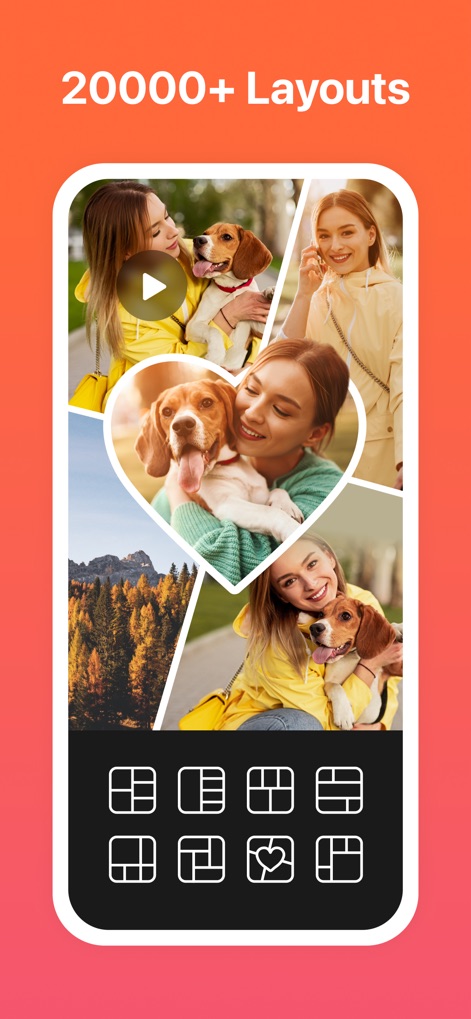
豊富なレイアウト
このアプリは20000以上の多様なレイアウトを提供し、複数の写真や動画を組み合わせて魅力的なコラージュを簡単に作成できます。ハート型などのユニークなデザインも利用可能です。
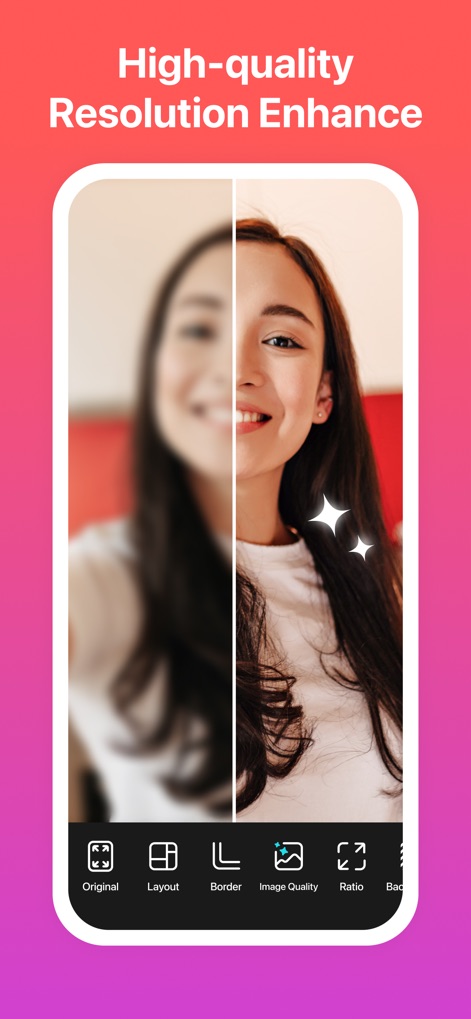
高画質化機能
写真の解像度を向上させ、細部まで鮮明に補正します。元のぼやけた画像と強化されたクリアな画像の比較でその効果が示されています。
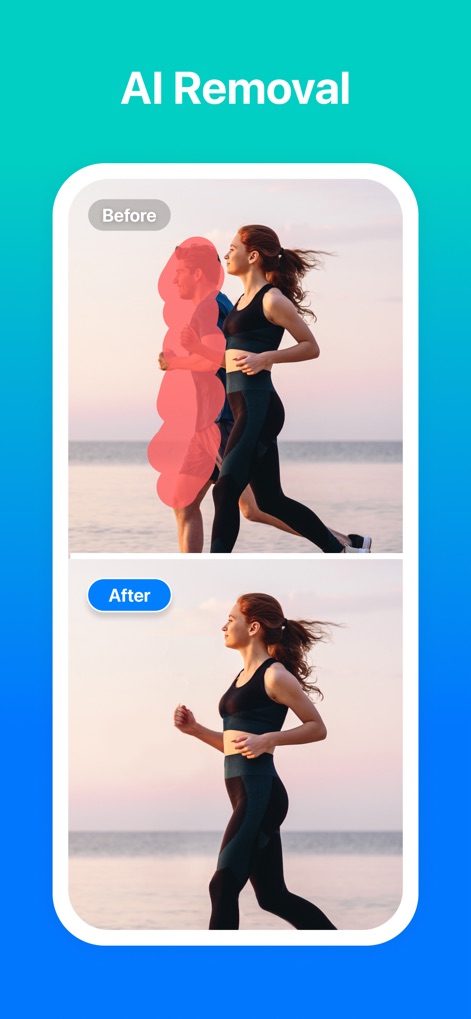
AIで不要物除去
AIを活用した除去機能により、写真から不要なオブジェクトや人物を簡単に削除できます。Before/Afterの比較で、背景から人物が自然に消去される様子が示されています。
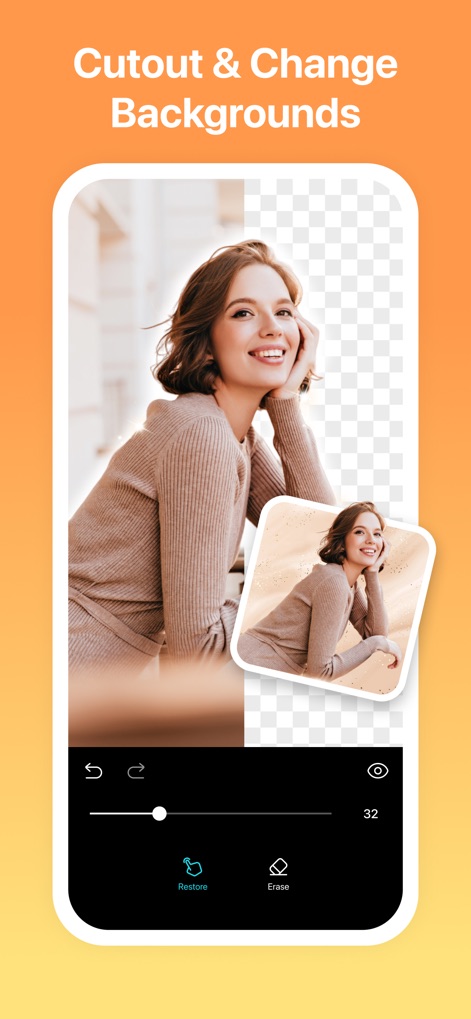
切り抜きと背景変更
被写体を正確に切り抜き、透過背景や新しい背景に置き換えることができます。細かく調整可能な消しゴムツールで完璧な仕上がりを実現します。
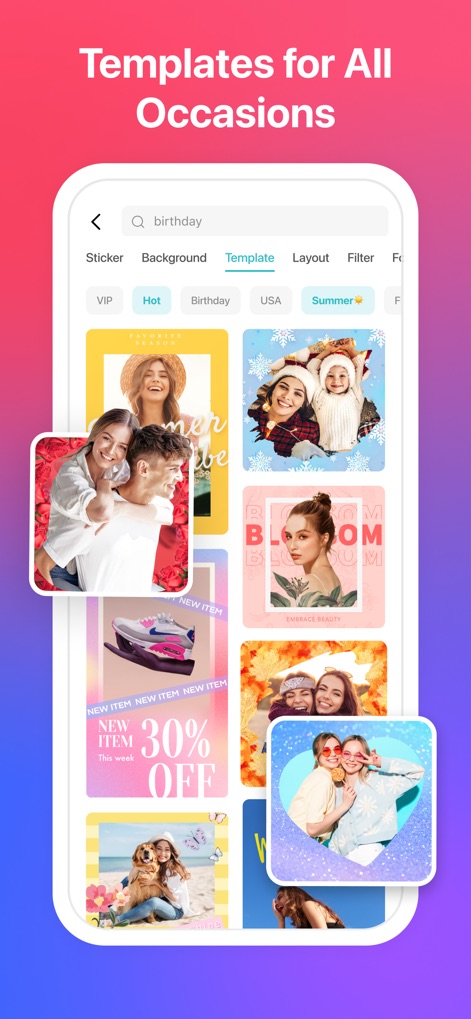
多彩なテンプレート
誕生日、サマー、販促用など、あらゆるシーンに対応する豊富なテンプレートを提供します。ユーザーは検索機能で簡単に目的のスタイルを見つけられます。
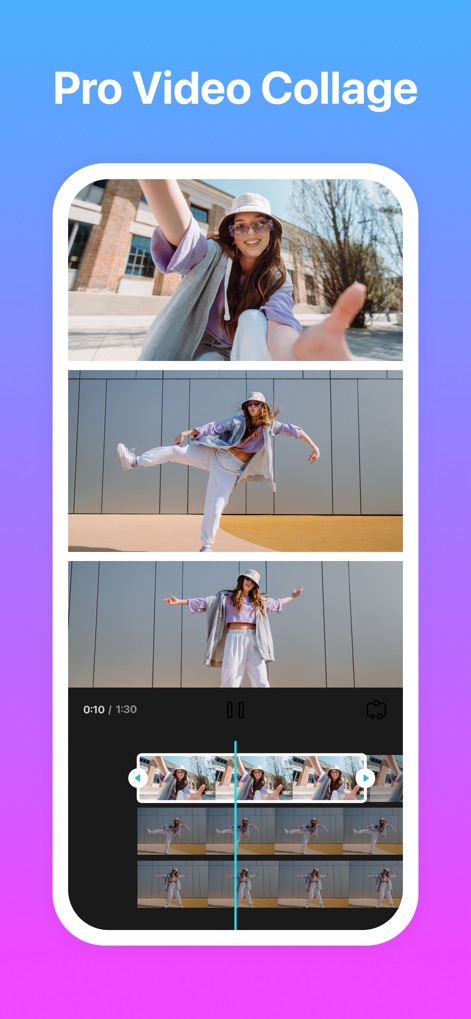
高度な動画コラージュ
複数の動画クリップを組み合わせてプロフェッショナルな動画コラージュを作成できます。直感的なタイムライン編集機能で、動画のトリミングや同期も容易です。
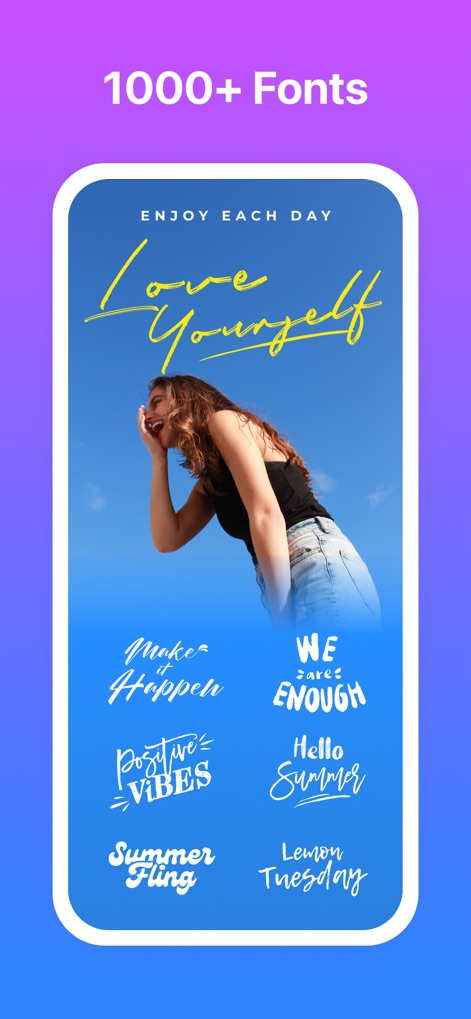
豊富なフォント選択
1000種類以上のフォントから選択し、写真やコラージュに魅力的なテキストを追加できます。メッセージや引用文をスタイルに合わせてカスタマイズ可能です。
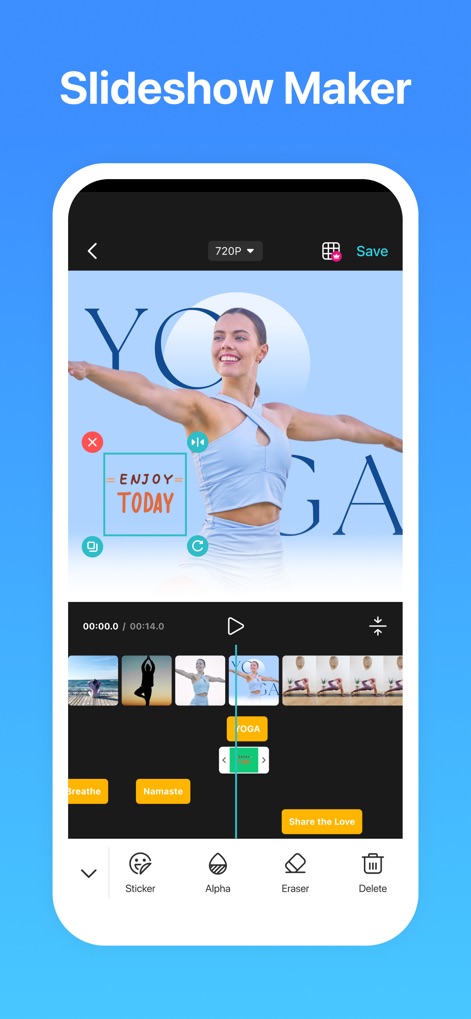
スライドショー作成
複数の写真や動画を組み合わせて、音楽付きの魅力的なスライドショーを制作できます。タイムラインで要素を編集し、保存解像度を選択する機能も備わっています。
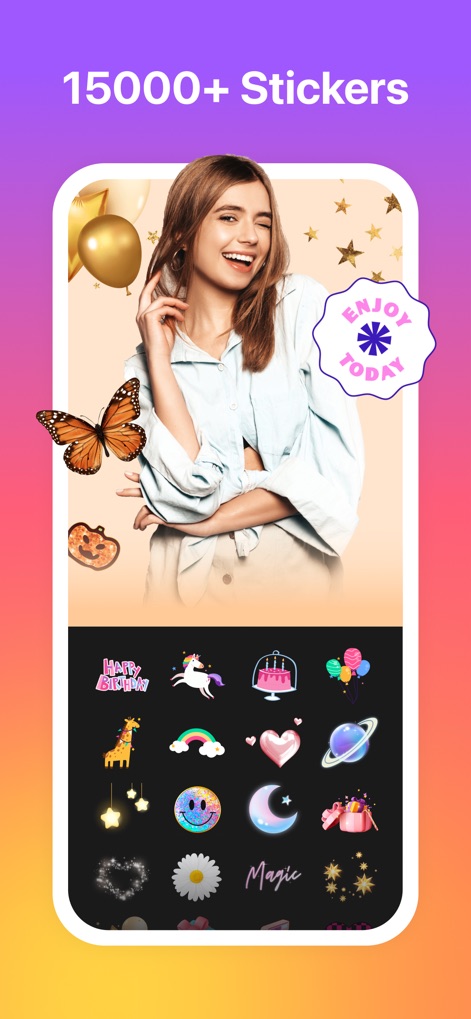
楽しいステッカー
15000種類以上の豊富なステッカーコレクションで、写真やコラージュをさらに魅力的に装飾できます。蝶やハート、王冠など、多様なデザインが用意されています。
説明
Download
類似アプリ
似た機能とユーザー体験を持つアプリ

SCRL: Photo Collage Maker
Appostrophe AB

Layout for Instagram: Collage
Shamble, Inc.

Photo Collage Maker: InCollage
SHANTANU PTE. LTD.

TicPic
Zhuhai Kuxiong Network Technology Co., Ltd.

Collage Maker: CollagePlus
Shamble, Inc.

Photo Collage Montage Maker
Honk Honk Punch Pty Ltd

Photo Collage Maker & Creator
Honk Honk Punch Pty Ltd

Photo Collage Montage & Layout
Honk Honk Punch Pty Ltd

Jane - Art Collage & Video
Shanghai Ruishixinyan Information Technology Co., Ltd
このページはアプリまたはその開発者の公式ページではなく、情報提供および論評を目的として作成された独立した編集出版物です。明示的に別段の記載がない限り、アプリおよびその開発者は、MWM、Apple、Google Play、アプリのパブリッシャー、またはアプリの開発者と提携、承認、後援、認可、またはその他の公式的な関係はなく、このページのいかなる内容も、アプリがMWMのサービスを使用して開発されたことを意味するものではありません。すべての商標、ロゴ、スクリーンショット、その他のコンテンツはそれぞれの所有者の財産です。