Video Compressor • Resizer

Video Compressor • Resizer


ダウンロード: App Store
ロゴ: Video Compressor • Resizer

ビデオコンプレッサー・リサイザー:ピクセルを失わずにストレージを解放

お気に入りの思い出を削除するのをやめましょう。プロ仕様のバッチ圧縮で、動画や写真を最大90%まで圧縮し、ソーシャルメディアやメッセージアプリでの共有に最適な4K画質を維持します。

ダウンロード: App Store

開発元

文斌 杜

カテゴリ

Utilities

ダウンロード

0

ユーザー評価

1.0/5

評価数

0

対応言語

2

効率性をあなたの指先に

このインターフェースを利用する 0 人のユーザー.

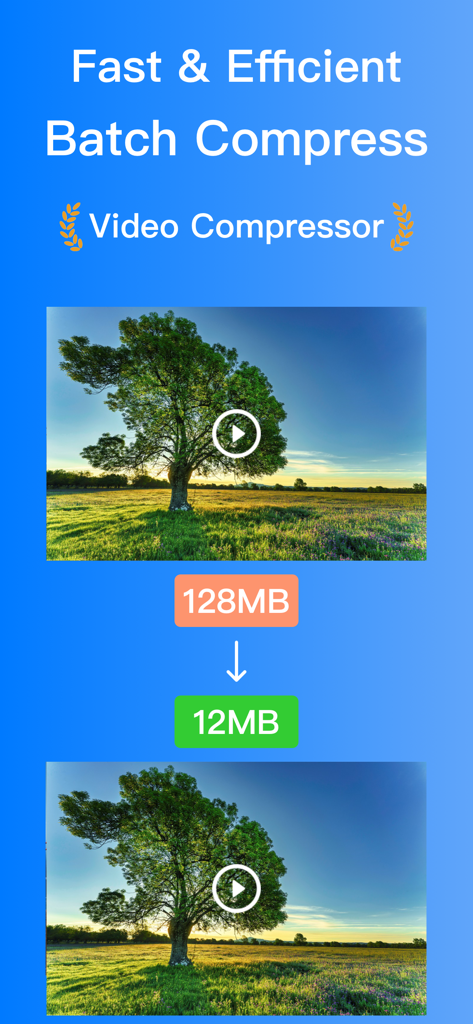
ビデオコンプレッサーアプリのインターフェース。ビデオファイルサイズが128MBから12MBに縮小されている様子を示しています。

ビデオコンプレッサーアプリのインターフェース。ビデオファイルサイズが128MBから12MBに縮小されている様子を示しています。

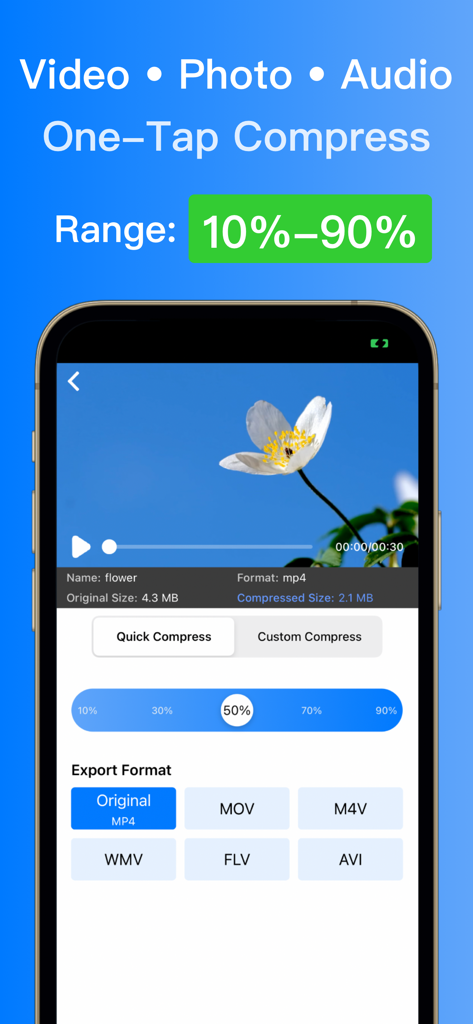
花のビデオプレビューとエクスポート形式オプションを備えた、ビデオ圧縮設定のモバイルアプリインターフェース

花のビデオプレビューとエクスポート形式オプションを備えた、ビデオ圧縮設定のモバイルアプリインターフェース

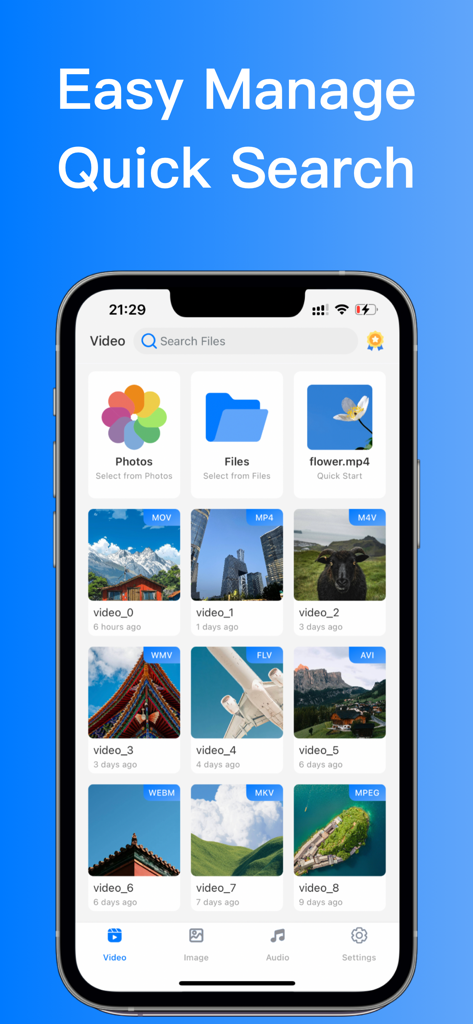
iPhone上のビデオコンプレッサーアプリのビデオファイル管理および検索インターフェース

iPhone上のビデオコンプレッサーアプリのビデオファイル管理および検索インターフェース

スペースを最大化し、品質を維持

このアプリを際立たせるツール、 0 人のユーザーが選択.

📉

スマートストレージリカバリ

iPhoneのスペースを最大90%解放。巨大な4K動画やHEIC写真を、驚くほど鮮明な画質を維持したまま軽量ファイルに圧縮します。

バッチ処理パワー

一つずつ編集するのに時間を無駄にするのはやめましょう。カメラロール全体を選択し、数秒で動画、写真、オーディオファイルを同時に圧縮します。

📱

インスタント共有に最適化

DiscordやWhatsAppでの「ファイルが大きすぎます」というエラーをスキップ。TikTok、Instagram、Reelsに素早くアップロードするためにコンテンツをリサイズします。

⚖️

ロスレス圧縮

90%まで圧縮しても、画質はそのまま。プロレベルの圧縮技術により、オリジナルのディテールと鮮明さを保ちます。

アプリについて

について知っておくべきこと Video Compressor • Resizer.

説明

[Video Compressor] Professional Media Compression Tool A powerful media compression tool for batch processing videos, photos, and audio files. Save up to 90% storage space while maintaining original quality. [Core Features] • Smart Batch Processing: Handle multiple media files at once • Dual Compression Modes: Quick mode & Professional mode • Flexible Compression: 10%-90% ratio adjustment • Lossless Quality: Preserve original quality [Pro Features] • Multiple Quality Levels: From 2K to smooth • Audio Optimization: Reduce size while keeping quality • Smart File Management: Search and sort options • Advanced Settings: For professional needs [Easy Features] • One-click Album Export • Real-time Preview • Re-compression Options • Batch Rename • Quick Share [Supported Formats] • Video: MP4, MOV, M4V, AVI, WMV, MKV, WebM, FLV, MPEG, 3GP • Photo: JPEG, PNG, HEIC, WebP • Audio: MP3, WAV, AAC, M4A, WMA Whether you're a casual user or professional, our tool makes media compression simple and efficient! Download now to experience ultimate compression! -------------------- Pro subscription unlocks all premium features. [Subscription Details] • Period: Monthly subscription • Payment: Purchase will be charged to iTunes Account • Cancel: Auto-renewal can be turned off in iTunes/Apple ID settings at least 24 hours before the end of the current period • Renewal: iTunes Account will be charged for renewal within 24 hours prior to the end of the current period unless auto-renewal is turned off Privacy Policy: https://sparkleios.github.io/Sparkle/VideoCompressorPrivacy.html Terms of Use: https://sparkleios.github.io/Sparkle/VideoCompressorUserAgreement.html

最新バージョン

1.0.1

サイズ

84.7 MB

リリース日

2025年2月6日

ストレージを解放する準備はできましたか?

今すぐビデオコンプレッサー・リサイザーをダウンロードして、画質を損なわずに4Kメディアを最大90%まで圧縮しましょう。思い出を削除するのをやめて、創造を始めましょう。

ダウンロード: App Store

App information, icons, screenshots, and descriptions displayed on this page are sourced from the Apple App Store and are the property of their respective developers. Download estimates and rankings are based on MWM's proprietary models and may not reflect actual figures. This page is provided for informational and analytical purposes only.

Believe this page infringes your intellectual property? File a dispute