Video Size Calculator

Video Size Calculator


ダウンロード: App Store
ロゴ: Video Size Calculator

ビデオサイズ計算機:ストレージのニーズを即座に予測

推測はやめて、作成を始めましょう。4K、HD、カスタム解像度の正確なファイルサイズを計算し、容量不足やアップロード制限に引っかかることがないようにします。

ダウンロード: App Store

開発元

Takeshi Kayahashi

カテゴリ

Utilities

ダウンロード

800

ユーザー評価

1.0/5

評価数

0

対応言語

2

一目でわかる精度

このインターフェースを利用する 800 人のユーザー.

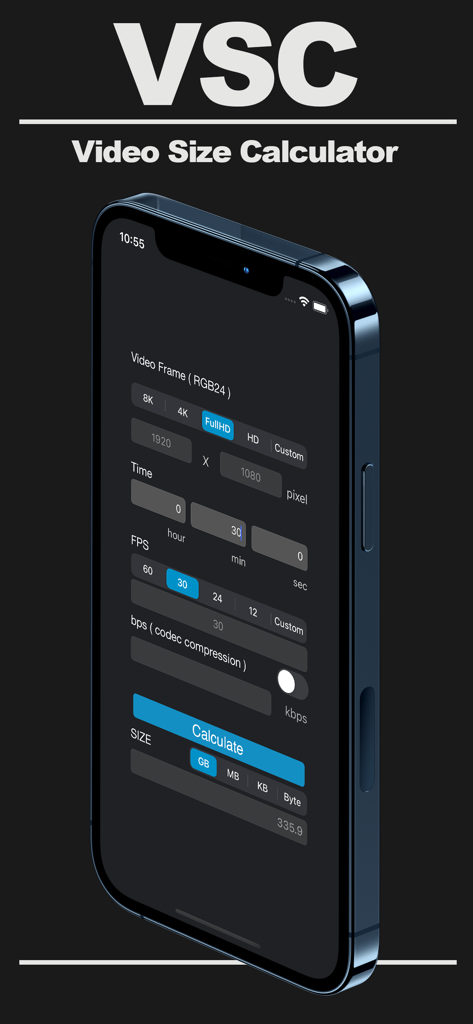
ビデオ解像度とファイルサイズ設定を表示するiPhone上のビデオサイズ計算機アプリインターフェイス

ビデオ解像度とファイルサイズ設定を表示するiPhone上のビデオサイズ計算機アプリインターフェイス

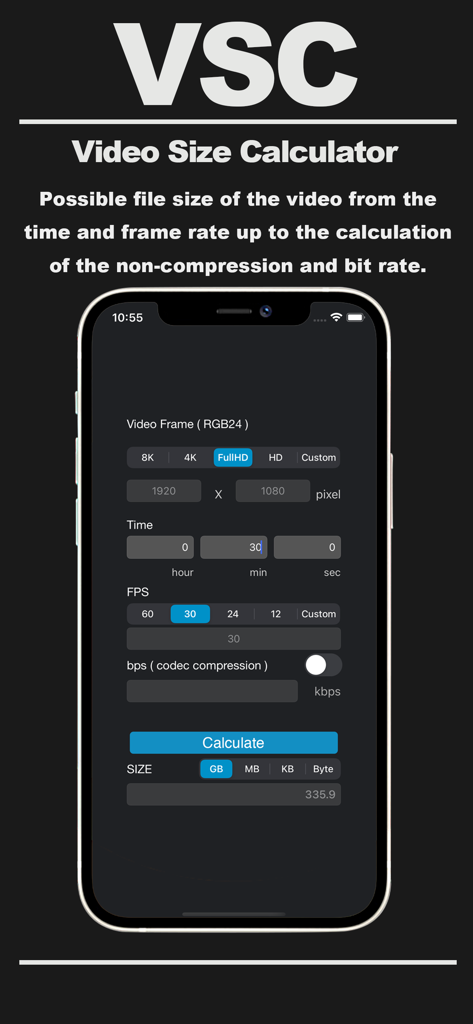
ファイルサイズを推定するために解像度、時間、フレームレートのフィールドを表示するビデオサイズ計算機アプリのインターフェイス

ファイルサイズを推定するために解像度、時間、フレームレートのフィールドを表示するビデオサイズ計算機アプリのインターフェイス

モバイルストレージをマスターする

このアプリを際立たせるツール、 800 人のユーザーが選択.

🚀

クイック標準プリセット

4K、フルHD、カスタム解像度を即座に切り替えて、必要な推定値をすぐに取得します。

🛠️

詳細な仕様カスタマイズ

フレーム/秒(FPS)と正確なビデオ継続時間を調整して、最終ファイルサイズの正確なプレビューを取得します。

📊

スマート単位変換

結果をGB、MB、KBで表示して、iPhoneの空き容量やソーシャルメディアのアップロード制限に完全に合わせます。

アプリについて

について知っておくべきこと Video Size Calculator.

説明

"Video Size Calculator" is a useful tool that will calculate the approximate file capacity after creating video easily. [Feature] The main frame size and frame rate can be calculated quickly because it is registered in the tab. Custom sizes can also be calculated by any numerical input. Calculated capacity is GB, MB, KB, can change the bytes and the unit does not need to be calculated each time. [How to use] 1. Choose from, such as full high-definition and DVD size. 2. The total time of the video, hour, minute, second input and respectively. 3. Select the FPS (frames displayed per second). 4. Calculate the approximate capacity and press the "Calculate" button. 5. The approximate file capacity was calculated switching in arbitrary units to confirm. Attention: In the case of bit rate calculation is calculated to enter a number from the time you turned on the switch. Please press again "Calculate" button if you want to change the number or tab recalculation. Please understand that only an approximate file capacity. The capacity of the sound source is not included.

最新バージョン

2.0

サイズ

0.4 MB

リリース日

2016年3月17日

ストレスなく撮影する準備はできましたか?

推測はやめて、計画を始めましょう。今すぐビデオサイズ計算機をダウンロードして、ストレージを管理し、ビットレートを最適化し、iPhoneを常に撮影準備完了の状態に保ちましょう。

ダウンロード: App Store

App information, icons, screenshots, and descriptions displayed on this page are sourced from the Apple App Store and are the property of their respective developers. Download estimates and rankings are based on MWM's proprietary models and may not reflect actual figures. This page is provided for informational and analytical purposes only.

Believe this page infringes your intellectual property? File a dispute