VizRef Lite

VizRef Lite

ダウンロード: App Store
ロゴ: VizRef Lite

VizRef Lite:モバイルアーティストのための究極のビジュアルリファレンスツール

キャンバスをクリアにして、iPhoneをProcreateとAdobe Fresco専用のセカンドモニターに変えましょう。ムードボードを整理し、GIFをフレームごとに学習し、どこで制作していてもインスピレーションを集中させましょう。

開発元

Studio Pixanoh Inc

カテゴリ

Graphics & Design

ダウンロード

96K+

ユーザー評価

3.6/5

評価数

100

対応言語

1

視界にインスピレーションを

このインターフェースを利用する 96K+ 人のユーザー.

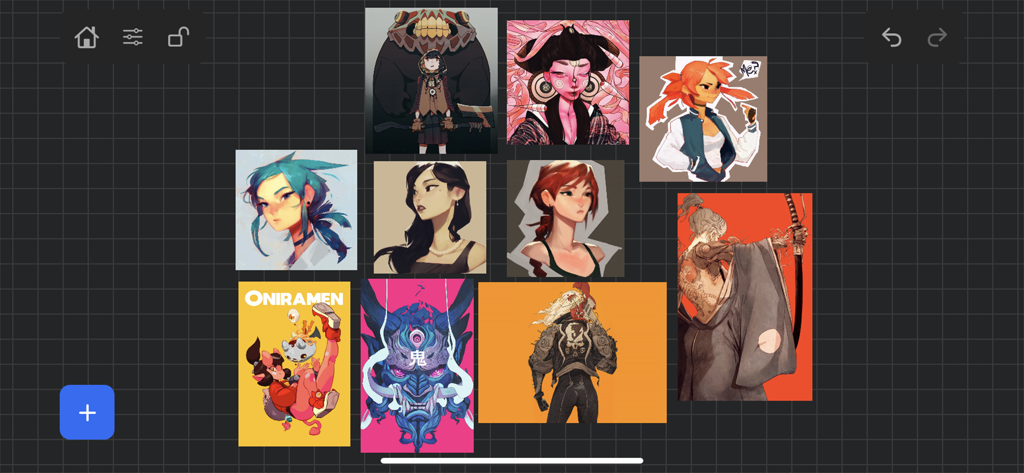
VizRef Liteアプリ内のデジタルアートリファレンスボード、キャラクターイラストが表示されている

VizRef Liteアプリ内のデジタルアートリファレンスボード、キャラクターイラストが表示されている

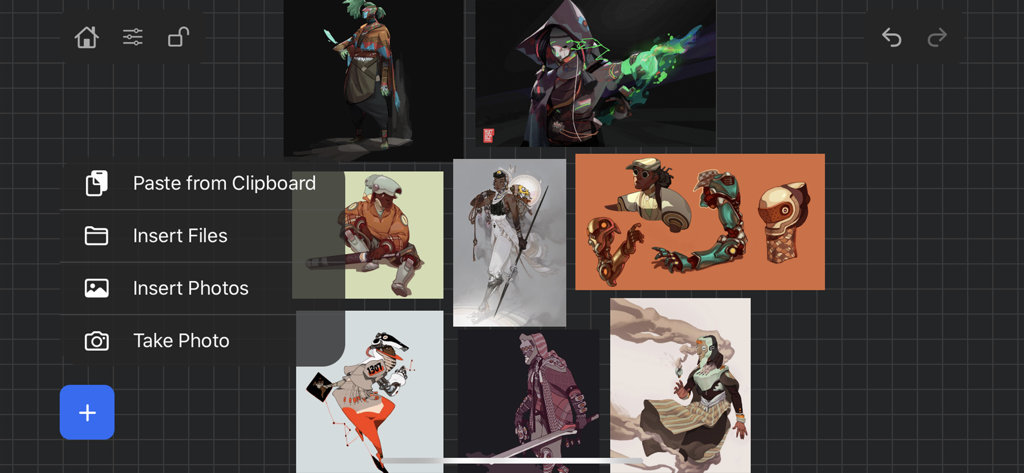
VizRef Liteアプリのインターフェース、キャラクターデジタルアートのムードボードにインポートメニューが表示されている

VizRef Liteアプリのインターフェース、キャラクターデジタルアートのムードボードにインポートメニューが表示されている

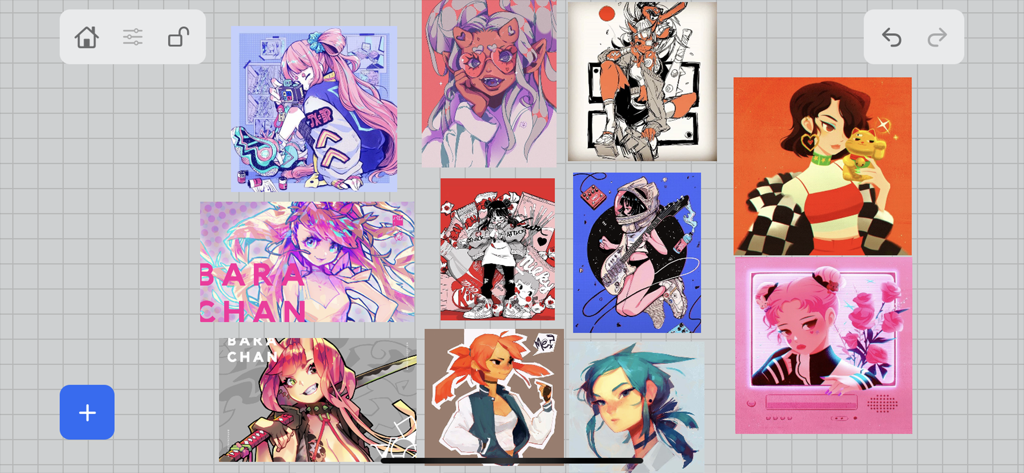
VizRef Liteアプリ内でグリッド上に配置されたキャラクターイラストのコレクションを表示するデジタルリファレンスボード。

VizRef Liteアプリ内でグリッド上に配置されたキャラクターイラストのコレクションを表示するデジタルリファレンスボード。

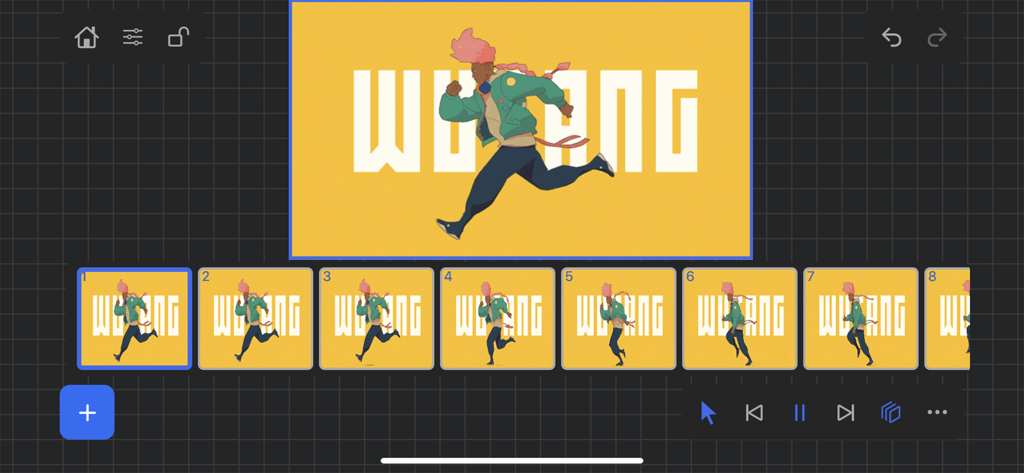
VizRef Liteアプリのインターフェース、アニメーションのフレームごとのシーケンスが表示されている

VizRef Liteアプリのインターフェース、アニメーションのフレームごとのシーケンスが表示されている

クリエイティブワークスペースをレベルアップ

このアプリを際立たせるツール、 96K+ 人のユーザーが選択.

📱

専用リファレンススクリーン

iPadの画面分割はやめましょう。iPhoneをセカンドモニターとして使用し、描画キャンバスを最大化しながらリファレンスを視界内に保ちましょう。

🎬

プロアニメーションコントロール

フレームごとのGIF再生で動きを分解しましょう。高度なタイムラインを使用して、次のアニメーションプロジェクトのウェイトとタイミングを学習しましょう。

🎨

ビジュアルマスターのためのツール

グレースケールを瞬時に切り替えてライティング値をチェックし、構図を改善するためにトリミングし、邪魔にならないUIでムードボードを整理しましょう。

アプリについて

について知っておくべきこと VizRef Lite.

説明

VizRef Lite® for iPhone enables creatives to finally take their inspiration anywhere on their phones. *You can not use iPad multitasking features with the iPhone version of VizRef. Please Download VIZREF for use on iPad. * It becomes the perfect companion app for Procreate or paired with your favorite drawing/animation application by using your iPhone as a second monitor dedicated to references. Take your reference boards with you while you travel and draw in your sketchbook. Make visual reference boards with any images or gifs from web browsers, cloud storage, photos, screen captures and more. The first mood board creation app made by artists for artists, that brings comprehensive referencing tools to animators and visual artists. We are dedicated to bringing creatives what they need most in being inspired everywhere they go. HIGHLIGHTS -VIZREF LITE® version for iPhone has all the same in-app features as VIZREF on iPad ( Vizref Lite if used on IPad does not have multitasking features and is not fullscreen. For iPad please purchase VIZREF® -Take your visual reference boards with you while you sketch at your favorite locations -Perfect companion app paired with Procreate® Adobe Fresco ® Clip Studio Paint® Infinite Painter® etc. by utilizing iPhone as a second monitor along with an iPad -Supports many image types including GIF -Quickly copy and paste images from web -Batch Import from Photos app -Batch Export images from boards to cloud storage using Files app -Import High-Resolution images with HD toggle -*Focus on whats importing with Focus mode. ( rotate imageboard ) *Multi-Select and auto pack images for a quicker workflow * - -Import from iCloud, Dropbox, Google Drive -Quick and responsive visual reference board experience -Easy to use/ minimal UI -Light mode and Dark mode -Set thumbnails for reference boards to visually organize your inspiration ANIMATED GIF SUPPORT -Reference your favorite animated gifs -Pause animation and play frame by frame to better understand referenced animations -Advanced animation timeline gives you an interactive visual breakdown of all frames EASY TO USE REFERENCE TOOLS -Crop images to optimize screen space and view more references -Greyscale toggle for images for value reference -Flip horizontally and vertically -Rotate Images -Copy-paste images into other apps Artwork and animation credits @_Artazi @_baomii @_Deadslug_ @amnesiapancake @barachan @belgeist @criisalys @ergo.josh @evan_monteiro @gloomwastaken @mrbeezul @onemegawatt @rocketboiART @samuelyounart @cobalt_requin VizRef was created by Max Gonzalez (@mrbeezul) and RoboWorld Entertainment with supporting development from Valere Labs

最新バージョン

1.1.7

サイズ

4.4 MB

リリース日

2020年3月11日

キャンバスを取り戻す準備はできましたか?

iPhoneを究極のリファレンスモニターに変えましょう。96,000人以上のアーティストがVizRef Liteを使用して、ワークフローを最適化し、どこで制作していてもインスピレーションを維持しています。

ダウンロード: App Store

App information, icons, screenshots, and descriptions displayed on this page are sourced from the Apple App Store and are the property of their respective developers. Download estimates and rankings are based on MWM's proprietary models and may not reflect actual figures. This page is provided for informational and analytical purposes only.

Believe this page infringes your intellectual property? File a dispute