VLC Streamer

VLC Streamer

ダウンロード: App Store
ロゴ: VLC Streamer

VLCストリーマー: 映画コレクション全体を瞬時にiPhoneとiPadにストリーミング

ファイル変換やストレージ管理に時間を無駄にするのはやめましょう。ライブトランスコーディングにより、Wi-Fi経由でPCまたはMacから任意のビデオフォーマットを直接視聴でき、セットアップは数秒で完了します。

開発元

Hobbyist Software Limited

カテゴリ

Entertainment

ダウンロード

1M+

ユーザー評価

3.8/5

評価数

1K+

対応言語

32

あなたのメディアを、制約なく

このインターフェースを利用する 1M+ 人のユーザー.

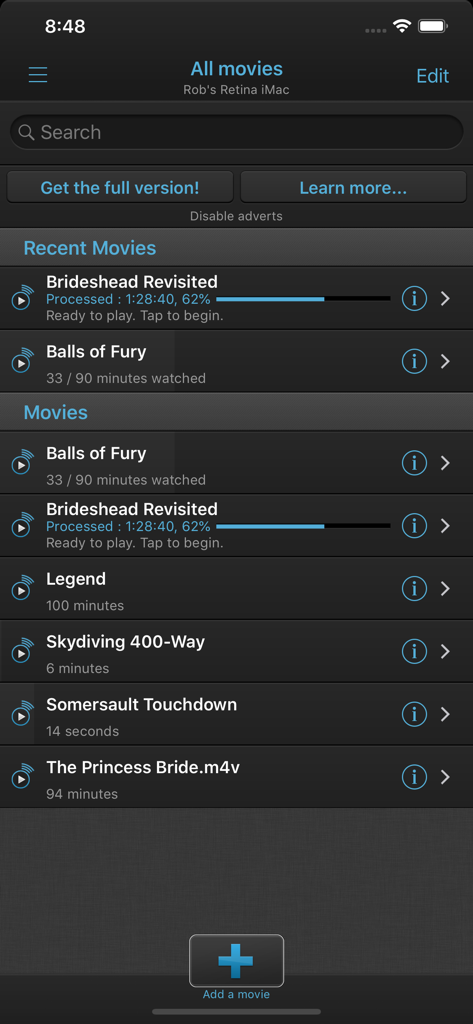
VLCストリーマーアプリが、コンピューターからストリーミング可能な映画のリストを表示している

VLCストリーマーアプリが、コンピューターからストリーミング可能な映画のリストを表示している

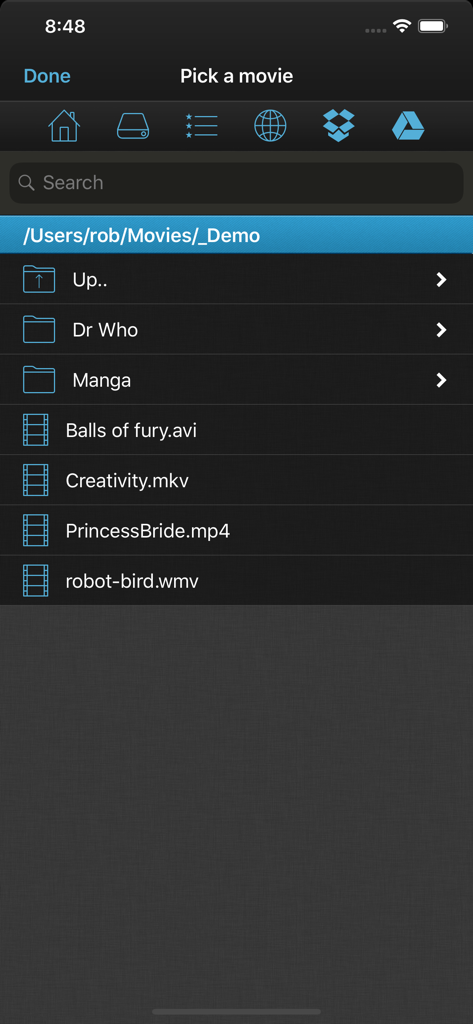
VLCストリーマーアプリのインターフェースが、コンピューターからストリーミング可能な映画ファイルとフォルダのリストを表示している

VLCストリーマーアプリのインターフェースが、コンピューターからストリーミング可能な映画ファイルとフォルダのリストを表示している

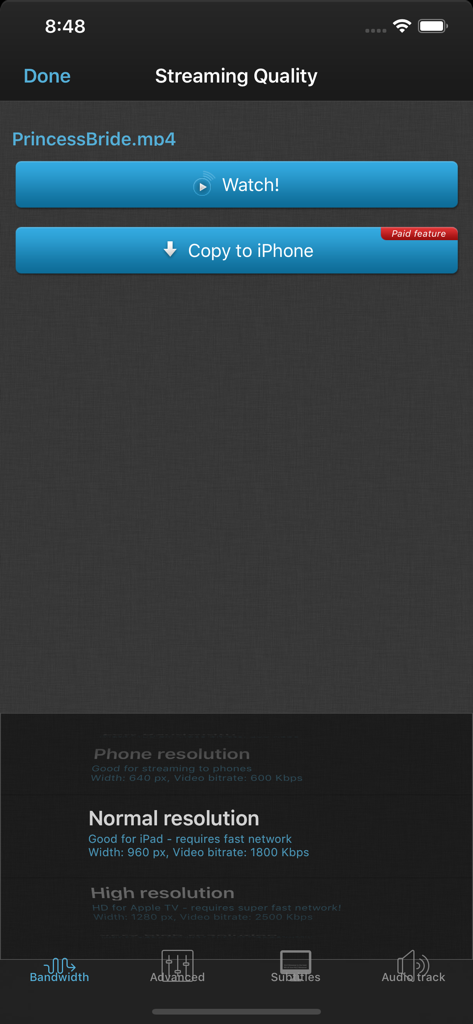
VLCストリーマーアプリのインターフェースが、iPhoneでの映画ストリーミング品質オプションと解像度設定を表示している

VLCストリーマーアプリのインターフェースが、iPhoneでの映画ストリーミング品質オプションと解像度設定を表示している

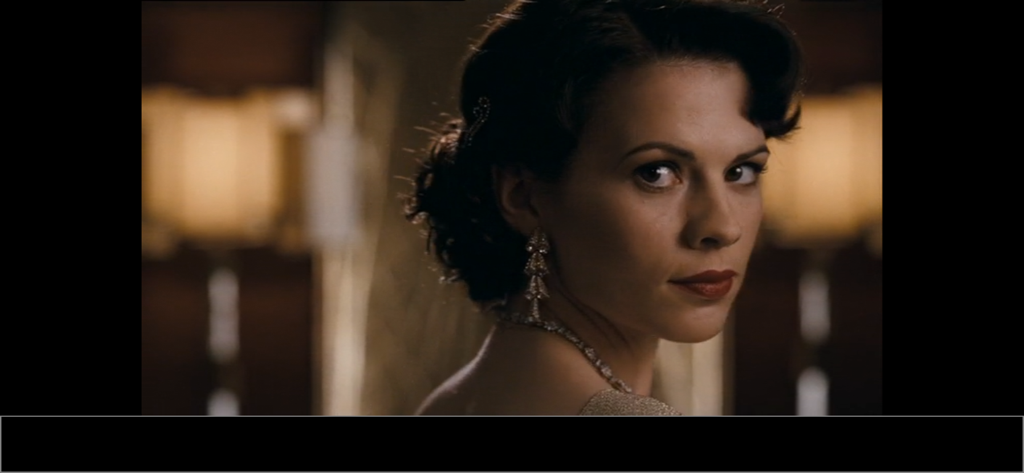
VLCストリーマーアプリを使用してモバイルデバイスで高品質にストリーミングされている映画のシネマティックシーン

VLCストリーマーアプリを使用してモバイルデバイスで高品質にストリーミングされている映画のシネマティックシーン

VLCストリーマーで、剣戟シーンがフルスクリーンで再生されている様子を表示している

VLCストリーマーで、剣戟シーンがフルスクリーンで再生されている様子を表示している

あなたの映画ライブラリ全体を、家中のどこへでも

このアプリを際立たせるツール、 1M+ 人のユーザーが選択.

🎞️

あらゆるフォーマットを即座に再生

複雑な変換プロセスは忘れてください。PCまたはMacで重い処理をすべて処理するため、最もマイナーなビデオフォーマットでも問題なくストリーミングできます。

💾

ストレージの心配はゼロ

モバイルデバイスの容量を1MBも使わずに、何テラバイトもの映画にアクセスできます。メディアはハードドライブに置いたまま、iPhoneのストレージは写真のために空けておきましょう。

数秒でセットアップ完了

無料のヘルパーアプリが、ローカルWi-Fi上のコンピューターを自動的に検出します。ネットワーク設定やITの専門知識は不要です。映画を選んで楽しむだけです。

アプリについて

について知っておくべきこと VLC Streamer.

説明

Sit anywhere in your house and watch movies or TV shows on your iPhone, iPod or iPad. VLC Streamer streams movies from your computer to your iDevice. Winner *Best Entertainment App* Chip.de. You can watch anything from your movie collection. No need for complex conversion processes. No need to manually transfer programs to your device. “Can these guys do no wrong? Seriously, if only other app devs knew how to make apps as well as these guys, the world would be a better place. Or at least my device would be less buggy. I was just watching a Full HD copy of Avatar Extended Edition being streamed from my PC on my iPod Touch 2nd Generation and it looked and played amazingly.” - UK Reviewer “…it's as good as having the original VLC player on your iOS device…” - CallingAllGeeks.org “…Setup is a snap and literally takes 2 seconds. You can browse through all your movies from your device and click any one to start playing. It even works if you have the movies stored on a USB drive connected to the host computer.” -The Times of India “Took me seconds to setup to stream from a secondary drive in my home office. Going straight out to get a cable for my TV.” - USA Reviewer “….This sucker can stream off the pc and plays virtually anything you throw at it. Download it now!” - TaxiDriver at Blippy.com There are a huge number of movie formats, and VLC can convert most of them - but it can't convert everything. If you have any doubts, then please try the free version of this application first. • Features include • - Free helper app gets you streaming quickly and allows you to browse local drives, and Windows network shares - Stream over wifi directly from your computer - Customisable gesture controls - Support for multiple resolutions and streaming quality levels - Live streaming of video after a few seconds of processing (assumes a reasonably powered computer) • System Requirements • - VLC Streamer will not play DRM protected videos. Videos from the iTunes store do include DRM. - VLC Streamer is designed to work on your local network, and the free helper app has to run on your Mac or PC.    - Supports Windows, Vista, Windows 7 and Window 8 - Supports Mac OS 10.7 and above. • Response to feedback • -If you do have any problems streaming movies, then please just check the help instructions in the app. Feel free to drop me an email (my personal mail is in the app) if you need help. • Subscription Information • VLC Streamer is supported through an auto-renewing subscription which you can choose to purchase within the app. • The subscription is called 'VLC Streamer Annual Subscription ' • It is an annual subscription. It gets rid of the adverts and unlocks all functions, including downloading movies to your device • Payment will be charged to iTunes Account at confirmation of purchase • Subscription automatically renews unless auto-renew is turned off at least 24-hours before the end of the current period • Account will be charged for renewal within 24-hours prior to the end of the current period • Subscriptions may be managed by the user and auto-renewal may be turned off by going to the user's Account Settings after purchase • Terms of use are available at https://HobbyistSoftware.com/terms • Privacy policy is available at https://HobbyistSoftware.com/privacy Enjoy!

最新バージョン

6.23.5

サイズ

64.3 MB

リリース日

2010年12月21日

映画ライブラリ全体を解放する準備はできましたか?

変換やストレージ管理に時間を無駄にするのはやめましょう。100万人以上のユーザーに加わり、数秒でコンピューターからデバイスに任意のファイルフォーマットを直接ストリーミングしましょう。

ダウンロード: App Store
FAQ

よくある質問

について知っておくべきこと VLC Streamer

VLC Streamerはどのように機能しますか?

VLC Streamerは、Wi-Fi経由でコンピュータからiPhone、iPod、またはiPadに映画をストリーミングします。MacまたはPC上の無料ヘルパーアプリを使用して、複雑な変換を回避しながらムービーコレクションに直接アクセスできます。

VLC Streamerのシステム要件は何ですか?

VLC Streamerは、Mac(OS 10.7以降)またはPC(Windows Vista、7、8)に無料のヘルパーアプリが必要です。ローカルネットワークで動作するように設計されています。

VLC StreamerはDRM保護されたビデオを再生できますか?

いいえ、VLC StreamerはDRM保護されたビデオを再生しません。これにはiTunesストアの映画が含まれます。

VLC Streamerの年間サブスクリプションには何が含まれますか?

VLC Streamerの年間サブスクリプションは広告を削除し、すべての機能をアンロックします。これには、オフライン視聴のために映画をデバイスに直接ダウンロードする機能が含まれます。

VLC Streamerは無料アプリですか?

いいえ、VLC Streamerは自動更新される年間サブスクリプションモデルで運営されています。支払いは購入確認時にiTunesアカウントに請求されます。無料バージョンも試用できます。

ユーザーはVLC Streamerのサブスクリプションをどのように管理できますか?

ユーザーは購入後にアカウント設定にアクセスすることで、VLC Streamerのサブスクリプションを管理し、自動更新をオフにすることができます。これは、現在の期間が終了する少なくとも24時間前に行う必要があります。

VLC Streamerヘルパーアプリはどのように入手できますか?

VLC Streamerの無料ヘルパーアプリは、迅速なストリーミングを可能にするためにダウンロードできます。アプリの説明には、必須であり「すぐにストリーミングを開始できる」と記載されています。

VLC Streamerは異なるストリーミング品質をサポートしていますか?

はい、VLC Streamerは複数の解像度とストリーミング品質レベルをサポートしています。これにより、ユーザーはネットワーク速度とデバイスの機能に応じて調整できます。

VLC Streamerはすべてのムービーフォーマットを再生できますか?

VLC Streamerはほとんどのムービーフォーマットを変換して再生できます。ただし、すべてを変換できるわけではありません。疑問がある場合は、まず無料バージョンを試すことをお勧めします。

VLC Streamerには広告が含まれていますか?

はい、VLC Streamerの基本バージョンには広告が含まれています。年間サブスクリプションにより、これらの広告が削除され、全機能がアンロックされます。

App information, icons, screenshots, and descriptions displayed on this page are sourced from the Apple App Store and are the property of their respective developers. Download estimates and rankings are based on MWM's proprietary models and may not reflect actual figures. This page is provided for informational and analytical purposes only.

Believe this page infringes your intellectual property? File a dispute