
このページはアプリまたはその開発者の公式ページではなく、情報提供および論評を目的として作成された独立した編集出版物です。明示的に別段の記載がない限り、アプリおよびその開発者は、MWM、Apple、Google Play、アプリのパブリッシャー、またはアプリの開発者と提携、承認、後援、認可、またはその他の公式的な関係はなく、このページのいかなる内容も、アプリがMWMのサービスを使用して開発されたことを意味するものではありません。すべての商標、ロゴ、スクリーンショット、その他のコンテンツはそれぞれの所有者の財産です。

nPlayer
NAS、クラウド、FTPからあらゆるファイル形式を直接ストリーミング。ファイルの変換の手間なく、モバイルデバイスで映画館品質のDTSおよびDolbyオーディオを体験してください。
ダウンロード
712K+ユーザー評価
評価数
18K+開発元
カテゴリ
Entertainment対応言語
10最新バージョン
3.13.0サイズ
61.0 MBリリース日
2016年7月21日メディアライブラリを使いこなす
NAS、クラウド、またはリモートサーバーから映画コレクション全体をストリーミング。プロ級のオーディオおよびビデオパフォーマンスで、あらゆるファイル形式をネイティブに再生します。
ネイティブ再生、変換不要
時間のかかるトランスコーディングをスキップ。MKV、AVI、WMVファイルをネイティブに再生し、DTS-HDとDolby AC3オーディオのフルサポートによりシアター品質の体験を提供します。
プログレードのネットワークストリーミング
SMB、FTP、またはWebDAVを介して20TBのホームサーバーやクラウド環境にアクセス。デバイスの内部ストレージを圧迫することなく、高ビットレートの4Kコンテンツを直接ストリーミングできます。
よくある質問
について知っておくべきこと nPlayer
DTSオーディオに対応していますか?
はい、nPlayerはDTSオーディオコーデック(DTS HD、DTS Headphone:Xを含む)を公式にサポートしており、互換性のあるメディアで高品質なオーディオ体験を提供します。
Dolbyオーディオファイルを再生できますか?
はい、nPlayerはAC3やE-AC3などのDolbyオーディオコーデックをサポートしています。また、互換性のあるデバイス向けにDolby HDMI Bitstream(Passthru)もサポートしています。
nPlayerはiOSデバイス用のユニバーサルアプリですか?
はい、nPlayerはユニバーサルアプリです。初回購入後、追加料金なしでどのiOSデバイスにもインストールできます。
nPlayerはどのようなビデオフォーマットをサポートしていますか?
nPlayerは、MP4、MOV、MKR、AVI、WMV、ASF、FLV、OGV、RMVB、TPなど、さまざまなビデオフォーマットをサポートしており、変換なしで再生できます。
nPlayerはリモートデバイスからビデオをストリーミングできますか?
はい、nPlayerは強力なネットワーク技術を使用してリモートデバイスからビデオをストリーミングできます。これにより、ユーザーはデバイスの限られたストレージにファイルを保存せずにコンテンツを再生できます。
nPlayerはChromecastをサポートしていますか?
はい、nPlayerはChromecastをサポートしており、ユーザーは互換性のあるデバイスにビデオをキャストできます。スクリーンショット#5には、ビデオキャスティングの選択肢としてChromecastUltraが表示されています。
nPlayerはストリーミングにどのネットワークプロトコルをサポートしていますか?
nPlayerは、スクリーンショット#3に示すように、WebDAV、FTP、SFTP、HTTP、SMB/CIFS、NFS、UPnP/DLNAなど、ストリーミング用の複数のネットワークプロトコルをサポートしています。
nPlayerはどのクラウドサービスと連携しますか?
nPlayerは、Box、Dropbox、OneDrive、Yandex.Diskなどのクラウドサービスと連携します。スクリーンショット#3には、Amazon Cloud Drive、Google Drive、pCloudのサポートも表示されています。
nPlayerで再生位置をどのように制御しますか?
ユーザーは、画面を水平にドラッグすることで、nPlayerの再生位置を制御できます。このジェスチャーにより、ビデオ再生中に正確な調整が可能です。
nPlayerは字幕のカスタマイズオプションを提供していますか?
はい、nPlayerは豊富な字幕カスタマイズオプションを提供しています。フォント、色、影、アウトライン、位置、サイズを調整でき、外部字幕やマルチトラック字幕も使用できます。
nPlayerはビデオ再生速度を調整できますか?
はい、nPlayerは0.5倍から4.0倍までの再生速度制御をサポートしています。この機能により、ユーザーは視聴体験をカスタマイズできます。
nPlayerはHDMI出力をサポートしていますか?
はい、nPlayerはHDMI出力をサポートしています。この機能により、ユーザーはiOSデバイスを外部ディスプレイに接続してコンテンツを視聴できます。
nPlayerはビデオ再生のハードウェアアクセラレーションをサポートしていますか?
はい、nPlayerはAV1、HEVC、H.264、MPEG4コーデックのハードウェアアクセラレーションをサポートしています。これにより、ビデオデコードパフォーマンスが最適化され、よりスムーズな再生が可能になります。
ユーザーはnPlayerアプリ内でファイルを管理できますか?
はい、nPlayerにはファイル管理機能が含まれています。ユーザーは、アプリケーション内で直接ファイルを削除、移動、名前変更したり、新しいフォルダを作成したりできます。
以下のスクリーンショットと説明は、アプリの公式ストアリスティングから直接取得されたものであり、アプリ開発者の所有物です。
アプリストア
スクリーンショット
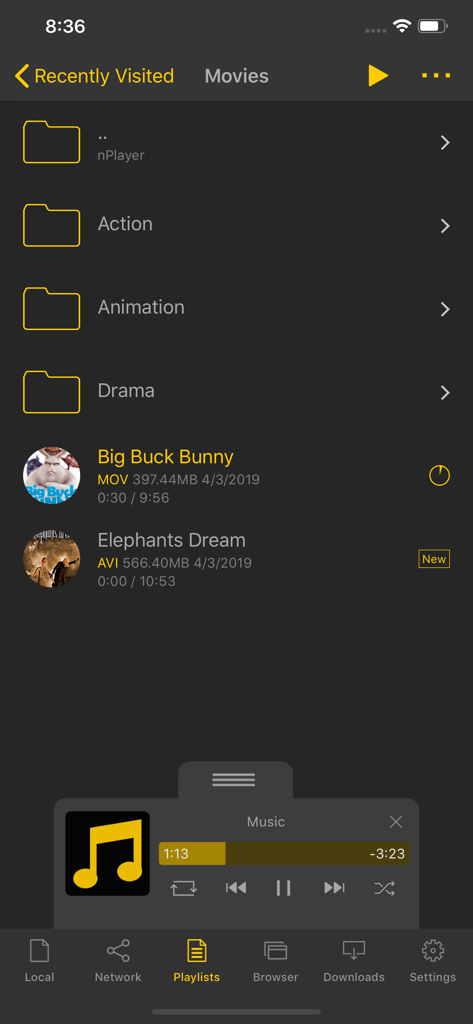
映画フォルダと様々なファイル形式のビデオファイルリストを表示するnPlayerアプリのインターフェース。
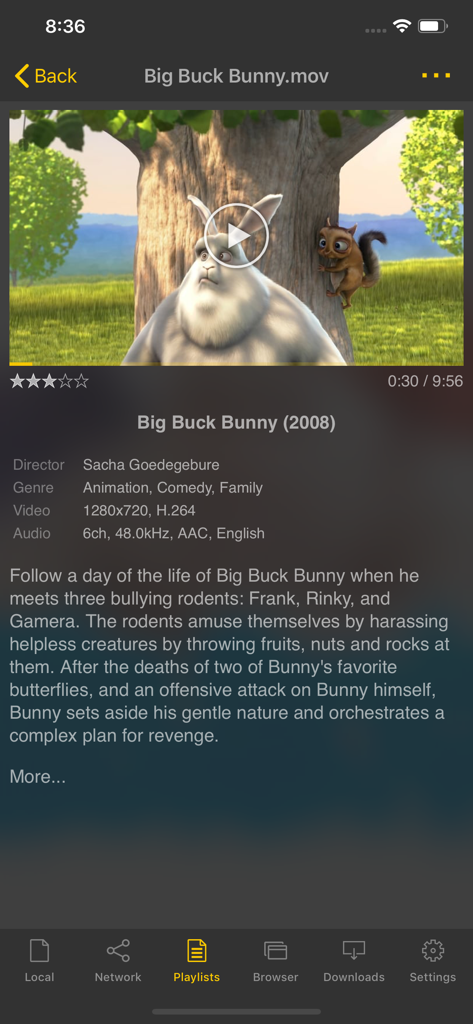
映画のあらすじとビデオのテクニカルデータを表示するnPlayerアプリのインターフェースのスクリーンショット。
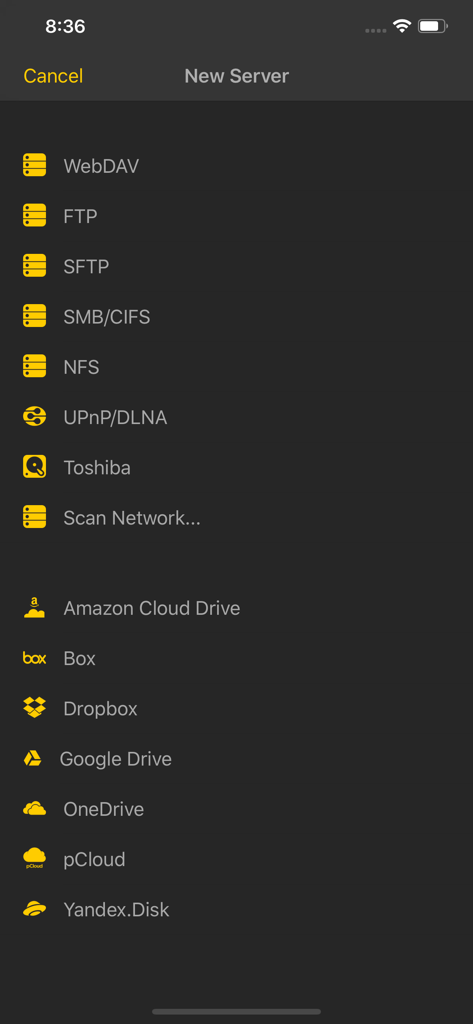
FTP、SMB、Googleドライブなど、nPlayerで接続可能なネットワークプロトコルとクラウドストレージサービスの一覧。
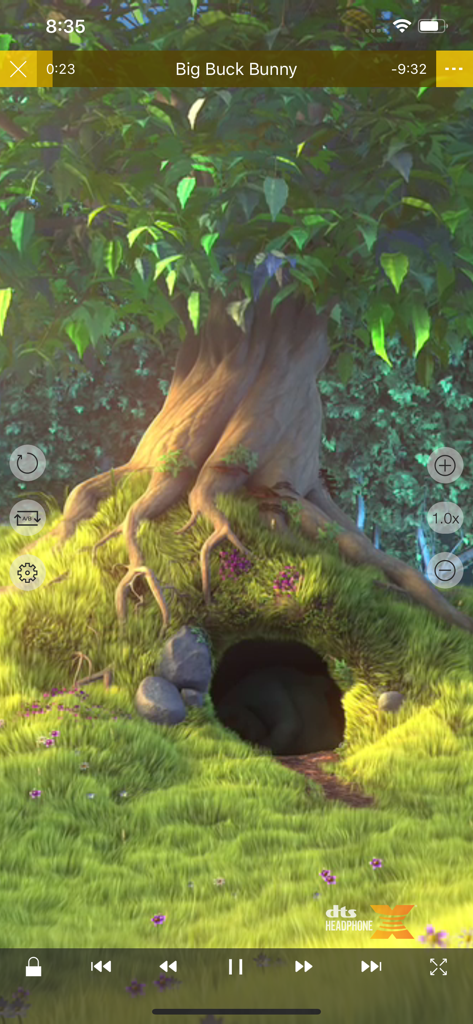
高度なメディアコントロールとDTSオーディオサポートを備えたnPlayer Proのビデオ再生インターフェース。
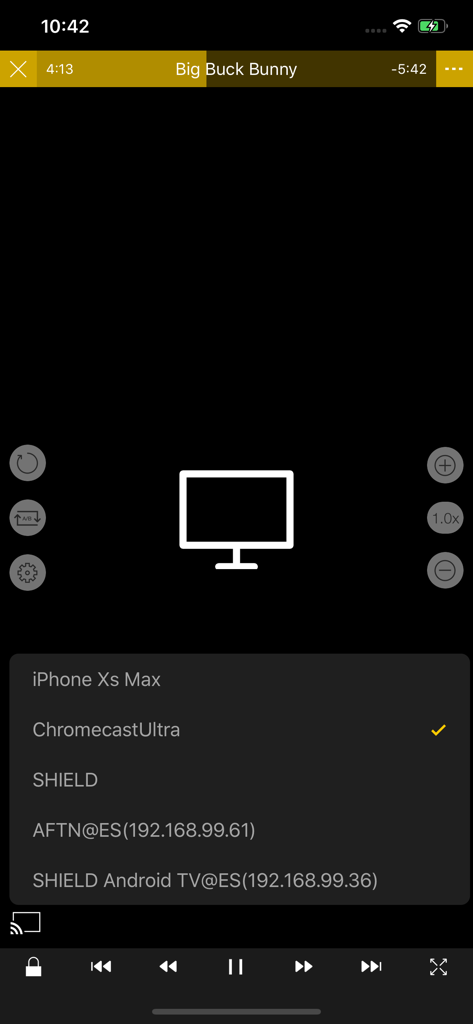
ChromecastやAndroid TVなど、ビデオキャストが可能なデバイスのリストを表示するnPlayerアプリ。
説明
Download
類似アプリ
似た機能とユーザー体験を持つアプリ

网易爆米花-智能媒体库,全能云盘网盘播放器
Guangzhou NetEase Computer System Co.Ltd

Immich
Hau Tran

飞牛
Guangzhou TR Intelligent Manufacturing Technology Co., Ltd.

MiraPlay
悦 刘

NipaPlay
荣广 梁

VidHub -Video Library & Player
Nanjing Oumi Software Development Co., Ltd.

Fast Player - video player
化媚 席

zFuse - Media Player
s-joys Technology Co., Ltd.

Forever Music
ismail Aygn
このページはアプリまたはその開発者の公式ページではなく、情報提供および論評を目的として作成された独立した編集出版物です。明示的に別段の記載がない限り、アプリおよびその開発者は、MWM、Apple、Google Play、アプリのパブリッシャー、またはアプリの開発者と提携、承認、後援、認可、またはその他の公式的な関係はなく、このページのいかなる内容も、アプリがMWMのサービスを使用して開発されたことを意味するものではありません。すべての商標、ロゴ、スクリーンショット、その他のコンテンツはそれぞれの所有者の財産です。