Voice Remover: Music Separator

Voice Remover: Music Separator


ダウンロード: App Store
ロゴ: Voice Remover: Music Separator

Voice Remover: Music Separator – クリエイター&ミュージシャンのためのプロフェッショナルAIトラック分離

ワンクリックで、あらゆる楽曲からボーカル、ドラム、ギター、ベースを抽出します。高度なAIを使用してトラックを分離し、完璧なバッキングトラックを作成し、iPhoneから直接高品質なリミックスを制作できます。

ダウンロード: App Store

開発元

通 刘

カテゴリ

Utilities

ダウンロード

1K+

ユーザー評価

4.1/5

評価数

0

対応言語

1

魔法の瞬間を垣間見る

このインターフェースを利用する 1K+ 人のユーザー.

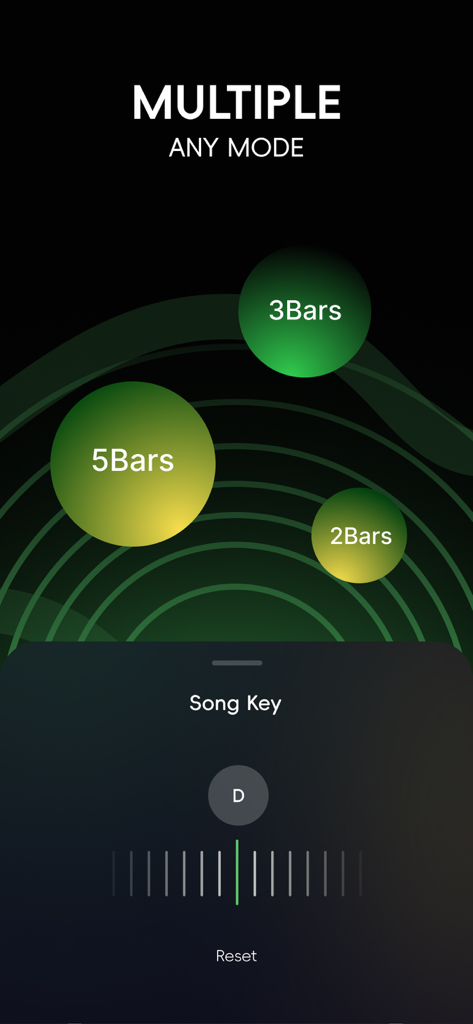
楽曲キー調整とバー選択オプションが表示されたVoice Removerアプリのインターフェース

楽曲キー調整とバー選択オプションが表示されたVoice Removerアプリのインターフェース

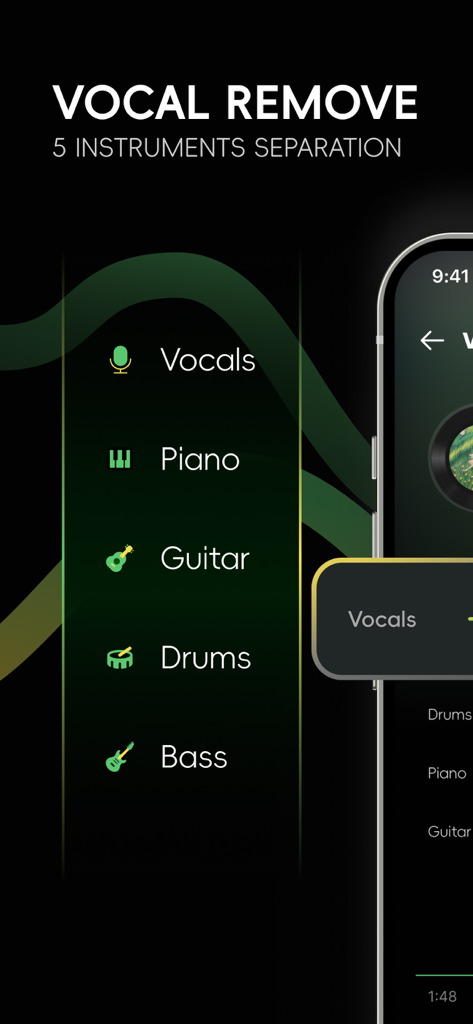
Voice Removerアプリのインターフェース。ボーカル、ピアノ、ギター、ドラム、ベースのAI分離を表示

Voice Removerアプリのインターフェース。ボーカル、ピアノ、ギター、ドラム、ベースのAI分離を表示

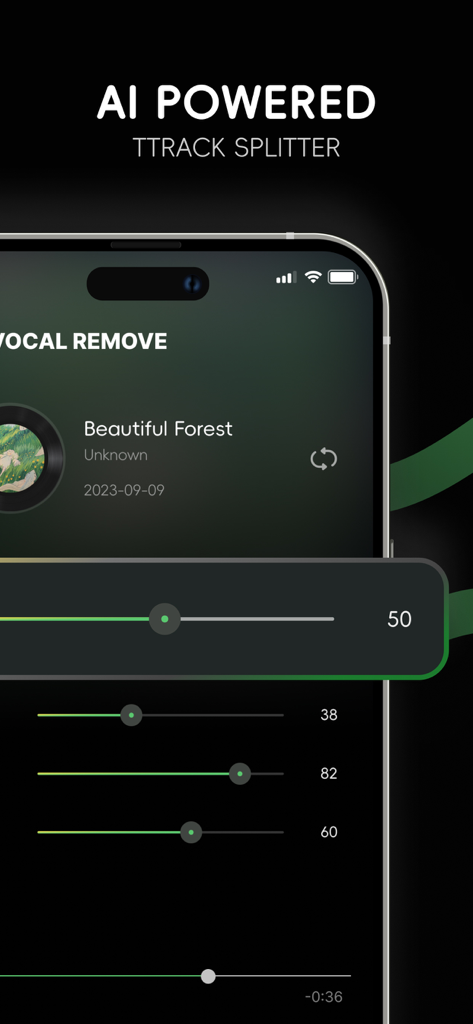
ボーカルとインストゥルメンタルのステムのボリュームスライダーを備えたAI搭載ミュージックトラックスプリッターインターフェース

ボーカルとインストゥルメンタルのステムのボリュームスライダーを備えたAI搭載ミュージックトラックスプリッターインターフェース

AI搭載の精度でサウンドを向上させましょう

このアプリを際立たせるツール、 1K+ 人のユーザーが選択.

🪄

プログレードのステム抽出

最先端のAIテクノロジーを使用して、比類のない明瞭さで、あらゆるトラックからボーカル、ドラム、ベース、またはギターを分離します。

🎸

カスタムバッキングトラック

リード楽器を削除して、パーソナライズされた練習トラックや、次のバイラルマッシュアップ用の高品質アカペラを作成します。

クリエイター向けスタジオ

BPMを変更し、再生速度を調整し、オーディオを即座にトリミングして、TikTok、Reels、YouTubeに完全に合わせたコンテンツを制作します。

アプリについて

について知っておくべきこと Voice Remover: Music Separator.

説明

If you want to easily separate vocals, drums, guitar, bass, and other instruments from a piece of music, choose Voice Remover! If you also want to edit music, change BPM and speed, Voice Remover can realize your ideas instantly! Tailored for music masters, audio fans, and musical instrument lovers - Extract and separate vocals, piano, guitar, drums, bass - Separate vocals, instruments, and accompaniments in music, use AI technology to quickly obtain high-quality separated tracks, and delete background tracks you don’t need - Speed up or slow down with one click - Metronome - Cut music according to your ideas - Mixer - The generated audio tracks can be easily exported to other applications or shared with friends How to use Voice Remover Import your audio or video Choose to separate vocals and accompaniment according to your needs. You can also choose to separate the tracks of different instruments in the accompaniment Next you can adjust the volume of different audio tracks, and adjust the beat and speed of the music - Get new harmonies Choose the audio format you want and export Come and edit your music and start a listening feast. Subscription Option: • Weekly: $7.99 • Your payment will be charged to your iTunes Account as soon as you confirm your purchase. • You can manage your subscriptions and turn off auto-renewal from your Account Settings after the purchase. • Your subscription will renew automatically, unless you turn off auto-renew at least 24 hours before the end of the current period. • The cost of renewal will be charged to your account in the 24 hours prior to the end of the current period. • When canceling a subscription, your subscription will stay active until the end of the period. Auto-renewal will be disabled, but the current subscription will not be refunded. • Any unused portion of a free trial period, if offered, will be forfeited when purchasing a subscription. Terms of Use: https://sites.google.com/view/voice-remover-terms-of-use/home Privacy Policy: https://sites.google.com/view/voice-remover-privacy-policy/home

最新バージョン

1.0.4

サイズ

64.9 MB

リリース日

2024年1月31日

次のトラックをマスターする準備はできましたか?

AIを使用して数秒でボーカルや楽器を分離するクリエイターやミュージシャン何千人にも参加してください。今すぐダウンロードして、今日の次の傑作を始めましょう。

ダウンロード: App Store

App information, icons, screenshots, and descriptions displayed on this page are sourced from the Apple App Store and are the property of their respective developers. Download estimates and rankings are based on MWM's proprietary models and may not reflect actual figures. This page is provided for informational and analytical purposes only.

Believe this page infringes your intellectual property? File a dispute