Watch Cam for Nest Cam

Watch Cam for Nest Cam

ダウンロード: App Store
ロゴ: Watch Cam for Nest Cam

Watch Cam for Nest Cam:手首の上で、自宅を見守る

Apple Watchから直接、ライブ映像の確認、Siriショートカット、在宅/外出状態の管理がスムーズに行えます。LTE対応と文字盤のスナップショットで、いつでもつながる安心を。プライベートで安全、アクティブなライフスタイルに最適です。

ダウンロード: App Store

開発元

Marko Radakovic

カテゴリ

Lifestyle

ダウンロード

122K+

ユーザー評価

3.8/5

評価数

100

対応言語

1

ひと目でわかるセキュリティ

このインターフェースを利用する 122K+ 人のユーザー.

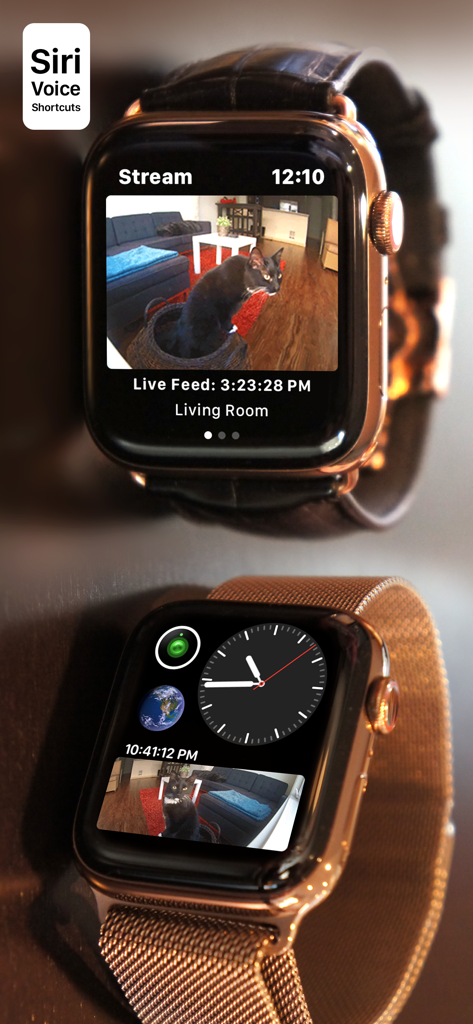
Nestカメラのライブストリームと文字盤コンプリケーションを表示しているApple Watch

Nestカメラのライブストリームと文字盤コンプリケーションを表示しているApple Watch

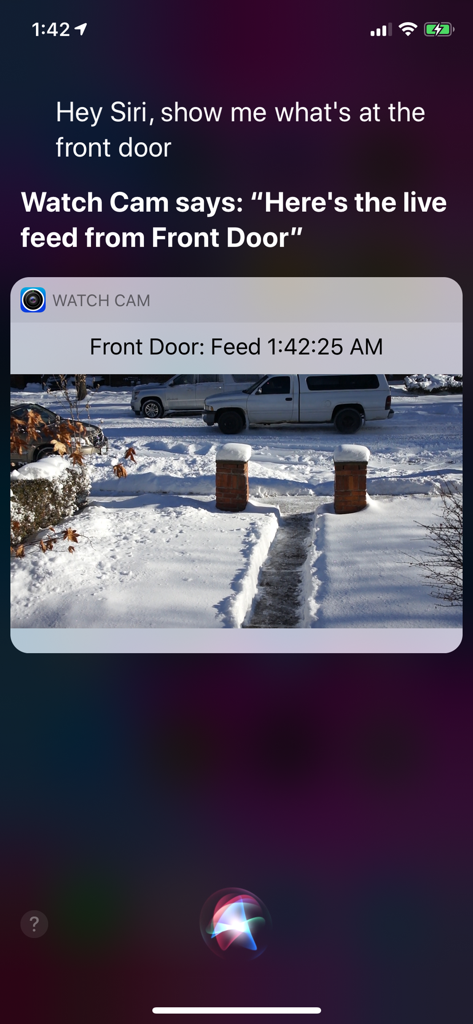
Watch Camアプリを介してNestカメラのライブ映像をSiriが表示しているiPhoneの画面

Watch Camアプリを介してNestカメラのライブ映像をSiriが表示しているiPhoneの画面

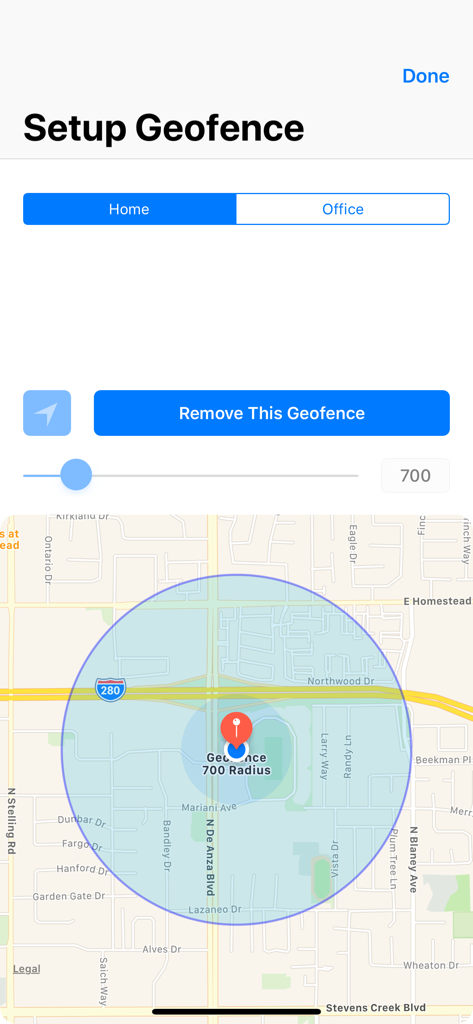
地図と半径設定によるホームジオフェンスの設定インターフェース

地図と半径設定によるホームジオフェンスの設定インターフェース

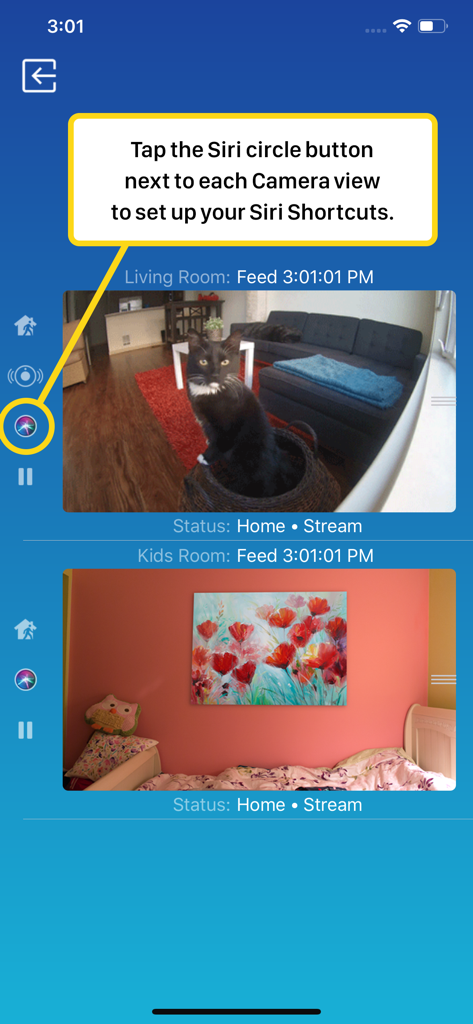
ライブカメラ映像とSiriショートカット設定を表示しているWatch Cam for Nest Camのスマートフォン画面

ライブカメラ映像とSiriショートカット設定を表示しているWatch Cam for Nest Camのスマートフォン画面

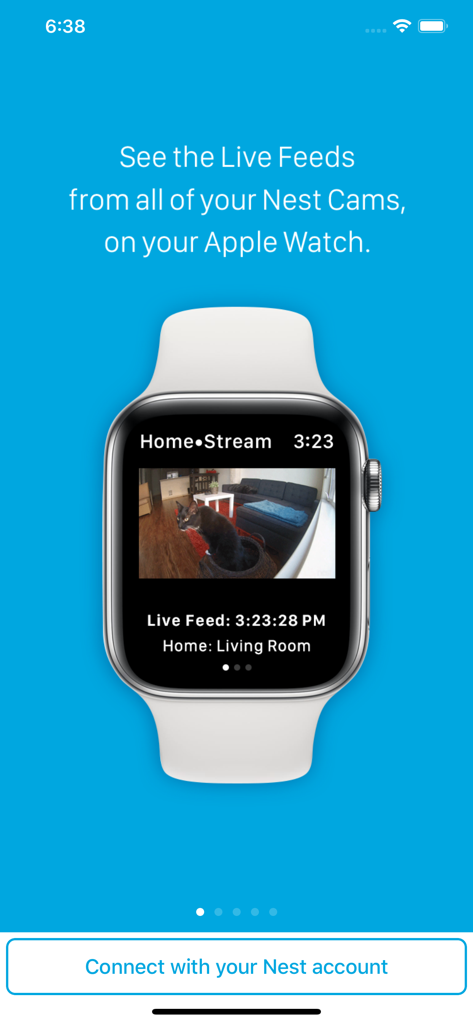
リビングルームの猫を映し出しているNestセキュリティカメラのライブ映像を表示したApple Watch

リビングルームの猫を映し出しているNestセキュリティカメラのライブ映像を表示したApple Watch

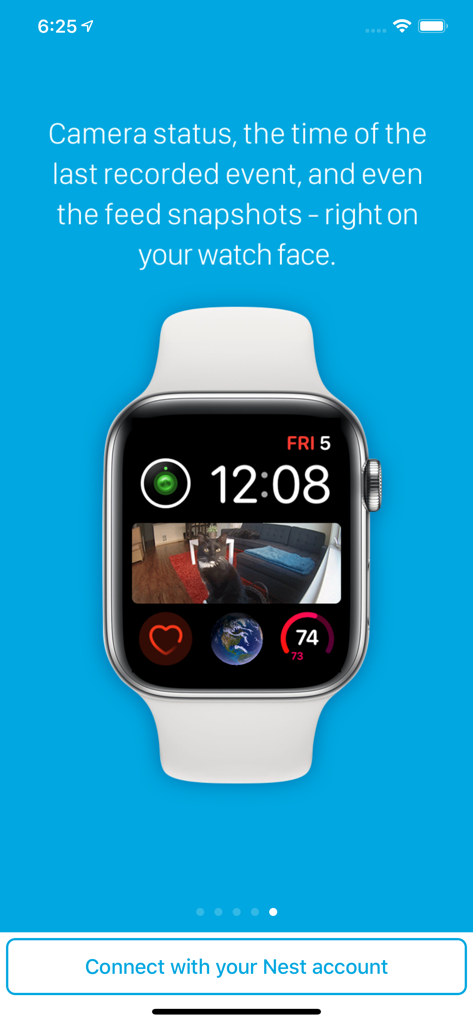
ソファに座る猫のNestカメラスナップショットのコンプリケーションを表示しているApple Watchの文字盤

ソファに座る猫のNestカメラスナップショットのコンプリケーションを表示しているApple Watchの文字盤

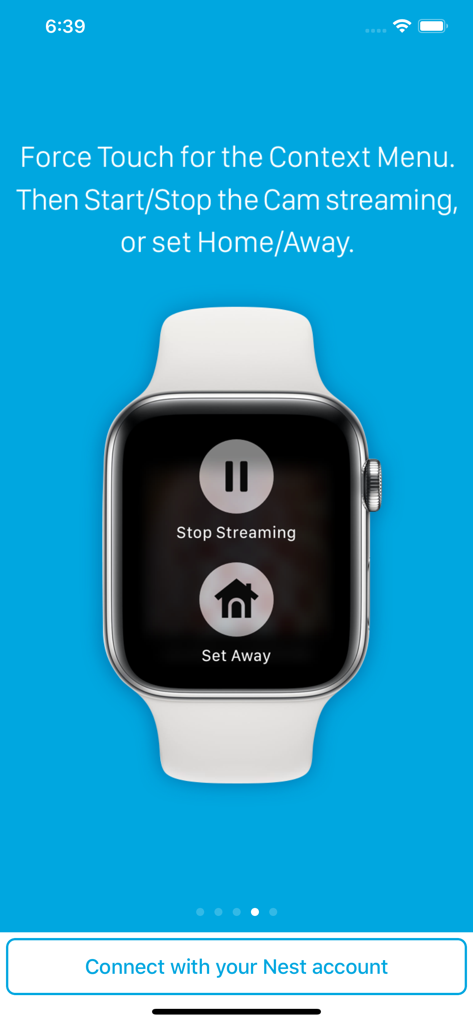
Nestカメラ用の「ストリーミング停止」と「外出設定」ボタンを表示しているApple Watch

Nestカメラ用の「ストリーミング停止」と「外出設定」ボタンを表示しているApple Watch

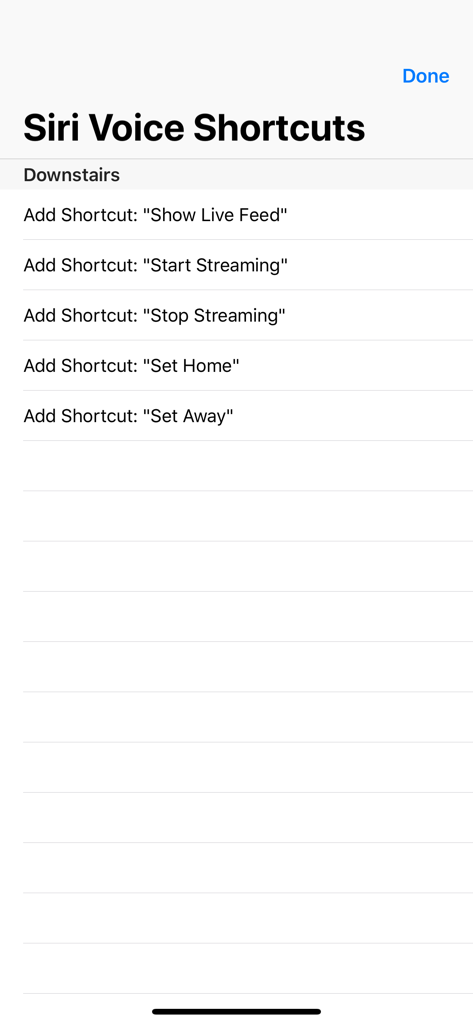
ライブ映像の表示や在宅/外出状態の設定を含む、Nestカメラ操作用のSiri音声ショートカットオプションの一覧

ライブ映像の表示や在宅/外出状態の設定を含む、Nestカメラ操作用のSiri音声ショートカットオプションの一覧

ひと目でわかる、わが家の安心

このアプリを際立たせるツール、 122K+ 人のユーザーが選択.

iPhoneいらずの自由

iPhoneを持ち歩かない時でもつながります。フルLTE対応により、ランニング中や外出先でもApple Watchで直接ライブ映像を確認できます。

🖼️

ひと目で確認できるセキュリティ

スマホを取り出す必要はありません。文字盤にカスタムコンプリケーションを追加すれば、手首を上げた瞬間にカメラのスナップショットを確認できます。

🗣️

ハンズフリーのSiri操作

マルチタスクがもっと簡単に。買い物や育児で手が離せない時でも、Siriの音声ショートカットでライブ映像を表示したり、在宅/外出設定を切り替えたりできます。

アプリについて

について知っておくべきこと Watch Cam for Nest Cam.

説明

Apple Watch, Nest Cam, and Siri together. What a sight! The app has Siri Voice shortcuts, and they can be used to set your home into Away or Home state using Siri on your Watch or iPhone, as well as to display the live feeds from your cameras. The app supports Apple Watch LTE, and can work when the iPhone is not around - as long as the watch itself has internet access (either LTE or WiFi). The app is fully functional with the initial purchase. In-app purchases are available only for tipping the developer. Watch Cam lets you monitor all your Nest Cams from the Apple Watch. • From the watch face, tap on the Watch Cam complication to open the app. Swipe left and right to view life feeds from all your Nest Cams. • One of the watch complications shows you the snapshot from the camera of your choice, right on the watch face. • View the continuously updated Live Feed from the camera in the watch app, iOS app, or with Siri. Newer cameras show live video in the iOS app and Siri. Older cameras show snapshot images that update every second. The feed updates with a new snapshot image every few seconds on the Watch - may be faster or slower, depending on your network speed. • Use the digital crown on the Watch to zoom in and out, or tap the screen to toggle zoom levels. • Use the pinch gesture on the camera views in the iOS app to zoom in and out. Single tap toggles the zoom level in the iOS app and the iOS widget. • Turn the device to landscape mode to increase the camera views sizes. • Double tap on the Live Feed view in the iOS app or the widget to launch the Nest app. • Set Geofence around your home to reliably set the Home and Away state when you come and go. Watch Face Complications can display the following: • Snapshot from the camera of your choice. • Camera icon that opens the app. You can long-press the Watch screen for additional functions, like setting the home/away status, or turning the camera streaming on and off. While the app's minimalist looks betray the simplicity of its operation, what they don't show is the amount of planning, design, development and refinement that went into it, ensuring it becomes something that is enjoyable to use and experience. Please Note: Watch Cam does not collect any of your data. Your login information, camera feeds, and any activity - all of it flows exclusively between your devices and Nest. Author of Watch Cam does not receive any of it, at any point. This app and its developer are unaffiliated with Google Inc. or Google Nest. Nest is a trademark of Google Inc.

最新バージョン

8.7.1

サイズ

16.7 MB

リリース日

2016年11月22日

ひと目でわかる、わが家の安心

NestとApple Watchを連携させている122,000人以上のユーザーの仲間入りをしましょう。iPhoneなしでのモニタリングやスムーズなSiri操作を、今すぐダウンロードして体験してください。

ダウンロード: App Store

App information, icons, screenshots, and descriptions displayed on this page are sourced from the Apple App Store and are the property of their respective developers. Download estimates and rankings are based on MWM's proprietary models and may not reflect actual figures. This page is provided for informational and analytical purposes only.

Believe this page infringes your intellectual property? File a dispute