Weather Glance

Weather Glance

ダウンロード: App Store
ロゴ: Weather Glance

Weather Glance:NetatmoステーションとHomeKitカメラのための究極のダッシュボード

iPadをプロ仕様の壁掛けコマンドセンターに変身させよう。ハイパーローカルな天気傾向、センサーデータ、セキュリティフィードを、エレガントで一目でわかるディスプレイに集約。

開発元

Mark Malone

カテゴリ

Weather

ダウンロード

76K+

ユーザー評価

1.0/5

評価数

0

対応言語

1

あなたの家を、視覚化する

このインターフェースを利用する 76K+ 人のユーザー.

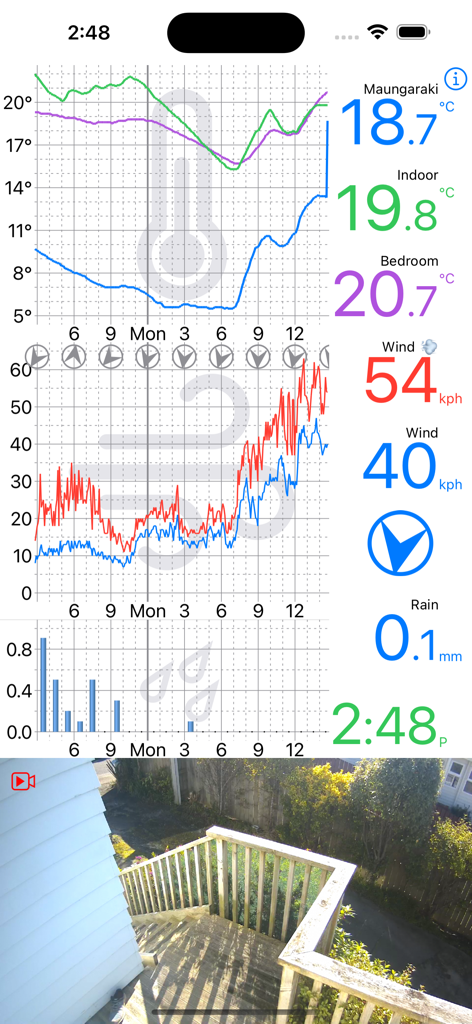
温度グラフ、風速、雨量、ライブHomeKitセキュリティカメラフィードを表示するリアルタイム天気ダッシュボード

温度グラフ、風速、雨量、ライブHomeKitセキュリティカメラフィードを表示するリアルタイム天気ダッシュボード

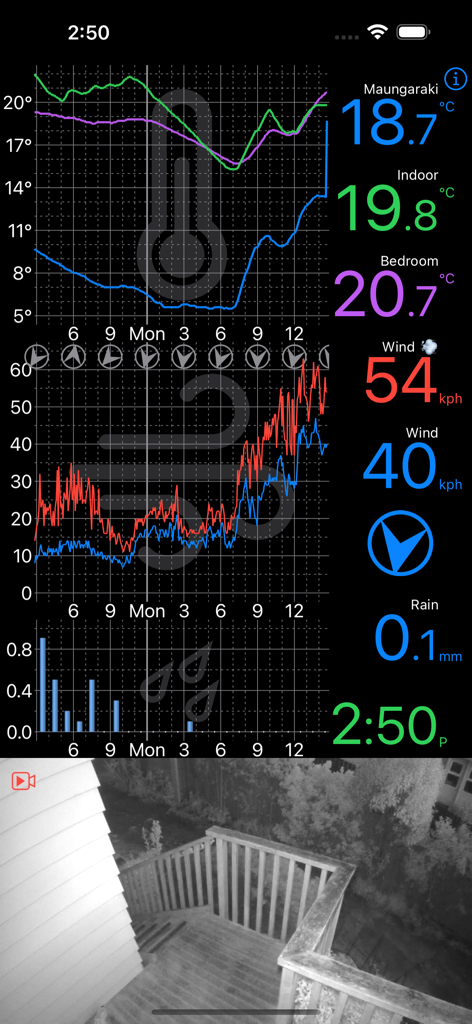
温度、風、雨の詳細な天気グラフとライブホームセキュリティカメラフィードを表示するWeather Glanceアプリインターフェース

温度、風、雨の詳細な天気グラフとライブホームセキュリティカメラフィードを表示するWeather Glanceアプリインターフェース

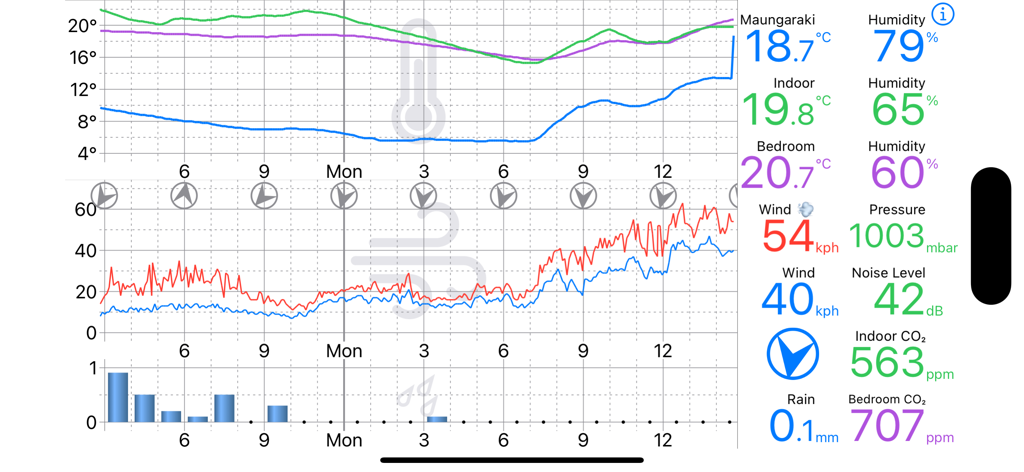
リアルタイムNetatmo気象観測所のデータと、温度、風、雨の履歴グラフを表示するWeather Glanceダッシュボード

リアルタイムNetatmo気象観測所のデータと、温度、風、雨の履歴グラフを表示するWeather Glanceダッシュボード

プロ仕様の環境モニタリングを一目で

このアプリを際立たせるツール、 76K+ 人のユーザーが選択.

🖼️

常時表示ホームダッシュボード

古いiPadに2つ目の命を吹き込み、専用の壁掛けステーションとして、ご自宅の微気候を常に把握できる窓を提供します。

📊

高精度データトラッキング

温度、CO2、風、雨の31日間の履歴データを、真のデータ愛好家のために構築されたインタラクティブなグラフで視覚化します。

📹

統合されたセキュリティと気候

Netatmoの天気モジュールと並んでHomeKitカメラフィードを監視し、ご自宅の安全と環境を常に監視します。

アプリについて

について知っておくべきこと Weather Glance.

説明

Weather Glance is an iOS App for your iPad or iPhone that shows you your Netatmo Weather Station data, and HomeKit Security Camera Monitor, at a glance. Note - You need to have a Netatmo Smart Weather Station to use Weather Glance. Weather Glance supports all of the Netatmo Weather Station Modules currently available - the Smart Anemometer (Wind Gauge), the Smart Rain Gauge and up to the maximum 3 Additional Smart Indoor Modules. Weather Glance uses the Netatmo Connect API to access your data, but is not affiliated with Netatmo. HomeKit Support Weather Glance supports HomeKit Cameras such as a Netatmo Smart Outdoor Camera (Presence). It will optionally monitor a camera when in portrait. Just tap the camera picture to cycle between your different cameras. Weather Glance is ideal on an iDevice permanently attached to a wall. Perfect for an old device you have lying around, so long as it runs iOS 15 or later. Weather Glance shows you the last 24 hours or 31 days of all of your Weather Station data. Temperature from all of your modules is shown on the top graph. Just touch the middle graph to cycle through Wind (if you have a Wind Gauge), Humidity, CO2, and Noise Levels. Touch the bottom graph to cycle through Rain (if you have a Rain Gauge), and Air Pressure. To switch between 24 hour view and 31 day view, just pinch in/out or swipe right/left on any graph. In the 31 day view, you can add and remove the temperature/humidity and CO2 graphs for the Outdoor/Indoor and additional modules by tapping the temperature reading for those modules. Note - 31 day view graphs a point for every 3 hours. For temperature, humidity and CO2, this is the maximum reading in that 3 hours, for all other readings, it is a sample in the middle of the 3 hours (except rain, which is daily accumulation). If you have more than one Netatmo weather station, just tap the top graph, and Weather Glance will select your next weather station.

最新バージョン

2.1

サイズ

12.3 MB

リリース日

2019年8月21日

古いiPadをプロ仕様の天気ダッシュボードに変える

今すぐ予備のデバイスを再活用しよう。76,000人以上のスマートホーム愛好家と一緒に、NetatmoセンサーとHomeKitカメラのための究極の常時表示ディスプレイを手に入れよう。

ダウンロード: App Store

App information, icons, screenshots, and descriptions displayed on this page are sourced from the Apple App Store and are the property of their respective developers. Download estimates and rankings are based on MWM's proprietary models and may not reflect actual figures. This page is provided for informational and analytical purposes only.

Believe this page infringes your intellectual property? File a dispute