Web Blocker - block web pages

Web Blocker - block web pages

ダウンロード: App Store
ロゴ: Web Blocker - block web pages

Web Blocker - ウェブページをブロック:PINで集中力とプライバシーを守る

Safariで気を散らすものを排除する最もプライベートな方法。カスタムスケジュールを設定し、安全な4桁のコードで特定のウェブサイトをロックし、生産性を維持します。サブスクリプションなし、データ追跡なし、完全なコントロールだけ。

ダウンロード: App Store

開発元

Mai Tuan Viet

カテゴリ

Utilities

ダウンロード

1K+

ユーザー評価

1.0/5

評価数

0

対応言語

1

プライバシーを実践

このインターフェースを利用する 1K+ 人のユーザー.

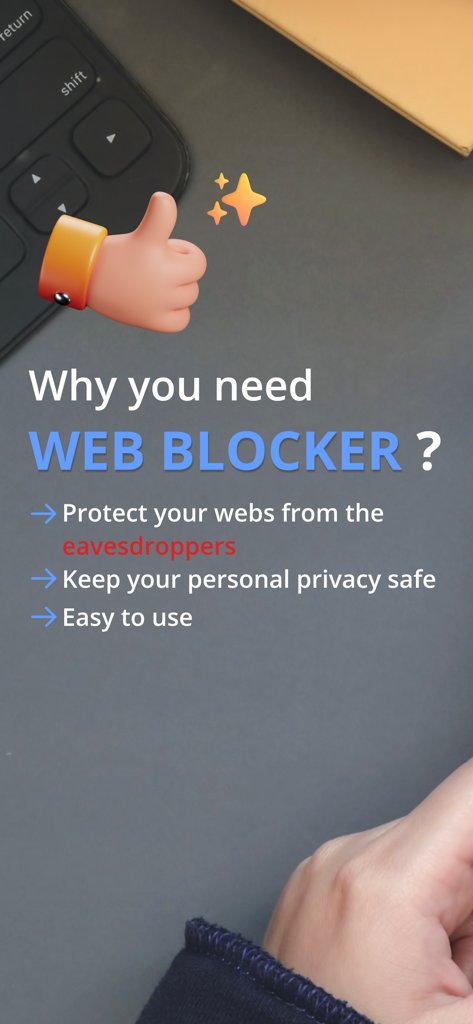
Web Blockerアプリの利点(プライバシー保護、使いやすさなど)を強調するスクリーンショット

Web Blockerアプリの利点(プライバシー保護、使いやすさなど)を強調するスクリーンショット

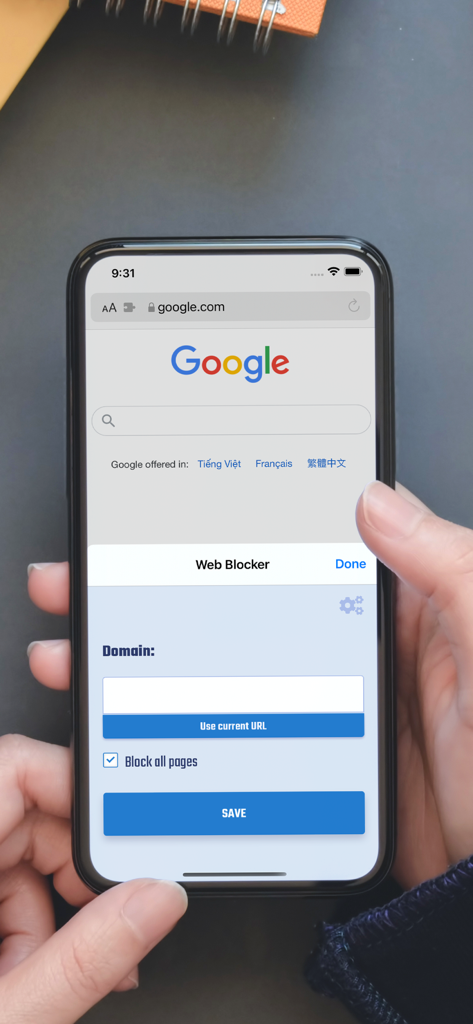
iPhone Safariブラウザで特定のウェブサイトドメインをブロックするためのWeb Blockerアプリインターフェース

iPhone Safariブラウザで特定のウェブサイトドメインをブロックするためのWeb Blockerアプリインターフェース

セーターを着た人の腕の隣にある暗い机の上にコーヒーカップをミニマリストな俯瞰図で表示し、集中した作業環境を象徴しています

セーターを着た人の腕の隣にある暗い机の上にコーヒーカップをミニマリストな俯瞰図で表示し、集中した作業環境を象徴しています

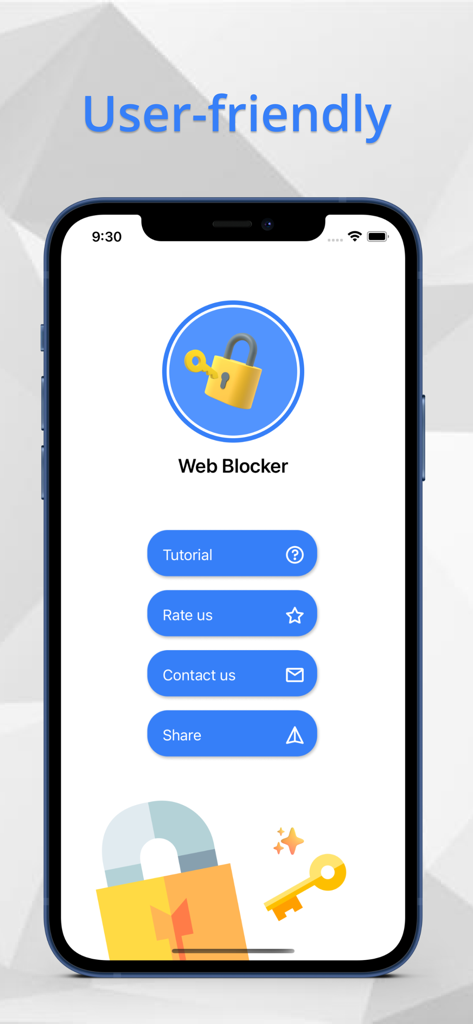
チュートリアルや設定のオプションが表示されるユーザーフレンドリーなインターフェースを示すWeb Blockerアプリのホーム画面

チュートリアルや設定のオプションが表示されるユーザーフレンドリーなインターフェースを示すWeb Blockerアプリのホーム画面

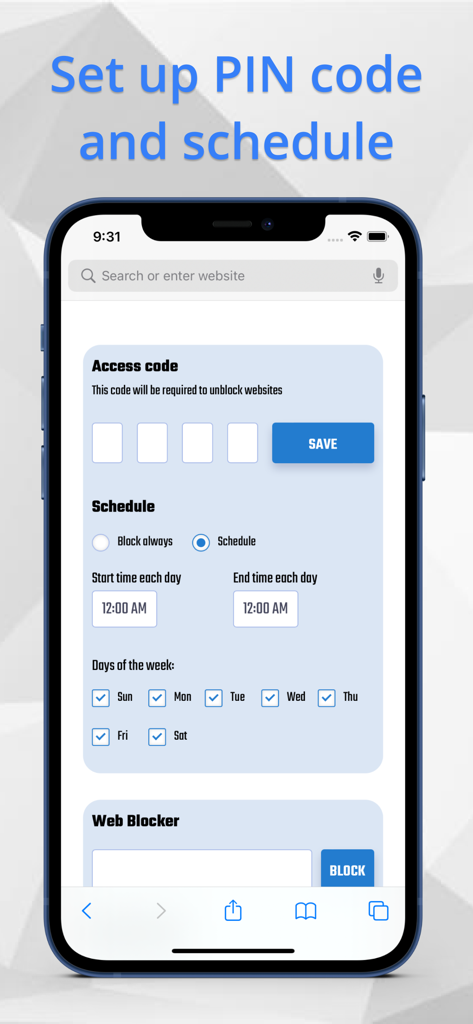
4桁のアクセスコードとウェブサイトをブロックするためのカスタマイズ可能な週次スケジュール用の設定が表示されているWeb Blockerアプリのインターフェース

4桁のアクセスコードとウェブサイトをブロックするためのカスタマイズ可能な週次スケジュール用の設定が表示されているWeb Blockerアプリのインターフェース

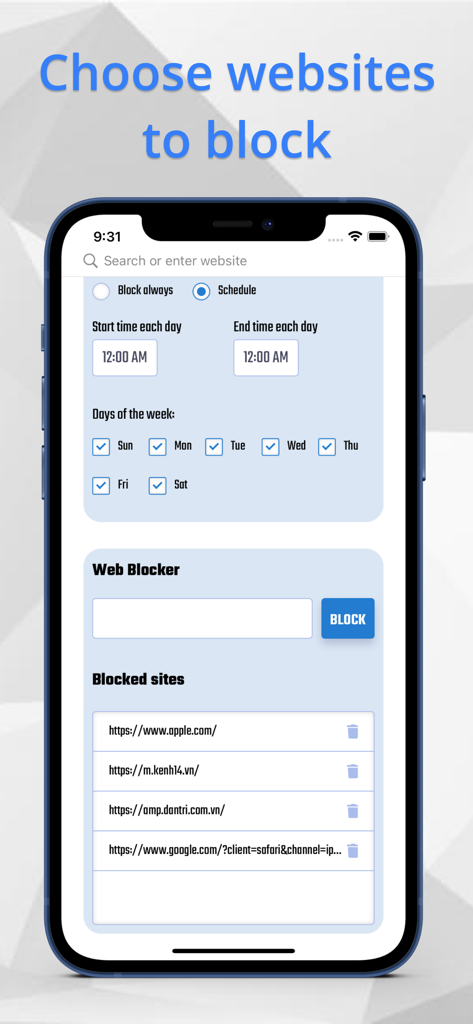
iPhoneにブロックされたURLのリストとともに、ウェブサイトのスケジューリングオプションが表示されているWeb Blockerアプリのインターフェース

iPhoneにブロックされたURLのリストとともに、ウェブサイトのスケジューリングオプションが表示されているWeb Blockerアプリのインターフェース

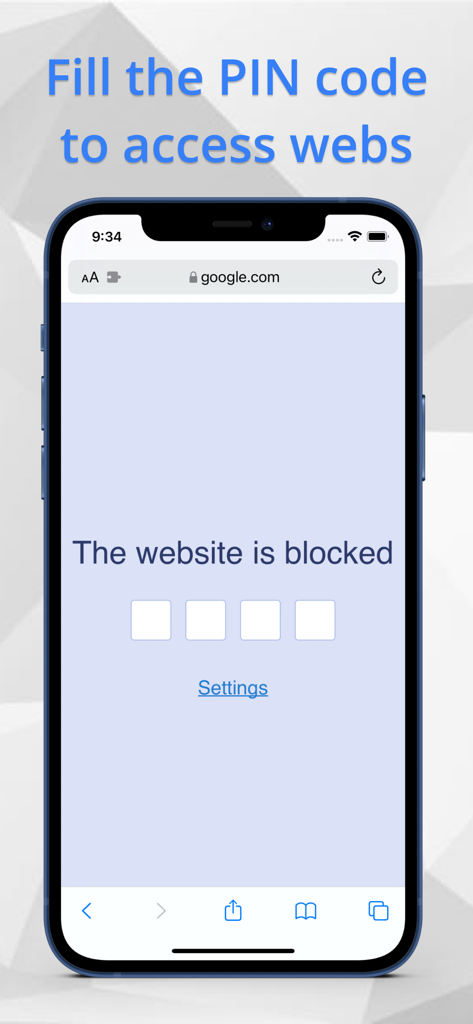
Web Blocker Safari拡張機能経由のアクセスに4桁のPINコードを必要とするiPhone上のブロックされたウェブサイト

Web Blocker Safari拡張機能経由のアクセスに4桁のPINコードを必要とするiPhone上のブロックされたウェブサイト

デジタル時間をコントロール

このアプリを際立たせるツール、 1K+ 人のユーザーが選択.

🔒

安全なPIN保護

特定のウェブサイトに4桁のバリアを追加します。無意識のスクロールの習慣を断ち切り、意識的な一時停止で集中力を回復します。

📅

スマート時間スケジュール

生産性を自動化します。気を散らすサイトをブロックする特定の時間または曜日を設定し、最も重要なときに集中力を維持できるようにします。

🛡️

プライバシー重視のデザイン

あなたのデータはあなたのものであり続けます。PINやブロックされたURLを外部サーバーに保存することはありません。これにより、完全なプライバシーと安心感が得られます。

アプリについて

について知っておくべきこと Web Blocker - block web pages.

説明

Web Blocker is an amazing tool that helps you to block your web pages access with PIN code through Safari browser. ( base on new Safari Extensions ) Using Web Blocker, you can protect your personal privacy from the eavesdroppers. All the chosen websites will be blocked with PIN code. You can also arrange the specific time to active your block. Follow 4 easy steps to use Web Blocker: 1. Open Safari Extensions -> Web Blocker 2. Open Settings to establish your PIN code and time schedule. 3. Fill the URL of the website you want to block 4. The chosen webs will be blocked immediately Featues - PIN code included 4 numbers - Time schedule of days and specific time period. - Webpages which protected by PIN code BE MINDFUL that : We do not save your PIN code or webpages that you use in Web Blocker in any other system to protect your personal privacy, so make sure to remember your PIN code or write it down in case you forget. After you access your PIN code, the webpage will remain unblocked for a moment of time. PURCHASE RIGHT AWAY with ONLY 1.99$ to use this fantastic tool to keep your web pages safe from the eavesdroppers.

最新バージョン

1.0

サイズ

3.4 MB

リリース日

2021年10月26日

集中力とプライバシーを取り戻す準備はできましたか?

簡単な4桁のPINで、無意識のスクロールをやめ、ブラウジング習慣を守りましょう。プライバシーを最優先するSafari拡張機能を、1回限りの購入$1.99で入手しましょう—サブスクリプションなし、データ追跡なし、純粋な規律だけ。

ダウンロード: App Store

App information, icons, screenshots, and descriptions displayed on this page are sourced from the Apple App Store and are the property of their respective developers. Download estimates and rankings are based on MWM's proprietary models and may not reflect actual figures. This page is provided for informational and analytical purposes only.

Believe this page infringes your intellectual property? File a dispute