WiFi Analyzer - Internet Speed

WiFi Analyzer - Internet Speed


ダウンロード: App Store
ロゴ: WiFi Analyzer - Internet Speed

WiFi Analyzer - インターネット速度:ワイヤレスネットワークを完全に制御

家庭のCTO向けの究極のツールキット。接続されているデバイスを監視し、デッドゾーンを排除し、正確なスピードテストを実行して、自宅またはオフィスが常に最高のパフォーマンスを発揮するようにします。

ダウンロード: App Store

開発元

BJS Soft Solutions LLC

カテゴリ

Utilities

ダウンロード

1K+

ユーザー評価

1.0/5

評価数

0

対応言語

1

あなたのネットワークを視覚化

このインターフェースを利用する 1K+ 人のユーザー.

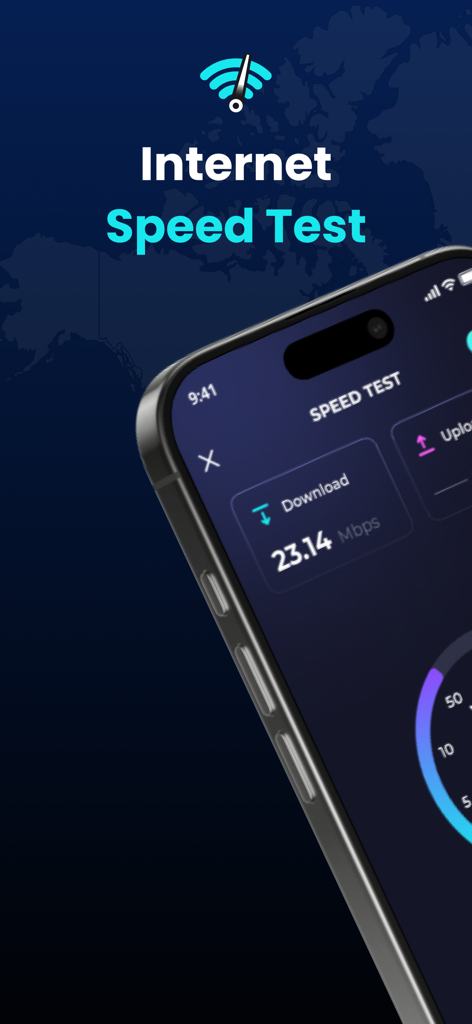
WiFi Analyzerアプリのインターフェイスに、ダウンロード速度23.14 Mbpsのインターネットスピードテスト結果が表示されています。

WiFi Analyzerアプリのインターフェイスに、ダウンロード速度23.14 Mbpsのインターネットスピードテスト結果が表示されています。

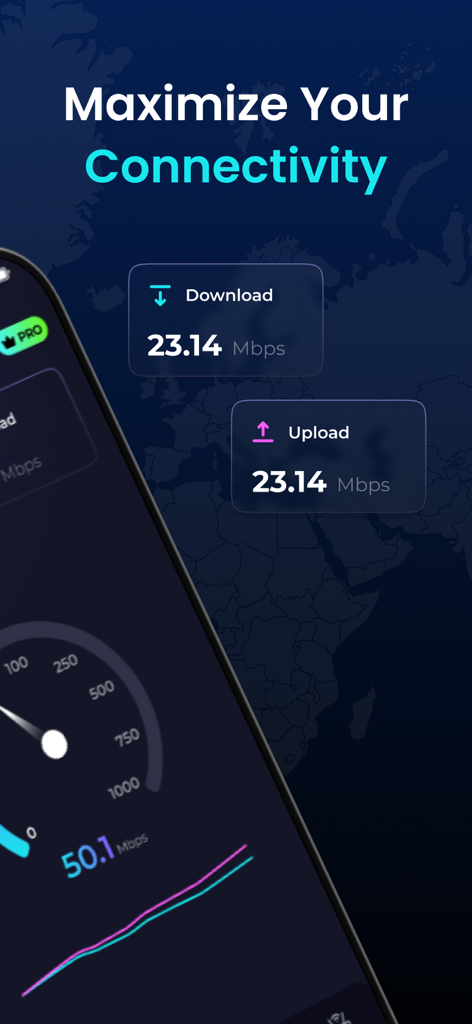
インターネットのダウンロードおよびアップロード速度テスト結果を示すスマートフォンの画面。

インターネットのダウンロードおよびアップロード速度テスト結果を示すスマートフォンの画面。

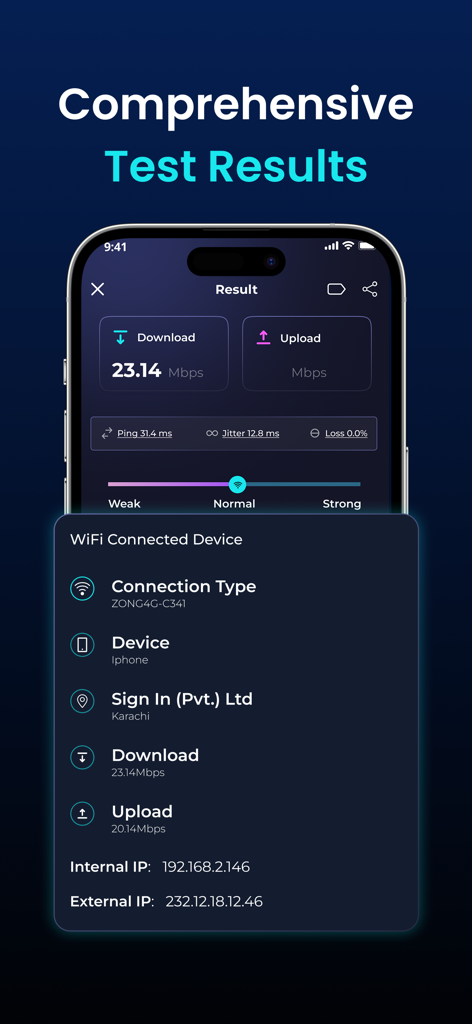
WiFi Analyzerアプリのインターフェイスに、ダウンロード速度、アップロード速度、およびネットワーク診断情報が表示されています。

WiFi Analyzerアプリのインターフェイスに、ダウンロード速度、アップロード速度、およびネットワーク診断情報が表示されています。

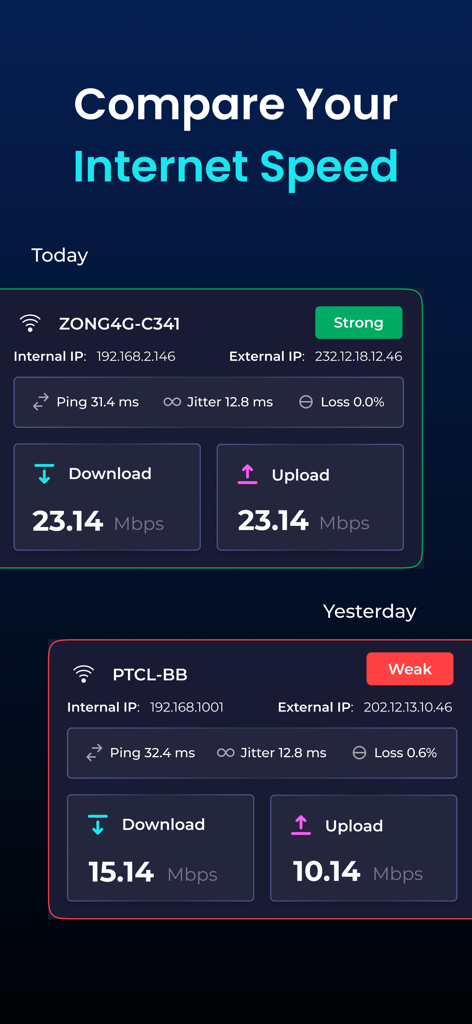
今日と昨日のWiFiインターネットスピードテスト結果の比較。

今日と昨日のWiFiインターネットスピードテスト結果の比較。

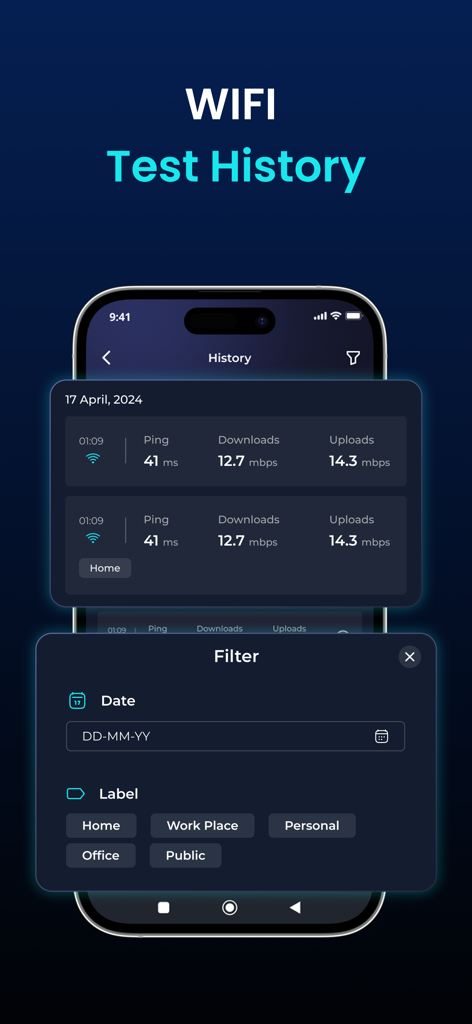
日付とラベルのフィルタリングオプションがあるWiFiスピードテスト履歴ログ。

日付とラベルのフィルタリングオプションがあるWiFiスピードテスト履歴ログ。

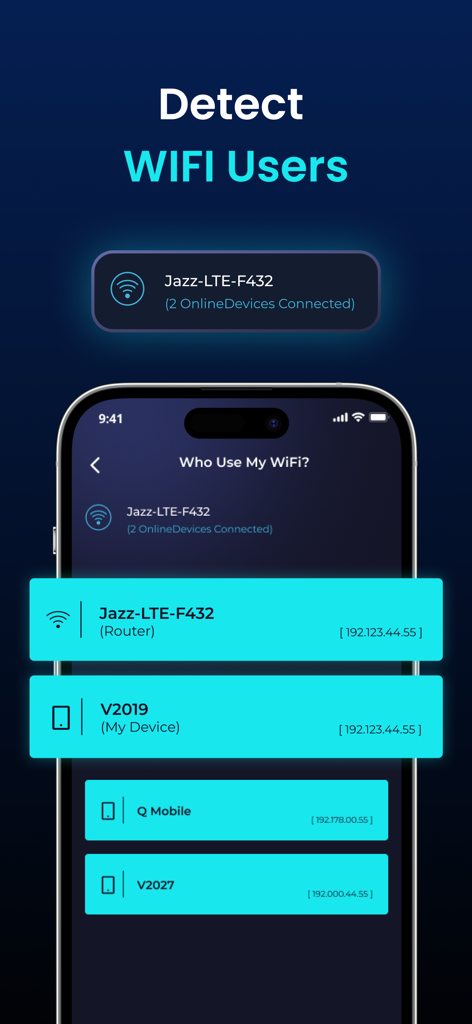
IPアドレスを持つネットワークに接続されているデバイスのリストを表示するWiFi Analyzerアプリの画面。

IPアドレスを持つネットワークに接続されているデバイスのリストを表示するWiFi Analyzerアプリの画面。

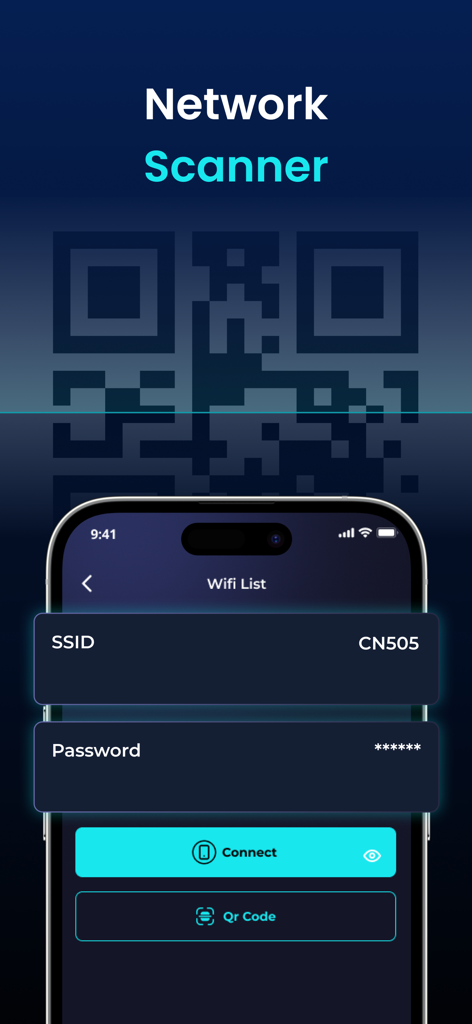
QRコード接続オプションを備えたネットワークスキャナー機能を示すWiFi Analyzerアプリのインターフェイス。

QRコード接続オプションを備えたネットワークスキャナー機能を示すWiFi Analyzerアプリのインターフェイス。

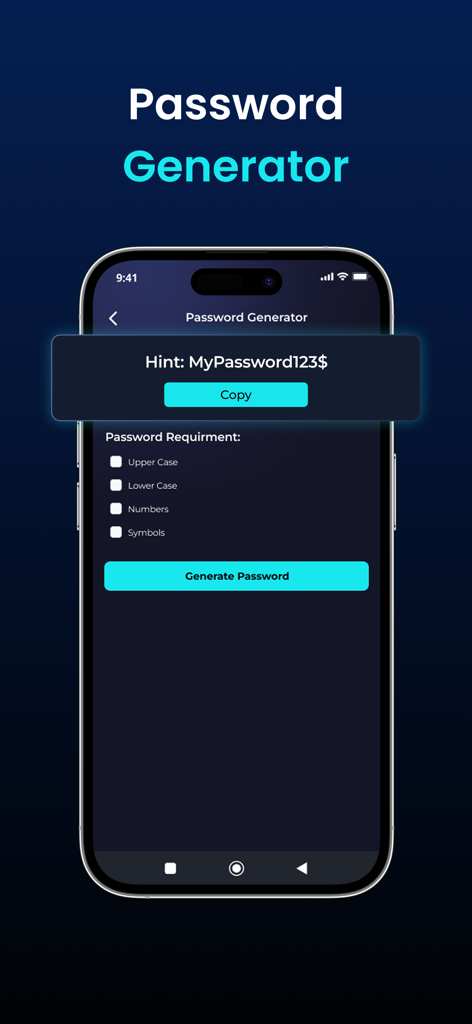
セキュリティオプションを備えたパスワードジェネレーターツールを示すWiFi Analyzerアプリのインターフェイス。

セキュリティオプションを備えたパスワードジェネレーターツールを示すWiFi Analyzerアプリのインターフェイス。

WiFi Analyzerアプリのインターフェイスに、ネットワーク速度最適化ツールが表示されています。

WiFi Analyzerアプリのインターフェイスに、ネットワーク速度最適化ツールが表示されています。

WiFi Analyzerアプリのインターフェイスに、ルーター設定オプションが表示されています。

WiFi Analyzerアプリのインターフェイスに、ルーター設定オプションが表示されています。

ホームネットワークをマスターする

このアプリを際立たせるツール、 1K+ 人のユーザーが選択.

ワンタップ精密スピードテスト

Pingとアップロードのメトリクスを含む、正確な5GおよびWi-Fi速度ベンチマークでISPのパフォーマンスを確認します。

🛡️

高度なデバイス検出

ネットワークに接続されているすべてのデバイスを特定し、不正アクセスを検出し、家庭の帯域幅を管理します。

📶

リアルタイム信号分析

信号強度を視覚化してデッドゾーンを排除し、ルーターまたはリモートワークスペースに最適な場所を見つけます。

アプリについて

について知っておくべきこと WiFi Analyzer - Internet Speed.

説明

WiFi Analyzer is a powerful tool for analyzing the status of Wi-Fi networks, discovering WLAN-connected devices, and detecting network faults. This network analyzer optimizes your WiFi network with advanced features like internet speed testing, Router Config, and WiFi signal strength. Key Features of WiFi Analyzer - Internet Speed - WiFi hotspot to identify connected devices, their signal strength, and network usage - Unlimited speed tests 2G, 3G, 4G, 5G, DSL, ADSL, and Wi-Fi at one-tap - Discovers all devices connected to the network - Display of basic information about the connection (IP address, provider, connection type, WiFi network name) - Real-time network speed and traffic - Simple, intuitive, and modern design - Connect to WiFi by scanning QR code Test The Speed of the Wi-Fi hotspot With the internet speed test, you can easily check WiFi speed with a single click. Our app offers broad internet speed testing, including ping, download, and upload speeds. You can use the WiFi speed test to see whether your WiFi is strong, normal, or weak. Manage Connected Devices of Personal Hotspots Besides the internet speed test feature, the WiFi Analyzer allows you to inspect and control devices that are connected to WiFi. This feature of mobile hotspots enables correct distribution to mobile data devices. Check WiFi Signal Strength The WiFi signal strength feature allows you to examine signal strength, speed, frequency, and IP address. Experience uninterrupted live streaming, gaming, and web browsing. Explore Available Wi-Fi Networks Wifi Finder helps you connect to the best WiFi networks in your neighborhood, eliminating slow and unreliable ones. No need to worry as there is no WiFi network to connect to anymore. Effortless WiFi Connection with QR Codes WiFi Analyzer can be used to test internet speed and connect to a WiFi network by QR code scanner. Save time by asking for passwords and entering them into devices. Enjoy the simplicity of WiFi connectivity by scanning the QR code. Results Comparison Easily track your Wi-Fi speed history and compare past results to see how your network performance changes over time. Labels Keep your network organized by tagging and labeling devices, making it simple to manage everything connected to your Wi-Fi. Available in multiple languages for users worldwide. Enjoy a localized experience in your preferred language. Whether you're at home, in the office, or on the go, WiFi Analyzer - Internet Speed is your all-in-one solution for optimizing your WiFi network. Download now and take control of your wireless connection! WiFi Analyzer - Internet Speed App offers the following Auto-renewing Subscriptions 1. Monthly Plan: Get a 3-day free trial plus 35% off your subscription 2. Yearly Plan - This price of the WiFi Analyzer app is for United States customers. Pricing in other countries may vary and actual charges may be converted to your local currency depending on the country of residence. - Payment will be charged to the iTunes Account at confirmation of purchase. - Subscription automatically renews unless auto-renew is turned off at least 24 hours before the end of the current period. - Account will be charged for renewal within 24 hours before the end of the current period, and identify the cost of the renewal. - You can manage subscriptions and turn off auto-renewal after purchase by going to your App Store account settings. - Links to our Terms of Service and Privacy Policy can be found below: Privacy Policy: https://sites.google.com/view/privacy-wifi-analyzer Terms of Service: https://sites.google.com/view/wifi-analyzer-termsofcondition

最新バージョン

1.5.48

サイズ

69.8 MB

リリース日

2024年3月26日

ネットワークパフォーマンスをマスターする準備はできましたか?

何千人もの家庭のCTOやリモートプロフェッショナルに参加して、プロフェッショナルグレードの診断で速度を最適化し、接続を保護し、デッドゾーンを排除しましょう。今すぐWiFiを制御しましょう。

ダウンロード: App Store

App information, icons, screenshots, and descriptions displayed on this page are sourced from the Apple App Store and are the property of their respective developers. Download estimates and rankings are based on MWM's proprietary models and may not reflect actual figures. This page is provided for informational and analytical purposes only.

Believe this page infringes your intellectual property? File a dispute