Wifi Analyzer Network Analyzer

Wifi Analyzer Network Analyzer


ダウンロード: App Store
ロゴ: Wifi Analyzer Network Analyzer

Wifi Analyzer Network Analyzer:ネットワークをマスターし、ラグを解消

ISPを監査し、接続されているデバイスを発見し、シームレスなゲームとリモートワークのために接続を最適化するための究極のプロツールキット。

開発元

LE NGUYEN QUANG PHUOC

カテゴリ

Utilities

ダウンロード

1M+

ユーザー評価

4.4/5

評価数

10K+

対応言語

1

ネットワークの明瞭さを一目で把握

このインターフェースを利用する 1M+ 人のユーザー.

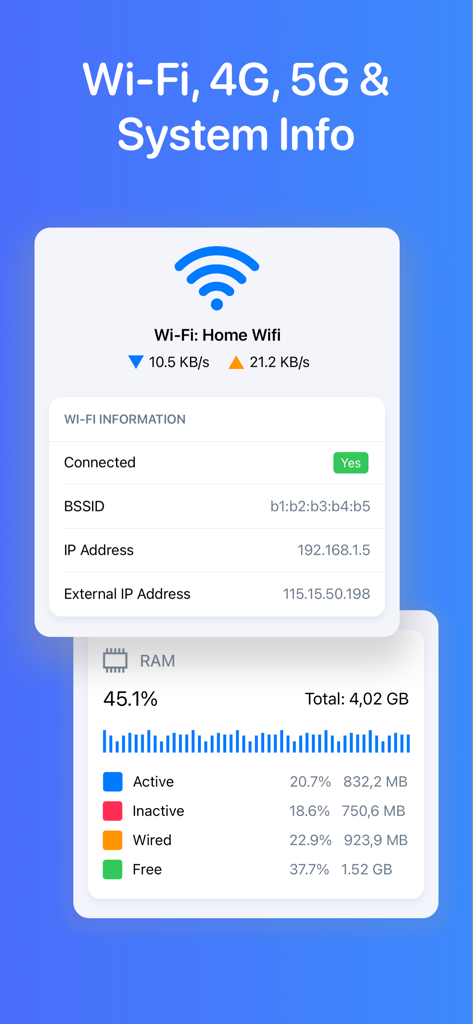
WiFi接続の詳細とリアルタイムのRAM使用量統計を表示するアプリ画面

WiFi接続の詳細とリアルタイムのRAM使用量統計を表示するアプリ画面

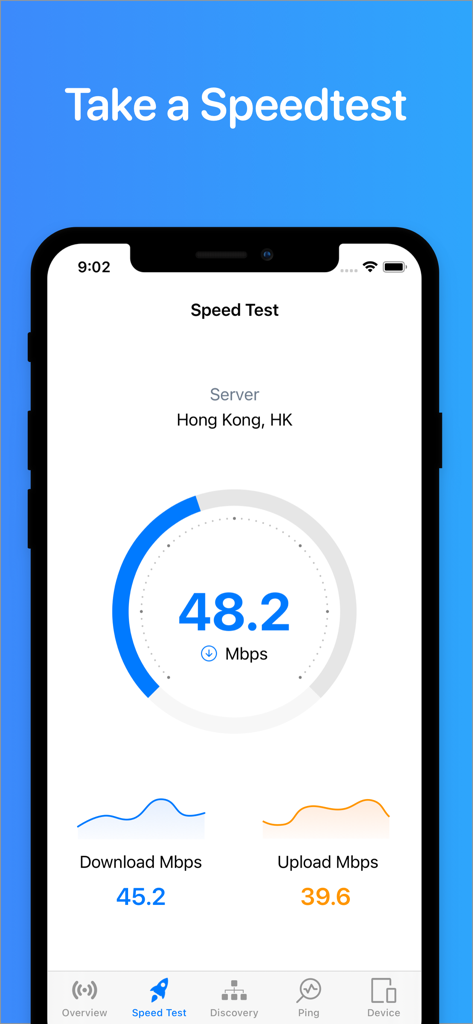
ダウンロードおよびアップロードメトリクスを含むインターネット速度テストを表示するモバイルアプリインターフェース

ダウンロードおよびアップロードメトリクスを含むインターネット速度テストを表示するモバイルアプリインターフェース

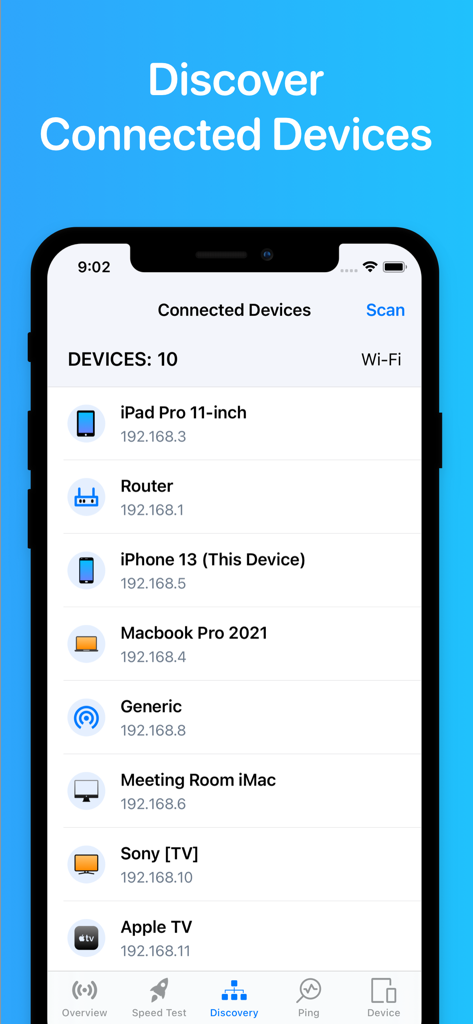
スマートフォンやコンピューターなど、ローカルwifiネットワークに接続されているデバイスのリストを表示するアプリ画面

スマートフォンやコンピューターなど、ローカルwifiネットワークに接続されているデバイスのリストを表示するアプリ画面

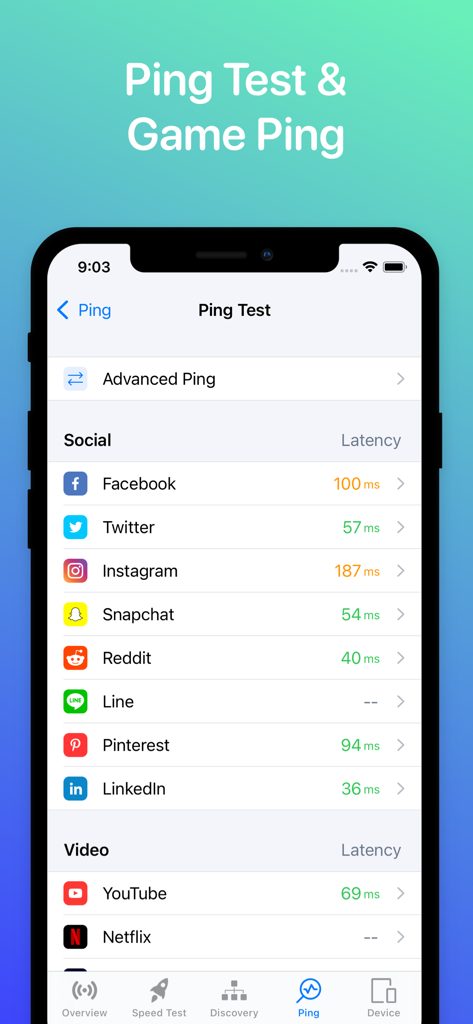
ソーシャルメディアやビデオアプリのレイテンシ測定値を示すpingテスト画面を表示するWifi Analyzerアプリのスクリーンショット

ソーシャルメディアやビデオアプリのレイテンシ測定値を示すpingテスト画面を表示するWifi Analyzerアプリのスクリーンショット

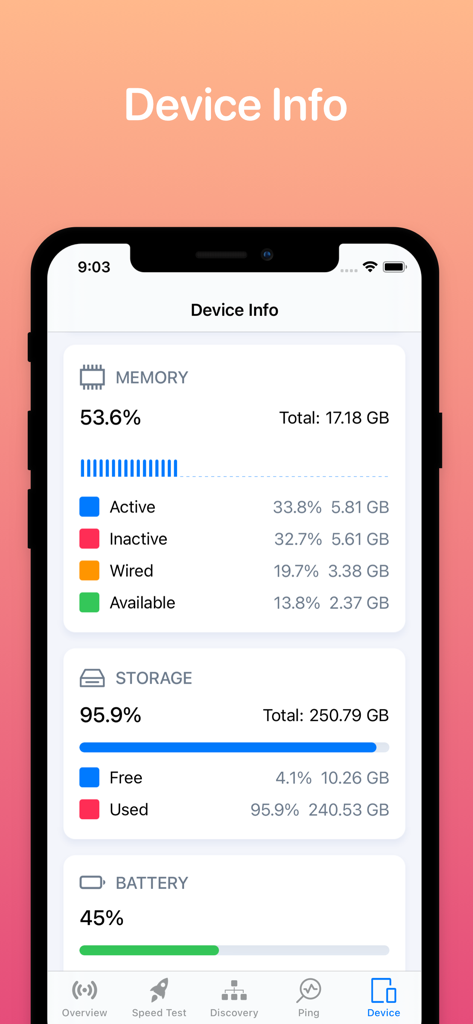
デバイスのメモリ、ストレージ、バッテリーステータスを示すWifi Analyzerアプリのインターフェース

デバイスのメモリ、ストレージ、バッテリーステータスを示すWifi Analyzerアプリのインターフェース

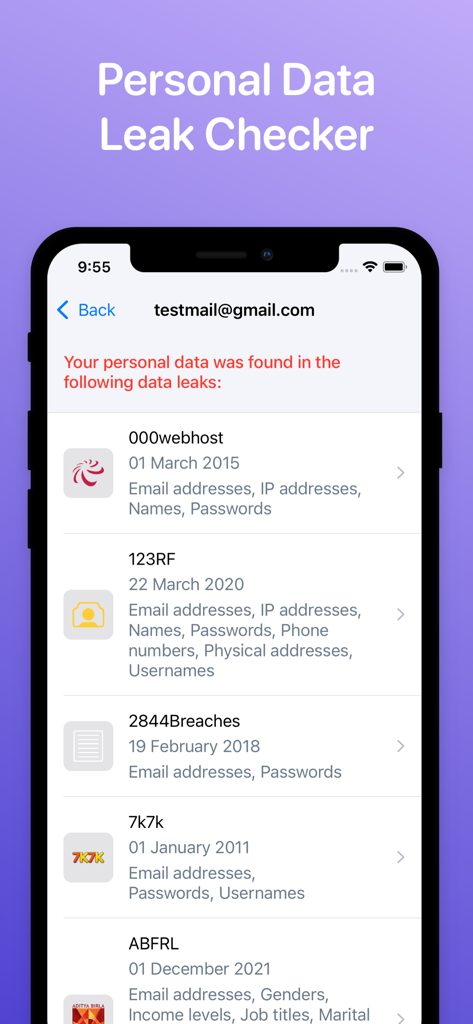
メールアドレスの個人データ漏洩と漏洩した情報が特定されたことを示すインターフェース

メールアドレスの個人データ漏洩と漏洩した情報が特定されたことを示すインターフェース

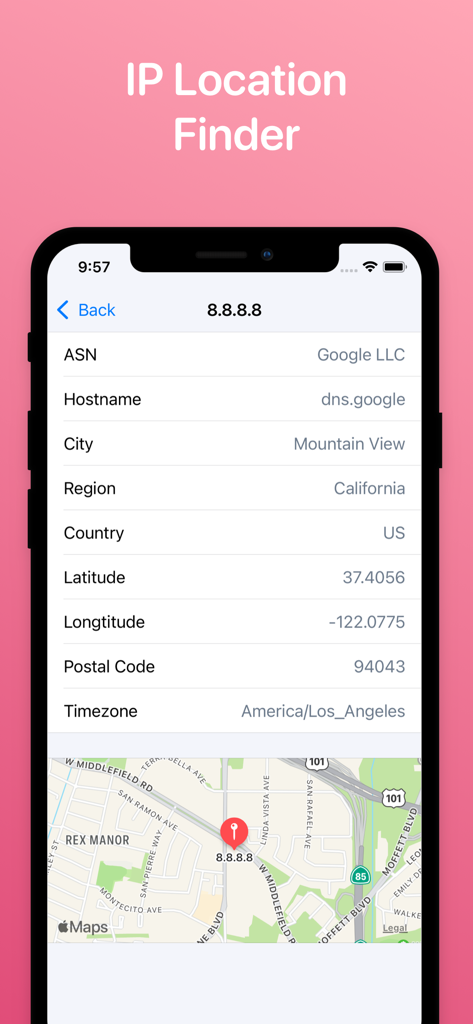
IPアドレスの詳細な地理データと地図ビューを示すIP Location Finderツールのモバイルインターフェース。

IPアドレスの詳細な地理データと地図ビューを示すIP Location Finderツールのモバイルインターフェース。

プロのように自宅のネットワークをマスター

このアプリを際立たせるツール、 1M+ 人のユーザーが選択.

🔍

完全なデバイスの可視性

WLANに接続されているすべてのデバイスを即座にマッピングします。帯域幅の消費を特定し、侵入者がプライベート信号を悪用していないことを確認します。

🚀

最適化されたゲーム&ストリーミング

高精度の速度テストを実行し、リアルタイムでゲームPingを監視します。ラグを解消し、ネットワークが4Kストリーミングと競技プレイに対応できるようにします。

🛠️

プロフェッショナル診断スイート

ISPサポートへの電話はやめましょう。組み込みのTraceroute、DNS、WHOISツールを使用して、ネットワークのボトルネックを自分で特定し、修正します。

レビュー分析

ユーザーレビューの分析.

感情スコア

14%
ネガティブ

概要

The mobile app receives overwhelmingly negative feedback from users. Many criticisms center on the app's failure to provide promised Wi-Fi analysis capabilities, such as scanning nearby networks or analyzing channel usage, with some users noting iOS platform limitations as a contributing factor. A significant number of reviews also highlight the presence of excessive and intrusive advertisements, frequent app instability, and issues with unexpected pricing or mandatory subscriptions for basic features. While some users find the app useful for detecting devices on their network and appreciate its simplicity, these positive points are overshadowed by a multitude of functional and monetization-related problems.

主なテーマ

Intrusive Advertisements(12)
WiFi Analysis Limitations(9)
App Functionality Issues(8)
Pricing & Subscription Concerns(8)
Device Detection(5)
General Usefulness(4)
Data Inaccuracy/Privacy(4)
iOS Platform Restrictions(1)

アプリについて

について知っておくべきこと Wifi Analyzer Network Analyzer.

説明

WiFi Status is a powerful tool that allows you to analyze the state of Wi-Fi networks, discover devices connected to WLAN and detect network problems. ▲ Main features: - Discovers all devices connected to the network. - Network information: Default gateway, Wi-Fi network, Cell (3G, LTE) network, ... - Test your download & upload speed - One-tap to test speed for 2G, 3G, 4G, 5G, DSL, ADSL, and Wi-Fi. - Ping test & Game Ping. - View system info: CPU, memory, storage, device info, ... - Real-time network speed and traffic. - Network tools: Traceroute, DNS, WHOIS, Find open ports ▲ Simple, intuitive, and modern design. ADDITIONAL SUBSCRIPTION INFORMATION: Subscription price: - 1 week: $2.99 - 1 month: $5.99 (3 days free trial) - Lifetime: $14.99 - Subscription may be canceled at any time within the iTunes and App Store Apple ID Settings. All prices include applicable local sales taxes. - Payment will be charged to iTunes Account at confirmation of purchase. - Subscription automatically renews unless auto-renew is turned off at least 24-hours before the end of the current period. - The account will be charged for renewal within 24-hours prior to the end of the current period, and identify the cost of the renewal. - Subscriptions may be managed by the user and auto-renewal may be turned off by going to the user's Account Settings after purchase. - No cancellation of the current subscription is allowed during active subscription period. - Any unused portion of a free trial period, if offered, will be forfeited when the user purchases a subscription to that publication, where applicable Privacy policy: https://sites.google.com/view/tlabs91 Terms of service: https://sites.google.com/view/tlabs-termofservice

最新バージョン

2.7

サイズ

47.0 MB

リリース日

2022年1月3日

自宅のネットワークを自在に操る

100万人以上のパワーユーザーが、ラグを解消し、接続を保護するために、当社のプロツールキットを利用しています。今すぐダウンロードして最適化を始めましょう。

ダウンロード: App Store
FAQ

よくある質問

について知っておくべきこと Wifi Analyzer Network Analyzer

Wifi Analyzer Network Analyzerとは何ですか?

Wifi Analyzer Network Analyzer(WiFi Statusとしても知られています)は、Wi-Fiネットワークを分析し、接続されているデバイスを発見し、ネットワークの問題を検出するための強力なツールです。スピードテストやシステム情報も提供します。

Wifi Analyzer Network Analyzerは私のインターネット速度をテストできますか?

はい、Wifi Analyzer Network Analyzerは、2G、3G、4G、5G、DSL、ADSL、Wi-Fiなどのさまざまな接続のダウンロード速度とアップロード速度をワンタップでテストできます。

Wifi Analyzer Network Analyzerはどのように私のネットワーク上のデバイスを発見しますか?

Wifi Analyzer Network Analyzerアプリは、Wi-Fiネットワークに接続されているすべてのデバイスを発見します。「Discovery」セクションに、IPアドレスを含む接続されているデバイスのリストが表示されます。

Wifi Analyzer Network Analyzerにはpingテストが含まれていますか?

はい、Wifi Analyzer Network Analyzerアプリには、Game Pingも提供するPing Test機能が含まれています。ユーザーはさまざまなソーシャルおよびビデオサービスのレイテンシを確認できます。

Wifi Analyzer Network Analyzerはどのようなシステム情報を提供しますか?

Wifi Analyzer Network Analyzerは、CPU、メモリ、ストレージ、および一般的なデバイスの詳細を含むシステム情報を提供します。リアルタイムのネットワーク速度とトラフィックも表示します。

Wifi Analyzer Network Analyzerのサブスクリプションオプションは何ですか?

Wifi Analyzer Network Analyzerは、週額2.99ドルの1週間サブスクリプション、月額5.99ドルの1か月サブスクリプション(3日間の無料トライアル付き)、および14.99ドルの生涯サブスクリプションを提供しています。

Wifi Analyzer Network Analyzerのサブスクリプションをキャンセルできますか?

はい、iTunesおよびApp StoreのApple ID設定でいつでもWifi Analyzer Network Analyzerのサブスクリプションをキャンセルできます。自動更新は、期間終了の24時間前までにオフにする必要があります。

Wifi Analyzer Network Analyzerは個人データ漏洩をチェックしますか?

はい、Wifi Analyzer Network Analyzerアプリには「Personal Data Leak Checker」機能が含まれています。ユーザーはメールアドレスを入力して、個人データが既知の侵害で見つかったかどうかを確認できます。

Wifi Analyzer Network AnalyzerはIPアドレスの位置を見つけることができますか?

はい、Wifi Analyzer Network Analyzerアプリには「IP Location Finder」機能があります。指定されたIPアドレスのASN、ホスト名、都市、国、緯度、経度、タイムゾーンなどの詳細を提供します。

App information, icons, screenshots, and descriptions displayed on this page are sourced from the Apple App Store and are the property of their respective developers. Download estimates and rankings are based on MWM's proprietary models and may not reflect actual figures. This page is provided for informational and analytical purposes only.

Believe this page infringes your intellectual property? File a dispute