Speed Test - WiFi Analyzer +
ダウンロード: App Store

このページはアプリまたはその開発者の公式ページではなく、情報提供および論評を目的として作成された独立した編集出版物です。明示的に別段の記載がない限り、アプリおよびその開発者は、MWM、Apple、Google Play、アプリのパブリッシャー、またはアプリの開発者と提携、承認、後援、認可、またはその他の公式的な関係はなく、このページのいかなる内容も、アプリがMWMのサービスを使用して開発されたことを意味するものではありません。すべての商標、ロゴ、スクリーンショット、その他のコンテンツはそれぞれの所有者の財産です。

ロゴ: Speed Test - WiFi Analyzer +
ダウンロード: App Store

Speed Test - WiFi Analyzer +

ISPを監査し、ゲームの遅延を解消し、Wi-Fiを不正侵入者から保護するためのオールインワンツールキット。

主要数値

ダウンロード

126K+

ユーザー評価

4.7/5

評価数

1K+

開発元

方勇 侯

カテゴリ

Utilities

対応言語

15

最新バージョン

1.8.7

サイズ

50.0 MB

リリース日

2024年9月3日
機能

接続速度とセキュリティをマスターしましょう

ゲーマー、リモートプロフェッショナル、テクノロジー愛好家がデジタルライフを監査、最適化、保護するための究極のツールキット。

遅延のないゲームとストリーミング

ジッターとピンの特殊評価を実行して、競争力のあるゲームと4Kライブストリーミングのシームレスな体験を保証します。

帯域幅を保護しましょう

不正なデバイスを即座に特定してブロックし、ホームネットワークをプライベートで高速な要塞に保ちます。

以下のスクリーンショットと説明は、アプリの公式ストアリスティングから直接取得されたものであり、アプリ開発者の所有物です。

アプリストア

スクリーンショット
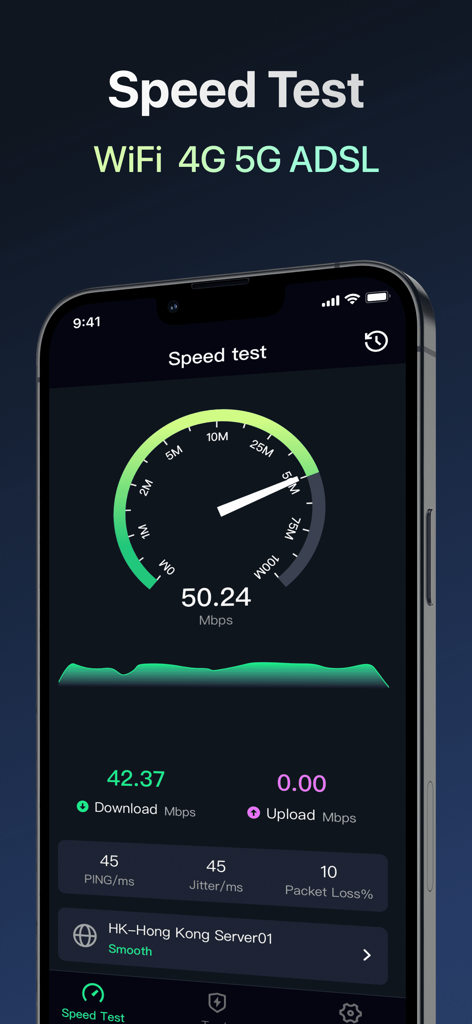
Speed Test - WiFi Analyzer + - Speed Testのモバイルアプリインターフェイス、ネットワークのダウンロード速度、ピン、ジッターのメトリックを表示
Speed Testのモバイルアプリインターフェイス、ネットワークのダウンロード速度、ピン、ジッターのメトリックを表示

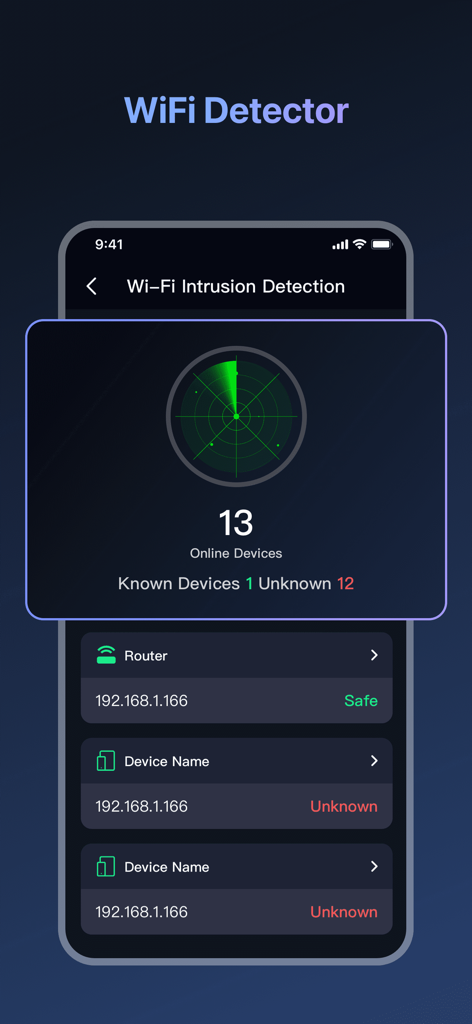
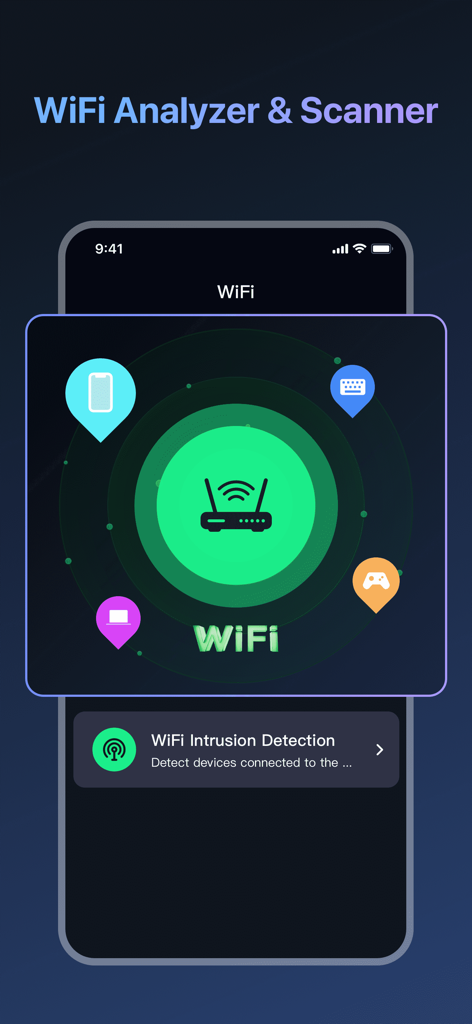
Speed Test - WiFi Analyzer + - WiFiアナライザーと侵入検出画面、接続されたデバイスのネットワークスキャンを表示
WiFiアナライザーと侵入検出画面、接続されたデバイスのネットワークスキャンを表示

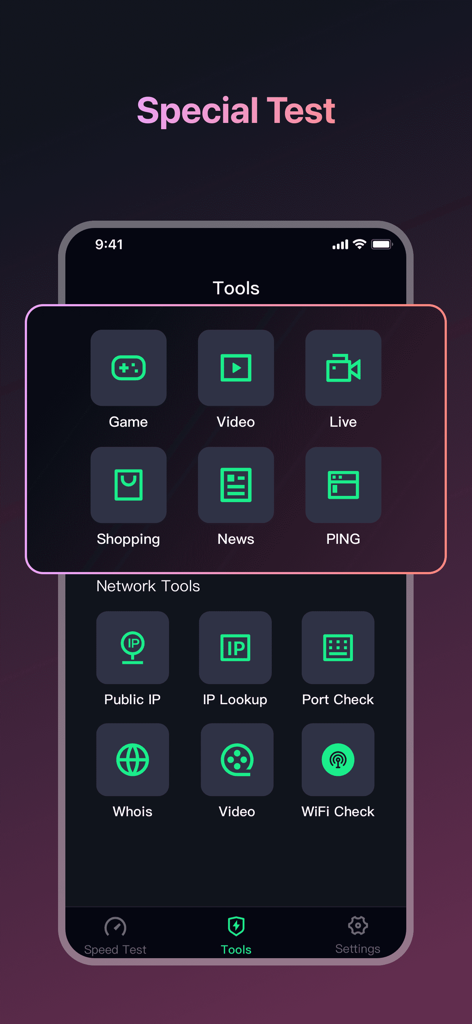
Speed Test - WiFi Analyzer + - Speed Testアプリインターフェイス、ゲーム、ビデオ、ライブストリーミング用の特殊なネットワーク診断ツールを表示
Speed Testアプリインターフェイス、ゲーム、ビデオ、ライブストリーミング用の特殊なネットワーク診断ツールを表示

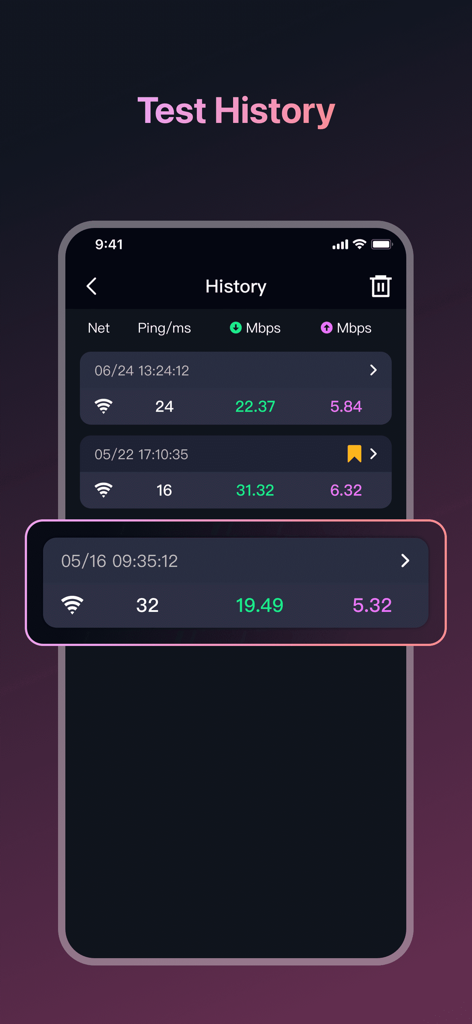
Speed Test - WiFi Analyzer + - Speed testの履歴ログ、ピンとネットワーク速度の結果を表示

Speed testの履歴ログ、ピンとネットワーク速度の結果を表示

Speed Test - WiFi Analyzer + - WiFi侵入検出機能のインターフェイス、ネットワーク上の未知のデバイスのレーダースキャンを表示
WiFi侵入検出機能のインターフェイス、ネットワーク上の未知のデバイスのレーダースキャンを表示

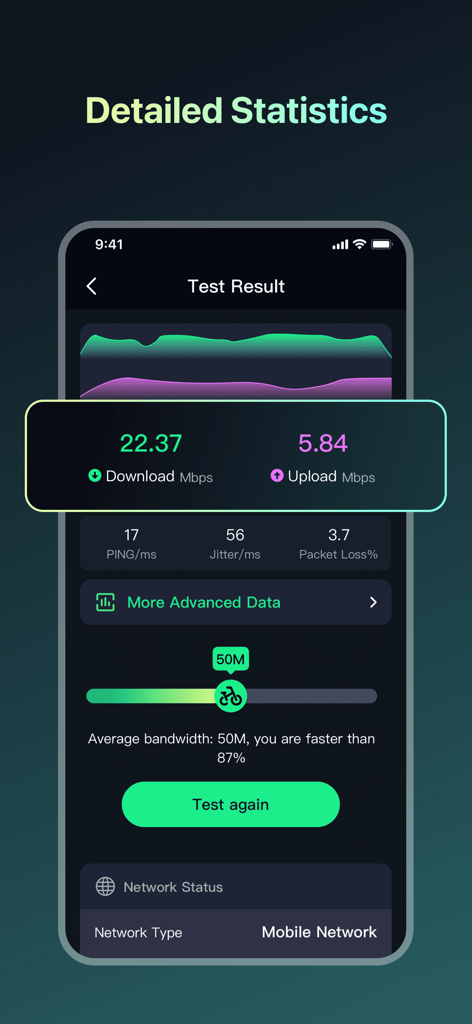
Speed Test - WiFi Analyzer + - モバイルアプリ画面、ダウンロード速度、アップロード速度、ピン、ジッターを含む詳細なネットワーク速度テスト結果を表示
モバイルアプリ画面、ダウンロード速度、アップロード速度、ピン、ジッターを含む詳細なネットワーク速度テスト結果を表示

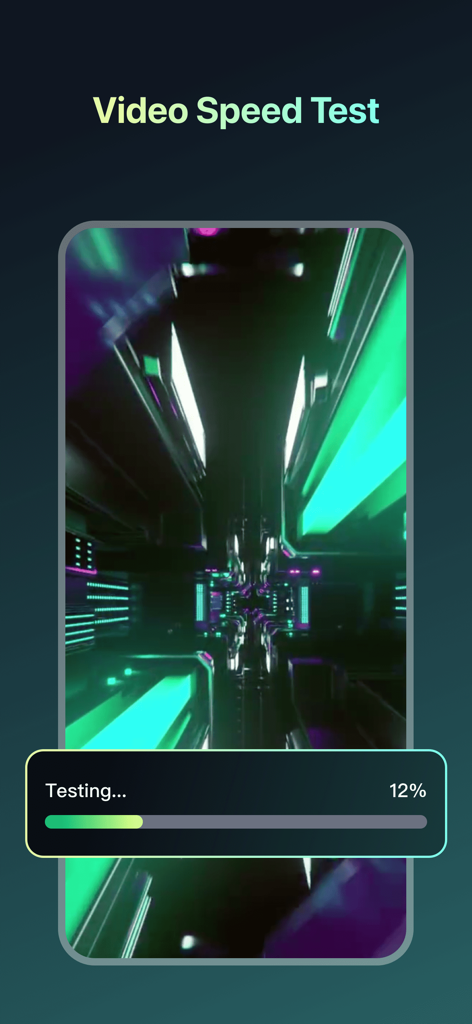
Speed Test - WiFi Analyzer + - ビデオ速度テストインターフェイス、プログレスバー付きのネットワーク診断の進行状況を表示

ビデオ速度テストインターフェイス、プログレスバー付きのネットワーク診断の進行状況を表示

説明

I’ve tried many speed test apps, and this is one of the best I’ve found. Speed Test: Wi-Fi & Internet is a versatile app designed to scan and diagnose networks, helping you understand and optimize your network connection. The main functions include: [Network Speed Test] • One-tap test for 2G, 3G, 4G, 5G, DSL, ADSL, and Wi-Fi speeds. • Download Speed Test: Measures how fast you can download files, ensuring you get the internet speeds you’re paying for. Perfect for checking if your favorite videos and games load quickly. • Upload Speed Test: Measures your upload speed by uploading a file, helping you understand bandwidth efficiency. • Ping Test: Measures network delay to ensure low latency for gaming and video calls. • Jitter Measurement: Analyzes fluctuations in your network connection to ensure stability, reducing interruptions during streaming or online activities. [Network Performance Analysis] • Real-time charts display network connection status to help you monitor and optimize performance. Detailed speed test reports provide insights into • • various network performance metrics, including signal strength and bandwidth. [Wi-Fi Unauthorized Connection Detection] • Keep your Wi-Fi safe with Unauthorized Connection Detection. Quickly scans your network to find and block any unauthorized devices. Provides detailed information about all devices connected to your network, ensuring everything is secure and under control. [Special Test] • Optimize your network for specific activities with Speed Test’s Special Tests. Tailored for gaming, video streaming, and live streaming, these tests evaluate your network’s stability under demanding conditions, ensuring a smooth experience with specialized assessments designed for high-traffic and latency-sensitive applications. [Comprehensive Network Information] • Get detailed information about Wi-Fi and cellular connections, including signal strength, frequency bands, and connection status. • IP Geolocation: Find the location of any IP address on the map. • Open Port Scan: Identifies open ports on your device and their functions. • Traceroute: Analyzes the path of data packets to identify problem points in the network. [Speed Test History] • Keep a log of every speed test you run with detailed records. Track how your network performance changes over time, see trends, and spot any issues. It’s a simple way to monitor your network's stability and ensure you’re always getting the speeds you expect. With Speed Test: Wi-Fi & Internet, you can easily manage network performance, ensure stable and efficient connections, quickly resolve network issues, and enjoy a smooth online experience. We are committed to protecting your privacy. We do not collect any information about your files. Our practices adhere strictly to our privacy policy, ensuring your data is safeguarded at all times. [Note] If you subscribe via Apple, payment will be charged to App Store Account at confirmation of purchase. Subscription automatically renews unless auto-renew is turned off at least 24 hours before the end of the current period. Account will be charged for renewal within 24 hours prior to the end of the current period at the rate of the selected plan. Subscriptions and auto-renewal may be managed by going to Account Settings after purchase. User Agreement: https://aautoclicker.com/speedtest/terms Privacy Policy: https://aautoclicker.com/speedtest/privacy

Download

ダウンロード: App Store

このページはアプリまたはその開発者の公式ページではなく、情報提供および論評を目的として作成された独立した編集出版物です。明示的に別段の記載がない限り、アプリおよびその開発者は、MWM、Apple、Google Play、アプリのパブリッシャー、またはアプリの開発者と提携、承認、後援、認可、またはその他の公式的な関係はなく、このページのいかなる内容も、アプリがMWMのサービスを使用して開発されたことを意味するものではありません。すべての商標、ロゴ、スクリーンショット、その他のコンテンツはそれぞれの所有者の財産です。