WiFi QR Connect

WiFi QR Connect

ダウンロード: App Storeダウンロード: Google Play
ロゴ: WiFi QR Connect

WiFi QR Connect:Wi-Fiをスキャン、接続、管理する最速の方法

文字を一切入力せずに、数秒でどのネットワークにも接続できます。カメラやギャラリーからQRコードをスキャンし、保存されたパスワードを表示し、接続履歴を簡単に管理できます。

開発元

David Serrano Canales

カテゴリ

Utilities

ダウンロード

301K+

ユーザー評価

4.7/5

評価数

600

対応言語

9

瞬時に接続

このインターフェースを利用する 301K+ 人のユーザー.

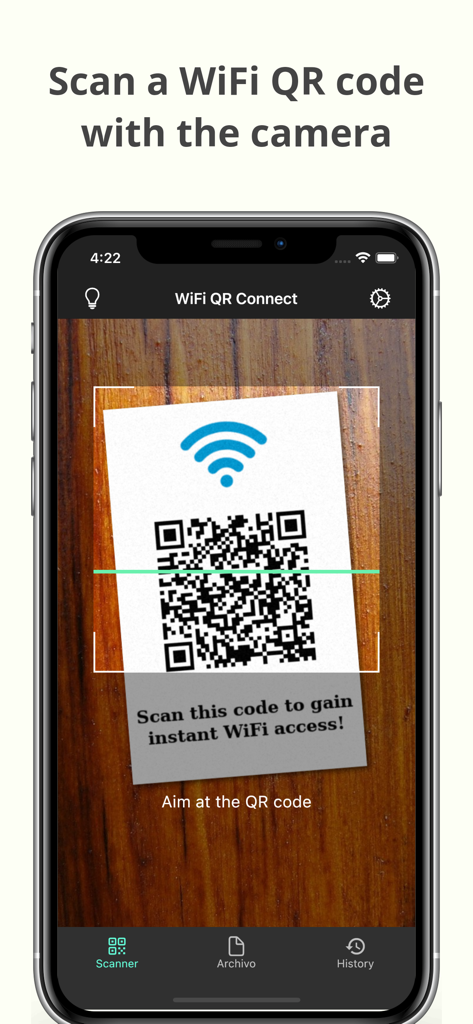
スマートフォン画面にWiFi QR Connectアプリが表示され、QRコードをスキャンしてWi-Fiに即座にアクセスしています。

スマートフォン画面にWiFi QR Connectアプリが表示され、QRコードをスキャンしてWi-Fiに即座にアクセスしています。

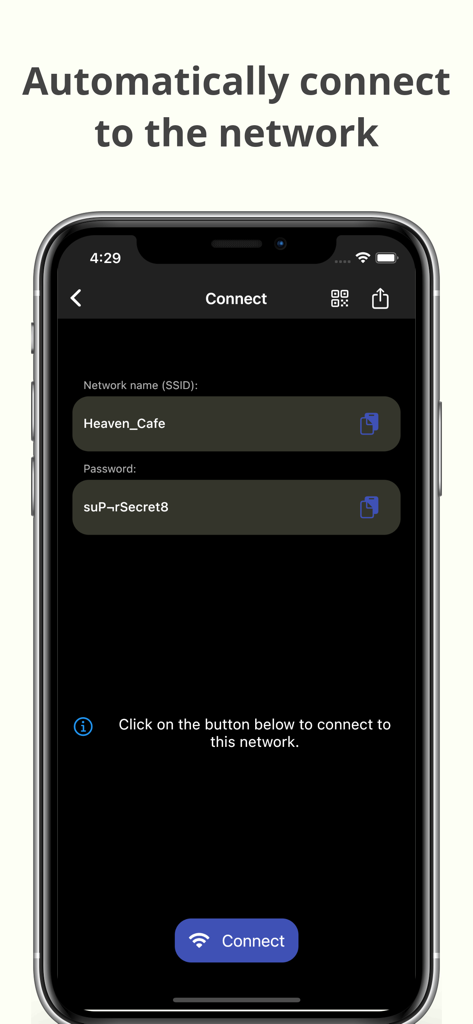
WiFi QR Connectアプリのインターフェースで、SSIDとパスワードが表示され、自動的にネットワークに接続されます。

WiFi QR Connectアプリのインターフェースで、SSIDとパスワードが表示され、自動的にネットワークに接続されます。

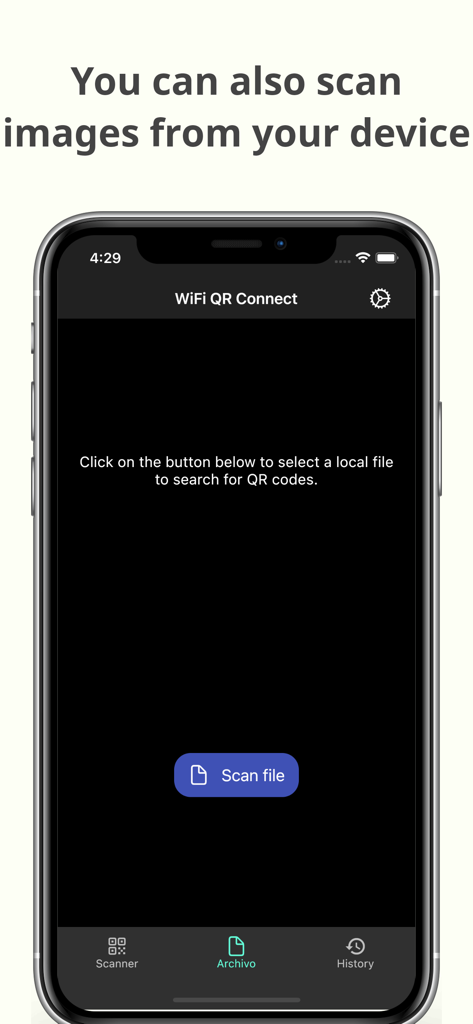
保存された画像ファイルからQRコードをスキャンするためのWiFi QR Connectアプリインターフェース。

保存された画像ファイルからQRコードをスキャンするためのWiFi QR Connectアプリインターフェース。

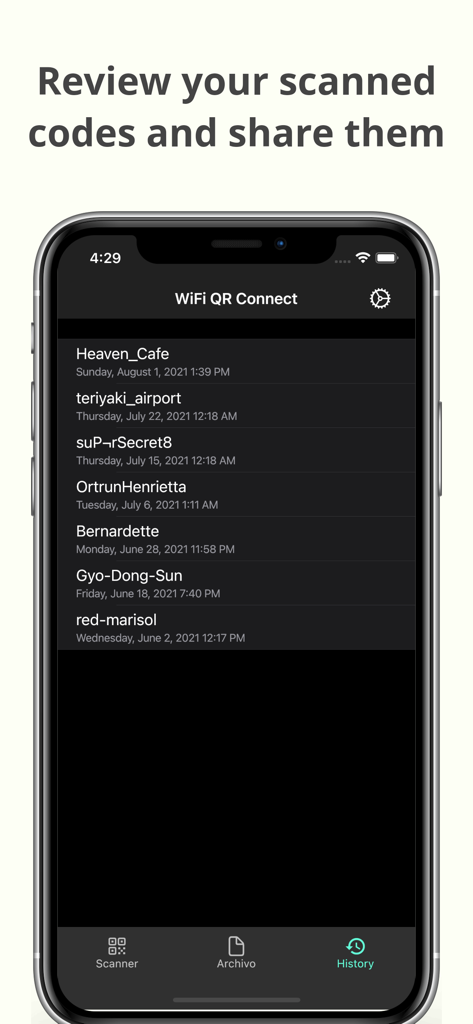
WiFi QR Connectモバイルアプリ内の、以前スキャンしたWi-Fiネットワークの履歴リスト。

WiFi QR Connectモバイルアプリ内の、以前スキャンしたWi-Fiネットワークの履歴リスト。

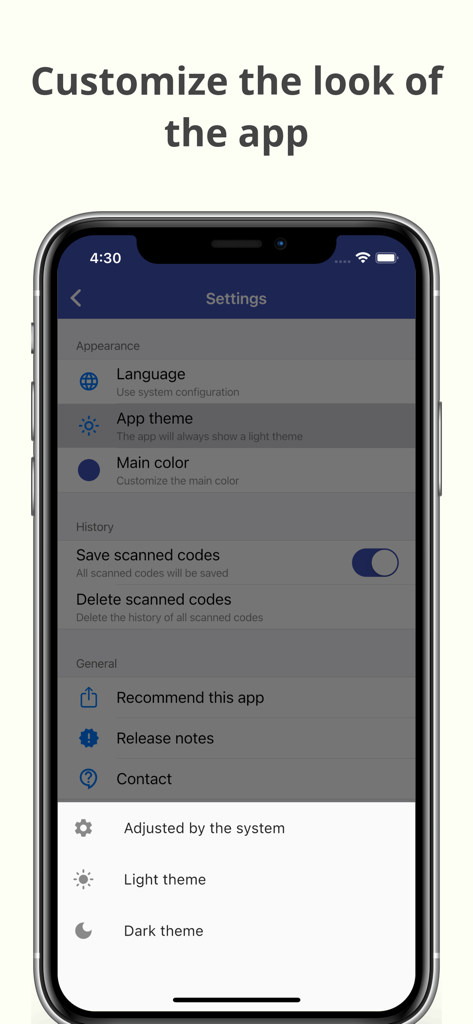
WiFi QR Connectアプリの外観とテーマをカスタマイズするための設定画面。

WiFi QR Connectアプリの外観とテーマをカスタマイズするための設定画面。

数秒で簡単なWi-Fiアクセス

このアプリを際立たせるツール、 301K+ 人のユーザーが選択.

インスタントスキャン&接続

手動入力をスキップします。カメラをQRコードにかざすだけで、文字を一切入力せずにネットワークに自動的に接続できます。

📂

スマート接続履歴

デジタルノマドに最適です。スキャンしたすべてのネットワークを保存しておけば、お気に入りのカフェやホテルを再訪した際に素早く再接続できます。

🔑

パスワードの表示と共有

デバイス間の橋渡しをします。保存されたパスワードを取得して、ゲストを助けたり、Wi-Fi共有がうまくいかない場合にラップトップを接続したりできます。

アプリについて

について知っておくべきこと WiFi QR Connect.

説明

WiFi QR Connect allows you to connect to a Wi-Fi network by scanning a QR code. Just open the app and point your device's rear camera at the code you want. The app will scan it and allow you to join that network without the need to enter any data manually. Features: - Automatic connection to Wi-Fi networks by scanning QR codes - You can also scan an image file from your device that contains a code - Quickly retrieve all scanned codes in History section - Ability to view the password of the network > Where can I found the QR codes? You can find QR codes with Wi-Fi network information in various places, for example on the bottom of routers (to be able to connect to the network they provide) or in public places such as cafes or restaurants where the owners have printed these codes so that customers can easily connect to the network that these places provide. > Is it possible to generate these types of codes myself for guests to connect to my home network? Yeah! You can use a code generation tool to create these codes. You can then print them out or simply show them to your guests right from your phone to get them connected. An example of an online generation tool is QiFi: https://qifi.org/ > How to use this application? Once you have opened the application, the code scanner that uses your device's camera will be activated automatically. Frame the code to scan and the application will automatically detect it. Alternatively, you can also choose an image file that contains a QR code from your local file system. Once the code has been scanned you will be presented with information regarding it, along with the option to connect automatically. Press the connect button and the app will automatically try to connect to the provided network. Please note that for the connection to be established correctly the network must be available, your device must be within range, and the data provided in the code must be correct. > What else can this app do? In addition to what is mentioned above, this app also allows you to recover any codes that you have previously scanned. You will be able to see its data just as if you had just scanned it. In addition, it also has several additional options such as sharing the code or viewing the network password. --- In short, WiFi QR Connect is your ideal tool to connect to Wi-Fi networks easily and quickly by scanning a QR code. It has been designed with simplicity in mind so that its use is agile and natural. Download now and simplify the way you connect to wireless networks!

最新バージョン

2.38.0

サイズ

66.8 MB

リリース日

2021年7月23日

パスワードの入力をやめて、接続を始めましょう。

Wi-Fiの接続の手間を省いた30万人以上のユーザーに加わりましょう。今すぐWiFi QR Connectをダウンロードして、インスタントでエラーのないネットワークアクセスという究極の利便性を体験してください。

ダウンロード: App Storeダウンロード: Google Play

App information, icons, screenshots, and descriptions displayed on this page are sourced from the Apple App Store and are the property of their respective developers. Download estimates and rankings are based on MWM's proprietary models and may not reflect actual figures. This page is provided for informational and analytical purposes only.

Believe this page infringes your intellectual property? File a dispute