WOL — wake on lan

WOL — wake on lan

ダウンロード: App Store
ロゴ: WOL — wake on lan

WOL — Wake on LAN: ネットワークの瞬時遠隔電源制御

iPhoneまたはiPadからワークステーション、サーバー、ゲーミングリグを起動します。IPv6サポートとマルチデバイス管理を備えた、安全なマジックパケット配信のためのプロフェッショナル向けソリューション。

開発元

Andreii Simaranov

カテゴリ

Utilities

ダウンロード

5K+

ユーザー評価

1.0/5

評価数

0

対応言語

1

一目でわかるコマンド

このインターフェースを利用する 5K+ 人のユーザー.

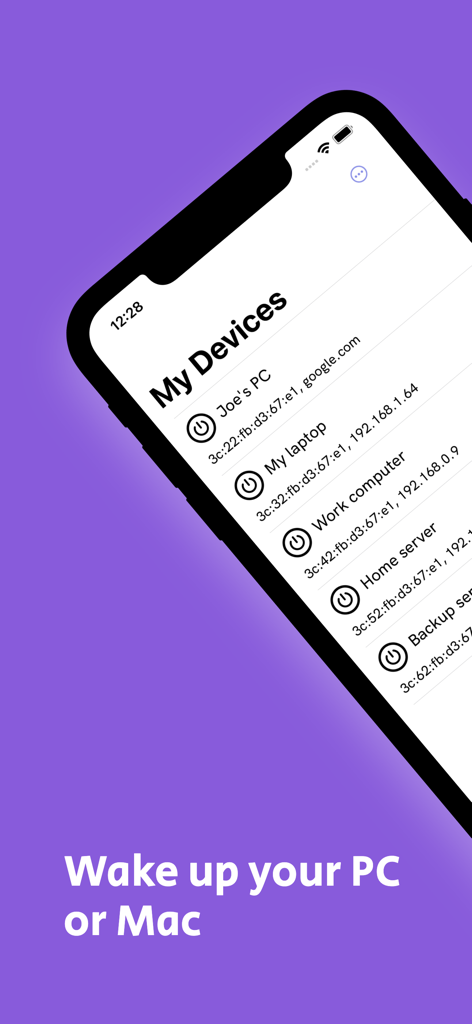
Joe's PCやWork computerなどのネットワークデバイスのリストと、リモートで起動するための電源ボタンが表示されたWOLアプリのインターフェース。

Joe's PCやWork computerなどのネットワークデバイスのリストと、リモートで起動するための電源ボタンが表示されたWOLアプリのインターフェース。

ローカルネットワークデバイスとIPアドレスが表示されたWake on LANアプリのインターフェースを示すスマートフォン

ローカルネットワークデバイスとIPアドレスが表示されたWake on LANアプリのインターフェースを示すスマートフォン

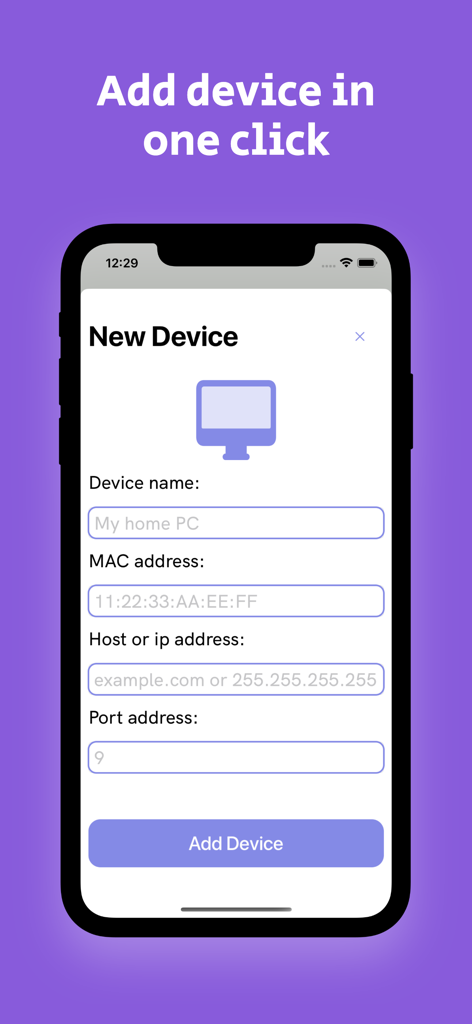
デバイス名、MACアドレス、IPフィールドが表示されたWOLアプリでの新規デバイス追加インターフェース

デバイス名、MACアドレス、IPフィールドが表示されたWOLアプリでの新規デバイス追加インターフェース

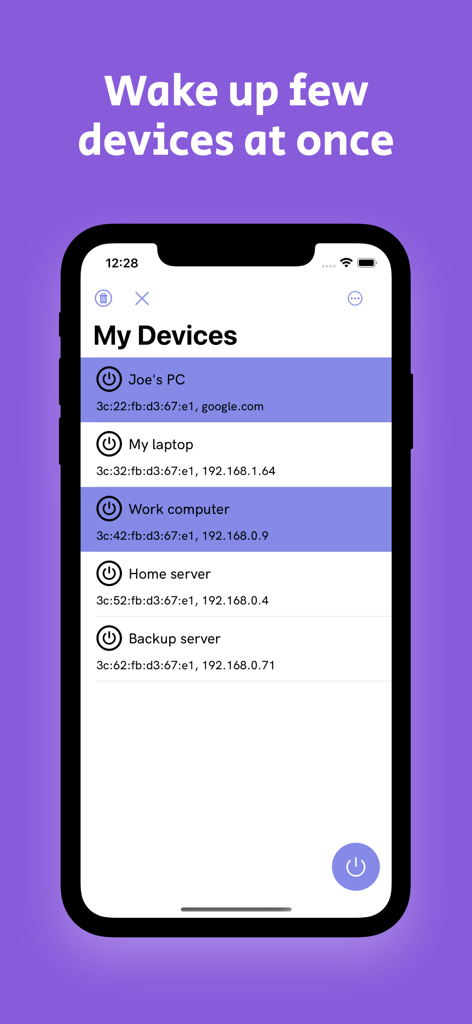
リモート起動用に複数のデバイスが選択された状態のWOLアプリインターフェース

リモート起動用に複数のデバイスが選択された状態のWOLアプリインターフェース

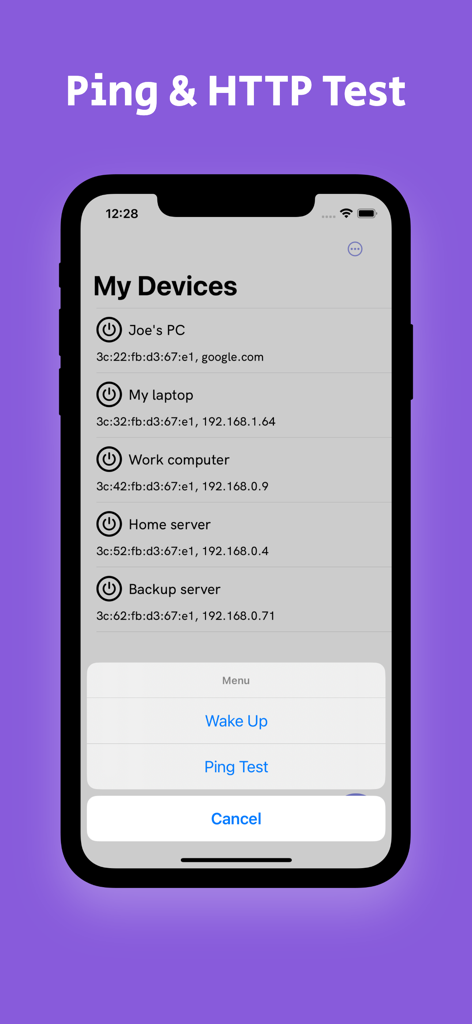
iPhone上のWOLアプリのインターフェースに、ネットワークデバイスのリストと、起動とPingテストのオプションメニューが表示されています。

iPhone上のWOLアプリのインターフェースに、ネットワークデバイスのリストと、起動とPingテストのオプションメニューが表示されています。

どこからでもハードウェアをマスター

このアプリを際立たせるツール、 5K+ 人のユーザーが選択.

瞬時のマルチデバイス起動

ワークステーション、サーバー、NAS全体を同時に起動します。複雑なホームラボやオフィスネットワーク向けに設計されたバルクコマンドで時間を節約します。

🌐

次世代IPv6接続

IPv6の完全サポートにより、リモート管理を将来にわたって保証し、最新のISPや高速ネットワークインフラストラクチャ全体で信頼性の高い接続を確保します。

🔋

RDPの失われたリンク

24時間365日の稼働に電力を浪費するのはやめましょう。消費電力の多いPCはスリープモードのままにしておき、リモート接続やメディアストリーミングが必要なときにのみ起動します。

アプリについて

について知っておくべきこと WOL — wake on lan.

説明

Mobile Wake on LAN (WOL) app is a useful tool for remote system administrators who want to wake up computers from a distance. It is an application that uses the network interface card of the computer to send a magic packet to the target device to wake it up from sleep mode or hibernation. WOL application can be downloaded and installed on mobile devices such as smartphones or tablets, which enables the user to control the target device remotely. KEY FEATURES: - Easy to use interface: WOL application has a simple and user-friendly interface that makes it easy to use for both novice and expert users. - Multiple device support: The application can send a magic packet to multiple devices at once, which makes it more efficient when managing large networks. - IPv6 support: WOL application allows the user to set ipv6 address when they want to wake up their devices. - Multiplies devices launch: The user can also remotely one two or more devices at the same time. The WOL app is an excellent tool for remote management, providing users with an easy-to-use interface, multiple device support, and a power-off feature. It is a must-have for any remote system administrator who wants to save time and increase productivity while managing their network from a distance.

最新バージョン

1.15

サイズ

9.2 MB

リリース日

2023年5月4日

リモートワークフローを最適化する準備はできましたか?

何千人ものITプロフェッショナルやパワーユーザーに加わりましょう。今日、究極のWake on LANツールをダウンロードして、ポケットからサーバー、ワークステーション、ホームラボを瞬時に起動しましょう。

ダウンロード: App Store

App information, icons, screenshots, and descriptions displayed on this page are sourced from the Apple App Store and are the property of their respective developers. Download estimates and rankings are based on MWM's proprietary models and may not reflect actual figures. This page is provided for informational and analytical purposes only.

Believe this page infringes your intellectual property? File a dispute