Word to PDF Converter - Reader

Word to PDF Converter - Reader

ダウンロード: App Store
ロゴ: Word to PDF Converter - Reader

WordからPDFへの変換 - リーダー:オールインワン・モバイル・ドキュメント・スタジオ

外出先でファイルを手軽に変換、結合、保護。Word、画像、スライドを数タップで洗練されたパスワード保護付きPDFに変換したいプロフェッショナルや学生のために設計されています。

開発元

CONTENT ARCADE DUBAI LTD FZE

カテゴリ

Utilities

ダウンロード

761K+

ユーザー評価

4.1/5

評価数

3K+

対応言語

68

あなたのオフィスをシンプルに

このインターフェースを利用する 761K+ 人のユーザー.

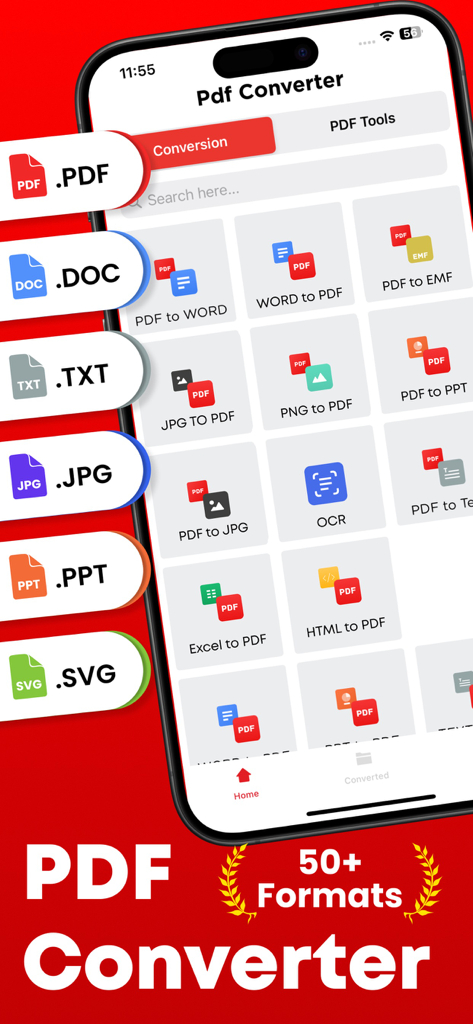
PDFからWordへの変換やJPGからPDFへの変換など、50以上のフォーマットをサポートする様々なドキュメント変換オプションが表示されているモバイルアプリの画面。

PDFからWordへの変換やJPGからPDFへの変換など、50以上のフォーマットをサポートする様々なドキュメント変換オプションが表示されているモバイルアプリの画面。

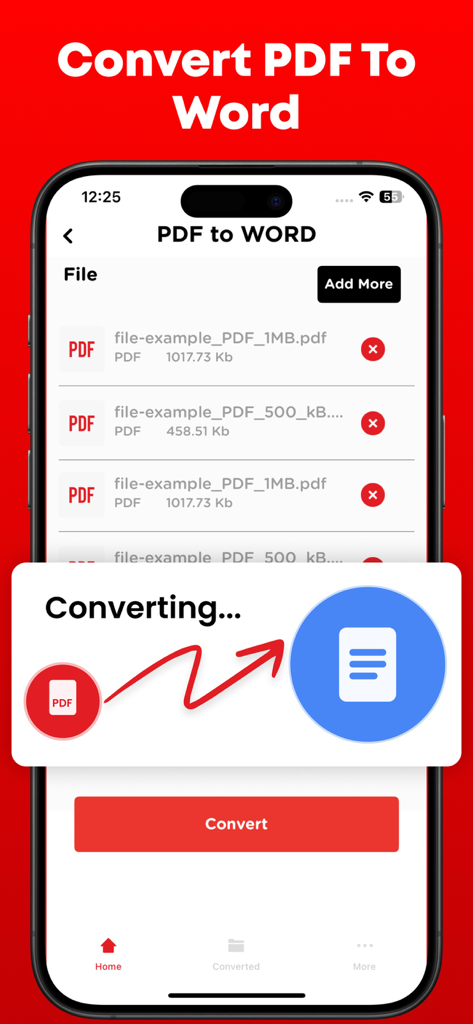
スマートフォンでPDFファイルをWord文書に変換するプロセスを示すインターフェイス。

スマートフォンでPDFファイルをWord文書に変換するプロセスを示すインターフェイス。

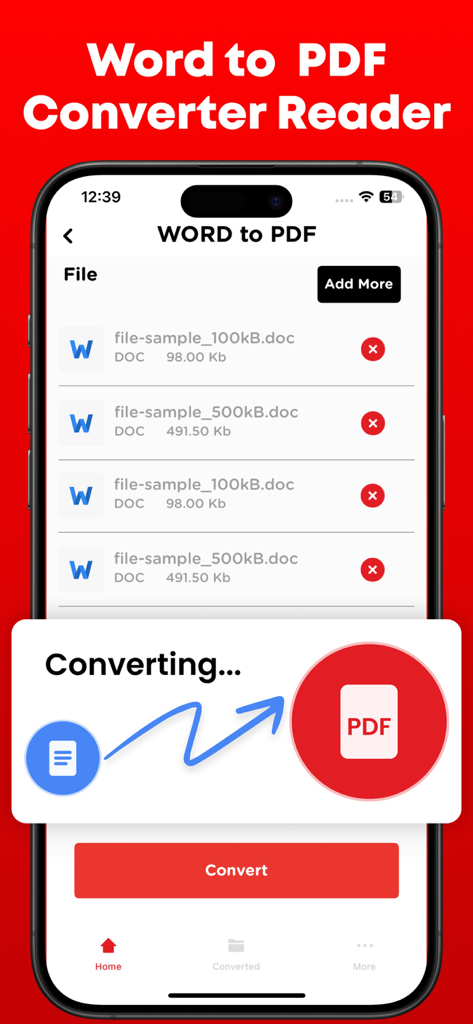
iPhoneでのドキュメント変換プロセスを示すWordからPDFへの変換アプリのインターフェイス。

iPhoneでのドキュメント変換プロセスを示すWordからPDFへの変換アプリのインターフェイス。

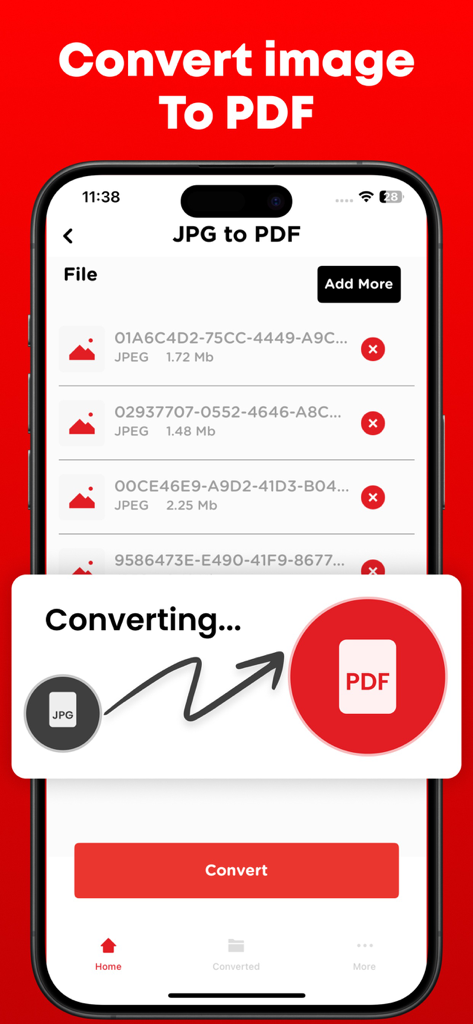
JPG画像ファイルをPDFドキュメントに変換するプロセスを示すモバイルアプリのインターフェイス。

JPG画像ファイルをPDFドキュメントに変換するプロセスを示すモバイルアプリのインターフェイス。

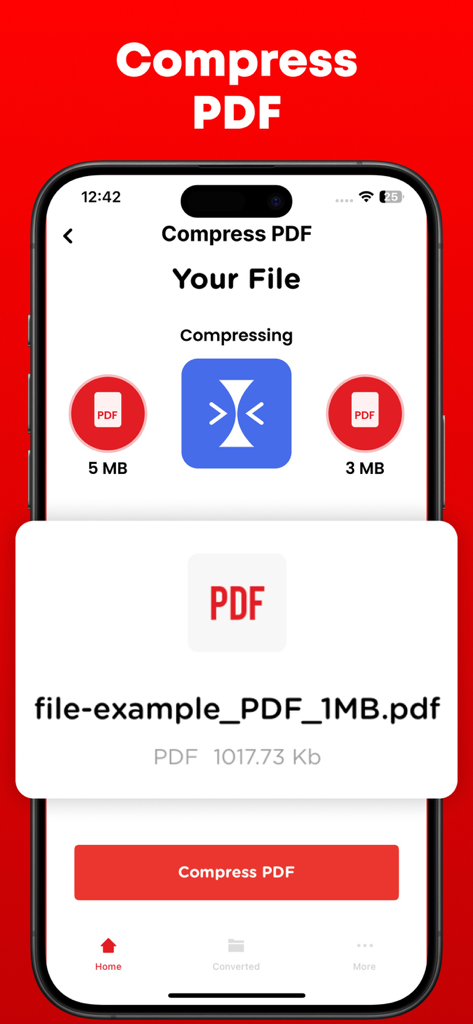
5MBから3MBにファイルを圧縮するPDF圧縮機能を表示するスマートフォンの画面。

5MBから3MBにファイルを圧縮するPDF圧縮機能を表示するスマートフォンの画面。

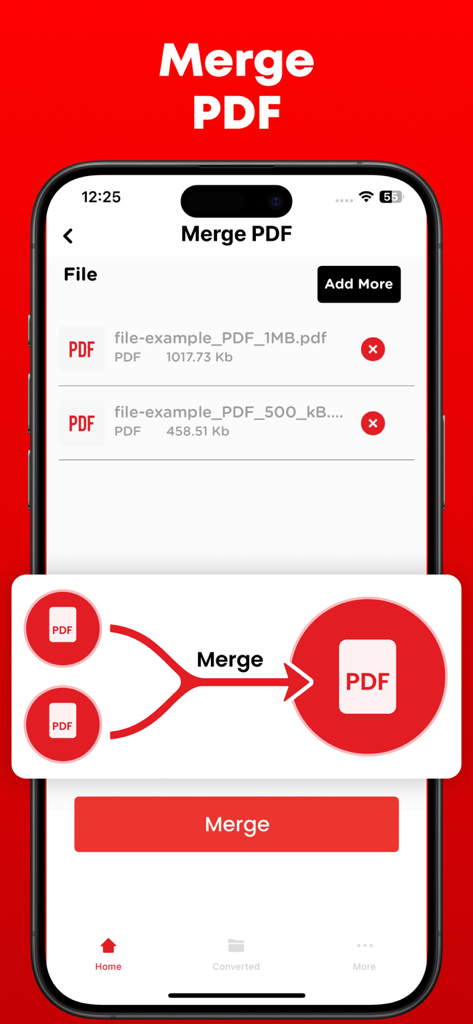
iPhone画面でPDF結合機能を表示するWordからPDFへの変換アプリのインターフェイス。

iPhone画面でPDF結合機能を表示するWordからPDFへの変換アプリのインターフェイス。

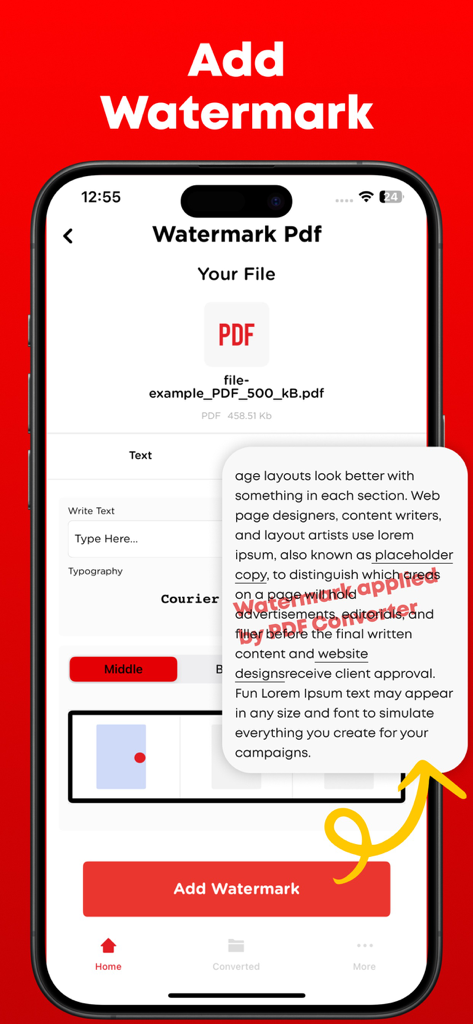
テキストカスタマイズとドキュメントプレビューを備えた透かし追加機能を表示するWordからPDFへの変換アプリのインターフェイス。

テキストカスタマイズとドキュメントプレビューを備えた透かし追加機能を表示するWordからPDFへの変換アプリのインターフェイス。

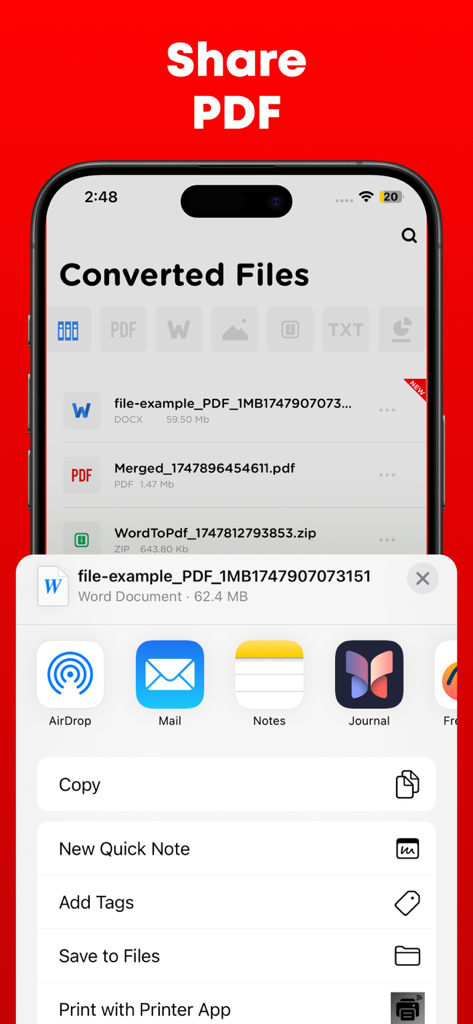
変換されたPDFドキュメントの共有オプションを表示するiPhoneインターフェイス。

変換されたPDFドキュメントの共有オプションを表示するiPhoneインターフェイス。

どこでもドキュメントをマスター

このアプリを際立たせるツール、 761K+ 人のユーザーが選択.

超高速変換

Word文書、PowerPointスライド、画像を瞬時にプロフェッショナルなPDFに変換し、常に提出準備ができたファイルであることを保証します。

🖋️

完全なクリエイティブコントロール

複数のレポートを結合したり、ページを分割したり、カスタム透かしを追加して作業を保護したりできます。建築家やフリーランスのプロフェッショナルに最適です。

🛡️

安全でプライベートな共有

パスワード暗号化で機密契約を保護し、Google DriveやDropboxとシームレスに同期して、安全なモバイルファーストのワークフローを実現します。

レビュー分析

ユーザーレビューの分析.

感情スコア

25%
ネガティブ

概要

Users report significant dissatisfaction with this mobile app, primarily citing its misleading 'free trial' which frequently leads to unexpected and automatic subscription charges, alongside difficulties in canceling these subscriptions. Many reviewers also experienced critical failures in the app's core conversion functionality, often finding it unreliable or producing corrupted files. Despite these prevalent issues, a small number of users appreciated its fast performance, intuitive design, and specific conversion accuracy for certain file types. The overall feedback indicates a strong negative sentiment due to the deceptive pricing practices and poor functionality.

主なテーマ

Ease of Use(2)
Conversion Accuracy(1)
App Performance(1)
App Design(1)
Additional Tools(1)

アプリについて

について知っておくべきこと Word to PDF Converter - Reader.

説明

Transform, modify, and save your vital documents effortlessly with the help of PDF converter. PDF converter can not only convert the files but merge and split them as well.

PDF files are mostly used by professional designers and architects for presentation purpose. PDF to Image or Image to PDF can easily be converted if you have file present in the storage of your smartphone else you can upload the file from Dropbox or Google drive. PDF converter comes with the following features. 1- Create, edit, merge and split PDF document in this PDF Converter. 2- Convert PDF to Word 3- Convert PDF to JPG 4- Convert PowerPoint slides to PDF 5- Convert JPG to PDF 6- You can check your recently converted files in the main menu of the PDF Converter. 7- Share these files where you find necessary an online social network. 8- Add watermark to the areas in the PDF file for better explanations. 9- Unlock or lock PDF file so no one can access it without a password. PDF files are the most secure way of sharing files over the internet. The reason is no one can copy content and cannot edit the file without permissions if it is locked. Note: Payment will be charged to your iTunes account at confirmation of purchase. Your subscription will automatically renew unless auto-renew is turned off at least 24-hours before the end of the current subscription period. Your account will be charged for renewal within 24-hours prior to the end of the current subscription period. Automatic renewals will cost the same price you were originally charged for the subscription. You can manage your subscriptions and turn off auto-renewal by going to your Account Settings on the App Store after purchase. Read our terms of service and Privacy Policy for more information. Privacy Policy: https://www.contentarcade.com/pdf-converter-privacy-poilcy Terms of Use: https://www.contentarcade.com/pdf-converter-terms-of-use

最新バージョン

9.1

サイズ

55.7 MB

リリース日

2019年2月12日

あなたのポータブルオフィスはタップするだけ

750,000人以上のプロフェッショナルや学生が、ドキュメントを瞬時に変換、保護、共有しています。今すぐiPhoneとiPadの究極のモバイルユーティリティを入手しましょう。

ダウンロード: App Store

App information, icons, screenshots, and descriptions displayed on this page are sourced from the Apple App Store and are the property of their respective developers. Download estimates and rankings are based on MWM's proprietary models and may not reflect actual figures. This page is provided for informational and analytical purposes only.

Believe this page infringes your intellectual property? File a dispute