
このページはアプリまたはその開発者の公式ページではなく、情報提供および論評を目的として作成された独立した編集出版物です。明示的に別段の記載がない限り、アプリおよびその開発者は、MWM、Apple、Google Play、アプリのパブリッシャー、またはアプリの開発者と提携、承認、後援、認可、またはその他の公式的な関係はなく、このページのいかなる内容も、アプリがMWMのサービスを使用して開発されたことを意味するものではありません。すべての商標、ロゴ、スクリーンショット、その他のコンテンツはそれぞれの所有者の財産です。

Image to PDF - Convert to PDF
学生や専門家が写真を高品質なPDFに変換するための、最も安全なオンデバイスツールです。クラウドを使わずに、完全なプライバシー、標準的なUSレターサイズ、パスワード保護をお楽しみください。
ダウンロード
785K+ユーザー評価
評価数
1K+開発元
カテゴリ
Business対応言語
17最新バージョン
3.0.1サイズ
10.8 MBリリース日
2020年6月30日数秒でプロフェッショナルなPDFを作成
効率性、プライバシー、プロフェッショナルな基準のために設計されたモバイルファーストのワークフローで、写真を高品質なドキュメントに変換します。
プライバシー重視の変換
100%オンデバイス処理で機密ドキュメントを安全に保ちます。クラウドへのアップロードなし、データ漏洩なし。
3ステップのワークフロー
画像を、レイアウトをプレビューし、PDFを保存します。メモやレシートをデジタル化する最も速い方法です。
よくある質問
について知っておくべきこと Image to PDF - Convert to PDF
Image to PDF - Convert to PDF アプリは、画像をどのようにPDFに変換しますか?
Image to PDF - Convert to PDF アプリは、ユーザーが写真を選択し、作成されたPDFを確認してから、3つの簡単なステップで保存することで画像を変換します。
Image to PDF - Convert to PDF は、ユーザーが作成したPDFファイルを管理できますか?
はい、Image to PDF - Convert to PDF アプリは作成されたPDFを内部に保存します。ユーザーはいつでもこれらの保存されたPDFファイルを表示したり、他のアプリケーションと共有したりできます。
Image to PDF - Convert to PDF でPDFを作成する際に、特定の用紙サイズを選択できますか?
はい、Image to PDF - Convert to PDF では、登録済みの用紙サイズから選択したり、元の画像サイズに基づいてPDFを作成したりできます。
Image to PDF - Convert to PDF はPDFのパスワード保護を提供しますか?
はい、Image to PDF - Convert to PDF アプリでは、PDFにパスワードを設定できます。この機能はプレミアム購入が必要です。
Image to PDF - Convert to PDF でPDFの余白を設定できますか?
はい、Image to PDF - Convert to PDF では、用紙に任意の余白を設定できます。この機能はプレミアム購入で利用できます。
Image to PDF - Convert to PDF は、ドキュメント処理に安全ですか?
はい、Image to PDF - Convert to PDF は、PDFをデバイス上で直接作成するため安全です。このプロセスにより、ファイルを外部に送信しないことでデータ漏洩を防ぎます。
Image to PDF - Convert to PDF でプレミアムを購入する利点は何ですか?
プレミアムコンテンツには、PDF作成時の画像の選択制限の解除と、アプリ内の広告を非表示にする機能が含まれます。
Image to PDF - Convert to PDF のプレミアムサブスクリプションはどのようにキャンセルできますか?
ユーザーはApple IDの設定からキャンセルを設定する必要があります。期間終了の24時間前までにキャンセルしない場合、自動更新されます。
Image to PDF - Convert to PDF は、ユーザーの画像やPDFを外部サーバーに保存しますか?
いいえ、Image to PDF - Convert to PDF は、PDFをユーザーのデバイス上で排他的に作成します。この設計により、プライバシーが確保され、データの漏洩を防ぎます。
以下のスクリーンショットと説明は、アプリの公式ストアリスティングから直接取得されたものであり、アプリ開発者の所有物です。
アプリストア
スクリーンショット
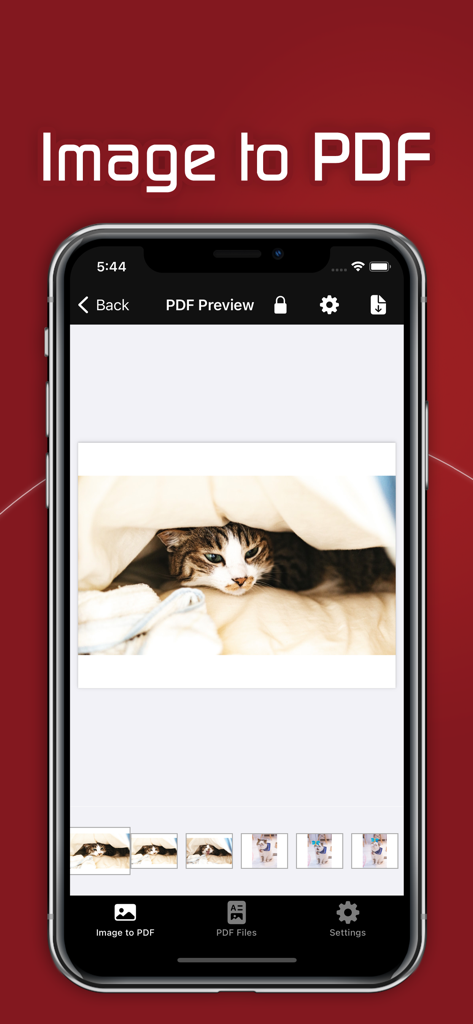
猫の写真が表示されたPDFプレビュースクリーンを示す画像からPDFアプリのスクリーンショット
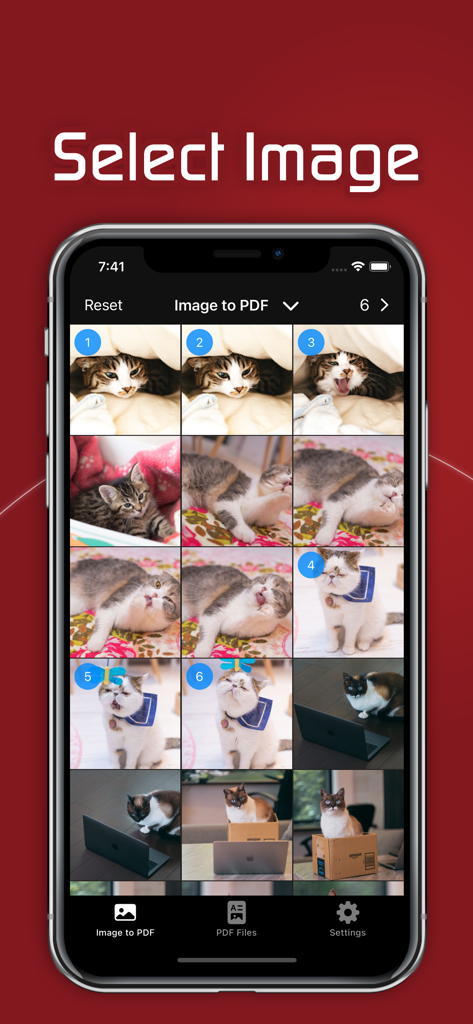
写真からPDFドキュメントへの変換のための画像選択プロセスを示すモバイルアプリインターフェース
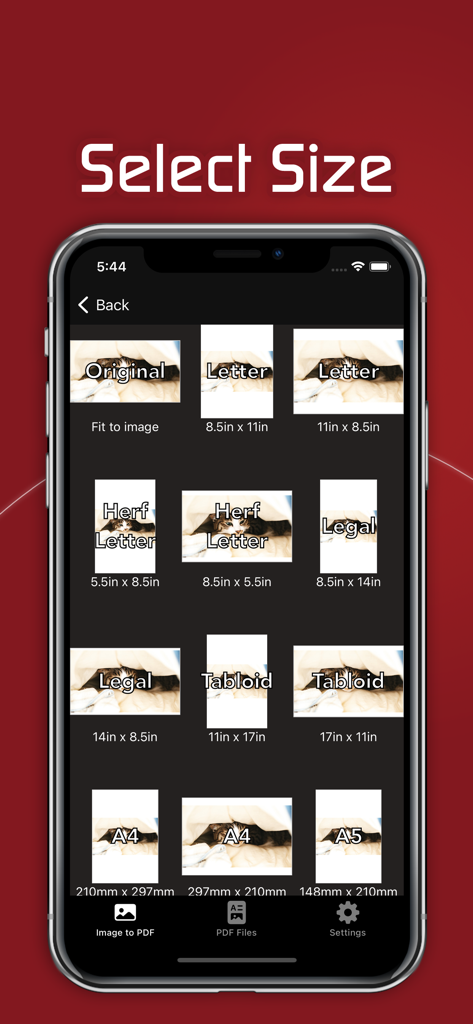
画像からPDFコンバーターアプリで、レターやA4などのドキュメント用紙サイズを選択するためのインターフェース
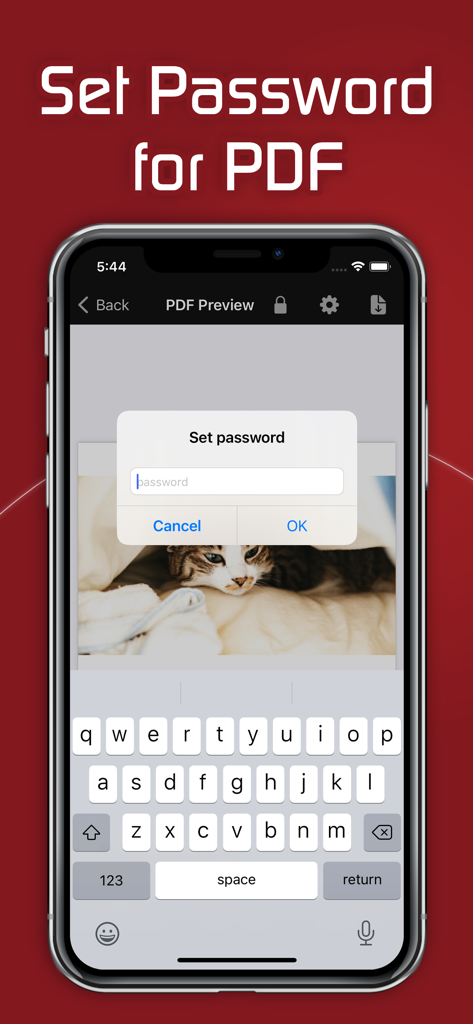
PDFドキュメントを保護するためのパスワード入力ダイアログを示すモバイルアプリインターフェース
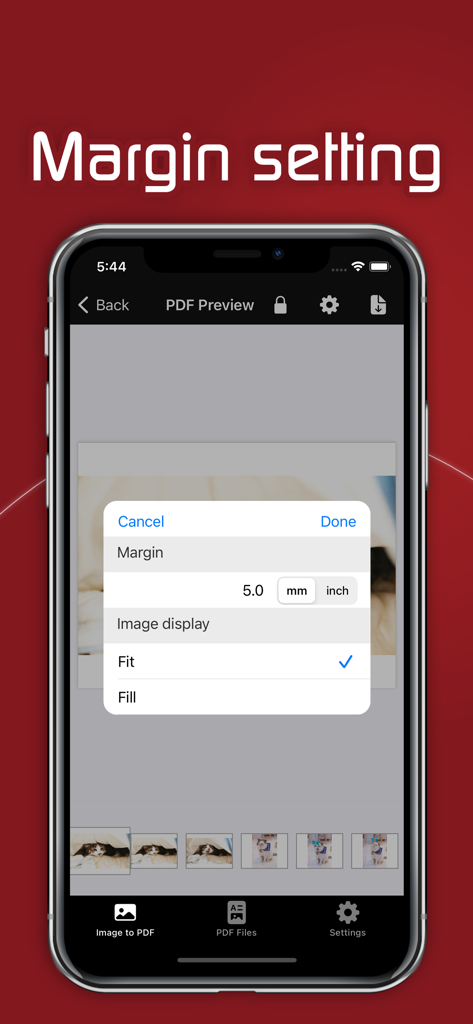
PDF変換アプリのマージン設定インターフェースを示すスマートフォンの画面。
説明
Download
類似アプリ
似た機能とユーザー体験を持つアプリ

Photo to PDF Converter Scanner
Hendrik Folkerts
PDFMaker: JPG to PDF converter
Arthur Eduardo Skaetta Alvarez Desenvolvimento de Software LTDA.

Convert Image To PDF tools
Abdullah Albalawi

PDF Converter -
晓珍 胡

Lexy PDF Viewer-Maker,Builder
MONSTER SHOW NETWORK TECHNOLOGY LIMITED

PDF Photos
Sarrada Software Inc

Image to PDF Converter +
Jatin Maniya

Photo to PDF Converter Tool
Douglas (Hangzhou) Technology Co., LTD

PDF conversion assistant
福新 杨
このページはアプリまたはその開発者の公式ページではなく、情報提供および論評を目的として作成された独立した編集出版物です。明示的に別段の記載がない限り、アプリおよびその開発者は、MWM、Apple、Google Play、アプリのパブリッシャー、またはアプリの開発者と提携、承認、後援、認可、またはその他の公式的な関係はなく、このページのいかなる内容も、アプリがMWMのサービスを使用して開発されたことを意味するものではありません。すべての商標、ロゴ、スクリーンショット、その他のコンテンツはそれぞれの所有者の財産です。