World Clock Timezone Converter

World Clock Timezone Converter

ダウンロード: App Store
ロゴ: World Clock Timezone Converter

ワールドクロック・タイムゾーンコンバーター:ワンタップですべてのタイムゾーンをマスター

グローバルなプロフェッショナルや旅行者にとって必須のユーティリティ。海外の会議を楽に計画し、Appleデバイス間で同期し、ロック画面から直接世界時刻を追跡します。

開発元

Lasmit TLB Ltd

カテゴリ

Utilities

ダウンロード

457K+

ユーザー評価

4.7/5

評価数

50K+

対応言語

4

グローバルな時間を一目で把握

このインターフェースを利用する 457K+ 人のユーザー.

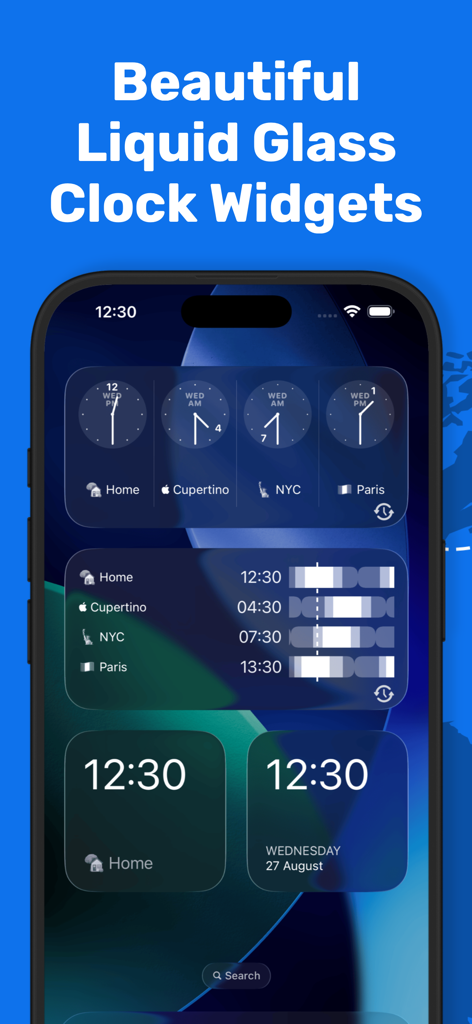
複数のタイムゾーンに対応した様々なリキッドグラススタイルのワールドクロックウィジェットを表示するiPhoneホーム画面

複数のタイムゾーンに対応した様々なリキッドグラススタイルのワールドクロックウィジェットを表示するiPhoneホーム画面

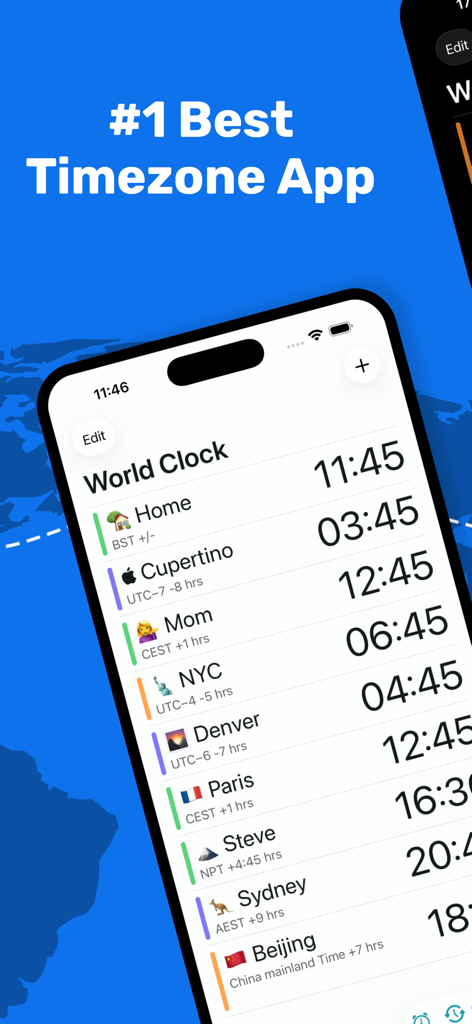
ワールドクロック・タイムゾーンコンバーターアプリのインターフェースに、iPhone上で複数のグローバルタイムゾーンが表示されています。

ワールドクロック・タイムゾーンコンバーターアプリのインターフェースに、iPhone上で複数のグローバルタイムゾーンが表示されています。

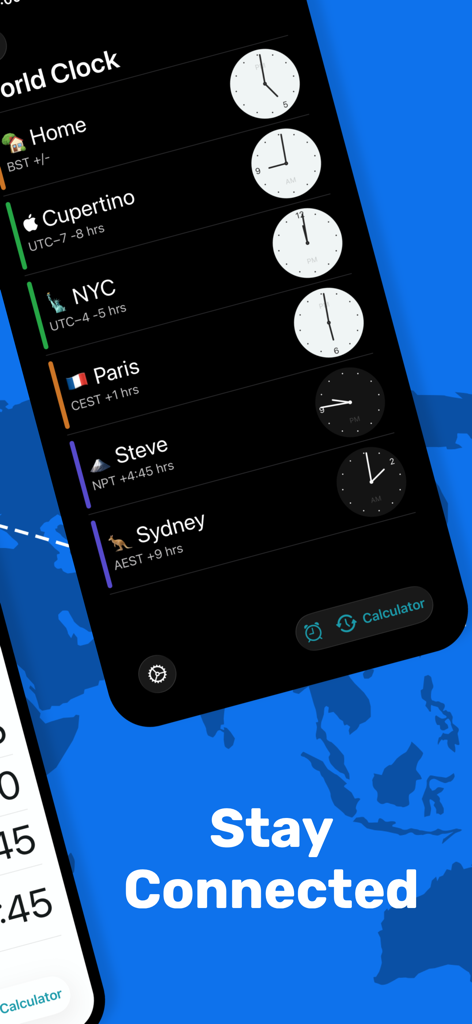
ワールドクロックアプリのインターフェースに、複数の国際タイムゾーンとアナログ時計がダークモードで表示されています

ワールドクロックアプリのインターフェースに、複数の国際タイムゾーンとアナログ時計がダークモードで表示されています

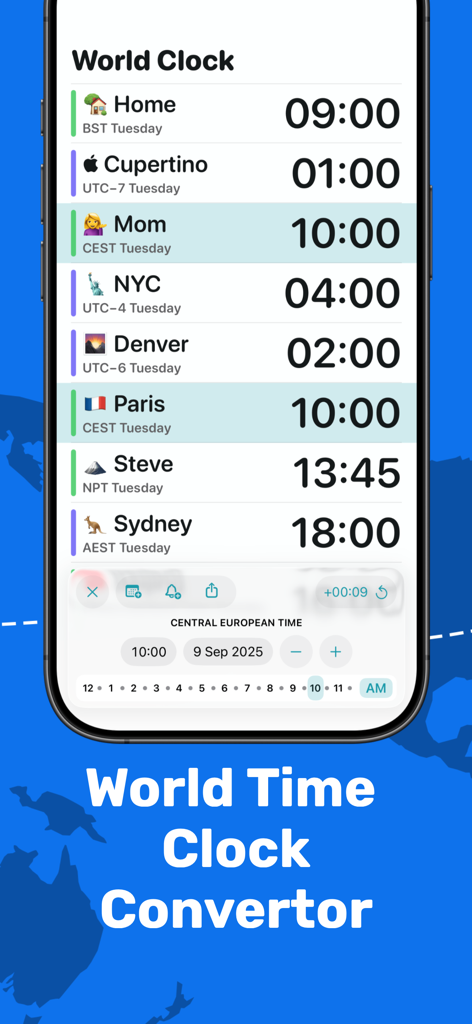
ワールドクロックアプリのインターフェースに、複数のグローバルタイムゾーンと会議プランナー機能が表示されています

ワールドクロックアプリのインターフェースに、複数のグローバルタイムゾーンと会議プランナー機能が表示されています

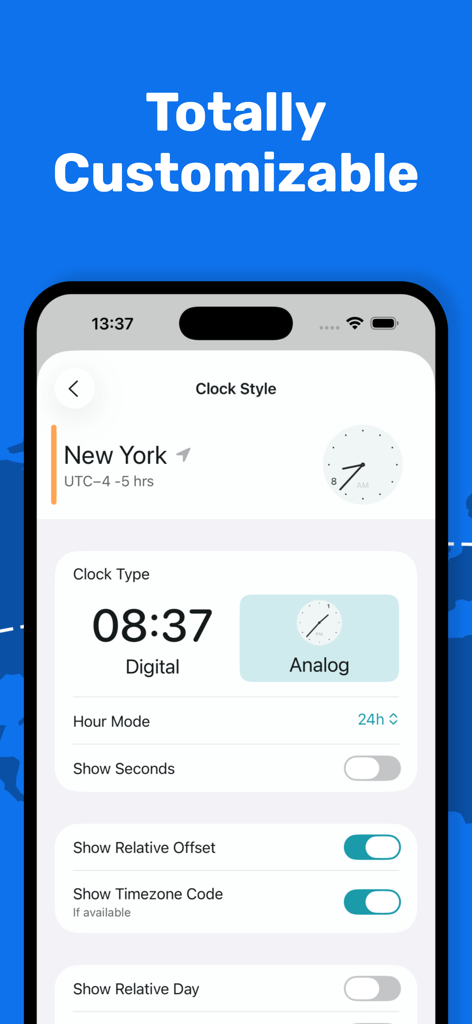
ワールドクロックアプリのカスタマイズ画面に、デジタルまたはアナログ時計スタイルとタイムゾーン表示設定のオプションが表示されています。

ワールドクロックアプリのカスタマイズ画面に、デジタルまたはアナログ時計スタイルとタイムゾーン表示設定のオプションが表示されています。

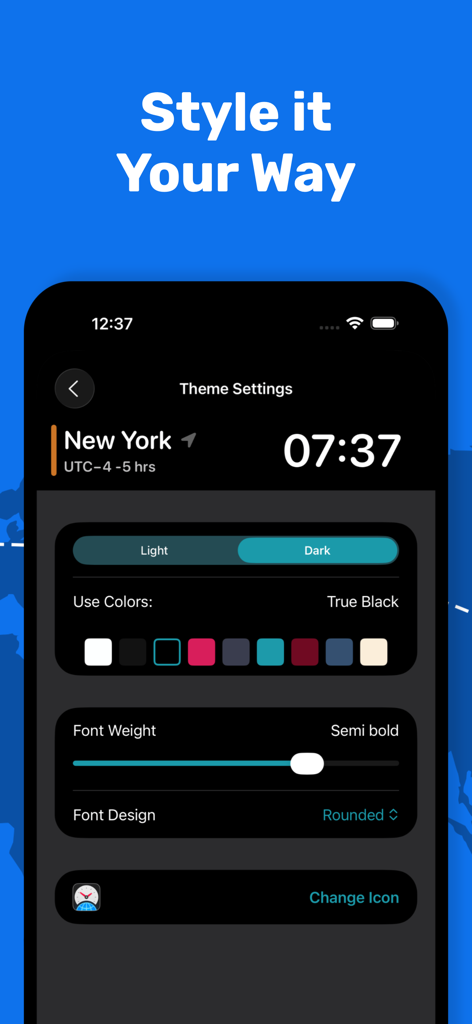
ワールドクロックアプリのカスタマイズ画面に、色、フォントの太さ、ダークモードのテーマ設定が表示されています

ワールドクロックアプリのカスタマイズ画面に、色、フォントの太さ、ダークモードのテーマ設定が表示されています

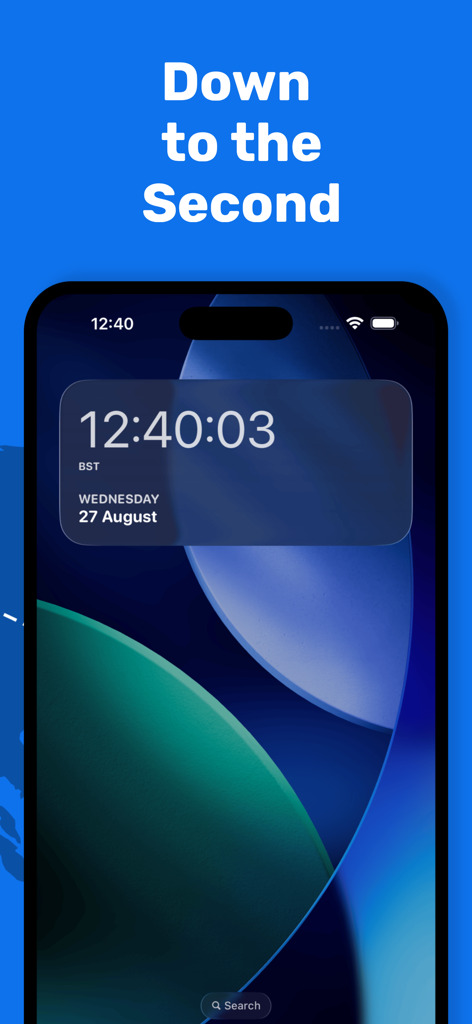
iPhone上のワールドクロック・タイムゾーンコンバーターウィジェットに、秒と日付が表示されています

iPhone上のワールドクロック・タイムゾーンコンバーターウィジェットに、秒と日付が表示されています

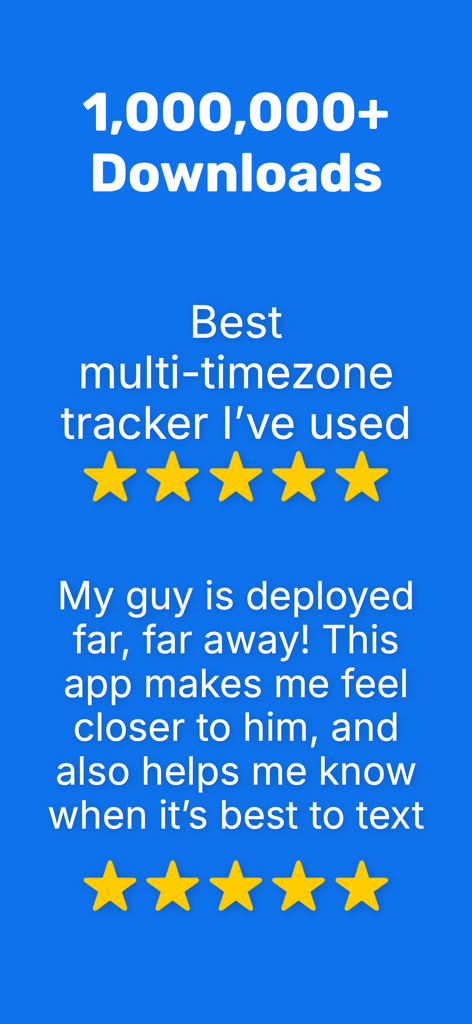
ワールドクロック・タイムゾーンコンバーターアプリの肯定的なユーザーレビューとダウンロード統計。

ワールドクロック・タイムゾーンコンバーターアプリの肯定的なユーザーレビューとダウンロード統計。

グローバルなスケジュールをマスターする

このアプリを際立たせるツール、 457K+ 人のユーザーが選択.

インスタントウィジェットアクセス

ロック画面や通知センターから直接世界の時刻を確認できます。ロック解除不要—ワンタップでグローバル市場の動向を把握できます。

🗓️

プロ会議プランナー

ユニークな「タイムトラベル」ツールを使用して、将来の時間を視覚化し、タイムゾーン計算の面倒なしに国際電話を調整します。

☁️

シームレスなApple同期

カスタマイズした場所と設定は、iCloud経由でiPhone、iPad、Mac、Apple Watch全体で完全に同期されます。<bos>

アプリについて

について知っておくべきこと World Clock Timezone Converter.

説明

Over 1,000,000 downloads and over 44,000 ratings worldwide. **Featured in "Utilities > Apps We Love" in the App Store (US)** **Featured in "Cool Clocks and Timers" of the App Store (US)** **Featured in "Enhanced for 3D Touch" in the App Store (US)** **Featured in the Best New Apps section of the App Store (UK)** **Featured in Federico Viticci's 'My Must-Have iPhone Apps' (MacStories)** World Time Widget brings the world clock to your Notification Center making it quicker and easier to see the correct time and date anywhere in the world - all within a single swipe. This app is perfect for checking timezones of international colleagues, keeping on top of world travel, or staying in touch with distant friends and family. HOW IT WORKS: iPhone / iPad widget: Just add your chosen locations to the World Time Widget app, then swipe down from the top of your device whenever you need to check the time. You can even swipe down from the lock screen to see the times - try it! Get quicker access to the timezones that matter to you with World Time Widget. Features: * ACCURATE - reliable time keeping in sync with your iOS device * COMPREHENSIVE - hundreds of cities to choose from worldwide * RELIABLE - automatic adjustment for daylight savings when applicable * CUSTOMISABLE - rename your clocks, choose 12h or 24h display, prioritise the order of your locations * COLORFUL - choose from six different themes * SECONDS - show the time to the second * CONVENIENT - see your world locations in a single swipe * USEFUL - plan meetings or calls with the handy time travel feature * CLEAR - see whether it's day or night in your chosen timezones * SYNC - Timezones sync via iCloud World Clock uses auto-renewing subscriptions. Premium Club subscription provides additional features like time travel, themes, and an ad free experience. The subscription will be charged to your iTunes account at confirmation of purchase. Subscriptions will automatically renew at the end of your subscription period and will be charged through your iTunes account. Subscriptions renew automatically unless canceled at least 24 hours prior to the end of the current period. Your account will be charged for renewal within 24 hours prior to the end of the current period. You can turn off auto-renewal at any time from your iTunes account settings. Cancellation of the current active subscription period is not allowed. Terms of Use: https://lewismakesapps.com/wtw_subscription_terms.pdf Privacy Policy: https://lewismakesapps.com/privacy/wtw/en/

最新バージョン

2025.16

サイズ

66.9 MB

リリース日

2014年9月17日

グローバルなスケジュールをマスターする準備はできましたか?

100万人以上のプロフェッショナルや旅行者に加わり、一度も遅れることなく。今すぐワールドタイムウィジェットをダウンロードして、ワンタップであなたの世界を同期しましょう。

ダウンロード: App Store
FAQ

よくある質問

について知っておくべきこと World Clock Timezone Converter

World Clock Timezone Converterアプリとは何ですか?

World Clock Timezone Converter(World Time Widgetとしても知られています)は、通知センターに世界時計をもたらします。スワイプするだけで、世界中の正確な時刻と日付にすばやくアクセスできます。

World Clock Timezone Converterウィジェットの使用方法を教えてください。

World Clock Timezone Converterを使用するには、アプリ内で目的の場所を追加します。次に、デバイスの上部またはロック画面から下にスワイプして、通知センターで時刻を確認します。

World Clock Timezone Converterアプリはカスタマイズ可能な機能を提供していますか?

はい、World Clock Timezone Converterアプリは高度にカスタマイズ可能です。ユーザーは時計の名前を変更したり、12時間または24時間表示を選択したり、場所の順序を優先したり、6つの異なるテーマから選択したりできます。

World Clock Timezone Converterは夏時間を自動的に調整しますか?

はい、World Clock Timezone Converterは、該当する場合、夏時間を自動的に調整します。これにより、手動で介入することなく、表示されるすべての時刻が正確になります。

World Clock Timezone Converterは秒単位で時刻を表示できますか?

はい、World Clock Timezone Converterは、秒単位までの時刻を表示できます。この機能は、選択したすべての場所に対して正確な時刻管理を提供します。

World Clock Timezone Converter Premium Clubサブスクリプションに含まれる機能は何ですか?

World Clock Timezone ConverterのPremium Clubサブスクリプションには、追加機能が含まれています。これらは、タイムトラベル機能、さまざまなカラフルなテーマ、広告なしのエクスペリエンスで構成されています。

World Clock Timezone Converterではサブスクリプションはどのように管理されますか?

World Clock Timezone Converterのサブスクリプションは自動更新され、iTunesアカウントに請求されます。現在の期間が終了する少なくとも24時間前にキャンセルされない限り、自動的に更新されます。

World Clock Timezone ConverterはタイムゾーンのiCloud同期をサポートしていますか?

はい、World Clock Timezone ConverterはiCloud経由のタイムゾーン同期をサポートしています。これにより、選択した世界の場所がすべてのiOSデバイスで一貫して更新されます。

World Clock Timezone Converterを使用して会議を計画できますか?

はい、World Clock Timezone Converterには便利なタイムトラベルツールが搭載されています。これにより、ユーザーはさまざまなタイムゾーンをまたいだ会議や通話を効果的に計画できます。

World Clock Timezone Converterは人気のあるアプリですか?

はい、World Clock Timezone Converterは100万回以上ダウンロードされている人気のあるアプリです。「Utilities > Apps We Love」など、App Storeで複数回紹介されています。

App information, icons, screenshots, and descriptions displayed on this page are sourced from the Apple App Store and are the property of their respective developers. Download estimates and rankings are based on MWM's proprietary models and may not reflect actual figures. This page is provided for informational and analytical purposes only.

Believe this page infringes your intellectual property? File a dispute